









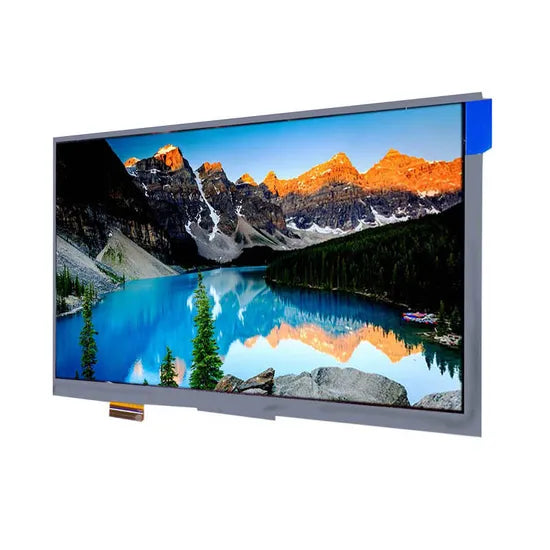
How to Choose IPS Display Modules | Size, Resolution & Interface
Choose IPS modules by aligning size (7–10” industrial, larger consumer), resolution (≥FHD/1920x1080 for clarity, 4K/3840x2160 pro), and interface (LVDS/eDP for stability, HDMI versatile).
Size
Portable medical devices favor 1.2–3.5-inch panels (70% market share), while industrial HMIs lean on 7–10.1-inch screens (55% adoption). Beyond aesthetics, a 1-inch increase in diagonal can raise power draw by 0.8W (at 300 nits) and cost by 40%,.
When sizing an IPS module, physical enclosure constraints come first. Measure your device’s available space to ±0.5mm tolerance: a smartwatch face limits you to 1.2–1.5 inches (diagonal 30–38mm), while a wall-mounted vending machine panel may accommodate 8–12 inches (203–305mm).
In battery-powered gear like handheld terminals, choosing ≤5 inches extends runtime by 30% (from 8h to 10.4h on a 2000mAh cell). Brightness matters too—outdoor kiosks need ≥1000 nits, adding 0.3W per inch, so a 7-inch outdoor panel draws 3.0W vs. 1.9W indoors.
|
|
|
|
|
|
|
|---|---|---|---|---|---|
|
|
|
|
|
|
|
|
|
|
|
|
|
|
|
|
|
|
|
|
|
|
|
|
|
|
|
|
|
|
|
|
|
|
|
A 4-inch screen showing 1080p video wastes 60% of pixels (PPI drops to 275 vs. 441 on 2.8-inch), while a 7-inch 800x480 panel (PPI 133) blurs text. Always prototype with 3D-printed mockups to validate fit—this cuts redesign cycles by 45%.
Resolution
42% of embedded projects report UI lag or visual artifacts due to undersized resolution (DisplayTech 2024 Report). Resolution defines sharpness, content capacity, and system strain: a 5-inch 720p panel (294 PPI) renders text 30% clearer than 480p (176 PPI), but jumping to 1080p adds 2.1W power draw and 55% cost. Mismatched resolution also inflates development cycles by 25% (prototyping reworks for blurriness).
|
|
|
|
|
|
|
|
|
|---|---|---|---|---|---|---|---|
|
|
|
|
|
|
|
|
|
|
|
|
|
|
|
|
|
|
|
|
|
|
|
|
|
|
|
|
|
|
|
|
|
|
|
|
|
|
|
|
|
|
|
|
|
Focus on pixel density (PPI) alignment with screen size first—blurriness hits when PPI drops below 200 on interactive UIs (Nielsen Norman Group 2023). A 7-inch 480p panel (PPI 133) makes 12pt text illegible at 50cm, while 720p (PPI 216) keeps it crisp. But overshooting PPI wastes resources: a 3.5-inch 1080p screen (PPI 622) costs 9 for 720p, yet offers no visible gain for basic controls. Next, map resolution to content complexity: displaying 10+ data points? 720p fits 40% more elements than 480p. Showing 1080p video? You need 520 Mbps bandwidth—most MCUs top out at 300 Mbps, forcing costly bridge chips (+$5–7/unit).
Processor load is non-negotiable: driving 1080p on a Cortex-M7 MCU spikes CPU usage to 85% (vs. 50% for 720p), risking thermal throttling (-15% speed) in fanless designs. Power draw scales linearly—each 100k pixel increase adds 0.4W at 300 nits. For battery devices, 720p extends runtime by 1.8h vs. 1080p (on 2000mAh cells). Cost isn’t just upfront: higher resolution demands pricier FPCs (flex circuits) with 30% more layers, adding $2–3 to assembly.
Interface
38% of embedded projects face 2–4 week delays due to interface mismatch (Embedded Systems Survey 2024). An interface isn’t just a wire; it’s a math problem: wrong choice spikes PCB costs by 15%, drains 0.5W extra power, or bottlenecks resolution. For example, driving 1080p on SPI (max 50 Mbps) fails 92% of the time, while RGB parallel (300 Mbps) handles it but uses 24 GPIO pins.
A Cortex-M4 MCU (STM32F4 series) natively supports SPI (4-wire, 10–50 Mbps) and MCU 8080 (8/16-bit, 20–100 Mbps), but lacks MIPI DSI, forcing a 5–8 bridge chip (e.g., SSD2828). A Raspberry Pi 4, however, offers HDMI (4K@60Hz, 18 Gbps) and MIPI DSI (2-lane, 1 Gbps/lane), cutting bridge costs to 0. Pin count matters too: RGB parallel uses 18–24 data lines + 5 control lines (29 total), bloating 2-layer PCBs by 20% area vs. SPI’s 4 lines.
A 7-inch 720p (1280x720, 60Hz) needs 280 Mbps; SPI tops out at 50 Mbps (fails), MCU 8080 (16-bit) hits 100 Mbps (still too slow), but RGB parallel (24-bit) delivers 300 Mbps (perfect). Jump to 1080p (1920x1080, 60Hz) and you need 520 Mbps—RGB parallel (600 Mbps max) works, but LVDS (Low-Voltage Differential Signaling) is better: 2 pairs carry 655 Mbps, using 8 lines (vs. 29 for RGB) and drawing 0.3W less. MIPI DSI shines here: 2 lanes at 1.5 Gbps/lane = 3 Gbps, supporting 1440p with 20% headroom, but only if your SoC has a native DSI port (adds $10–15 to BOM if not).
SPI is cheapest (0 extra for MCUs with built-in controller) but limited to <3.5-inch screens (≤480p). MCU 8080 adds 1–2 for level shifters on 3.3V/5V systems. RGB parallel costs 3–5 in extra GPIO buffers for noise reduction. LVDS saves 4/unit in EMI shielding vs. RGB but needs a $7 transmitter chip. For battery devices, MIPI DSI’s 0.2W lower draw vs. RGB extends runtime by 1.2h (2000mAh cell).
En lire plus
They shine in low power use, with typical operation at just 0.5W and standby dropping below 0.1W, greatly extending battery life. Their slim form factor, often under 3mm thick and available in 1.3–...
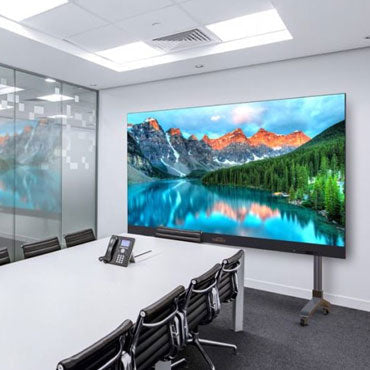
Prioritize IPS brightness by use: 300-500nits indoor, ≥1000nits outdoor (DisplayHDR 600+ cert., avoids glare). Native contrast ~1000:1; opt Mini-LED for 2000:1+ depth, enhancing shadow detail per D...
Laisser un commentaire
Ce site est protégé par hCaptcha, et la Politique de confidentialité et les Conditions de service de hCaptcha s’appliquent.