









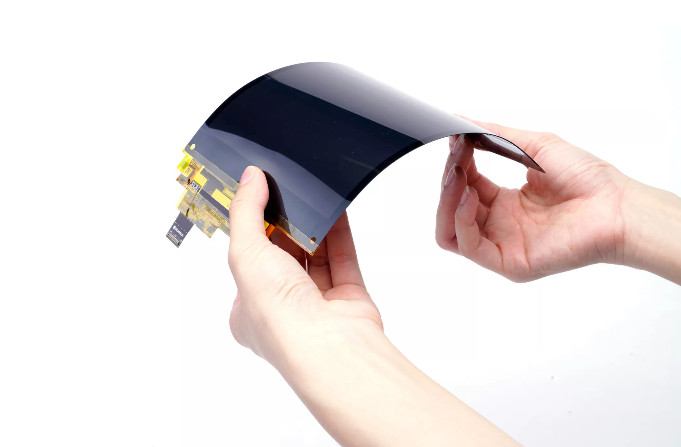
OLED Screen Maintenance | Cleaning & Care Tips
Cleaning Use a microfiber cloth (fiber diameter < 1 micron, such as 3M Scotch-Brite) dipped in a specialized screen cleaner (such as Ugreen OLED cleaner, containing deionized water + mild surfactant) or a 3:1 mixture of distilled water and isopropyl alcohol (isopropyl alcohol concentration < 30%).
Wipe gently in a single direction (force < 0.5N) and avoid pressing on the edges (to prevent panel deformation).
Operate after powering off and disconnecting.
Perform this 1-2 times per week; for stubborn stains, let the liquid sit for 10 seconds before wiping.
Set brightness to Auto (to prevent burn-in; static image display ≤ 4 hours), keep away from high temperatures (> 40°C accelerates aging, e.g., car dashboards), and use a scratch-resistant film (hardness ≥ 9H).
Manufacturer tests show that proper cleaning can extend screen life by 20% (> 100,000 hours), while misuse of ammonia-based agents can cause coating detachment (repair cost $100-300).

Cleaning
OLED panels are typically only 3mm to 5mm thick and lack a rigid backlight layer, resulting in overall mechanical strength far lower than traditional LCD screens.
The Polarizer and Anti-Reflective (AR) coating covering the surface are precision organic materials that are extremely sensitive to chemical solvents.
Most universal glass cleaners have an alkaline pH, which quickly destroys the polymer structure of the coating, leading to permanent Delamination.
Experimental data shows that local pressure exceeding 5N (Newtons) may damage the internal encapsulation layer, causing irreversible dead pixels.
Preparation
Wait for Cooling
-
Evaporation Rate Control: If the screen surface is warm, distilled water or trace moisture will evaporate quickly before you have time to wipe it. This rapid phase change causes trace impurities in the liquid (which even distilled water may absorb from the cloth) to deposit on the coating surface, forming visible white outlines.
-
Coating Physical Properties: The anti-reflective coating on an OLED surface is usually composed of multiple layers of organic polymers. Materials undergo micro-scale expansion when heated; during this state, molecular gaps widen, and physical hardness slightly decreases, placing resistance to friction at its lowest point. The cooling process allows the coating material to return to its standard mechanical strength.
Cooling Implementation Standards:
| Device Operation Time | Recommended Cooling Time | Target Surface Temperature |
|---|---|---|
| < 30 minutes | 10 minutes | < 25°C |
| > 2 hours | 20 - 30 minutes | < 25°C |
| Continuous High-Brightness Playback | Over 30 minutes | < 25°C |
Operating Tip: You can use the back of your hand (which is more sensitive to temperature) and hold it gently about 1 cm away from the screen (do not touch) to feel for radiant heat. If it feels warm, please continue to wait.
Electrical Safety
Dual Purpose of Powering Off:
-
Preventing Short Circuits caused by Capillary Action:
Liquids have surface tension. If a droplet accidentally slides into the screen edge, the electric field generated by the powered-on screen may accelerate the liquid's penetration into the bezel gaps through capillary action. Once liquid contacts a live Ribbon Cable or Driver IC, it will immediately trigger electrochemical corrosion or a short circuit. Unplugging the power cord is the only way to completely cut off the circuit. -
Reducing Electrostatic Attraction:
Electronic devices continuously generate electrostatic fields while powered on, which attracts airborne dust like a magnet. If you clean while the power is on, you will find that the areas you just wiped clean quickly attract a new layer of dust. Powering off and letting the device sit for a few minutes helps dissipate the static charge.
Static Discharge Steps:
Before picking up the microfiber cloth to touch the screen, it is recommended to touch a grounded metal object (such as a metal table leg or an unpainted computer chassis) to release the static electricity carried by your body.
While the static electricity carried by the human body is not enough to puncture the screen, it is sufficient to attract dust during the wiping process, causing a "the more you wipe, the dirtier it gets" phenomenon.
Lighting Setup
-
Turn Off Ambient Light: Close the curtains and turn off the main lights in the room. Let the screen sit against a completely black background.
-
Introduce Raking Light:
Use a phone flash or a flashlight. Do not shine it vertically at the screen; instead, place the light source close to one side of the screen so the light forms an angle of 10° to 30° with the screen surface. -
Visual Effect:
At this angle, the light will cast shadows of tiny particles. You will clearly distinguish between two distinct types of contaminants:-
Protrusions: Dust, pet hair, dander. These will appear as bright reflective points under side lighting.
-
Flat Marks: Fingerprints, saliva droplets, oil films. These will appear as hazy smudges.
-
This inspection helps you create a "cleaning map."
You don't need to wipe the entire 65-inch panel; you only need to perform a wet wipe on the 5% of the area that has stains, while the rest only needs dusting.
Tool Selection
Microfiber Cloth
A. Fiber Structure
-
Traditional Fibers (Cotton, Standard Polyester):
Under a microscope, these show a cylindrical structure. When wiping, they engage in rolling friction with dust particles, which can easily press sharp dust into the screen coating, creating micro-scratches. -
Split Microfiber:
During production, composite fibers of Polyester and Polyamide are split axially using chemical and mechanical methods. The cross-section is "*" shaped or orange-segment shaped. This structure produces two physical effects:-
Capillary Effect: The gaps within the fibers can absorb moisture and oil, with a capacity up to 7x their own weight.
-
Van der Waals Forces: The extremely fine fiber ends generate electrostatic attraction, allowing them to actively adsorb micro-dust like a magnet rather than just mechanically pushing it.
-
B. Blend Ratio
| Ratio (Polyester/Polyamide) | Characteristic Description | Applicable Scenario |
|---|---|---|
| 80% / 20% | Harder texture, high friction | Suitable for glass windows, car paint (not recommended for OLED) |
| 70% / 30% | Soft texture, extremely high water absorption | Standard ratio for OLED screen maintenance |
| 100% Polyester | Poor water absorption, prone to static | Cheap eyeglass cloths, strictly forbidden |
C. Weave & GSM
-
GSM (Grams per Square Meter):
-
< 200 GSM: Common in giveaway eyeglass cloths. Too thin, very low Dust Holding Capacity; they saturate after a few wipes, causing dust to overflow and scratch the screen.
-
300 - 400 GSM: Optimal range. Moderate thickness provides a sufficient buffer layer to absorb hand pressure while maintaining good dust-holding capacity.
-
> 500 GSM: Typically used for car detailing (long pile). Long lint may shed (Linting), and it is difficult to judge the flatness of the contact surface.
-
-
Edging:
You must choose Edgeless or Ultrasonic Cut cloths. Traditional Serged Edges use thick, hard sewing thread; if the edge accidentally sweeps across the screen, the high-hardness thread will immediately leave scratches. -
Surface Texture:
A Plush/Terry structure is recommended. Avoid Waffle Weave or Suede; the former has a grid that is too large and easily traps large sand particles, while the latter has a dust capacity that is too low.
Water Purity
Although "water" looks the same, from a micro-chemical perspective, the impact of dissolved substances on OLED coatings varies greatly.
A. Impact of TDS (Total Dissolved Solids)
TDS measures the total amount of dissolved inorganic salts, organic matter, and metal ions in water, in units of ppm (mg/L).
-
Tap Water: TDS is typically 150 - 400 ppm. Contains calcium, magnesium, and chlorides. After water evaporates, these minerals crystallize, forming white calcified spots (Scale). Forcefully wiping these spots physically damages the coating.
-
Mineral/Drinking Water: TDS is approx 30 - 100 ppm. Minerals are retained for taste, making it equally unsuitable for screen cleaning.
-
Distilled/Deionized Water: TDS < 1 ppm. This is the only permitted liquid. It contains no conductive minerals and leaves no residue after complete evaporation.
B. pH Value and Coating Corrosion
OLED anti-reflective coatings are typically polymer-based films extremely sensitive to acidity and alkalinity.
-
Distilled Water: pH is approximately 7 (neutral). This is the safest chemical environment for organic coatings.
-
Universal Cleaners: Usually contain ammonia or surfactants, with a pH often > 9 (alkaline). Alkaline solutions gradually hydrolyze the ester bonds of polymer coatings, leading to embrittlement and Delamination.
-
Vinegar/Lemon Juice Home Remedies: pH < 4 (acidic). Acidic substances corrode metal oxide layers and are strictly prohibited.
Spray
Recommended Tools
Fine Mist Sprayer
-
Atomized Particle Diameter: Should be controlled between 50 - 100 microns.
-
Function: Ensures that moisture sprayed on the cloth evenly penetrates the fibers rather than forming large droplets. The state of the cloth should be "Damp" rather than "Soaked."
-
Operational Taboo: Absolutely prohibit the use of nozzles that produce a "water jet." The impact force of a water jet not only causes splashing but also makes the cloth locally oversaturated, increasing the risk of liquid seeping into the screen bezel.
Cleaning Process
L1 & L2 Stages
Before any liquid is introduced, solid particles attached to the surface must be thoroughly removed.
A. The Quarter-Fold Technique
-
Fold a 40cm x 40cm microfiber cloth twice to form a 10cm x 10cm square handkerchief shape.
-
Advantage: This folding method provides 8 independent cleaning surfaces. When one side is saturated with dust, flip to another side to prevent cross-contamination. Meanwhile, the multiple layers of cloth provide a good buffer thickness to evenly distribute finger pressure.
B. Zero-Pressure Contact
-
Gesture: Open your palm and lay the folded cloth flat between your palm and the screen.
-
Force: Use only the gravity of your arm and the friction between the cloth and the screen. Absolutely prohibit extending your index finger to press hard on a single point. If you encounter a stubborn stain, do not try to remove it with force during the dry wipe stage; that is a task for the L3 stage.
C. Linear Motion
-
No Circular Motion: Many people are used to wiping in circles, which pushes dust from the center to the edges and creates Swirl Marks that are highly visible under lighting.
-
Recommended Trajectory: Use a "lawnmower" style Z-shape or one-way horizontal scan. Start from the top-left corner, pan right, move down by one cloth-width once you reach the edge, then pan left. Ensure each path has a 10% overlap area to ensure no spots are missed.
L3 Stage
This stage is only entered when dry wiping cannot remove fingerprint oil films (Sebum) or dried liquid residues.
A. Moisture Content Standards
-
Incorrect State: Cloth is dripping water, or water can be squeezed out with force. This will leave severe water marks and increase the risk of water entering the circuitry.
-
Correct State: Spray distilled water onto one corner of the cloth 2-3 times. Touch the area with your finger; it should feel "cool and slightly damp," but no liquid should overflow when pressed. The water saturation of the cloth should be controlled at 25% - 30%.
B. Spot Cleaning Technique
Do not attempt to wet wipe the entire screen. OLED screens usually only have oil stains in localized areas (such as near the power button or where handled during moving).
-
Wetting: Use the damp part of the cloth and press it gently onto the stain for 3-5 seconds. This softens dried organic residues.
-
Emulsifying Wipe: Gently wipe the stained area in very small circles (diameter < 2cm).
-
Flash Drying: This is the most important step to prevent Streaking. Before the moisture evaporates naturally (usually < 5 seconds), quickly switch to the dry side of the cloth to absorb the remaining trace moisture.
-
Principle: If moisture is allowed to air dry, changes in surface tension at the edge of the droplet will cause trace impurities to deposit at the edge, forming hollow ring-shaped marks. Physical absorption blocks this process.
-
If distilled water is ineffective, the stain may be non-polar (such as certain adhesive residues).
Chemical cleaners still must not be used.
It is recommended to repeat the "wet-wait-wipe" cycle.
Care Tips
Because OLED panels have lower luminous efficiency, they require higher current density than red or green pixels to maintain brightness, resulting in a half-life usually only about 60% of other colors.
Long-term display of static images with brightness exceeding 500 nits will accelerate brightness decay in specific areas, causing irreversible image retention.
The design life of modern panels is typically between 30,000 to 100,000 hours, but the brightness and color uniformity of the panel will drop significantly if the Pixel Refresher (TFT backplane voltage compensation) in standby mode is frequently interrupted, or if the device is kept in high-temperature environments above 40°C for long periods.
Brightness Control
SDR vs HDR
Different brightness management logic should be applied to content with different dynamic ranges;
one should not simply "turn down" brightness across the board.
| Content Type | Signal Characteristics | Recommended Setting Logic | Technical Basis |
|---|---|---|---|
| SDR (Standard Dynamic Range) | Brightness signal range is typically 0-100 nits. | OLED Pixel Brightness: 30-60% | SDR content mastering standards are typically 100 nits (dark room) or 120 nits (bright room). Setting brightness to 100% causes image overexposure and needlessly increases the thermal load on the panel. |
| HDR (High Dynamic Range) | Contains metadata; peak brightness requests can reach 1000-4000 nits. | OLED Pixel Brightness: 100% | HDR relies on metadata to control the EOTF curve. Although set to 100%, the actual average brightness is determined by the content; only highlight areas (like the sun or explosions) will briefly trigger high brightness, avoiding sustained heat buildup. |
| Dolby Vision | Dynamic metadata; adjusts brightness frame-by-frame. | System Default (usually Cinema/Home) | The Dolby Vision engine takes over Tone Mapping. Forcing a lower brightness will break the gamma curve, resulting in loss of shadow detail. |
ABL
ABL is a hardware-level self-protection mechanism that cannot be disabled.
-
Low APL (1-10% window): When the screen has only a small high-brightness area (like the moon in a night sky), the power supply can provide sufficient current, allowing peak brightness to reach 800-1000 nits (depending on the panel model).
-
High APL (100% full-white window): When displaying a full-screen white image (like web browsing or skiing videos), maintaining 1000 nits would cause total power consumption to exceed the power supply's rating (potentially over 300W-500W) and lead to instantaneous panel overheating. ABL will forcibly limit the current, suppressing full-screen brightness to around 150-180 nits.
-
Operating Suggestion: When using it as a computer monitor, avoid application windows with full white backgrounds. Using Dark Mode can keep the APL below 20%, avoiding the ABL trigger threshold while reducing heat.
ASBL / TPC
In addition to ABL, modern OLEDs include ASBL (Auto Static Brightness Limiter), also known as TPC (Temporal Peak Luminance Control).
-
Trigger Logic: The algorithm detects that the screen image (or a large portion of it) has not changed significantly over a period of time (usually 60-90 seconds).
-
Execution: The system will gradually reduce the overall panel brightness, potentially down to 30-50% or lower, to prevent overheating from static images.
-
Mis-trigger Management: When watching long, dark-scene movies (like night scenes in Game of Thrones), ASBL may incorrectly intervene because the pixel change rate is extremely low, making the image too dark to see. Some enthusiasts disable TPC in the service menu, but this significantly increases the risk of burn-in from static images. A safer method is to call up a menu or move the mouse to wake the screen.
Impact of Color Temperature on Heat
Cool / Vivid
Color temperature is usually 9000K - 11000K.
To present this blue-tinted white, blue sub-pixels must run at nearly 100% gain while red and green pixels are suppressed.
Warm 2 / D65 (Cinema Mode)
Color temperature is calibrated at 6500K.
At this point, the luminous ratio of red, green, and blue is most balanced.
Compared to cool tones, at the same perceived brightness, the current load on blue pixels under warm settings can be reduced by 15-20%.
Static Pixel Shifting
Pixel Shift
-
Shift Range: Firmware controls the image to move in horizontal and vertical directions. For 4K panels, the movement range is typically between 2 to 16 pixels.
-
Overscan Buffer: The actual physical resolution of the panel is usually slightly larger than the display resolution (e.g., a 3840x2160 signal is actually displayed on a 3848x2168 physical pixel array). The "non-display area" reserved at the edges serves as buffer space for pixel shifting, ensuring no black bars appear at the edges during movement.
-
Orbiting Strategy: Movement is not linear but uses an Orbiting path. It moves one pixel every 60-120 seconds, and completing a full cycle may take 10-20 minutes. This extremely slow shift is imperceptible to the human eye but sufficient to switch high-brightness pixels (like fine text edges) between different physical light-emitting units, preventing heat accumulation at a single micron-level point.
Logo Luminance Adjustment
For large static images that cannot be moved, the algorithm uses a "voltage reduction" strategy.
| Setting Level | Response Mechanism | Brightness Attenuation | Applicable Scenario |
|---|---|---|---|
| High | Intervenes quickly within 30-60 seconds after detecting static elements. | Local brightness reduced by ~20-25% | Watching news, sports, or game streams with bright station logos. |
| Low | Detection time is longer, and the intervention process is smoother. | Local brightness reduced by ~10-15% | Watching movies with watermarks or using as a PC monitor for document editing. |
| Off | Disables local dimming algorithm. | 0% (Full brightness output) | Not recommended. Only for professional color grading where brightness consistency is vital, and requires frequent manual breaks. |
Letterboxing/Pillarboxing
When watching movies (usually 2.35:1 or 2.39:1) or old TV shows (4:3), black bars appear on the screen.
-
Risk of Uneven Wear:
-
Black Bar Areas: Pixels are off (0V), organic materials are not consumed, and there is no loss of life.
-
Content Area: Pixels emit light normally, and organic materials age continuously.
-
Consequence: After hundreds of cumulative hours, when displaying a full-screen solid color, the areas that originally showed black bars will appear brighter than the middle area, forming a visible "reverse burn-in" outline.
-
-
Mitigation Solutions:
-
4-Way Zoom: Most TVs offer this feature to stretch the image vertically to crop out side edges or zoom proportionally. It is suggested to play 1-2 hours of 16:9 full-screen content (like YouTube or full-screen TV) for every 4-5 wide-format movies watched to let edge pixels participate in aging.
-
Reduce Contrast: When watching content with black bars, appropriately lower the OLED Pixel Brightness by 10-20 units to slow down aging in the middle area and narrow the lifespan gap with the black bar areas.
-
Differential Aging caused by static images is the primary cause of OLED burn-in.
Enabling hardware-level Pixel Shift forces the image to move 2-4 pixels every 1-4 minutes, effectively spreading the thermal load of the light-emitting units.
In conjunction with Logo Detection algorithms, the system can automatically reduce the brightness of static areas by over 20%.
Users should actively avoid 2.35:1 top/bottom bars and long-term HUD displays, limiting the continuous work time of fixed pixels to under 1 hour to maintain TFT backplane voltage uniformity.
Standby Habits
Two Types of Cycles
OLED maintenance programs are not a single mode but are divided into Short Cycles and Long Cycles, targeting different aging phenomena.
| Maintenance Type | Trigger Threshold | Execution Duration | Technical Principle & Purpose |
|---|---|---|---|
| Short Cycle (RS Compensation) | Cumulative 4+ hours of use | 5 - 10 minutes | Real-time Sensing: Primarily detects the voltage hysteresis effect of the TFT backplane. By applying a sensing voltage, it quickly reads the electrical characteristics of the backplane circuit and corrects image retention caused by short-term residual charges. This is the most frequent daily maintenance. |
| Long Cycle (JB Compensation) | Cumulative 2000+ hours of use | Approx 60 minutes | Joule heat / Burn-in: A deep panel reset. The system detects brightness decay of the organic light-emitting material itself (not just the TFT circuit). It significantly adjusts the global voltage baseline and may even remap the panel's gamma curve to mask uneven aging. |
Physical Power Disconnection
Many users retain habits from CRT or old LCD TVs, believing that "complete power disconnection" protects appliances or saves power; for OLED, this is an extremely incorrect operation.
-
Data Write Interruption: It’s like pulling the plug while a computer is writing to a hard drive. When the screen is off and black, high-precision voltage measurements and data writing are occurring in the background. Cutting power at the strip now results in the loss of current measurement data and may even cause Corruption of the voltage compensation table stored in the EEPROM.
-
Vertical Banding: During OLED production, TFT transistors across different batches are arranged on the glass substrate with natural, slight process errors. Manufacturers calibrate this before shipping. If short-cycle compensation is blocked long-term, TFT voltage drift will manifest along these physical channels, appearing as dark vertical stripes against dark gray backgrounds.
-
Mura (Brightness Inconsistency): Certain areas (usually the center with poorer heat dissipation) age faster than the edges. Without compensation, viewing solid colors (like football turf or gray skies) will reveal a "Dirty Screen Effect," where the screen looks like it has a layer of un-washable dust.
Identifying "Semi-Standby"
-
Relay Click: Most high-end OLED TVs (e.g., Sony A90 series, LG G series) are equipped with internal power relays.
-
At Shutdown: Press the power button; the screen goes out, but you will not immediately hear a metallic "click." This means the power board is still supplying power to the motherboard and T-Con to run the compensation program.
-
At Completion: About 5-10 minutes later, you will hear a crisp "click" from the back of the set. This is the relay physically disconnecting the high-voltage circuit, and the device has now truly entered low-power sleep.
-
-
LED Status Light: Some brands (like Sony) may show the bottom LED indicator in a faint amber or white "breathing" state while performing a panel refresh, rather than being completely off or solid red.
-
USB Port Power: During maintenance, USB ports on the back of the TV usually remain powered. If you have LED strips connected or are charging a controller and they stay lit after the screen is off, maintenance is in progress.
Special Scenario Requiring Complete Power Disconnection
Severe Convective Thunderstorms
Pixel refresh programs cannot defend against voltage surges.
If your living environment lacks a whole-house surge protector, unplugging the power cord and HDMI cables during a thunderstorm is the only way to protect fragile driver ICs.
Long-term Disuse (Long-term Storage)
If you plan to leave your residence and not use the device for more than 2 weeks (14 days).
After your final viewing session, turn off the screen with the remote, wait 15 minutes (to ensure you hear the relay click), and then unplug the power cord.
En lire plus
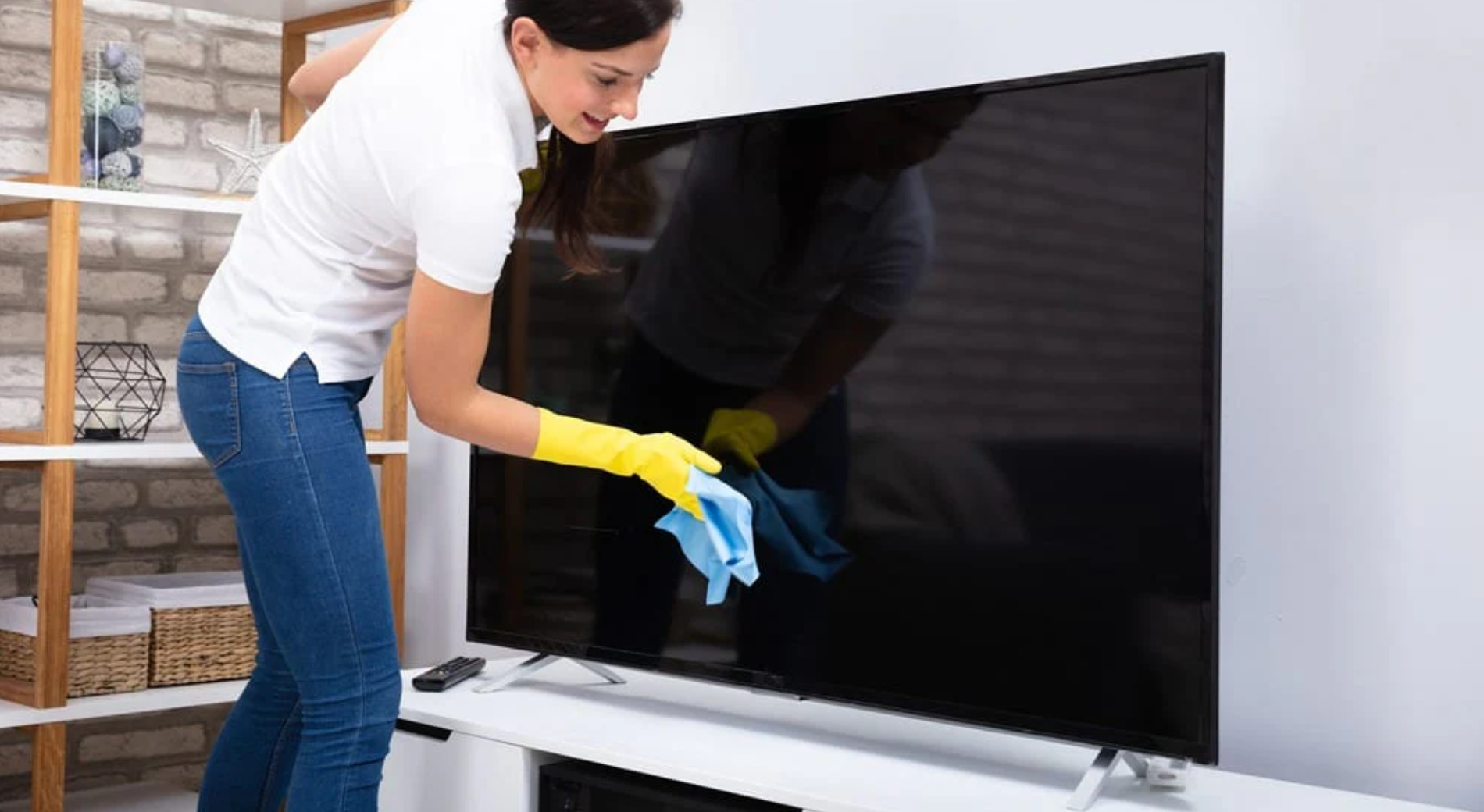
Please be sure to turn off the screen first. Gently wipe the surface in a circular motion using a clean microfiber cloth. For stubborn stains, you may.
When selecting a model, use I2C or SPI for low-speed interfaces, and RGB or Parallel interfaces for high-speed ones; Select a resolution of 128x64 or.
Laisser un commentaire
Ce site est protégé par hCaptcha, et la Politique de confidentialité et les Conditions de service de hCaptcha s’appliquent.