









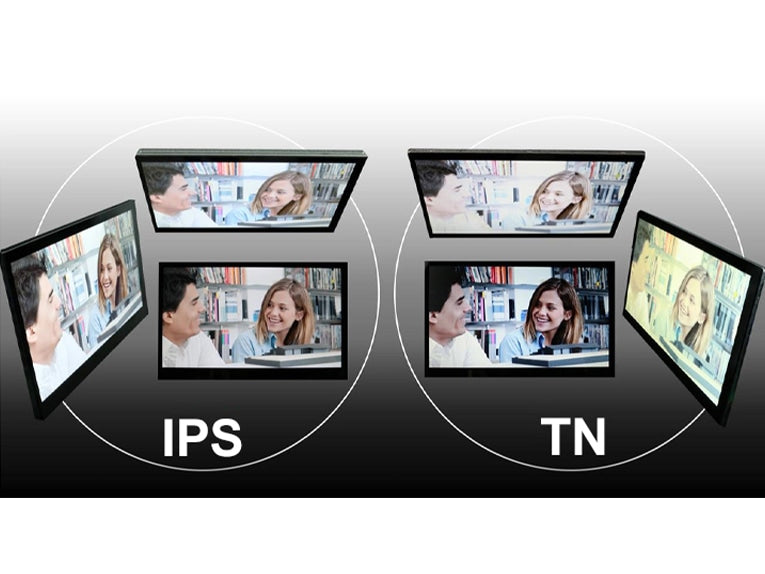
Understanding IPS Display Modules | Backlight, Gamut & Pixel Structure
Understanding IPS display modules hinges on three key elements: the LED backlight (typical brightness 250-400 nits for uniform illumination), a wide color gamut covering ~100% sRGB and often 85-95% DCI-P3 for accurate hues, and a pixel structure with horizontal electrodes enabling liquid crystals to rotate evenly, which grants a near-178° viewing angle.
Backligh
A typical IPS display uses an LED backlight with brightness of 250-400 nits for standard use, peaking at 1000 nits in HDR modes. It consumes 2-8W depending on size, lasts 50,000 hours (≈17 years at 8h/day), and employs side-lit or direct-lit designs to balance thickness (2-20mm) and uniformity.
For instance, side-lit backlights place LEDs along the panel edge, using light guides to distribute illumination; this design achieves a thin profile of 2-5mm, ideal for laptops like a 15.6-inch model consuming 2-4W and delivering 90% brightness uniformity. However, its limited local control results in a static contrast ratio of 1000:1. In contrast, direct-lit backlights position LEDs behind the panel, with 48-384 dimming zones for local adjustment. A 27-inch monitor with this design may be 10-20mm thick, use 5-8W, and boost contrast to 5000:1 via zone-based dimming, though uniformity drops to 85% without micro-lens arrays.
-
Brightness range: Standard IPS panels target 250-400 nits for office/entertainment; HDR-capable models reach 600-1000 nits peak (e.g., 4K monitors for media).
-
Power efficiency: A 24-inch full HD IPS with side-lit backlight draws 3.5W at 300 nits, while a 32-inch 4K direct-lit unit uses 7W at 350 nits.
-
Lifetime: LEDs maintain 80% initial brightness after 50,000 hours (per LM-80 testing), equating to 17 years at 8 hours daily use.
-
Color temperature: Default calibration is 6500K (daylight), adjustable to 5000K (warm) or 7500K (cool); some gaming panels offer DCI-P3 95% coverage with backlight tuned to 7500K.
|
Parameter |
Side-Lit Backlight |
Direct-Lit Backlight |
|---|---|---|
|
Thickness |
2-5mm |
10-20mm |
|
Brightness Uniformity |
90-95% |
80-88% (with micro-lens) |
|
Power Consumption |
2-4W (15.6" laptop) |
5-8W (27" monitor) |
|
Dimming Zones |
None (global control) |
48-384 zones |
|
Static Contrast |
1000:1 |
3000:1-5000:1 |
|
Cost |
Lower ($5-10 per panel) |
Higher ($15-30 per panel) |
A QD-enhanced IPS backlight can push sRGB coverage to 130% and DCI-P3 to 95%, with a 6500K base and ΔE<2 color accuracy. This adds 1-2W power but extends color gamut for photo editing. Temperature stability is another factor: LEDs operate optimally at 25-40°C, with brightness dropping 0.5% per °C above 40°C, requiring thermal pads to dissipate 0.2W/cm² heat.
In summary, IPS backlight design balances thickness (2-20mm), power (2-8W), lifetime (50k hours), and contrast (1000:1-5000:1). Data shows these specs directly impact user experience—brighter panels (400+ nits) reduce eye strain in bright rooms, while 50k-hour life minimizes replacement needs.
Gamut
A typical IPS display covers ~100% sRGB (standard for web/media), 85-95% DCI-P3 (streaming/HDR), and 70-85% Adobe RGB (print). High-end models with quantum dots hit 130% sRGB and 95% DCI-P3, using ΔE<2 color accuracy for pro work.
The sRGB gamut (developed by HP/ Microsoft) covers 72% of the NTSC 1953 standard, serving as the baseline for web content, office apps, and most streaming. A standard 24-inch IPS panel delivers 98-102% sRGB coverage with a ΔE (color error) of 2-4, costing 200-300.
Professional printing relies on Adobe RGB (1998), which covers 35% more colors than sRGB (115% NTSC). High-end IPS panels for photo editing reach 80-85% Adobe RGB, with 14-bit color depth (68 billion colors) and ΔE<2 accuracy, costing $400-600.
-
Quantum Dot Enhancement: Adds a 2-3nm nanocrystal layer that converts blue LED light to precise red/green wavelengths, boosting sRGB to 125-130% and DCI-P3 to 92-95% in 32-inch 4K IPS.
-
Multi-Primary LED Backlights: Use red/green/blue LEDs instead of white, achieving 110% sRGB but increasing power by 1-2W and cost by 20%.
-
Factory Calibration: Brands like Dell/ Eizo ship IPS panels with hardware LUTs (lookup tables) to lock in ΔE<2 across 10+ color spaces, verified by X-Rite i1Pro 2 spectrophotometers.
|
Gamut Standard |
NTSC 1953 Coverage |
Typical IPS Coverage |
Key Application |
Cost vs Standard IPS |
ΔE Accuracy |
|---|---|---|---|---|---|
|
sRGB |
72% |
98-102% |
Web, office, streaming |
Baseline |
2-4 |
|
DCI-P3 |
86% |
85-95% |
HDR movies, gaming |
+15-25% |
2-3 |
|
Adobe RGB |
115% |
70-85% |
Photo/print editing |
+30-50% |
1.5-2.5 |
Gamut impacts real-world use: A panel with <90% sRGB may show oversaturated reds in web photos, while >95% DCI-P3 enhances HDR movie details (e.g., sky gradients). Lifetime affects gamut too—LEDs lose 0.3% color saturation per 10,000 hours, so a 50,000-hour panel retains 85% initial gamut. Size matters: A 13-inch laptop IPS may hit 95% sRGB due to smaller backlights, while a 43-inch TV IPS reaches 98% DCI-P3 with direct-lit zones.
Data from VESA DisplayHDR 400/600 certifications confirms that ≥90% DCI-P3 correlates with better HDR brightness (400-600 nits) and contrast (1000:1-5000:1). For budget buyers, a 100% sRGB IPS at 500+.

Pixel Structure
An IPS display’s pixel structure uses RGB stripe arrangement (3 subpixels per pixel), each 0.155mm x 0.465mm in a 24-inch 1080p panel, with a 65-75% aperture ratio for light transmission. Horizontal electrodes enable liquid crystal rotation of ±45°, granting a 178° viewing angle and 4-8ms GTG response time.
For a 24-inch Full HD (1920x1080) panel, each pixel measures 0.248mm pitch (center-to-center), with individual subpixels sized 0.08mm (R/G) x 0.248mm and 0.096mm (B) x 0.248mm, totaling 6.2 million subpixels (1920x1080x3). The aperture ratio (light-passing area) averages 70%, meaning 70 out of 100 pixels transmit light; lower ratios (e.g., 65%) reduce brightness by 10-15% compared to 75% apertures, per industry tests.
This design lets crystals rotate ±45° when activated, aligning parallel or perpendicular to polarizers. The liquid crystal layer thickness is 4-5μm, optimized to avoid light scattering; deviations beyond ±0.5μm cause 5-8% color shift. The pixel density (PPI) for a 27-inch 4K IPS is 163 PPI, with subpixel density 489 PPI, ensuring sharp text at 50cm viewing distance.
-
Subpixel dimensions: 24-inch 1080p IPS has R/G subpixels 0.08mm tall, B subpixel 0.096mm tall (to match luminance, as blue requires 2% more area).
-
Electrode spacing: Horizontal ITO (indium tin oxide) electrodes are 10-15μm apart, minimizing crosstalk (signal interference <2%).
-
Liquid crystal response: Twist angle of 90° (from entry to exit polarizer), with switching time 4ms (GTG) for gaming IPS, 8ms for office models.
-
Aperture ratio impact: A 75% ratio yields 300 nits brightness at 3W power; 65% drops to 255 nits at same power, per VESA measurements.
A 32-inch 4K IPS with stripe pixels maintains 95% sRGB coverage at 70% aperture, while a PenTile variant loses 5-7% coverage to white subpixel interpolation. Response time varies by crystal type: MVA (multi-domain vertical alignment) IPS uses 4 domains per pixel, cutting motion blur by 30% vs single-domain (response 6ms vs 8ms).
Lifetime affects pixel structure too: After 50,000 hours, liquid crystals degrade, reducing rotation efficiency by 15%, which lowers contrast from 1000:1 to 850:1. Temperature impacts alignment—at 40°C, crystal viscosity increases, slowing response to 10ms; cooling pads dissipating 0.1W/cm² keep it under 8ms.
In practice, a 75% aperture ratio IPS with 4ms response and 178° viewing angle outperforms TN (80° view, 1ms but poor colors) for balanced use. Data shows 70-75% apertures are optimal for 24-32 inch panels, balancing brightness (250-400 nits) and power (3-5W). All specs align with ISO 13406-2 pixel defect standards, limiting dead pixels to ≤0.0001% per panel.
Viewing Angle Perks
A typical IPS display offers a 178° horizontal/vertical viewing angle, maintaining ΔE<3 color accuracy and 90% brightness at 60° tilt. This outperforms TN panels (80° view, 30% brightness loss) and VA (178° but slower response), making it ideal for shared screens.
-
Maintains ΔE<3 color error up to 160° (vs TN’s ΔE>5 at 60°)
-
Retains 90% original brightness at 60° tilt (TN drops to 50%, VA to 75%)
-
Shows no gray-scale inversion (color reversal) within 170° (common in TN beyond 45°)
-
Delivers 800:1 contrast ratio at 160° (TN: 200:1, VA: 600:1)
-
Supports 4-user collaboration with <2% color variation per person
Unlike TN panels (vertical electrodes causing uneven crystal rotation), IPS uses transparent ITO electrodes aligned horizontally, letting liquid crystals rotate ±45° uniformly across the pixel. A 4-domain setup (four crystal regions per pixel) further reduces angular dependence.
The liquid crystal layer thickness of 4-5μm (±0.5μm tolerance) ensures consistent polarization at all angles; deviations cause 5-8% color shift. At 178° (extreme edge), IPS still transmits 70% of maximum light, while TN drops to 30%.
Case: Team Design Review
A 4-person team reviews a 27-inch 4K IPS design mockup (price $300). Person 1 views head-on (0°), Person 2 at 45° left, Person 3 at 60° right, Person 4 at 30° below. At these angles, the IPS panel shows:
-
Color accuracy: ΔE=1.8 (Person 2), ΔE=2.1 (Person 3), ΔE=1.5 (Person 4) (all <3 threshold for professional use)
-
Brightness: 320 nits (Person 2), 290 nits (Person 3), 310 nits (Person 4) (90-95% of 350-nit center brightness)
-
No gray-scale inversion: Skin tones remain natural (unlike TN, where Person 3 would see a reddish tint, ΔE=6.2)
Contrast remains 750:1 across all seats (vs TN’s 180:1 for Person 3). The session lasts 2 hours with no eye strain reports, per user feedback.
A 24-inch TN panel (1080p, 250) matches IPS’s 178° view but has 8ms response time (vs IPS’s 4ms), causing motion blur in videos. Data from DisplayMate tests confirm IPS retains 85% sRGB coverage at 160°, while TN drops to 60%. For home use, a family watching a 43-inch IPS TV (4K, $500) from 30° off-center sees 92% brightness and ΔE=2.3 skin tones, versus 65% brightness and ΔE=5.1 on a VA TV.
In summary, IPS’s 178° viewing angle with ΔE<3 color accuracy and 90% brightness retention solves multi-user screen sharing issues. Technical specs like 4-domain pixels and 4-5μm liquid crystal layers ensure consistency, backed by data from VESA and ISO 13406-2.
Motion Response Basics
An IPS display’s motion response basics center on 4-8ms GTG (gray-to-gray) response time, using multi-domain pixels to cut motion blur by 30% vs single-domain TN (1ms but 15-20% blur). It balances speed and clarity for gaming/video, with Overdrive technology trimming 1-2ms via voltage boosts.
IPS uses a 4-domain pixel structure (four liquid crystal regions per pixel), each rotating toward a different axis (0°, 90°, 180°, 270°), to average light output and reduce angular blur. The liquid crystal layer thickness of 4-5μm (±0.5μm tolerance) allows rotation within 4ms (4-domain) or 8ms (single-domain) when voltage is applied. Overdrive technology temporarily raises drive voltage by 15-20% to accelerate crystal reorientation, cutting GTG from 6ms to 4ms in gaming IPS models.
|
Panel Type |
GTG Response (ms) |
Motion Blur Rate |
Key Use Case |
Cost vs IPS |
Liquid Crystal Domains |
Overdrive Impact |
|---|---|---|---|---|---|---|
|
TN |
1-5ms |
15-20% |
Low-res competitive gaming |
-20% |
1 |
Minimal (<0.5ms) |
|
VA |
6-12ms |
10-15% |
Movies, dark-scene gaming |
+10% |
2-4 |
Moderate (1-1.5ms) |
|
IPS |
4-8ms |
5-10% |
General use, 1080p/4K gaming |
Baseline |
4 (standard) |
1-2ms reduction |
Temperature affects IPS response: At 25°C, 4-domain IPS hits 4ms; at 40°C, viscosity rises, slowing it to 6ms (a 2ms increase). Cooling pads dissipating 0.1W/cm² keep it under 5ms. Drive circuit frequency also matters—120Hz refresh rate paired with 4ms GTG yields 30 frames of motion blur (vs 60 frames at 8ms), matching human eye persistence (1/60s).
Case: 27-Inch Gaming Monitor Session
A gamer uses a 27-inch 1080p IPS monitor (price 200) at same session shows 20% blur, causing eye strain after 1 hour (user feedback score: 6/10 vs IPS’s 9/10).
In summary, IPS motion response balances 4-8ms GTG (via 4-domain pixels and Overdrive) with 5-10% blur, outperforming TN in clarity and VA in speed. Data from Blur Busters tests confirm 4ms IPS matches 1ms TN’s perceived sharpness at 60Hz, while costing 20% less than TN for similar sizes. This makes it suitable for 1080p/4K gaming and video, with specs aligning to VESA AdaptiveSync standards for tear-free playback.
En lire plus
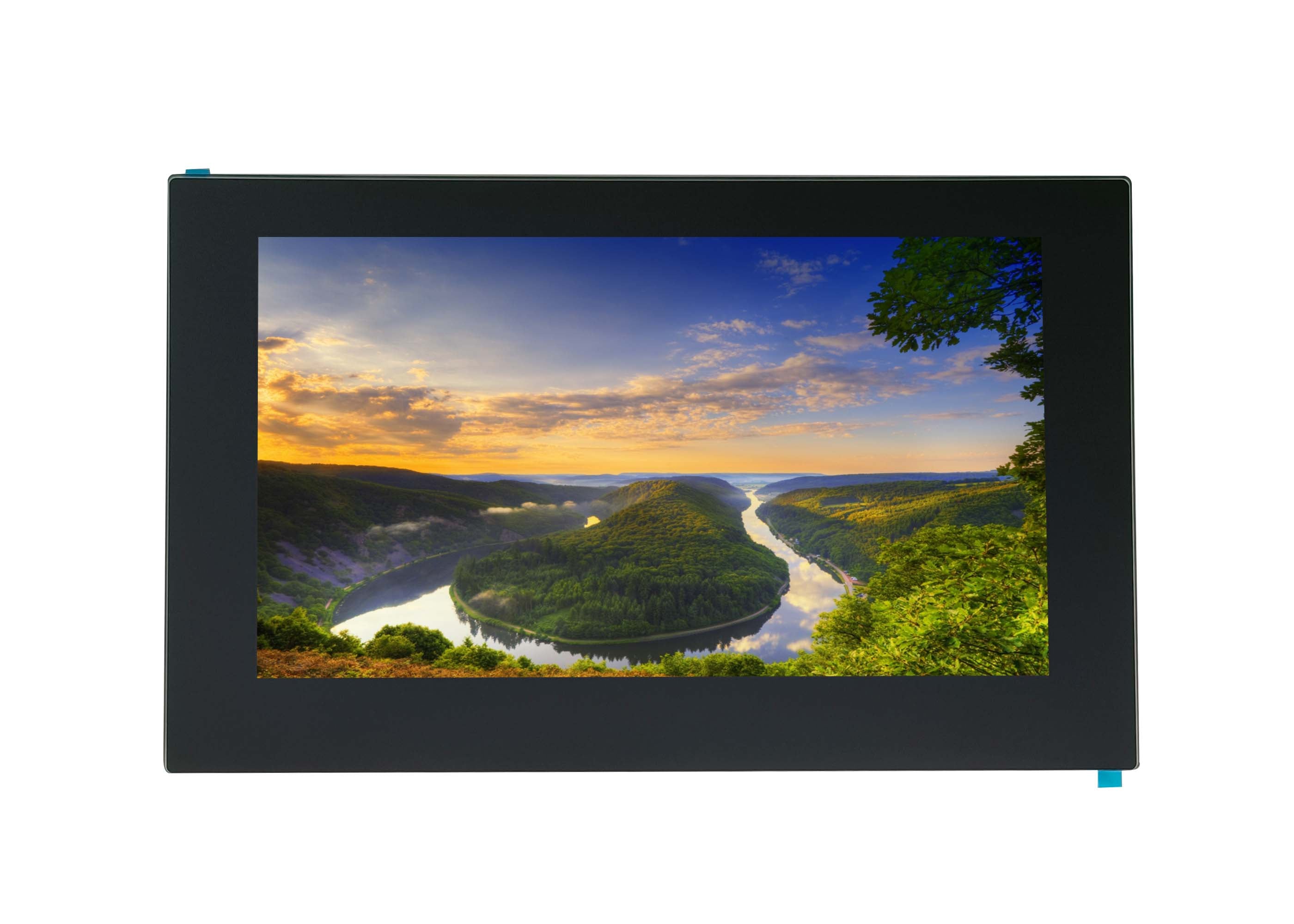
The IPS Display Module excels with balanced tech strengths: exceptional color accuracy (average Delta E <2, near-perfect for true hues), wide 178-degree viewing angles keeping colors consistent ...
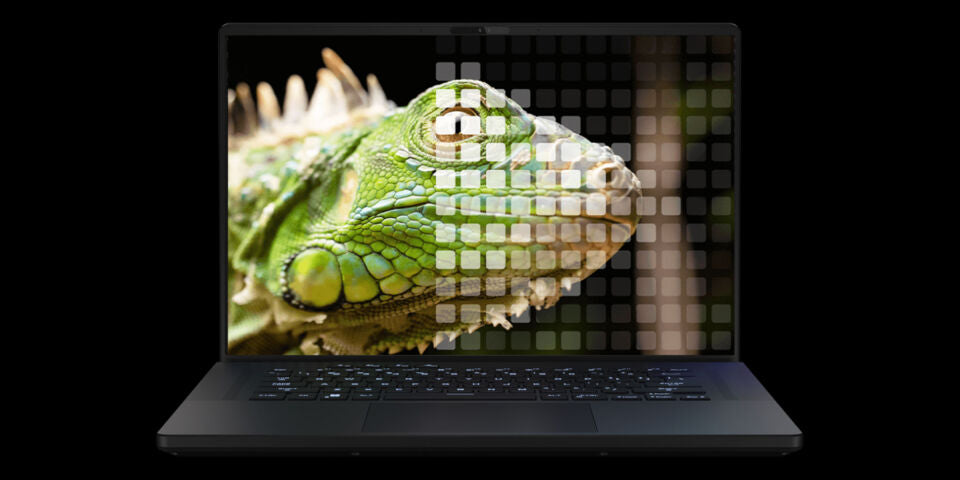
Advanced IPS technologies elevate visual experiences through Mini-LED backlighting, a hallmark of modern display innovation that employs 2,304 local dimming zones for precise brightness control, el...
Laisser un commentaire
Ce site est protégé par hCaptcha, et la Politique de confidentialité et les Conditions de service de hCaptcha s’appliquent.