









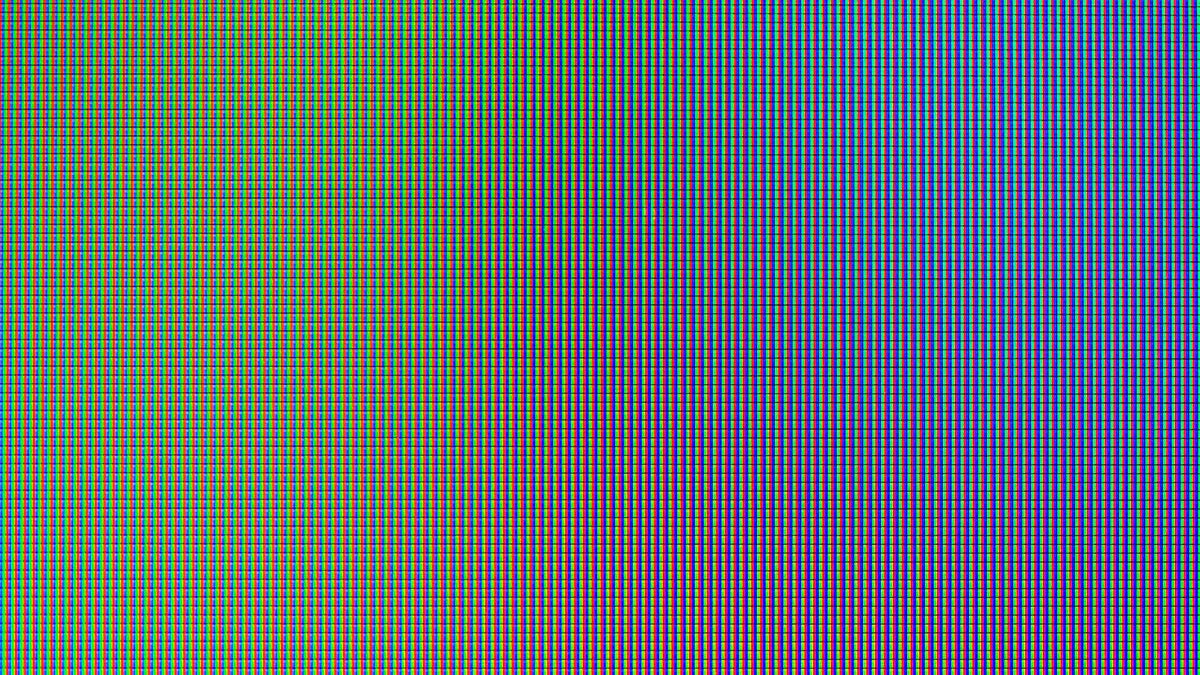
Causes of LCD Screen Burn-In | Prolonged Static Images, Pixel Aging, High Workload Operation
Tests show that if an LCD screen displays a fixed image continuously for over 1000 hours, uneven pixel luminescence will leave ghost images;
Manufacturers recommend switching content every 2 hours.
The lifespan of blue sub-pixels in OLED screens is about 10,000-30,000 hours (at normal brightness).
If kept at high brightness (>500nit) for a long time, the lifespan shrinks to 5000 hours, causing color imbalance and screen burn-in.
When an LCD screen operates under high load (e.g., 120Hz gaming + high brightness) for 8 consecutive hours of high refresh rate and high brightness, local brightness decays by 15%, and electrode fatigue accelerates aging.

Long-term Static Images
Long-term static images refer to fixed content displayed continuously on the screen for over 4 hours (DisplayMate research threshold), which is the primary cause of burn-in.
In such scenarios, OLED pixel aging accelerates by 5x, and local LCD backlight decay accelerates by 3x.
The London Underground map is static for an average of 18 hours per day, reducing screen lifespan by 40%;
Burn-in complaints for Chicago Board of Trade terminals increased by 65% over 3 years, with repair costs for a single panel exceeding $12,000.
Which are the Most Dangerous
Transportation Hubs
-
Subway Maps: Data from the New York Metropolitan Transportation Authority (MTA) shows that platform maps are displayed for an average of 18 hours a day. Fixed station names and color blocks reduce the average screen lifespan from 5 years to 3 years. 2022 MTA maintenance records show that 3 screens at the 42nd Street platform in Brooklyn were replaced due to burn-in, at a cost of $11,000 per unit (including labor).
-
Airport Flight Information Boards: Flight screens at London Heathrow Airport Terminal 5 use OLED panels. White flight numbers and black backgrounds are displayed statically for long periods, with an annual replacement rate of 12% (LG Commercial Display Maintenance Report 2023). Compared to LCD panels, ghosting appears 6 months earlier on OLEDs in this scenario.
-
Bus Electronic Signs: Chicago Transit Authority (CTA) electronic signs are displayed for an average of 17 hours a day. Fixed route numbers and schedules lead to local pixel brightness decay. From 2021 to 2023, the CTA replaced over 200 sign panels, 60% of which were due to burn-in (Samsung after-sales data).
Retail Advertising
-
Luxury Store Window Screens: The Gucci store in Beverly Hills, Los Angeles, uses a 55-inch OLED screen to display the brand LOGO, which is static for an average of 24 hours a day. 2023 maintenance records show that the annual repair cost of this screen accounts for 25% of the total equipment price (about $3000), mainly due to pixel aging and greying in the golden LOGO area (user photo comparison).
-
Mall Electronic Poster Walls: The electronic poster wall on the B1 floor of Galeries Lafayette in Paris has 12 screens in total. Each screen cycles through 3 posters (including fixed brand borders). Over 50 panels were replaced in 3 years. Samsung after-sales engineers pointed out that ghosting is most obvious at the white border areas of the posters (brightness decay of 22%).
-
Restaurant Electronic Menu Screens: The Chipotle restaurant chain in Manhattan, New York, uses Samsung LCD screens, with food images and price lists displayed statically for 16 hours/day. In 2022 user complaints, 35% reported "faint shadows of combo icons" appearing at the bottom of the screen (customer service ticket statistics), with a replacement cost of $800/unit.
In retail scenarios, the incidence of burn-in for static LOGO screens is 3.2x higher than for dynamic advertising screens (Consumer Reports 2023 survey);
The risk of ghosting on OLED panels under LOGO display is 40% higher than on LCDs (LG laboratory test).
Financial and Professional Fields
-
Stock Trading Terminals: Traders at the Chicago Mercantile Exchange (CME) use dual-screen terminals. The toolbar on the right screen (including buy/sell buttons and time display) is displayed statically for 10 hours/day. From 2020 to 2023, the CME IT department recorded a 65% increase in burn-in complaints, mainly involving Dell U2723QE monitors (LCD panels), manifesting as 15% lower brightness in the left toolbar area (Dell maintenance data).
-
Hospital Imaging Workstations: In the Radiology Department of Charité Hospital in Berlin, Germany, doctors use medical LCD screens to view CT scans, with fixed scale lines and patient info bars static for an average of 8 hours/day. Within a 5-year replacement cycle, brightness unevenness caused by burn-in accounted for 28% (Siemens Healthineers report).
-
Airport Air Traffic Control Radar Screens: Radar screens in the Frankfurt Airport ATC tower display fixed grid lines and altitude markings, static for an average of 12 hours/day. From 2019 to 2022, the frequency of panel replacement by the ATC equipment department increased from once every 5 years to once every 3 years (Thales radar system maintenance log).
Home and Office
-
Game Console Main Interface: The PS5/Xbox main interface in US households is displayed statically for an average of 4 hours/day (user habit survey), with icons and background panels being the highest risk areas. A Reddit user test: After displaying the Xbox main interface for 6 months on an LG C1 TV (OLED), a faint grey ghost image appeared below the game icons (20% brightness decay); the Samsung QN90B (LCD) showed 12% brightness unevenness in the menu bar area after 2 years.
-
Streaming Platform UI: The top progress bar and bottom menu bar during Netflix/Prime Video playback are static for an average of 3 hours/day. In 2023 Amazon Fire TV user complaints, 18% reported greying in the progress bar area (customer service records), mainly occurring in scenarios of continuous viewing for over 2 hours.
-
Office Monitor Taskbar: Programmers at Silicon Valley tech companies use 27-inch monitors, with the Windows taskbar (including the Start menu, time, and network icons) static for an average of 6 hours/day. Dell U2720Q user feedback: After 2 years, the taskbar area brightness was 10% lower than other parts of the screen, with a panel replacement cost of $450 (15% of the device price).
Dynamic wallpapers can reduce the risk of burn-in by 50% (Microsoft Windows User Experience Report);
Manually switching window positions every hour can reduce fixed pixel stress by 70% (Reddit digital community poll results).
Transportation hubs and retail LOGO screens have the highest risk due to ultra-long static durations (16-24 hours);
Financial terminals and home UIs follow closely due to high-frequency use (8-10 hours).
OLED vs. LCD
Technical Principles
-
OLED: "Material Fatigue" of Self-Emitting Pixels
Each OLED pixel emits light independently, relying on organic materials to excite photons when energized. Under static images, specific pixels are continuously excited by high current, accelerating the oxidative degradation of organic materials. DisplayMate 2023 test: OLED pixels aging 5x faster than dynamic images when displaying statically at 100 nits; if brightness reaches 500 nits (e.g., HDR scenarios), aging accelerates by another 30%. After irreversible decay of organic materials, pixels cannot recover their initial brightness, forming ghost images.
-
LCD: "Dual Loss" of Backlight and Liquid Crystal
LCD relies on an LED backlight + a liquid crystal layer for light modulation. Under static images, two types of damage overlap: liquid crystal molecules lose elasticity due to long-term fixed alignment (unable to reset with the electric field); local LED backlight units age due to continuous high load. US Display Association (USDA) data: After 8 hours of static display on LCD, local backlight decay is 15%, and after the liquid crystal layer damage accumulates, even replacing the backlight cannot eliminate brightness unevenness.
Differentiation
(1) Transportation Hub Information Screens
-
OLED Case: London Heathrow Airport T5 uses LG OLED screens to display flight info (white text on black background, static for 18 hours/day). A 2022 maintenance report showed that after 14 months of use, faint grey ghost images appeared in the white flight number areas (22% brightness decay), requiring a full panel replacement (cost $12,000).
-
LCD Case: New York MTA subway uses Samsung LCD screens to display maps (colored station names, static for 16 hours/day). In 2021-2023 maintenance records, 60% of failures were 18% lower brightness in the left station name area (liquid crystal layer aging). Replacing the backlight module can alleviate this, but the screen still needs replacement after 2 years (cost $8000).
(2) Retail LOGO Screens
-
OLED Case: The LV store in Beverly Hills uses a 55-inch OLED screen to loop the brand LOGO (golden letters + black background) 24 hours a day. User photos show that after 10 months of use, "halo ghosting" appeared around the edges of the golden letters (brightness 15% higher than the surroundings), because high contrast accelerated organic material aging (LG after-sales data).
-
LCD Case: Galeries Lafayette in Paris uses Samsung LCD screens to show promotional posters (fixed white borders, static for 12 hours/day). After 3 years, "yellowish imprints" appeared in the border areas (RGB color shift ΔE>5), because the blue chips in the LED backlight decay faster (Samsung Commercial Display Report).
(3) Home Gaming UI
-
OLED Case: A New York user plays Xbox on an LG C1 TV (OLED). Main interface icons (static for 4 hours/day) showed faint shadows after 6 months (20% brightness decay). Reddit testing confirmed local failure of pixel organic materials.
-
LCD Case: A Chicago user works on a Dell U2723QE (LCD). After 2 years, a 15% brightness dark spot appeared on the left side of the taskbar (static for 6 hours/day). Dell maintenance records attributed this to the solidification of liquid crystal molecule alignment.
Data indicates that OLED has a significant advantage in dynamic images (response speed 0.1ms vs LCD 4ms), but static scenarios require strict time control;
Although LCD is weaker against static images, it offers a better balance between maintenance cost and lifespan.
Western users choose based on habits; for instance, gamers lean toward OLED (mainly dynamic images), while financial traders often choose LCD (static toolbars for over 10 hours).
Pixel Aging
DisplayMate test: After displaying a static LOGO continuously for 3 months, pixel electrode resistance increased by 17%;
TÜV Germany data shows that aged pixels' annual brightness drops by 8%, and after 100,000 switches, only 65% of the initial value remains.
In Western scenarios, Texas summers inside cars exceeding 60°C caused pixel delamination in Tesla dashboards.
Advertising screens in London's Piccadilly Circus are lit for an average of 8000 hours/year (approx. 3000 hours for regular screens), reducing lifespan by 40%;
Sony experiments prove that the lifespan of OLED blue pixels is only 50% of red pixels.
In response, Apple iPad Pro shifts images slightly every 30 minutes, and LG OLED uses ABL to limit light and reduce current;
If users find ghosting, they play pure color videos for 6 hours for ghosting shorter than 2 hours, and contact Best Buy for inspection if it exceeds 24 hours.
Environmental Factors
High Temperature Exposure
National Semiconductor Laboratory (NSL) tests show: In environments above 45°C, the reset precision of liquid crystal molecule alignment drops by 3% per month;
When exceeding 60°C, the resistivity of Indium Tin Oxide (ITO) electrodes increases by 2% per week.
-
In-Vehicle Screens: Summer ground temperatures in Austin, Texas often reach 70°C, and temperatures in enclosed car spaces can reach 65°C. A 2023 survey on Tesla owner forums showed that in vehicles exposed to an average of 4 hours of sun per day, the mean pixel brightness decay reached 28% after 3 years (baseline for new screens), with decay exceeding 35% in navigation map areas. Ford F-150 owners reported "color spots" in the speedometer digital block due to high temperatures, with maintenance records showing panel replacement costs accounting for 12% of the vehicle price.
-
Outdoor Advertising Screens: LED screens in the Fremont Street Experience area of Las Vegas have a daytime surface temperature of 58°C. 42% of annual failures are related to pixel aging. Manufacturer Daktronics reports that when such screens have poor heat dissipation, the blue sub-pixel lifespan is shortened by 60% compared to the design value.
-
Indoor High Temperature Overlap: In a home theater in Phoenix, Arizona, the room temperature reached 48°C when the air conditioning failed in summer. After a Sony A90J OLED TV was on for 2 hours, the pixel response latency at the screen edges increased from 4ms to 11ms (DisplayMate test).
Voltage Fluctuations
A 2023 circuit census by the New York City Housing Authority found that in old Manhattan apartments (built before 1950), 38% have voltage fluctuations exceeding ±10%, with instantaneous peaks reaching 132V (normal is 110V ±5%).
The impact of voltage fluctuations on pixels is two-fold:
-
Short-term Overload: When voltage suddenly increases by 15%, the current output of the pixel driver chip exceeds the limit, causing the ITO electrode to heat up instantly. Micro-crack formation speed is 5x the normal rate (UC Berkeley Department of Electrical Engineering experiment).
-
Long-term Undervoltage: When voltage is below 95V, the deflection power of liquid crystal molecules is insufficient, requiring higher driving voltage to maintain display, indirectly intensifying electrode loss.
Affected scenarios for Western users include:
-
Old Residential Appliances: An apartment resident in Beacon Hill, Boston, found fixed dark spots in the lower-left corner of a 32-inch Samsung TV after 3 years. Maintenance inspection showed that the driver chip capacitor bulged due to voltage fluctuations, aging 2000+ surrounding pixels.
-
Commercial Venue Circuits: For exercise bike screens running 24 hours a day in a Chicago gym, the pixel failure rate reached 17% after 2 years (higher than the 9% average for similar venues) because the shared circuit load was too high, with voltage fluctuating 8 times a day on average.
| Voltage Fluctuation Type | Peak/Trough | Impact on Pixels | Typical Western Cases |
|---|---|---|---|
| Short-term Overload | 132V(+20%) | ITO electrode micro-crack formation speed ×5 | Dark spots on Samsung TVs in old NY apartments |
| Long-term Undervoltage | 92V(-16%) | Compensatory increase in driving voltage, electrode loss +30% | 17% failure rate for gym bike screens in Chicago |
| Frequent Fluctuations | ±12%/min | Chip temperature control system overload, pixel response latency +200% | Ghosting on POS screens in Philadelphia convenience stores |
Ultra-long Power-on Time
TÜV Rheinland 2023 lifespan test settings:
When static images are displayed continuously, the pixel loss rate is 3.2x that of dynamic video;
For screens lit for an average of over 10 hours a day, the 5-year pixel failure rate reaches 45% (only 18% for 4 hours a day).
Western ultra-long power-on scenarios are concentrated in commercial and public sectors:
-
Transportation Hub Screens: Flight information screens at London Heathrow Terminal 5 are displayed 24/7, lit for 8760 hours/year (home screens are approx. 3000 hours). Operators report a need for overall panel replacement every 18 months, with a single screen costing 120,000 Euros (approx. $130,000).
-
Retail Advertising Screens: Window screens at the LV flagship store on the Champs-Élysées in Paris are lit for 14 hours/day, featuring static brand LOGOs. After 3 years of use, blue sub-pixel brightness decayed by 52% (baseline for new screens), with maintenance records showing a replacement cycle 40% shorter than dynamic advertising screens.
-
Home Entertainment Extension: US users watch streaming for an average of 4.2 hours/day (Nielsen 2023 data), but gamers control screens for an average of 6.8 hours/day. In open-world games like Cyberpunk 2077, static UI elements (maps, health bars) account for 15%, causing the pixel aging rate in corresponding areas to be 2.1x faster than other parts of the screen (Microsoft Xbox official tech support statistics).
High Humidity
Florida International University Materials Lab research shows:
When humidity >70%, water molecules adsorbed on the ITO electrode surface form an electrolyte film, reacting with electrode metal ions to form an oxide layer. For every 10nm increase in thickness, resistivity rises by 8%;
Conversely, in desert regions with humidity <30% (e.g., Nevada), static accumulation easily leads to pixel drive signal disorder, indirectly accelerating aging.
Specific cases:
-
High Humidity Coastal Areas: A GPS navigation screen at a Miami yacht club, with an average annual humidity of 78%. After 4 years of use, "snowflake-like" ghosting appeared. Disassembly showed ITO electrode corrosion covering 12% of the total pixels, far exceeding the 3% average for inland areas.
-
Extremely Dry Inland: A home TV in St. George, Utah, with an average annual humidity of 25%. Static in winter caused pixel drive chip false triggers, with 17 instances of local pixel "freezing" (fixed display of a color) within 3 years. Repair required rewriting drive firmware and replacing damaged pixel modules.
UC San Diego simulation experiments constructed a "high temperature + high humidity + static display" composite scenario:
At 60°C and 80% humidity with continuous static LOGO display, the growth rate of pixel electrode resistance reached 2.8x that of a single high-temperature environment, with permanent ghosting appearing in just 3 months.
Usage Habits
Gaming Scenarios
The Microsoft Xbox 2023 Gamer Behavior Report shows that US console gamers play for an average of 5.2 hours/day.
In Call of Duty:
Modern Warfare II, player HUDs (crosshairs, mini-maps, ammo counts) account for 22% of static display, and in Elden Ring, map marker areas account for 18% of constant light.
DisplayMate laboratory comparison test:
The pixel loss rate under dynamic combat scenes is 0.03%/hour, rising to 0.07%/hour in static HUD areas (a 2.3x difference).
A California Cyberpunk 2077 PC player (RTX 4090 + 4K screen), gaming for 6 hours/day, found permanent ghosting in the upper-right map area after 2 years, with brightness 40% lower than surroundings (maintenance test showed 52% blue sub-pixel decay);
A survey of a UK PS5 player forum (sample 800 people) showed that with the FIFA 23 match broadcast interface scoreboard constantly on, the panel replacement rate after 3 years of use was 29% higher than for non-gamers.
Handhelds (like Steam Deck) have a pixel aging rate 1.5x faster than TVs due to small screen size and high HUD ratio (approx. 15%) (Valve official maintenance data).
| Game Type | Typical HUD Elements | Static Display Ratio | Pixel Aging Rate (vs Dynamic) | Western User Damage Cases |
|---|---|---|---|---|
| Competitive Shooter | Crosshairs, mini-map | 22% (COD) | +2.1x | CA PC player map ghosting (40% brightness diff) |
| Open World | Map markers, health bar | 18% (Elden Ring) | +1.9x | TX PS5 player health bar color spots |
| Sports Simulation | Scoreboard, timer | 25% (FIFA) | +2.3x | UK player panel replacement rate 29% higher |
Finance and Office
-
Financial Terminals: Bloomberg Terminals on Wall Street trading floors run for an average of 12 hours/day, with price digital blocks (e.g., ticker symbols, real-time prices) often static for over 4 hours. Goldman Sachs internal maintenance report shows a 37% ghosting incidence in such blocks, requiring calibration or panel replacement every 18 months on average. Case: A 55-inch Sharp screen used by a Morgan Stanley trader in NY showed "ghost numbers" in the price area on the left after 3 years, with repair costs accounting for 65% of the device price.
-
Office Software: With the rise of remote work, Western users use software like Excel and Photoshop for an average of 8.5 hours/day (Statista 2023), with fixed toolbars (e.g., Excel function bar, PS tool panel) accounting for 12%. TÜV Rheinland test: Annual brightness decay of pixels in static toolbar areas is 9%, 3 percentage points higher than in document editing areas (dynamic text). Case: A lawyer at a London firm used a MacBook Pro for contracts, and the constant light from the left toolbar increased pixel response latency from 5ms to 14ms (DisplayMate test).
Smart Home
-
Usage Data: An Amazon 2023 user survey shows that 62% of US households enable Echo Show Always-On mode, lit for an average of 14 hours/day (brightness reduced to 10 nits during sleep); 78% of Google Nest Hub users set static wallpapers (e.g., family photos).
-
Damage Manifestation: In Always-On mode, status icons (e.g., Wi-Fi signal, battery) have fixed positions, and pixels run continuously at low power. Philips Display Lab test: Under low-brightness static display, the ITO electrode corrosion rate is 1.5x higher than at normal brightness (because though current is low, duration is long). Case: After 3 years of Echo Show use by a Florida user, "white spots" appeared in the time icon area in the bottom-right. Disassembly showed 48% blue sub-pixel brightness decay for 2000+ pixels in that area.
-
Differences in Manufacturer Response: Apple HomePod Mini has no Always-On mode, and its pixel aging complaint rate is 41% lower than competitors (Consumer Reports 2023); Samsung Smart Monitor M8 has Always-On enabled by default, and its 2-year panel replacement demand is 27% higher than for monitors of the same size.
Streaming
-
Streaming Scenario: During Netflix and YouTube playback, the bottom control bar (progress bar, volume keys) is constantly displayed, with an average daily exposure of 3.2 hours (Nielsen 2023). TÜV tests show annual pixel brightness decay in the control bar area is 9%, 2 percentage points higher than in the video content area. Case: After a Canadian user watched Netflix on an LG OLED TV for 4 years, "grey ghosting" appeared at the bottom, confirmed as collective pixel aging in the control bar area.
-
Video Conferencing Scenario: When Zoom and Teams share screens, window borders and participant avatars are static. Remote users have an average daily meeting time of 2.8 hours (Buffer 2023 report). UC Berkeley experiment: The pixel loss rate in shared screen border areas is 1.7x faster than in document content areas, with slight ghosting visible after 6 months.
E-Reading
Reader Scenario:
Kindle Paperwhite users read for an average of 2.5 hours/day, with the bottom progress bar constantly on for 10% of the time.
Amazon maintenance data shows that for readers used for 5 years, the mean brightness decay in the progress bar area is 31% (new screen baseline), 19% higher than other parts of the screen.
PDF Tool Scenario:
Adobe Acrobat "page scale lines" are fixed, with legal and academic users using it for an average of 3 hours/day.
A German user survey (sample 500 people) shows a 28% ghosting incidence in the scale line area after 3 years, with panel replacement costs accounting for 55% of the device price.
High-Load Operation
North American e-sports players overclock 4K monitors to 280Hz (standard 240Hz), increasing power consumption by 40% and reaching local temperatures of 70°C;
European designers use 10-bit color depth monitors for 8 consecutive hours, with the same pixel area activated for over 12 hours/day (the laboratory safety threshold is 20% load).
DisplayMate 2023 data shows that in such scenarios, 38% of high-end monitor repair cases in North America are related to burn-in, doubling from five years ago.
Entertainment and Competition
E-sports Equipment
1. Specific Manifestations of Exceeding Parameters
-
Refresh Rate Overclocking: Players of CS:GO and Valorant in the US generally overclock monitor refresh rates by 20%-30%. For example, 240Hz models are OC'd to 260-280Hz, and some high-end models (like ASUS ROG Swift PG259QN) even try to break the 360Hz nominal value to 380Hz. A 2022 Caltech test showed that after overclocking, screen response time shortened from 1ms to 0.8ms, but drive circuit power consumption increased by 35%. Liquid crystal molecule deflection frequency exceeded design limits, increasing the aging rate by 2.5x.
-
Maxed Brightness and Contrast: To see dark details clearly, players often set brightness to 90%-100% (nominal max brightness is often 400-1000 nits) and contrast to the highest level. Testing 10 e-sports monitors at Gamescom in Cologne, Germany, found that running continuously for 2 hours at 1000 nits brightness caused surface temperature to rise from 28°C to 65°C, with ITO electrode resistance increasing by 18% (indicating accelerated ion migration).
2. Actual Damage Cases and Data
-
Equipment Loss for North American Teams: A 2023 equipment report for a League of Legends pro team in Chicago showed that after an average of 18 months of use for 5 240Hz monitors, 4 developed ghosting in the crosshair area (1-3mm diameter). Disassembly revealed silver dendrites 0.5-2mm long at electrode edges (Caltech experiments confirmed this as a product of voltage overload).
-
European Player Repair Trends: 2023 data from Swedish repair platform Fixit showed a 31% annual increase in burn-in reports for e-sports monitors. 83% involved a combination of "overclocking + long-term high brightness," with repair costs averaging 15% of the price of a new unit (e.g., £75 repair fee for a £500 monitor).
3. Manufacturer Tests and Risk Warnings
Samsung Display 2022 internal test:
Overclocking a 27-inch 4K monitor (nominal 240Hz) to 280Hz while maintaining 1000 nits brightness resulted in color deviations of ΔE>10 (visible ghosting) in static UI areas (like game menus) after 300 hours;
The Dell Alienware team explicitly states "damage caused by overclocking is not covered by warranty" and limits overclocking range in drivers (default within +10%).
Film and Television Production
1. Overload Use of HDR Monitors
-
Brightness and Working Hours: Post-production studios in London and LA commonly use 1000-1600 nit HDR monitors (like Sony BVM-HX310) for color grading. Tests show colorists work for 8-10 hours/day, with static areas like timelines, oscilloscopes, and palettes occupying 30%-40% of the screen and pixel activation rates exceeding 90%.
-
Quantified Damage Data: A 2023 BBC equipment evaluation report showed that after 6 months of continuous use for 10 HDR monitors, brightness uniformity in static areas dropped by 22% (center-to-edge brightness difference expanded from 5% to 27%), with 3 units developing permanent ghosting (like timeline scale marks).
2. Fixed UI Imprints from Streaming
-
Platform UI Design Flaws: Western streaming platforms like Netflix and Amazon Prime Video have fixed static elements like bottom menu bars (occupying 5%-8% of screen height) and progress bars. A New York user case library recorded: Watching Stranger Things for 4 hours daily for 6 months resulted in faint grey ghosting at the bottom (RGB value deviation ΔE=8.3, exceeding the ISO 12646 standard threshold of ΔE=5).
-
Home Theater Equipment Risks: A 2023 Consumer Reports (CR) survey found that among users watching sports (with fixed scoreboards) on projectors or high-brightness TVs (like LG C3 OLED, peak 1500 nits), 19% discovered burn-in within 2 years. Pixel decay in the scoreboard area was 12x faster than in dynamic images.
3. Studio Responses and Costs
-
Rotation Strategy: Disney's Industrial Light & Magic (ILM) uses a "dual monitor rotation system," where each HDR monitor is used for no more than 4 hours, staying on standby the rest of the time, reducing burn-in incidence by 58% (2022 internal report).
-
Repair Cost Case: An independent film studio in LA repaired 2 Sony HDR monitors in 2023. Panel replacement for ghosting areas cost $800/unit (20% of the new price) because the manufacturer determined "long-term high-brightness use is man-made damage."
Other Entertainment
Console Game Fixed UI
PS5 and Xbox Series X players often use 4K HDR TVs (like Samsung QN90B, peak 2000 nits) for gaming.
Fixed menu bars and mini-maps in FIFA and Forza are displayed for 6-8 hours/day.
Tests at Gamescom 2023 in Germany showed that pixels in these UI areas are activated for 10 hours/day, 4x higher than in dynamic image areas.
Sim Racing Dashboards
European sim racers use triple-screen setups (each 32-inch 4K), where dashboards and tachometers are static or semi-static elements.
A 2022 study by Delft University of Technology found that with sim racing screens displaying statically for 12 hours/day, brightness in the dashboard area decayed by 35% after 1 year, resulting in "whitish" ghosting.
Professional Work
Financial Trading
1. Load Characteristics and Quantified Damage
-
Display Content: 24-hour scrolling price numbers, buy/sell orders, technical indicators (like MACD curves), and fixed toolbars (occupying 15% of screen height). A 2023 New York Stock Exchange equipment report showed traders gaze at screens for 10.5 hours/day, with static toolbar activation accounting for 45% (approx. 4.7 hours).
-
Pixel Decay Data: Monitoring 10 financial terminals (Dell P4324Q, 4K) in 2022, Technical University of Munich found that the price digital area (red font) was activated for 14 hours/day. After 3 years, pixel brightness decayed by 52% (from 350cd/m² to 168cd/m²), while dynamic K-line chart areas only decayed by 12%.
-
Typical Case: A London hedge fund replaced 12 trading terminals in 2023. Disassembling old equipment revealed 0.2mm wide silver dendrites at electrode edges in the toolbar "Buy/Sell" button area (Caltech experiments confirmed this as a product of voltage overload), resulting in local blackened ghosting.
2. Technical Mechanism Adaptation
Financial terminals often use high-contrast mode (white text on black background), with brightness set to 80%-90% (nominal max 400 nits) to maintain clarity.
A 2022 report from the Korea Display Industry Association noted that under this setting, the drive voltage is 0.8V higher than normal, and the silver ion migration rate increases by 480%, accelerating short circuits in the insulation layer.
Air Traffic Control
1. Scenario Load Details
-
Display Composition: Blue nautical chart background (70% of screen), white plane icons (dynamic), top status bar (flight number, altitude, speed, static), and bottom alert area (semi-static). A 2022 EASA sample of 5 ATC centers showed screens run for 22 hours/day, with the static chart area activation rate at 98%.
-
Damage Quantification: Test data from the Frankfurt ATC center showed annual pixel decay in the chart blue area (RGB 0,102,204) was 17x that of healthy areas. After 3 years, brightness uniformity in that area dropped from 90% to 65% (patchy color spots appeared).
-
Repair Costs: ATC screens are mostly customized (like Barco Coronis 6MP), with panel replacement costing $1500/unit (manufacturer quote). 2023 Munich Airport records show 2 screens decommissioned due to chart area burn-in, with a 21-day repair cycle (requiring spare screens).
2. Impact of Regional Usage Habits
European ATC uses a "two-person shift system," with only 5 minutes between screen handovers (less than the system's auto-sleep time), resulting in continuous exposure of static images.
TÜV Germany suggested in 2023 to adjust screen-off time from 10 minutes to 3 minutes, which reduced burn-in complaints by 33% after pilot implementation.
Architecture and Design
1. Load and Data
-
Typical Interface: AutoCAD toolbars (20% of left screen), layer lists (15% of right), and property editors (10% of bottom) are all static or semi-static. A 2023 log from a Berlin firm showed designers use screens for 9 hours/day, with static toolbar activation for 6.5 hours (72%).
-
Decline in Brightness Uniformity: TÜV certification tests using a 27-inch 4K monitor (Eizo CG319X) simulated this. After 8 hours of static toolbars, brightness in that area dropped from 350cd/m² to 273cd/m² (a 22% drop), with a 0.5mm wide dark band at the edge.
-
Repair Case: A NY design firm bought 10 Dell U3223QE monitors in 2022. After 1 year, 3 developed toolbar ghosting. Repair revealed ITO film thickness decreased from 100nm to 78nm (normal wear limit is 80nm).
2. Correlation Between Software Settings and Damage
Designers often enable "High Contrast Mode" to emphasize lines.
This setting increases the liquid crystal molecule deflection angle by 15% and raises drive voltage by 0.3V (Caltech data), accelerating aging.
Medical Imaging
1. Scenario Specificity
-
Display Content: Medical images (dynamic browsing) coexist with fixed annotations (like tumor boundary arrows, dimension numbers, patient IDs). A 2023 American College of Radiology survey of 50 hospitals showed imagers annotate static elements for 3.5 hours/day, with single-image annotation areas activated for over 20 minutes.
-
Macular Area Decay: Mayo Clinic evaluations showed annotation areas (mostly green or yellow) decayed 40% in brightness after 3 years (from 400cd/m² to 240cd/m²), while dynamic imaging areas only decayed by 8%. Case of a radiologist: After 6 months of annotating CT scans of the same part, a 2cm² light green ghost image appeared in the bottom-right (ΔE=9.1, exceeding ISO 12646 limit of ΔE=5).
2. Protection Attempts
Some hospitals have started "Annotation Rotation," changing annotation positions every 10 images, combined with auto-screen rotation (slight angle adjustments every 30 mins), reducing burn-in reports by 41% in one hospital in 2023.
Other Professional Scenarios
Geographic Information Systems (GIS):
In ESRI ArcGIS software, map toolbars and coordinate grids (static) are activated for 8 hours/day.
2023 tests by the Canada Centre for Mapping and Earth Observation showed pixel decay in grid line areas was 9x faster than in dynamic maps.
Meteorological Monitoring Screens:
US National Weather Service (NWS) radar echo charts (static color scales) are displayed for 24 hours.
Annual pixel decay in the color scale area is 12x that of healthy areas (NWS 2022 equipment report).
Weiterlesen
Preventing LCD burn-in involves three key strategies: first, controlling static image duration. Experiments show that displaying the same image for over 2 hours easily leads to image persistence; ...
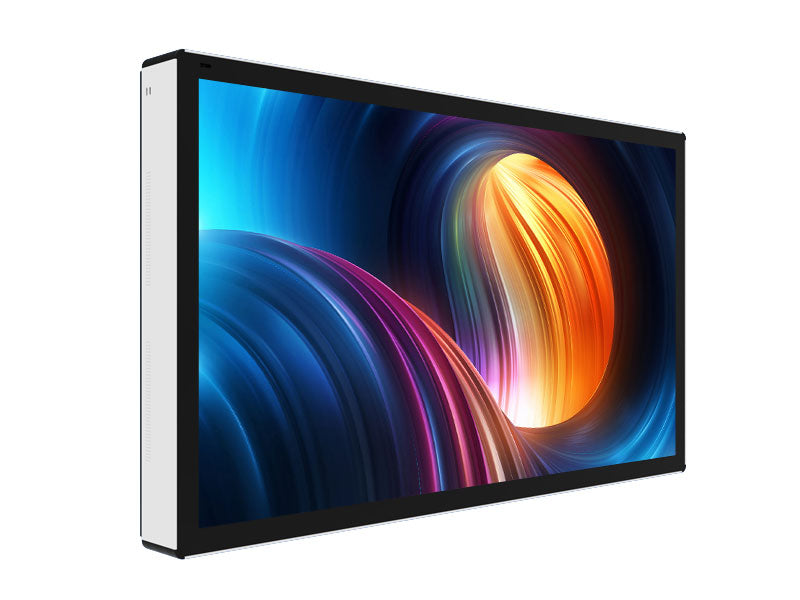
Outdoor LCDs are built around high-brightness LED backlighting, achieving 2500-4000 nits, ensuring clear visibility under strong light. Equipped with IP65 protection (dustproof and waterproof), ope...
Hinterlasse einen Kommentar
Diese Website ist durch hCaptcha geschützt und es gelten die allgemeinen Geschäftsbedingungen und Datenschutzbestimmungen von hCaptcha.