









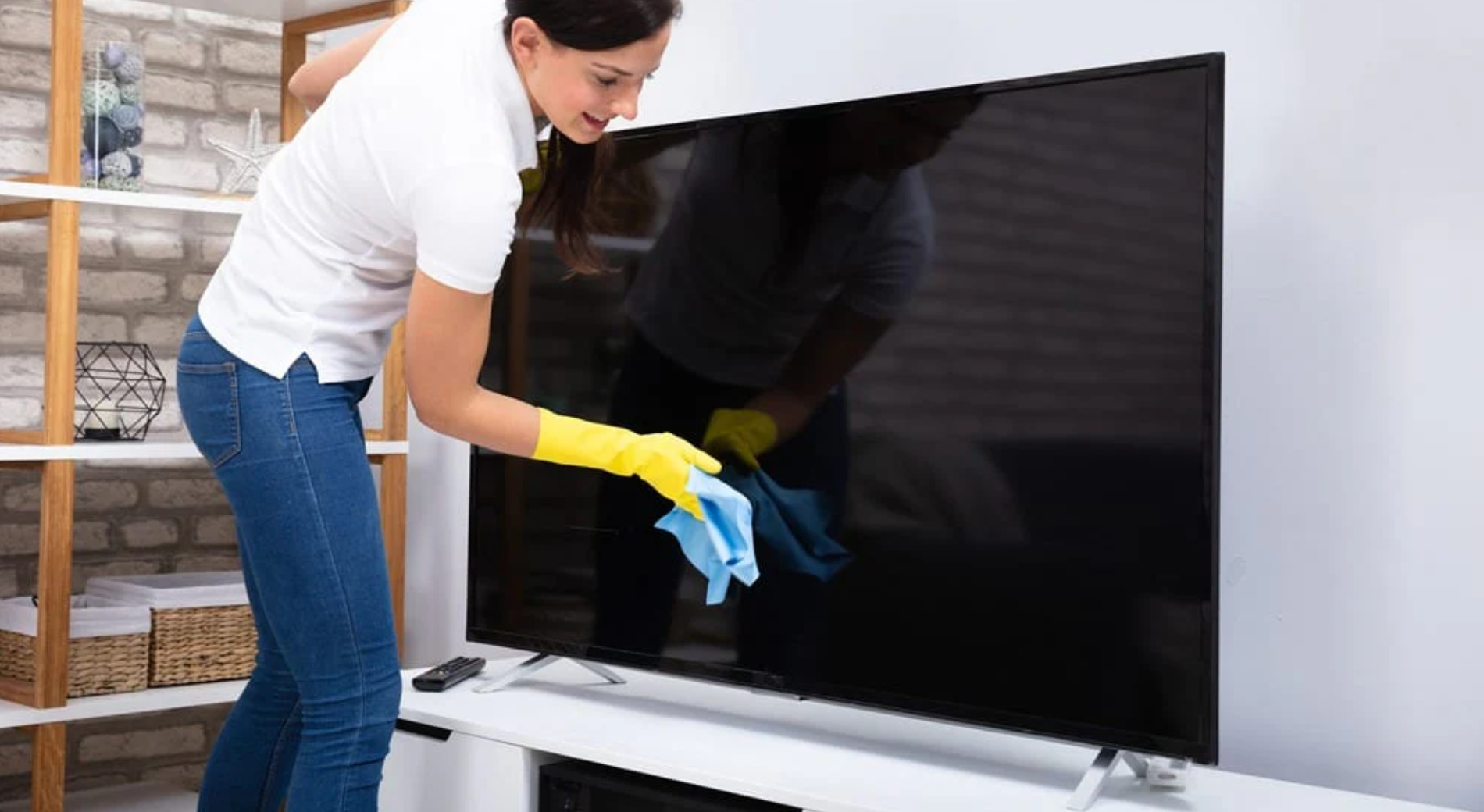
How to Clean OLED Screen | Microfiber cloth, Gently wipe
Please be sure to turn off the screen first.
Gently wipe the surface in a circular motion using a clean microfiber cloth.
For stubborn stains, you may lightly dampen the cloth with a small amount of distilled water, and then quickly wipe away any water marks with a dry part of the cloth to avoid damaging the special organic coating of the OLED screen.
Microfiber cloth
To clean OLED screens, you must use a Microfiber Cloth. Its single fiber diameter is about 3-5 microns, which is only 1/100th the diameter of a human hair.
This material is usually blended from 70% Polyester and 30% Polyamide.
To prevent scratching the delicate anti-reflective coating, it is recommended to choose an Edgeless plush model with a weight of more than 300 GSM (grams per square meter), and the pressure applied during use should not exceed 150-200 grams.
Material Composition
What do these two plastic components actually do?
Microfiber cloth is not a single fabric; it is a hybrid of two petroleum byproduct polymers: Polyester and Polyamide.
These two components play completely different roles at the microscopic level, and their ratio directly determines whether this cloth is used for mopping floors or wiping precision OLED screens.
-
Polyester: Responsible for "Scraping"
Polyester usually accounts for 70% to 80% of the fabric composition. It is a hydrophobic material, meaning it does not like water, but it has a great affinity for oil stains. Physically, polyester is relatively hard and has high tensile strength. Under a microscope, it acts as a "scraper" or "brush" during the cleaning process. When you wipe the screen, the hard edges of the polyester are responsible for physically peeling dried stains and dust particles off the screen surface. If a cloth is 100% polyester, it will feel like rough plastic and can easily scratch OLED anti-glare coatings. -
Polyamide: Responsible for "Absorption"
Polyamide, also known as Nylon, usually accounts for 20% to 30%. This is a hydrophilic material. Because its molecular chain contains amide groups, it can bind with water molecules through hydrogen bonds.
Difference between 70/30 and 80/20 common ratios
Although the composition only differs by 10%, the difference in physical performance and safety for OLED screens is quantifiable.
| Characteristic Dimension | 80/20 Ratio (80% Polyester / 20% Polyamide) | 70/30 Ratio (70% Polyester / 30% Polyamide) |
|---|---|---|
| Market Positioning | Economy, mainly used for car paint, household cleaning | High-end, mainly used for optical lenses, precision screens |
| Water Absorption | Can absorb 4-5 times its own weight in liquid | Can absorb 7-8 times its own weight in liquid |
| Softness | Fibers are harder, feels slightly abrasive | Fibers are extremely soft, feels like silk or suede |
| Cleaning Principle | Relies on friction to physically remove dirt | Relies on adsorption and capillary action to carry away dirt |
| OLED Safety | Medium (may cause micro-scratches if too much force is used) | High (good cushioning, large dust capacity) |
For fragile OLED panels, 70/30 is a standard that must be adhered to.
This extra 10% polyamide not only increases the thickness and fluffiness of the fabric but, more importantly, significantly reduces the coefficient of friction of the fabric surface.
When you slide across the screen, the high content of polyamide provides better lubrication, reducing the risk of polyester fibers directly cutting into the screen coating.
Why higher Polyamide content is more expensive
In the textile raw material market, the cost of Polyamide (Nylon) is usually 1.5 to 2 times that of Polyester.
- Raw Material Cost: Producing polyamide involves more complex chemical synthesis processes (such as the polymerization of caprolactam) and higher energy consumption.
- Textile Difficulty: Composite spinning of two polymers with different melting points and physical properties, while ensuring uniform distribution of a high proportion of polyamide, requires extremely high precision in spinnerets.
Therefore, many low-cost cleaning cloth manufacturers will falsely label the ingredients, labeling 80/20 cloth as 70/30, or even using 100% polyester treated with chemical softeners to pass it off.
A physical method to distinguish the genuine article is to test the water absorption speed: on a real 70/30 ratio fabric, water droplets will penetrate and disappear instantly (< 0.5 seconds);
On fabrics with excessive polyester content, water droplets will stay on the surface forming a "lotus leaf effect" and require pressure to be absorbed.
The "Splitting" process is the prerequisite for the ratio to work
Merely having a 70/30 raw material ratio does not mean it is qualified microfiber.
In the state just spun, polyester and polyamide are fused together as a solid fiber.
At this time, it does not have cleaning capabilities and must undergo a process called "Splitting."
The factory will put the fabric into a hot water bath containing sodium hydroxide (NaOH) or other alkaline auxiliaries for chemical treatment.
Since polyamide has poorer resistance to alkali than polyester, it will shrink slightly, thereby separating from the polyester.
- Unsplit: The fiber cross-section is circular, and the diameter is thicker (about 10-20 microns). Although this fabric is also a 70/30 ratio, it is like a woven fishing line, without micropores to adsorb dust, and can only push dust around.
- Fully Split: The fiber splits into 8 to 16 lobes at the end, and the cross-section looks like a sliced orange or an asterisk. The original single fiber of 20 microns splits into several ultra-fine fibers with a diameter of only 0.13 to 0.2 Denier.
According to tests, the surface area of a well-split 70/30 microfiber cloth is 40 to 50 times that of a cotton cloth of the same size.
It is these physical spaces, invisible to the naked eye, that accommodate the dust and grease wiped off the screen, preventing them from returning to the screen surface during the wiping process to cause secondary scratches.
If the splitting rate is insufficient (for example, less than 80%), even if the ingredient ratio is correct, this cloth is still unsuitable for wiping precision optical coatings.
Fiber Structure
How fine is it exactly
- Standard Definition: Any fiber with a single filament fineness of less than 1.0 denier can be called microfiber.
- General Comparison: Human hair diameter is usually between 20 den and 50 den; the best silk is about 1.25 den; ordinary cotton fiber is about 1.5 to 2.5 den.
- Cleaning Grade Spec: High-quality microfiber used for cleaning OLED screens usually has a single filament fineness between 0.1 den and 0.3 den.
Sliced open it looks like an orange
If you observe the cross-section of ordinary cotton cloth or synthetic fibers with a Scanning Electron Microscope (SEM), you will see circles.
The physical characteristics of circles determine that when wiping, they can only move dirt by relying on the pressure under the fiber.
For tiny dust, circular fibers often slide over them, or push the dust to roll on the screen. This rolling friction is the physical root of micro-scratches.
The cross-section of microfiber is completely different; it presents a Wedge-shaped or Asterisk structure. This structure comes from the bi-component spinning process:
- Skeleton: Polyester usually forms radial "spokes," like the edges of sliced orange segments.
- Filling: Polyamide fills the gaps between the spokes.
Principle of grabbing dust without water
Due to the extremely fine fibers and special structure, microfiber introduces microscopic physical mechanics to assist in cleaning, making it effective even without chemical cleaners.
-
Van der Waals Forces:
This is a weak gravitational force between molecules. Although the gravitational force produced by a single fiber is negligible, due to the huge specific surface area of microfibers, the total gravitational force generated when millions of fibers contact the screen becomes very significant. -
Capillary Action:
The wedge-shaped structure forms micron-level tubular channels between fibers. These channels are not closed but open. When contacting liquid, the surface tension of the liquid causes it to automatically climb up along these narrow channels. -
Triboelectric Effect:
When polyester and polyamide rub against each other in a dry state, they easily generate static negative charges.
Unsplit fiber is just waste plastic
In the spinning stage, polyester and polyamide are extruded as a complete Conjugate Fiber. At this point, they are tightly combined, and the cross-section is still circular.
It must go through a post-processing step called "Splitting." Factories usually use hot alkaline solutions (such as sodium hydroxide) to treat the fabric.
Since the chemical stability of polyamide to alkali is slightly lower than that of polyester, it shrinks and degrades slightly, causing the two materials to separate at the interface.
- Unsplit: If the process control is improper, or this step is skipped to save costs, the fibers remain cylinders. Although this fabric feels soft, its cleaning ability is almost zero.
- Splitting Rate: The splitting rate of high-quality cleaning cloths should reach 95% or more. Under a microscope, you can see the fiber ends completely exploded, forming a fluffy structure similar to a dandelion.
Swallowing dust instead of pushing it
For fragile anti-reflective coatings on OLED panels, the biggest threat is not the cloth itself, but the hard dust (silica particles) sandwiched between the cloth and the screen.
-
Mechanism of Ordinary Cloth:
Since fibers are round and tightly packed, dust particles cannot enter the interior of the fibers. When you apply pressure to wipe, dust is pressed between the fabric surface and the screen. -
Mechanism of Microfiber:
The wedge structure and splitting process create a huge Void Volume inside the fiber. When you wipe, dust particles are not just adsorbed but physically "swallowed" into the depths of the fiber bundles. Once dust enters these internal channels, it is isolated and no longer directly contacts the screen surface.
Maintenance and Washing
Don't wash it with your cotton T-shirts or bath towels
When throwing microfiber cloths into the washing machine, an "isolation policy" must be strictly enforced.
-
The Threat of Cotton (Linting):
Cotton is a short-staple material. During washing and spinning, cotton fabrics shed countless tiny short fibers (Lint). Microfiber cloths are designed to "adsorb" particles. If washed with cotton clothes or towels, the microporous structure of the microfiber will quickly be filled with cotton lint. -
Irreversible Consequences:
Once this lint gets stuck in the depths of the wedge-shaped fibers, it is almost impossible to remove physically. The cloth not only loses its original dust-absorbing ability, but the embedded cotton fibers themselves act as potential abrasives when wiping OLED screens because of their relatively hard texture. -
Who can it wash with:
The safest way is to hand wash separately. If you must use a washing machine, it can only be washed with other similar synthetic fiber materials.
Choose laundry detergent as carefully as eye drops
Ordinary household laundry powder or liquid detergent contains too many "extra ingredients." These ingredients are good for clothes, but they are a disaster for cloths used to clean optical surfaces.
-
Reject Powder Detergents:
If laundry powder does not dissolve completely, it will leave tiny crystal particles in the water. Microfibers will capture these undissolved chemical crystals. The next time you wipe the screen, these crystals will be the culprits scratching the coating. You must use liquid detergent. -
Look for "Free & Clear" Standards:
When choosing a detergent, look for products marked "No Dyes" and "No Perfumes/Scents" on the packaging. Scents and dyes are chemical additives that leave a thin layer of chemical residue on the fiber surface, clogging the adsorption channels. -
No Bleach:
Chlorine bleach is a strong oxidant. It attacks the molecular chains of polyamide (nylon), causing the fibers to become brittle and break.
Never pour fabric softener, this is a red line
If other mistakes only reduce the life of the cloth, using Fabric Softener directly scraps the cloth.
-
Clogging Principle:
The working principle of softener is to wrap a layer of grease or wax (usually siloxane compounds) on the surface of fabric fibers to reduce friction and static electricity. -
Loss of Function:
Fabrics contaminated by softener change their fiber structure from "asterisk type" to smooth "cylindrical type." It can no longer absorb water using capillary action, nor can it physically grab dust. -
Screen Killer:
When this cloth covered in softener residue touches the OLED screen, it not only fails to clean but also smears the silicone oil from the softener onto the screen, forming an extremely ugly and difficult-to-remove rainbow-like oil film (Streaking).
Water Temperature Control: Plastic fears heat
Microfibers are essentially plastic (polyester and polyamide). Although they are not as fragile as ordinary plastic bags, they are very sensitive to heat.
-
Ideal Temperature Range:
The best washing temperature is warm water between 30°C and 40°C (85°F - 105°F). This temperature is sufficient to activate the detergent to remove oil stains, but will not destroy the fiber structure. -
Maximum Warning Line:
Absolutely do not exceed 60°C (140°F). Polyester fibers undergo softening at the microscopic level at high temperatures. If the water temperature is too high, the fine tips (Splits) formed after splitting will remelt and stick together.
Add white vinegar if the cloth gets hard
Over time, you may find that the originally fluffy fabric becomes caked and hard. This is usually due to residual minerals in the water (calcium, magnesium ions) or detergent residues accumulating inside the fibers.
-
White Vinegar Resurrection Method:
During the final rinse cycle, add 1/2 cup (about 120 ml) of Distilled White Vinegar to the water. -
Chemical Principle:
Acetic Acid can dissolve alkaline detergent residues and mineral deposits attached to the fibers. It also acts as a natural "softener," allowing the flattened fibers to stand up and fluff again, restoring the electrostatic adsorption ability of the fabric. -
Note:
Only use clear white vinegar. Do not use apple cider vinegar or other colored vinegars to avoid staining.
Drying methods also matter
How you dry it after washing directly determines whether the cloth will pick up new dust.
-
Low Temperature Tumble Dry is Best:
If you have a dryer, use the Low Heat or Air Fluff setting. Tumbling in the machine can use airflow to blow the fibers open, restoring the fluffiness of the fabric, which helps maximize its surface area. -
Avoid Static Adsorption:
Do not put anti-static Dryer Sheets in when drying. The reason is the same as softener; they are full of wax coatings. -
Risk of Air Drying:
If you choose to hang it to dry, you must choose a dust-free environment. Microfiber has a strong ability to capture dust in the air when wet. If dried outdoors, pollen and sand dust in the wind will stick firmly to the cloth.
When to throw it in the trash
A microfiber cloth is not an heirloom; it has a clear lifespan. For high-risk operations like cleaning OLED screens, it must be replaced before the fabric performance declines.
-
Visual Check:
Observe the fabric surface against the light. If you can see that the fibers are no longer upright and fluffy, but tangled into strands like wet dog hair (Matting), it means the fibers have been damaged by wear or overheating and must be discarded. -
Touch Test:
Run your finger across the surface of the cloth. High-quality new cloth will have a slight "grip" (because it is grabbing the fingerprints on your skin). If it feels as smooth as old cotton cloth, it means its microscopic grabbing structure has been worn smooth and is no longer suitable for cleaning screens. -
The CD Test:
Find a discarded disc (CD or DVD; their surface material polycarbonate is softer and more sensitive than screen coatings). Wipe the back of the disc vigorously with the cloth. If new scratches appear on the disc, this cloth must absolutely never touch your OLED screen again.
Daily storage should be like preventing poison
If you wash it clean and then throw it in a drawer, your previous efforts are wasted.
-
Ziploc Bags are Mandatory:
After washing and drying, microfiber cloths must be immediately stored in a Ziploc bag. The air is full of dust, and open-stored fabrics act like a vacuum cleaner, continuously collecting dust. -
Tag Removal:
Most fabrics have a wash tag sewn on when they leave the factory. This tag is usually made of hard nylon or plastic. Before use, or after washing, be sure to cut or tear off this tag.
Gently wipe
The vertical pressure applied during wiping should be controlled between 200g and 300g, and strictly no screen surface ripples or color distortion should appear.
When operating, use a microfiber cloth above 300 GSM and perform continuous circular motions with a diameter of 5-10 cm.
This physical contact mainly relies on the capillary action of the microfiber to adsorb oil and dust, rather than relying on friction to remove stains.
Excessive force will cause microscopic peeling of the anti-reflective coating (AR Coating).
Controlling Pressure
OLED screens are actually very soft, with no hard board support inside
Many people are used to wiping glass windows hard because glass is hard enough. But modern OLED TVs or monitors are usually only 3-5 mm thick, and some flexible OLEDs (POLED) are even thinner.
- Structural Difference: LCD screens have a layer of metal or hard plastic backplate behind them to support the backlight beads. This hard board can absorb most of the pressing force. OLED is self-luminous, with only an extremely thin Thin Film Encapsulation (TFE) or glass substrate behind it, which has very low resistance to pressure.
- Irreversible Deformation: The organic materials of OLED are deposited on the substrate through an evaporation process. If the local pressure exceeds 500g/cm², it may cause microscopic displacement or fracture of the organic material layer.
- Coating Peeling: The anti-reflective coating (AR Coating) on the outermost surface of the screen is a chemical thin film attached to the glass substrate.
Flattened cloth can't grab dust
The cleaning principle of Microfiber Cloth relies entirely on the three-dimensional structure of the fibers.
- 3D Space Failure: The surface of a high-quality microfiber cloth has millions of tiny voids (Wedges). In a natural fluffy state, these voids act like shovels, which can "shovel" up dust and oil and hide them inside the fibers.
- Function Downgrade: When you press the cloth hard against the screen, the fibers are flattened and collapsed, and the originally open "shovel" structure closes. At this point, the microfiber cloth degenerates into an ordinary flat rag.
- Pushing Oil Instead of Absorbing Oil: Wiping in a collapsed fiber state is actually pushing fingerprint oil from one place on the screen to another, rather than absorbing and taking it away.
How to know if your hand strength is too great
Since everyone's definition of "light" is different, we need quantified indicators and visual feedback to judge whether the pressure exceeds the standard.
Pressure Grading Reference Table
| Pressure Level | Physical Feel Reference | Screen Visual Feedback | Safety Assessment |
|---|---|---|---|
| Safe Zone (Approx. 50g - 150g) | Like a feather sweeping across skin, or the force of a finger sliding in the air over a phone screen. | No deformation on the screen surface, only traces of cloth contact. | ✅ Best |
| Warning Zone (Approx. 200g - 300g) | The weight of a palm resting naturally on a table without applying force. | No change in light and shadow around the contact point. | ⚠️ Upper Limit |
| Danger Zone (Approx. > 500g) | The force of a pen tip pressing on paper when writing, or pressing a physical button. | Rainbow patterns, ripples spreading near the contact point, or greyish vignetting appearing on a black background. | ❌ Stop Immediately |
Test Method: Find a digital kitchen scale, fold the microfiber cloth and place it on the weighing pan, and press it with the force you usually use to wipe the screen. If you see the reading exceed 200g, it means your action is too heavy. On an OLED screen, this value should be maintained around 100g as much as possible.
Don't press dust into the screen and rub
Dust floating in the air is not all cotton lint; it contains a large amount of quartz (silica) particles invisible to the naked eye.
- Hardness Confrontation: The Mohs hardness of quartz is 7, while the hardness of the glass or coating on the surface of the OLED screen is usually between 5-6.
-
Sandpaper Effect:
- If touched lightly, dust will be swept away by fibers.
- If pressed hard, dust particles will be firmly pressed between the cloth and the screen.
- At this time, every wiping action you make is essentially using a "drill bit" with a hardness of 7 to draw lines on a screen with a hardness of 5.
- Micro-scratches: These scratches are initially invisible to the naked eye, but as the number of cleanings increases, countless tiny hairline scratches (Micro-scratches) will appear on the screen surface.
Change the hand gesture holding the cloth to spread the force
Changing the holding posture is the most effective physical means to limit pressure. Human fingertips are very powerful, but finger pads and palms are relatively soft.
Wrong Posture: Single Finger Attack
Many people are used to wrapping the cloth around one index finger and wiping a stain hard like erasing correction fluid.
- Consequence: All pressure (e.g., 500g) is concentrated on that 1cm² area of the fingertip. The pressure is huge and it is extremely easy to crush pixels.
Correct Posture: Multi-finger Spreading
- Fold Cloth: Fold the microfiber cloth twice to form a square with a certain thickness.
- Four Fingers Together: Use the finger pads of the index, middle, ring, and little fingers to contact the cloth.
- Large Area Contact: Expand the contact area between the cloth and the screen to 15-20cm².
- Force Dispersion: Even if your wrist applies the same weight, since the contact area has increased by 20 times, the pressure per unit area will be reduced by 95%.
Wiping Trajectory
Circles or Straight Lines, the difference is huge
If you are used to moving up, down, left, and right in straight lines like wiping a window, you will often get terrible results on OLED screens.
-
Light Refraction Principle
The human visual system is extremely sensitive to linear flaws. Linear wiping easily leaves continuous strip-like micro-marks (Micro-streaks). When indoor ceiling lights or natural light shine on these parallel stripes, strong directional reflection occurs, making the screen look "messy."
In contrast, traces left by Circular Motion are disordered and scattered. This disorder disrupts the reflection path of light, making tiny residues visually nearly "invisible." -
Physical Migration of Oil Stains
Fingerprints and facial oils are viscous.- Straight Line Wiping: After the fibers contact the oil stain, they often can only push the oil along until it piles up into a noticeable oil mark at the edge where the action ends.
- Circular Wiping: The microfiber cloth repeatedly cuts the edge of the oil film at constantly changing angles (360 degrees). The sides of the fibers can more effectively peel oil molecules from the screen surface and lock them into the cloth voids, rather than spreading and stretching them.
Trajectory Effect Comparison Table
| Trajectory Type | Physical Behavior Analysis | Visual Residue Characteristics | Recommendation Index |
|---|---|---|---|
| Continuous Circles | Multi-angle cutting of oil film, utilizing centrifugal tendency to adsorb particles. | Residues distributed like clouds/mist, extremely hard to detect under light, no directional reflection. | ✅ Best Solution |
| Vertical/Horizontal Lines | Unidirectional pushing of stains, prone to releasing dust after fibers are saturated. | Obvious strip-like "zebra stripes," prone to ghosting at start/stop points. | ❌ Not Recommended |
| Zigzag/S-shape | Variant of straight lines, but uneven pressure at turns. | Fan-shaped stain accumulation prone to appear at corners. | ⚠️ Only for rough wiping |
Don't draw circles too big, control to tennis ball size
Since circles are decided, there are strict physical limits on the size of the circles.
-
Arm vs. Wrist
If the circle diameter you draw exceeds 15cm (like wiping a car hood), your movement pivot shifts from the wrist to the elbow or even the shoulder. Large arm muscle groups are difficult to control minute pressure changes, which leads to inconsistent pressure between the upper and lower parts of the circle. -
Golden Size: 5-8 cm
The optimal circle diameter should be controlled between 5 to 8 cm (about the size of a tennis ball or orange cross-section). Within this range, you can rely entirely on the flexible rotation of the wrist to control the trajectory, keeping the downward pressure on every square centimeter constant at a safe value (about 100g-150g). -
Frequency Control
Don't wipe too fast. Excessive friction speed (exceeding 30cm/second) produces two side effects:- Friction Heat: Although minute, it is enough to change the viscosity of stubborn oil stains, making them harder to remove.
- Static Accumulation: OLED screen surfaces are mostly glass or special plastics. Fast friction generates static electricity (Triboelectric effect), which acts like a magnet to instantly adsorb dust in the air, causing the screen to be covered with a layer of dust again one second after you finish wiping. It is recommended to maintain a slow rhythm of 2-3 circles per second.
Like laying floor tiles, have an overlap zone
If you just draw circles randomly on the screen, you will inevitably miss certain areas or repeat excessively in some areas.
You need a systematic coverage logic, similar to the path of a farm tractor or printer head.
The 50% Overlap Rule
- Zoning: Divide the large TV or monitor into several 20cm x 20cm blocks in your mind. Do not try to wipe the entire screen at once.
-
Advancement Method:
- Draw a circle to wipe in the first position.
- When moving to the right, the center of the new circle should fall on the edge of the previous circle.
- Every new wiping action covers 50% of the previously wiped area.
- Double Guarantee: This high overlap rate ensures that every pixel on the screen is wiped by the cloth from different angles at least 2-3 times.
How to proceed at the screen edge
Screen edges (Bezel edges) are high-incidence areas for cleaning accidents. Many OLED screens use narrow bezel designs, and there are micron-level gaps between the screen glass and the bezel.
-
"Sweeping out the door" is wrong
Many people are used to wiping dust to the edge and then flinging it out with force. This is extremely dangerous.- Accumulation Risk: This action forcefully squeezes dust and oil sludge into the bezel gap. Over time, this accumulated dust may cause edge circuit corrosion or screen delamination after getting damp.
- Rebound Risk: When the cloth slides out of the edge, if it rebounds inadvertently, hard fingernails or hard particles in the cloth folds may hit the bezel corners.
-
Correct Edge Trajectory: Parallel and Lift-off
- Parallel Movement: When wiping approaches 2-3cm from the edge, stop drawing circles and switch to moving parallel along the bezel.
- Lift-off Action: If dust accumulates at the edge, do not sweep outwards. Gently press the cloth on the dust, then lift vertically up from the screen surface, utilizing the fiber's adsorption force to "stick" the dust up and take it away, instead of pushing it into the gap.
Abrasive Particles
See how hard dust actually is
Whether it is the original glass or the modern anti-reflective coating (AR Coating) on the screen surface, its physical hardness has an upper limit.
Once the hardness of particles in the dust exceeds this limit, the generation of scratches is an inevitable physical phenomenon, regardless of how expensive your cloth is.
Hardness Comparison Data Table
| Substance Name | Mohs Hardness Scale | Physical Property Description | Threat Level to OLED |
|---|---|---|---|
| Talc / Skin Flakes | 1.0 - 1.5 | Extremely soft, greasy feel | Low, mainly causes oil stains |
| OLED Surface Coating | 4.0 - 5.5 | Precision chemical film, limited wear resistance | Protected Object |
| Ordinary Window Glass | 5.5 - 6.0 | Relatively hard, but still easy to scratch | Medium |
| Quartz Sand (Silica) | 7.0 | Common component in dust, extremely hard | Extremely High (Main source of scratches) |
| Emery | 9.0 | Industrial abrasive, occasionally present in renovation environments | Devastating |
Physical Fact: Silica micro-particles floating in the air have a hardness of 7, while the coating hardness on the OLED surface is usually less than 6. If you wipe while pressing on dust, it is like drawing lines on a board with hardness 6 using a carving knife with hardness 7. The laws of physics dictate that the softer side must be damaged.
Step one is not to use your hands, but use wind
Since we know dust contains "stones," the absolute first step in cleaning is not "wiping," but "blowing."
You need to remove those large abrasive particles via airflow as much as possible before the cloth touches the screen.
The choice of air source is very particular
-
Manual Bulb Blower:
This is a standard tool for photographers to clean camera sensors, and it is equally suitable for OLED screens.- One-way Valve Design: High-quality blowers have a one-way intake valve at the tail, ensuring that the air blown out is ambient air and will not suck dust back inside the bulb.
- Air Pressure Control: The wind pressure generated by manual squeezing is usually 5-10 kPa, enough to blow away unattached quartz particles on the surface without causing pressure damage to the screen.
-
Compressed Air Can (Canned Air/Gas Duster):
- Risk Warning: Compressed air cans usually use liquefied gases (such as difluoroethane). If the can is tilted during spraying, liquid propellant may splash onto the screen.
- Thermal Shock: Flash vaporization of liquid gas absorbs a large amount of heat, causing the contact point temperature to drop suddenly to -20°C or even lower.
- Safe Operation: If you must use it, keep the nozzle more than 30 cm away from the screen, and ensure the can is upright; strictly prohibit shaking.
-
Lung Capacity (Blowing with Mouth):
- Prohibited: Human exhaled air has extremely high humidity and inevitably carries tiny saliva droplets (containing enzymes and acidic substances). This will not only dirty the screen, but dried saliva spots will become stubborn stains that are hard to remove, forcing you to increase wiping force later, increasing the risk of scratches.
How to let the cloth "swallow" the particles
After removing 80%-90% of floating dust using an air blower, there may still be some particles remaining on the screen surface due to electrostatic adsorption or oil film adhesion.
At this point, contact wiping is required, but the 3D structure of the microfiber must be utilized to wrap the particles.
-
Dust Capacity
Ordinary cotton cloth or tissues have a flat weave structure, and particles can only stay on the surface of the fabric. When you wipe, particles roll or slide sandwiched between the cloth and the screen.
However, High Pile microfiber cloths have a fluffy loop structure (Terry Weave).- Operation Logic: When you gently cover and move the cloth, the goal is to let hard particles roll into the deep voids of the fibers, rather than pushing them along.
- Prohibit Pressing: Once you press hard, the fiber layer is compressed and thinned, the voids originally used to accommodate particles disappear, and hard particles will re-establish hard contact with the screen surface.
Should I use dry cloth or wet cloth
When dealing with abrasive particles, moisture acts as a lubricant.
-
Risk of Dry Wiping
In a dry state, the Coefficient of Friction between particles and the screen is high. If particles have sharp edges, dry wiping easily triggers Chatter marks, leaving a string of intermittent tiny pits. -
Advantage of Micro-wet Wiping
An extremely trace amount of moisture (distilled water) can form a micron-level water film between particles and the screen coating.- Suspension Effect: Surface tension of water helps to "float" particles off the screen surface.
- Buffering Shear Force: The water film reduces shear stress at the contact interface. Even if particles are moving, they are more likely sliding on the water film rather than directly cutting the coating.
- Enhanced Adsorption: Wet microfiber has stronger capillary adsorption force for solid particles than dry fibers, and can more efficiently grab particles into the interior of the fibers.
Weiterlesen
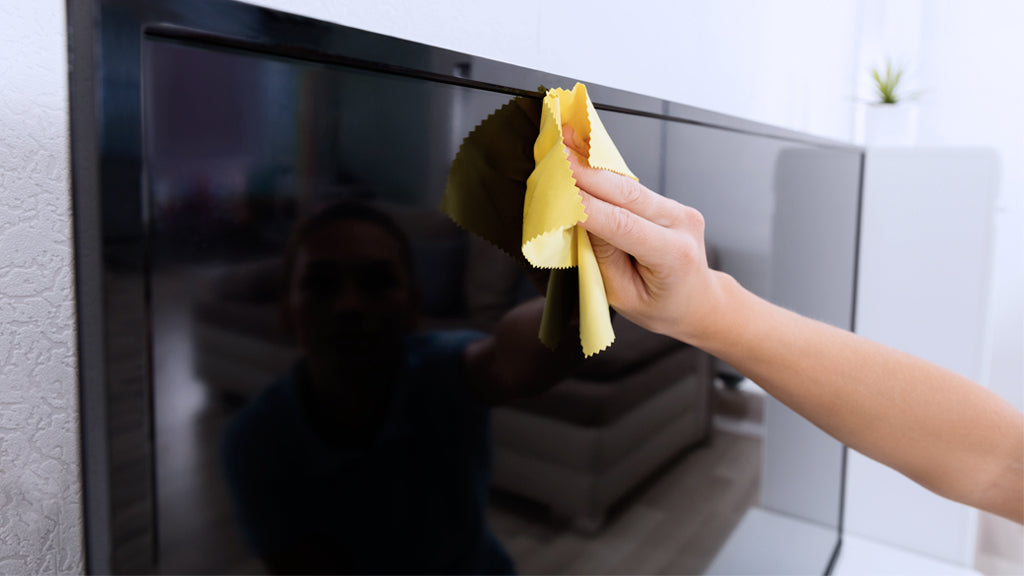
OLED screens are usually covered with reinforced glass with a Mohs hardness of over 6 to resist scratches. To prevent uneven aging of organic emitters.
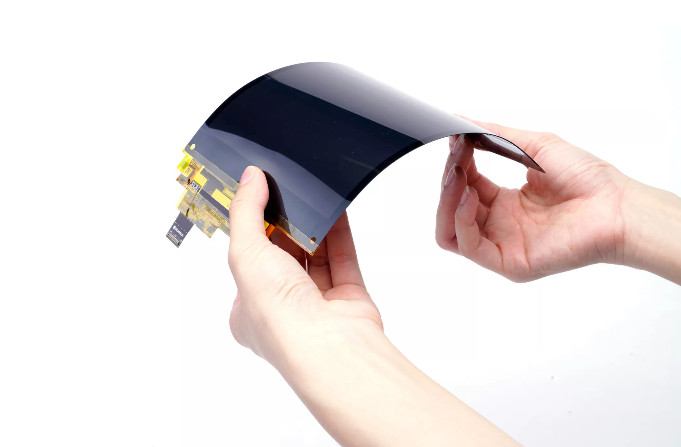
Cleaning Use a microfiber cloth (fiber diameter < 1 micron, such as 3M Scotch-Brite) dipped in a specialized screen cleaner (such as Ugreen OLED cleaner.
Hinterlasse einen Kommentar
Diese Website ist durch hCaptcha geschützt und es gelten die allgemeinen Geschäftsbedingungen und Datenschutzbestimmungen von hCaptcha.