









How to Extend TFT LCD Lifespan | Operating Conditions, Maintenance
It is recommended to control the brightness at 50% to reduce backlight loss and extend the lifespan to 50,000 hours;
Maintain a room temperature of 25°C, set a screensaver to avoid static images for more than 30 minutes to prevent burn-in, and always use a microfiber cloth to gently wipe when cleaning.
Operating Conditions
The expected lifespan of a TFT LCD module mainly depends on the LED backlight assembly, with the industrial standard typically being 30,000 to 50,000 hours.
The lifespan is longest when the ambient temperature is maintained between 20°C and 25°C;
If operated continuously at 70°C, the rate of LED brightness attenuation will accelerate by 2 to 3 times.
Humidity needs to be controlled below 90% RH (non-condensing) to prevent electrochemical migration on the PCB.
Power supply ripple needs to be below 100mV to prevent interference with T-CON timing control.
Temperature Effects on Lifespan
Liquid Crystal Layer Darkening and Chemical Degradation
Liquid crystal material is an organic compound between liquid and crystal states, and its state depends on temperature.
Every liquid crystal mixture has a specific Clearing Point (Tni).
- Phase Change Failure: When the panel temperature exceeds Tni (approx. 60°C - 70°C for consumer panels, up to 100°C for industrial grades), the liquid crystal molecules lose their Nematic Phase ordered arrangement and become an isotropic ordinary liquid.
- Voltage Holding Ratio Drop (VHR): For every 10°C rise in temperature, the conductivity of the liquid crystal material typically increases by 1.5 to 2 times. High temperatures increase the activity of impurity ions within the liquid crystal cell, reducing the Voltage Holding Ratio. A drop in VHR manifests as screen Flicker or Image Sticking; this damage is often permanent after long-term operation above 60°C.
Polarizer Yellowing and Shrinkage
The Polarizer is a polymer film located on both sides of the glass substrate, typically made of PVA (polyvinyl alcohol) with adsorbed iodine molecules.
It is one of the least heat-resistant components in the LCD structure.
- Iodine Sublimation and Yellowing: After continuous operation for 500 hours in a dry environment at 80°C, the iodine molecules in traditional iodine-based polarizers will begin to sublime or undergo oxidation reactions. Macroscopically, this appears as the screen background turning yellow (Yellowing) and a decrease in the white field color temperature. Transmittance will drop from the standard 42% to 38% or lower, leading to insufficient overall brightness.
- Physical Shrinkage and Light Leakage: The TAC (Triacetyl Cellulose) protective layer of the polarizer shrinks at high temperatures. Since the glass substrate creates almost no shrinkage, this stress difference causes the edges of the polarizer to retract inward. After long-term high-temperature operation, obvious Corner Light Leakage will appear at the four corners of the screen.
Backlight Bead Brightness Attenuation
LED backlight is the limiting factor determining display lifespan.
The Lumen Maintenance of an LED has an exponential relationship with the Junction Temperature (Tj) of the P-N junction.
| Ambient Temperature | Estimated Junction Temp (Tj) | Expected Lifespan (L50) | Consequences |
|---|---|---|---|
| 25°C | 45°C - 55°C | 50,000 Hours | Normal operation, very slow light decay. |
| 50°C | 75°C - 85°C | 25,000 Hours | Phosphor aging accelerates, color drift occurs. |
| 70°C | 95°C - 105°C | < 10,000 Hours | Epoxy lens darkens, risk of gold wire breakage increases. |
| 85°C | > 120°C | < 3,000 Hours | Catastrophic failure, LED open or short circuit. |
- Current Derating: To maintain lifespan at high temperatures, the drive current must be reduced. Most LED datasheets recommend that when the ambient temperature exceeds 50°C, the drive current should be reduced linearly. If driven at 100% rated current (e.g., 20mA) in a 70°C environment, the heat inside the LED chip cannot dissipate, leading to a sharp drop in quantum efficiency and causing "thermal quenching."
Inconsistent Expansion of Glass and Housing
TFT LCD modules are composed of various bonded materials, which have huge differences in Coefficients of Thermal Expansion (CTE).
- Glass Substrate: CTE is approx. 3 - 4 ppm/°C.
- Aluminum Alloy Bezel: CTE is approx. 23 ppm/°C.
- Plastic Housing: CTE can reach 50 - 100 ppm/°C.
When the temperature rises from 20°C to 70°C, the expansion of the aluminum frame is far greater than that of the glass.
If the bezel design does not reserve enough expansion gap (usually 0.3mm - 0.5mm required), the frame will squeeze the glass panel.
This mechanical stress changes the pretilt angle of the liquid crystal molecules, leading to uneven brightness (Mura) resembling plum blossoms or waves at the edges of the screen.
In extreme thermal shock tests (e.g., instantly moving from -20°C to 70°C), this stress can even cause the glass substrate to crack or the ITO conductive layer to fracture.
Slow Response at Low Temperatures
Although low temperatures typically do not cause permanent chemical damage like high temperatures, they severely affect operational performance and can sometimes overload drive circuits.
- Viscosity Increase: The Rotational Viscosity of the liquid crystal fluid rises exponentially at low temperatures. At a room temperature of 25°C, typical response time is 15ms - 25ms; at -20°C, response time may extend to 300ms - 500ms.
- Threshold Voltage Drift: The Threshold Voltage (Vth) required to drive liquid crystal molecules increases at low temperatures. If the voltage output by the Driver IC remains constant, the liquid crystal molecules may not deflect completely, resulting in a significant drop in contrast and the image appearing gray and weak.
- Startup Difficulties: Certain CCFL backlights or early LED drive circuits may fail to start normally below -30°C. Low temperatures reduce the capacity and charge/discharge speed of electrolytic capacitors, leading to increased power ripple and potential system failure to light up the screen.
Humidity Corrosion Protection
Metal Dendrites Growing on Circuit Boards
In high-humidity environments, Printed Circuit Boards (PCBs) and Flexible Printed Circuits (FPCs) are most prone to electrochemical migration.
- Formation Process: When the relative humidity on the PCB surface reaches 75% - 80%, an extremely thin film of electrolyte water forms between two charged copper foil or silver paste pins.
- Dendrite Growth: The deposited metal grows like tree branches from the cathode toward the anode; this structure is called Dendrites. For FPC interfaces with a pin pitch of only 0.5mm or even 0.3mm, dendrites can connect two pins within 200 hours.
- Consequences: Once dendrites connect, a low-impedance short circuit occurs. This can burn out the DC-DC conversion chip on the T-CON board or cause logic signal errors. If silver paste lines are used (common in touch screen leads), the migration speed is 5 to 10 times faster than copper.
Corrosion of Glass Conductive Layer
The pixel electrodes of a TFT LCD are made of Indium Tin Oxide (ITO), a transparent conductive material only 1000 to 1500 Angstroms thick.
Although the oxide itself is relatively stable, electrolytic corrosion occurs in energized and humid environments.
- Electrolytic Reaction: Moisture penetrates the sealant at the edge of the glass substrate. Water combines with impurities in the glass or ions in the glue to form an electrolyte. Under the action of drive voltage (typically -5V to +20V AC or DC pulses), the ITO layer undergoes a reduction reaction.
- Resistance Increase: Corrosion causes the ITO film to thin or develop microscopic fractures, leading to a sharp increase in line resistance. For COG (Chip On Glass) encapsulated screens, the contact resistance between the Driver IC bumps and ITO pads becomes unstable.
- Visual Defects: Macroscopically, this manifests as vertical bars on the screen or certain areas failing to light up. Once the ITO line is open, that column of pixels will permanently fail.
Polarizer Blistering and Peeling
The Polarizer is a multi-layer composite material; its core is a PVA (polyvinyl alcohol) film with adsorbed iodine molecules, protected on both sides by TAC (Triacetyl Cellulose) films.
PVA material is inherently very hydrophilic and easily absorbs moisture.
- Hydrolysis Failure: Despite TAC protection, water molecules can still penetrate through the sides or surface micropores. In an environment of 60°C / 90% RH, moisture disrupts the orientation alignment of PVA molecules or causes iodine precipitation.
- Adhesive Failure: The polarizer is attached to the glass via Pressure Sensitive Adhesive (PSA). High temperature and humidity reduce the adhesion strength of the PSA. When adhesion drops to a certain threshold, the polarizer peels off the glass surface under stress, forming visible bubbles or edge lifting.
Dew from Alternating Heat and Cold
Compared to a constant high-humidity environment, drastic temperature changes are more destructive because they trigger Condensation.
| Parameter | Scenario A | Scenario B (Dangerous) |
|---|---|---|
| Initial Environment | 25°C, 50% RH | Device stored in 5°C warehouse |
| Operational Change | Slowly warm to 30°C | Suddenly moved to 30°C, 80% RH workshop |
| Physical Phenomenon | Relative humidity decreases | Surface temperature below dew point |
| Result | Safe | Liquid water droplets form instantly on surface |
- Instant Short Circuit: The conductivity of liquid water is far higher than humid air. When a screen is taken out of cold storage and immediately powered on, water droplets on the PCB will immediately cause short circuits between pins.
- Ion Residue: Even if the water droplets evaporate, dissolved dust, salts, and flux residues remain on the circuit board. These residues become strong electrolytes when they get damp next time, accelerating the corrosion process.
- Protection Recommendation: For environments where thermal shock cannot be avoided, Conformal Coating must be used on the PCB parts.
Backlight Reflector Oxidation
LED backlight modules usually contain multiple optical sheets, with a Reflector Sheet at the very bottom to reflect light back into the light guide plate.
- Silver Reflector Blackening: High-efficiency reflectors usually contain a silver coating. Silver is very sensitive to sulfides and humidity. If the environment contains trace amounts of sulfur (e.g., from rubber gaskets or industrial exhaust) combined with high humidity, the silver will rapidly sulfide and turn black.
- Brightness Drop: Reflectivity will drop from the initial 98% to below 90%.
- Metal Contact Rusting: The sockets connecting LED strips usually use tin-plated or gold-plated terminals. High humidity causes Pitting Corrosion on the plating, increasing contact resistance, which leads to backlight flickering or abnormally high drive voltage.
Voltage and Current Stability
Logic Voltage Stability
These chips typically use a DC logic voltage of 3.3V (Vcc or Vdd).
- Extremely Small Tolerance Range: Industrial standards usually only allow a deviation of ±0.3V. If the voltage drops below 2.7V, the internal Under Voltage Lock Out (UVLO) circuit may trigger falsely, causing the screen to instantly go black or reset.
- Overvoltage Breakdown: As long as the voltage exceeds the rated value by 10% (e.g., reaching 3.6V or 3.7V), the gate oxide layer of transistors inside chips manufactured with 0.13 micron or finer processes faces the risk of breakdown.
- Ripple Interference: AC ripple superimposed on the 3.3V DC should not exceed 50mV p-p. Excessive ripple interferes with analog signal sampling, resulting in random noise or water ripples on the display, especially noticeable when displaying pure gray screens.
Correct Power-On Sequence
The LCD module has strict time window requirements for the sequence of Power and Signal, known as the Power Sequence.
- Power first, then Signal: You must strictly provide the 3.3V power first, wait 0 to 50 milliseconds for the Driver IC to initialize, and then send LVDS or MIPI video signals. If the order is reversed, signal current will flow back into the unpowered chip through the data pins, causing the CMOS Latch-up effect, leading to instant overheating and burning of the chip.
- Backlight Last: The LED backlight voltage (VLED) should be turned on 200 milliseconds after the video signal output is stable. If the backlight turns on before the liquid crystal molecules are ready, the screen will flash a blinding white light or messy stripes.
- Reverse for Power-Off: When powering off, you must turn off the backlight first, then stop the signal, and finally cut off the logic power.
Surge Current Protection
The moment the device is turned on, a large number of filter capacitors inside the module need to charge, generating a huge Inrush Current.
| State | Current Magnitude | Duration | Risk |
|---|---|---|---|
| Steady State Operation | 500mA (Example) | Continuous | Normal heat generation. |
| Cold Start Instant | 2.0A - 3.0A | 100μs - 500μs | Blows fuse, pulls down system voltage. |
- Voltage Drop: If the power supply's transient response capability is insufficient, the huge surge current will instantly pull down the system voltage. For example, 3.3V dropping to 2.0V causes the system motherboard to reset and restart, falling into a "reboot-crash" loop.
- Soft Start Circuit: It is recommended to design a Soft-start circuit at the power input. By controlling the conduction speed of the MOSFET, the current rise time is extended from 10 microseconds to over 1 millisecond, thereby shaving peaks and filling valleys to smooth the current curve.
Backlight Voltage Fluctuation
LED backlight is the most power-consuming part of the entire module, typically requiring a drive voltage of 12V or 24V. Voltage fluctuations here directly affect brightness and heat generation.
- Voltage Fluctuation Causes Flickering: If there is a 500mV low-frequency fluctuation (e.g., 60Hz mains interference) on the 12V power line, the LED driver chip has to quickly adjust the duty cycle to maintain constant current output. When this adjustment lags behind voltage changes, the human eye can see the screen brightness trembling slightly; this phenomenon is called Beat Frequency.
- Overvoltage Burns Driver: LED driver chips have an absolute maximum voltage rating (e.g., 40V). If the power line generates a transient spike of 50V due to inductive loads (like motor startup), the power transistor inside the driver chip will be instantly broken down and shorted.
Internal High Voltage Thresholds
In addition to the external 3.3V and 12V inputs, the LCD module internally generates two key high voltages via a Charge Pump to control TFT switching.
- VGH (Gate High Voltage): Usually between 18V and 25V. If this voltage is low (e.g., only 15V), the TFT transistor cannot fully open, the capacitor won't charge fully, resulting in insufficient contrast and dull colors.
- VGL (Gate Low Voltage): Usually between -5V and -10V. If this negative voltage is not "negative" enough (e.g., becomes -2V), the TFT transistor won't close tightly.
Backlight Driving Methods
Constant Current vs. Constant Voltage
There are two main modes for powering LEDs; for high-reliability LCD modules, constant current driving must be selected.
- Hidden Dangers of Constant Voltage (CV): If a fixed 12V is simply applied to the LED strip, as the LED temperature rises from 25°C to 60°C, the forward voltage drop (Vf) of the LED decreases (negative temperature coefficient).
- Advantages of Constant Current (CC): Professional LED Driver ICs monitor loop current in real-time. Regardless of how the input voltage fluctuates or how the LED temperature changes, the driver dynamically adjusts the output voltage to forcibly lock the current at the set value (e.g., 20mA).
- Current Balancing: Large screens usually have multiple strings of LEDs in parallel. High-quality drivers provide independent constant current control channels for each string. If simply parallelized sharing one constant current source, once one string of LEDs opens, the current originally belonging to it will be distributed to other strings, causing the other LEDs to instantly overload and burn out.
PWM Dimming
- Working Principle: Within one cycle, such as 5 milliseconds (corresponding to 200Hz), letting the LED stay on for 4 milliseconds and off for 1 millisecond makes the human eye perceive the brightness as 80%.
-
Frequency Selection: Dimming frequency is usually recommended between 200Hz and 20kHz.
- Below 100Hz: The human eye can noticeably perceive flickering, leading to visual fatigue.
- Audio Interference: If the frequency falls within the human hearing range of 20Hz - 20kHz, ceramic capacitors in the circuit may produce a piezoelectric effect, emitting a piercing "Audible Noise." Industrial designs usually tend to use high-frequency PWM above 20kHz to avoid noise.
- Duty Cycle Limits: The recommended dimming range is 5% to 100%. Excessively low duty cycles (e.g., < 1%) result in LED on-time being too short for the drive circuit to establish a stable current, leading to uneven light color.
Analog DC Dimming
DC Dimming (Analog Dimming) adjusts brightness by changing the magnitude of continuous current without switching toggles.
- No Flicker Advantage: This method outputs pure DC current, completely eliminating flicker problems, making it suitable for scenarios with extremely high stability requirements like medical imaging and high-speed camera monitors.
- Color Shift Risk: White LEDs are excited by blue chips stimulating yellow phosphor. When the current drops below 20% of the rated value, the wavelength of the blue chip drifts, and the excitation efficiency of the phosphor changes.
- Control Precision: Compared to digital PWM control, analog dimming has poorer linearity at low currents. Different batches of LEDs may have significant brightness differences at small currents like 5mA, resulting in uneven brightness across a batch of mass-produced screens at low brightness settings.
Hybrid Dimming Mode
To combine the advantages of the above two methods, high-end driver boards often use Hybrid Dimming.
-
Segmented Control:
- High Brightness Zone (30% - 100%): Uses DC analog dimming. Current is higher, no color shift risk, and flicker at high brightness is eliminated.
- Low Brightness Zone (0% - 30%): Automatically switches to PWM dimming. Current is fixed at the 30% level, lowering average brightness by chopping light, ensuring color accuracy while achieving deep dimming.
- Implementation Difficulty: This method requires high logic control from the Driver IC to smooth the transition at the switching point; otherwise, users will see a noticeable jump when adjusting brightness.
Soft Start Protection
The moment the backlight turns on (Power On) is when the failure rate is highest.
- Inrush Current: Cold LEDs have lower resistance; if full voltage is applied instantly, the inrush current can reach more than 5 times the rated value.
- Ramp Up (Soft Start): The drive circuit should be designed with a "ramp" function, allowing the current to increase linearly from 0 to the target value within 50 to 100 milliseconds.
Heat Dissipation and Derating
Driving methods cannot be separated from thermal management.
- Temperature Feedback: Smart driving solutions install NTC thermistors near the LED strips. When the temperature is detected to exceed 65°C, the Driver IC automatically forces a reduction in output current.
- Derating Design: During product selection, LEDs should never be allowed to work at full load. If you need 500 nits of brightness, you should choose a backlight module capable of reaching 800 nits, and then restrict the drive current to use only 60% - 70% of its capacity.
Maintenance
Data shows that if dust accumulation obstructs backlight module heat dissipation, causing the internal temperature to rise by every 10 degrees Celsius, the failure rate of electronic components typically doubles.
Furthermore, incorrect chemical solvents (especially products containing ammonia or high concentrations of alcohol) will permanently degrade the Anti-Glare (AG) coating on the polarizer surface within 10 to 50 wiping cycles after contact.
It is recommended to perform a physical inspection every 3 to 6 months, including tightening VESA mount screws and cleaning vents, to ensure the device operates stably within its nominal MTBF.
Solvent Selection
How to Choose Water
Water is the base solvent for all cleaning operations, but water purity directly determines the surface state after cleaning.
- Hazards of Tap Water: The Total Dissolved Solids (TDS) in ordinary tap water typically ranges from 50 ppm to 500 ppm. These solids mainly consist of calcium/magnesium carbonates and chlorides. When water evaporates, these minerals remain on the screen surface forming white spots (scale).
- Recommended Standard: Only Distilled Water or Deionized Water is recommended. The resistivity of deionized water is typically higher than 18 megaohm-cm; it contains almost no conductive minerals, meaning it leaves no physical residue after evaporation.
Can Alcohol Be Used?
There is controversy regarding the use of Isopropyl Alcohol (IPA) and Ethanol, which depends on concentration and contact time.
-
Isopropyl Alcohol (IPA): This is the most general-purpose cleaning solvent in the electronics industry, but 99% industrial-grade purity cannot be used directly. High-concentration IPA has strong dehydrating properties; long-term contact causes polymer surfaces to lose water and become brittle.
- Safe Concentration: It is recommended to dilute IPA to 50% or lower (mixed with distilled water). At this concentration, it effectively dissolves oils (fingerprints) while having a moderate evaporation rate, reducing the risk of solvent staying in the area and penetrating into bezel gaps.
- Bezel Risk: Many monitor bezels are made of ABS or Polycarbonate (PC). These plastics are sensitive to alcohols. Although IPA is relatively safe for the screen surface, if spilled on the bezel and not wiped off in time, it may cause micro-cracks (Crazing) on the plastic surface, a physical structural change that is irreversible.
- Ethanol: Compared to IPA, ethanol is more chemically aggressive. Although many household disinfectant wipes contain ethanol, it should be avoided as much as possible in TFT LCD maintenance. Ethanol is more likely to cause certain Anti-Glare Coatings to swell and subsequently peel.
Chemicals to Avoid Absolutely
Certain household and industrial common chemicals are destructive to the LCD structure and cause damage instantly upon contact.
- Ammonia: This is the main ingredient in most commercial glass cleaners (like certain Windex formulas). Ammonia is alkaline (pH usually greater than 11). The polarizing film of a TFT LCD is mainly made of iodine-based or dye-based compounds stretched and dyed; an alkaline environment reacts with iodine molecules, destroying polarization performance.
- Acetone and Toluene: These are strong solvents, commonly found in nail polish removers or paint thinners. Their solubility parameters are very close to LCD surface polymers.
Problems with Soap and Dish Soap
Although soapy water seems mild, it is not suitable for precision optical surfaces.
- Residue Risk: Dish soap contains large amounts of Surfactants, thickeners, dyes, and fragrances. Unless rinsed with copious amounts of water , these components will remain on the screen surface.
- Optical Interference: The residual surfactant film layer is usually hundreds of nanometers thick, sufficient to produce thin-film interference phenomena, causing Rainbow Effects or oily sheen on the screen surface, interfering with color accuracy.
- Non-ionic Surfactants: If a cleaner must be used to remove heavy grease, "Screen Cleaning Solutions" specifically formulated should be chosen. These products typically use Non-ionic surfactants, characterized by low residue, low foaming, and pH adjusted to a neutral range of 6.5 to 7.5 to minimize chemical stress on coatings.
Surface Wiping Standards
Selecting the Right Cloth is Crucial
Ordinary fabrics look like thick cables under a microscope, while dust particles on the LCD surface act like tiny stones. Dragging stones with thick cables results in the stones gouging grooves into the ground.
- Microfiber Structure Advantage: You must use polyester and polyamide blended Microfiber cloth. The diameter of this fiber is typically less than 1 decitex (denier), about 1/100th the diameter of a human hair. More importantly, its cross-sectional structure.
- Paper Products Strictly Prohibited: Paper towels, tissues, or industrial wipes are mainly composed of wood pulp cellulose. Although soft to the touch, wood fibers often contain trace amounts of incompletely degraded lignin particles. These particles are hard enough to leave micron-level Micro-scratches on the soft polarizing film (TAC layer). A single wipe may not be visible, but after 50 to 100 repetitions, the screen surface will take on a foggy diffuse reflection state, which is the result of accumulating countless micro-scratches.
Dust Acts Like Sandpaper
Before wiping, the biggest threat is not oil stains, but invisible hard particles.
The composition of dust in the air is complex, containing trace amounts of quartz sand (silica) in addition to textile fibers and skin flakes.
- Hardness Battle: According to the Mohs scale, the polymer coating hardness on a TFT LCD surface is typically between 2H and 3H (pencil hardness standard), roughly equivalent to a Mohs hardness of about 2.5. Quartz sand particles in dust have a Mohs hardness as high as 7.
- Pre-treatment Step: If you wipe forcefully with a cloth without removing surface dust, it is equivalent to sanding the screen with sandpaper. The correct process is to first blow away loose particles using compressed air (canned air).
Correct Spraying Posture
Liquid entering the interior of the monitor is the main cause of circuit board corrosion (ITO Corrosion).
There is a tiny gap between the bezel and the screen glass of a TFT LCD. Although it looks tightly fitted to the naked eye, it is a huge channel for liquid molecules.
- Capillary Action Threat: If cleaning fluid is sprayed directly onto the screen, gravity causes droplets to flow rapidly toward the bezel at the bottom. Once the liquid contacts the bezel gap, Capillary Action sucks it inside. The COF (Chip on Film) packaging tape connecting the liquid crystal panel and the driver circuit board is usually hidden inside the bottom bezel.
- Humidity Control: Cleaning fluid must be sprayed onto the microfiber cloth, not the screen. The cloth should be "slightly damp" rather than "soaked." The standard is: when squeezing the cloth hard, no droplets should drip.
Hand Pressure and Motion Control
A TFT LCD is composed of liquid crystal molecules sandwiched between two glass substrates. The glass substrates are very thin and rely on tiny spherical Spacers in the middle to maintain the gap.
- Avoid Circular Motions: Circular wiping causes dirt particles to move repeatedly over the same area, increasing the time and probability of abrasion. The correct motion is unidirectional linear wiping. Start from the left edge of the screen, move horizontally to the right edge, then lift the cloth, switch to a clean contact surface, and start wiping the next row.
- Pressure Threshold: Wiping pressure should be as light as possible, just enough to ensure the cloth contacts the screen. Excessive vertical pressure (typically exceeding 1.5 kg-force) will cause internal Spacers to crush the Alignment Layer or cause disorder in liquid crystal molecule arrangement. Visually, this manifests as persistent water ripples (Mura) where the finger pressed; in severe cases, it forms permanent bright spots or dark patches, which is physical damage and cannot be repaired.
En lire plus
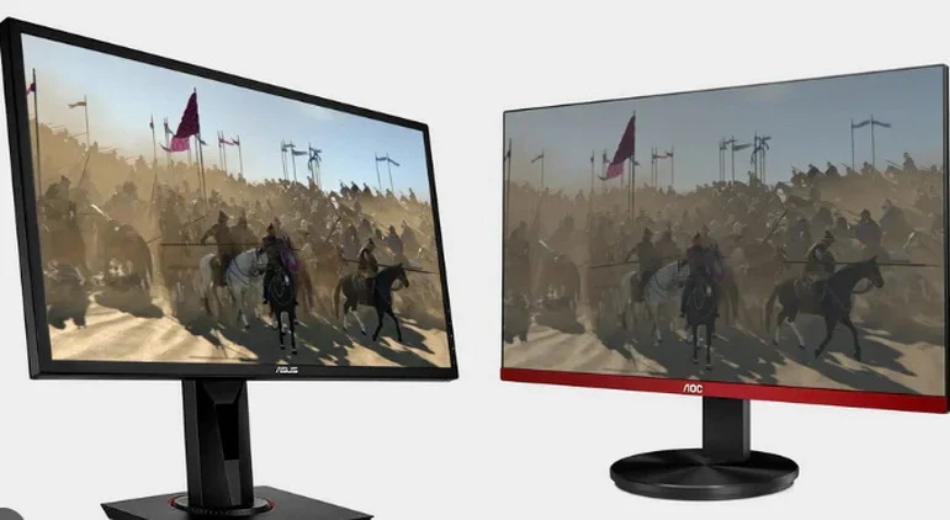
IPS panels, with their 178° wide viewing angle and 99% sRGB color gamut, far surpass ordinary TFT (TN) panels in color accuracy, making them suitable for image processing; Although their response t...

PMOLED utilizes an orthogonal matrix of anodes and cathodes, employing a progressive scanning method to instantaneously activate pixels with a 1/N duty cycle. During operation, a voltage of approxi...
Laisser un commentaire
Ce site est protégé par hCaptcha, et la Politique de confidentialité et les Conditions de service de hCaptcha s’appliquent.