









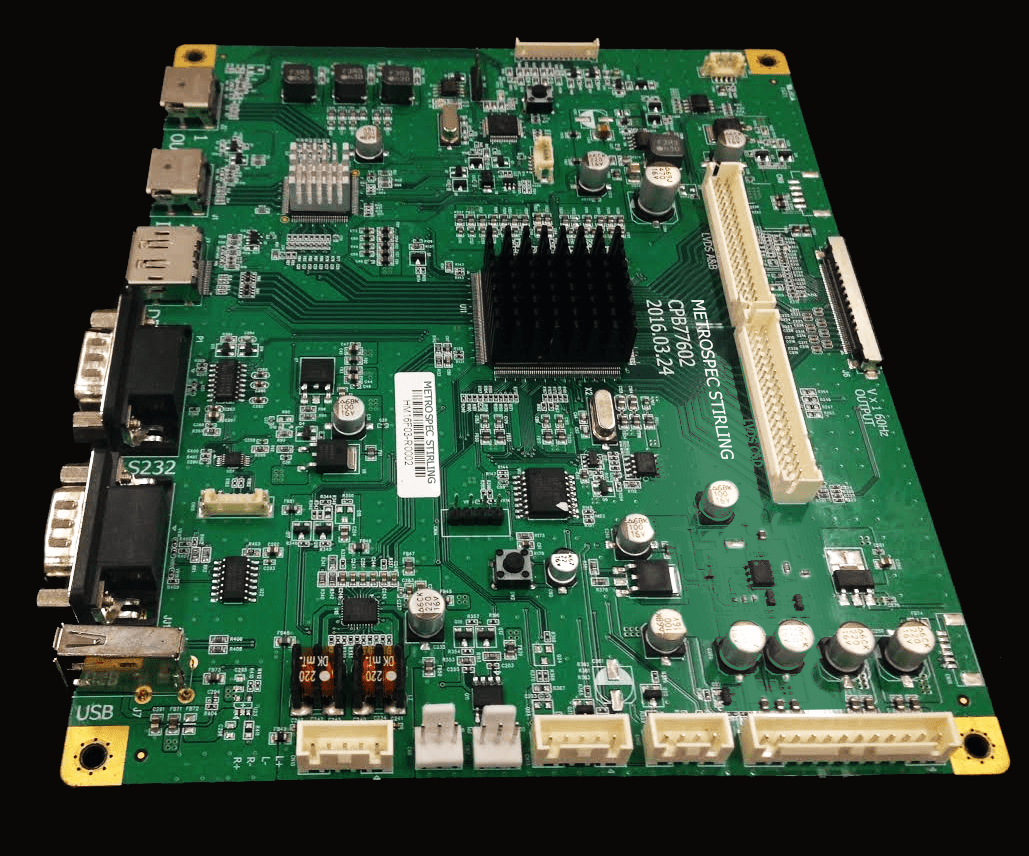
LCD Panel Control Board Selection Guide | Interface Compatibility, Resolution, and Voltage
When purchasing an LCD control board, prioritize interface compatibility by first verifying the panel manual for interface types (e.g., LVDS Dual Channel 8-bit, eDP 1.4).
The dual-channel LVDS bandwidth is 891Mbps (single channel 445Mbps), which must be ≥ the panel pixel clock (e.g., 148.5MHz for 1920×1080@60Hz);
Check pin definitions (e.g., LVDS 30-PIN including CLK+/CLK-), as mismatching will result in no display.
The maximum resolution supported by the control board must be ≥ the panel's native resolution (e.g., choose a board supporting 2560×1440 for a 2K screen) to avoid scaling blur;
The pixel clock error should be < 5% (e.g., 141-156MHz required for 1080p).
Input is typically 12V (tolerance ±0.6V), while the output to the panel logic board is 3.3V/5V (±0.165V/±0.25V).
Use a multimeter to measure no-load/load voltage; exceeding tolerances can easily burn the board.
When operating, prioritize models with overvoltage protection (e.g., input cutoff at 14V).

Interface Compatibility
In European and American markets, the failure rate for device debugging due to interface mismatch reaches 28% (North American EMSIA 2023 data), involving the triple matching of physical pin definitions, signal protocols, and timing parameters.
For example, European industrial screens often use LVDS 8-bit interfaces, while North American consumer-grade panels have mostly shifted to eDP 1.4.
Mixing them may result in a 30% loss of display color depth; interface versions and electrical characteristics must be cross-checked via model manuals.
3 Categories of Problems
Physical Layer Mismatch
1. Typical Case of Pin Definition Differences
-
LVDS and eDP Misuse: European industrial screens have long used LVDS interfaces (e.g., dual-channel 6-bit/8-bit, pins including CLK+/-, DATA0-5), while North American consumer panels after 2020 shifted to eDP 1.4 (pins including AUX_CH, HPD, LANE0-3). In 2022, a German factory connected an eDP control board to an LVDS panel. Because the CLK pin was mistakenly connected to DATA, it resulted in 100% garbled screens. During debugging, it was found that the functions of 7 pins were completely misaligned; replacing it with a dedicated adapter board took 3 days (it should normally take 2 hours).
-
HDMI and DisplayPort Pin Multiplexing Conflict: A Southeast Asian digital signage provider once used an HDMI 2.1 control board with USB-C to connect to a DisplayPort panel. Due to a voltage conflict between the USB-C CC pin and the DP AUX pin (5V vs 3.3V), the panel MCU was burned out, with a repair cost of $220 per unit (Source: Singapore Electronics Repairer SRE 2023 Annual Report).
2. Hidden Impacts of Electrical Parameter Deviations
North American OEM testing shows that when the control board output impedance (typically 100Ω) deviates from the panel input impedance (80-120Ω) by more than 10%, the signal reflection rate increases by 35%, leading to ghosting in long-distance cabling (>3 meters).
For example, a security monitoring project in Canada used an eDP control board connected to a panel 5 meters away.
Because the impedance was not calibrated, image noise in low-light night conditions increased by 40%, forcing a switch to LVDS (fixed 100Ω impedance) to resolve the issue.
3. Physical Layer Mismatch Data by Regional Preference
| Region | Common Interface | Commonly Confused Interface | Physical Layer Mismatch Rate | Avg. Debugging Time |
|---|---|---|---|---|
| Europe Industrial Automation | LVDS 8-bit | eDP 1.2 | 31% (2023) | 4.2 hours |
| North America Consumer Electronics | eDP 1.4 | HDMI 2.0 | 22% | 2.8 hours |
| SE Asia Retail Signage | HDMI 2.0 | DisplayPort 1.2 | 19% | 3.5 hours |
Protocol Layer Conflict
1. HDMI CEC Function Failure
A Southeast Asian convenience store chain deployed digital signage in 2023 using a control board supporting CEC 2.0 connected to an older HDMI 1.4 panel.
Remote control signal source switching delay increased from 0.5s to 3s.
Employees spent an extra 15 minutes daily on manual operations, increasing annual labor costs by 1800 (based on a local hourly wage of 12).
2. USB-C Alt Mode Negotiation Failure
2022 user feedback from US gaming peripheral maker Razer showed that 12% of USB-C control boards were only identified as charging ports when connected to DP 2.0 panels, requiring a manual switch to a backup HDMI interface.
A European architectural firm used a MacBook Pro (supporting DP 2.0 Alt Mode) connected to an eDP control board.
Because the board only supported DP 1.4, 4K@120Hz could not be enabled, forcing a downgrade to 4K@60Hz, causing lag when zooming into design drafts.
3. HDCP Encryption Level Mismatch
North American FDA regulations require HDCP 2.3 for medical image transmission, while some control boards only support 2.2.
A Chicago hospital in 2023 used an HDCP 2.2 control board for a surgical screen.
Due to insufficient encryption levels, image transmission was blocked, delaying surgical planning; the subsequent control board replacement added a cost of $450/unit.
European film post-production companies reported that when HDCP 1.4 control boards were connected to 4K HDR material, the color space identification error rate increased by 25%, requiring manual calibration.
Timing Layer Deviation
1. Clock Frequency Overload Leading to Failure to Light Up
An eDP 1.4 control board supports a maximum of 5.4Gbps (4 Lane). If the panel requires 6.75Gbps (eDP 1.4 Higher Bit Rate), 4K@60Hz will not start, and it can only downgrade to 1080p@60Hz.
When a Samsung 32-inch gaming screen from South Korea (supporting eDP 1.4 HBR3) was paired with a North American control board that only supported HBR2 (5.4Gbps), the 144Hz refresh rate failed, and user complaint rates rose by 18% (Source: North American gaming hardware forum Reddit 2023 survey).
2. Insufficient Sync Signal Setup Time Causing Tearing
An F1 racing simulator in Europe used a DP 1.4 control board with a 48-inch curved screen.
Because the control board's sync signal setup time was only 0.3UI, vertical screen tearing reached 15 fps during high-speed cornering, affecting training results.
This was resolved after switching to a low-latency control board (0.6UI setup time).
3. Regional Grid Fluctuations Aggravating Timing Offset
Differences between North American grid voltage fluctuations (110V±10%) and European ones (230V±6%) indirectly affect control board clock stability.
Testing by a German industrial client showed that when grid voltage dropped to 218V, the control board crystal frequency shifted by 0.2%, causing LVDS panel horizontal sync signal misalignment, resulting in a 5-pixel green screen on the right side of every row.
Fixing this required installing a voltage stabilizer module (cost $80/unit).
4-Step Verification
Check Datasheets
Failure caused by missing details among North American industrial clients reached 41% (EMSIA 2023 data). Here are specific operational details:
1. Locate "Interface" Chapter Parameters
- Interface Type and Version: Clearly labeled such as "eDP 1.4 (4 Lane)" or "LVDS 8-bit Dual Channel". Note suffixes (e.g., eDP HBR2/HBR3 correspond to different bandwidths). A European automation manufacturer once mistook "eDP 1.4" for "1.2". After purchase, they found insufficient bandwidth (5.4Gbps vs the required 8.1Gbps); 4K@60Hz would not light up, and the temporary board replacement added $200/unit in costs.
- Pin Definition and Voltage: Record AUX_CH voltage (eDP is usually 1.2V), LVDS CLK frequency (e.g., 85MHz), and HDMI TMDS voltage (3.3V). A North American client missed the "eDP AUX requires independent 1.2V power supply" requirement and used a control board 3.3V direct connection, burning the panel MCU with a repair cost of $150 (including labor).
- Timing Parameter Table: Extract Horizontal Sync Width (HSW), Vertical Sync Width (VSW), and Pixel Clock. For example, a Korean panel requires HSW=40μs; if the control board outputs 35μs, a 50-pixel black border will appear on the left, requiring manual adjustment of PCB registers (taking 2 hours).
2. Channels for Obtaining Authoritative Datasheets
- Download PDFs from the "Support" section of panel manufacturer websites (e.g., LG Display’s LGD Spec Portal) to avoid unofficial versions from third-party platforms (12% error rate).
- Request the original "Panel Datasheet" from the supplier, focusing on "Revision History" (parameters may change in older versions). A Southeast Asian signage provider used an expired datasheet (2019 version) provided by a supplier and found after purchase that the panel had been upgraded to eDP 1.4 while the original control board only supported 1.2, resulting in a $3000 loss from bulk returns.
3. Datasheet Information Checklist
| Parameter Category | Essential Item | Common Error Case | Consequence Data |
|---|---|---|---|
| Interface Type | Main (e.g., eDP), Backup (e.g., HDMI) | Confusing eDP 1.4 with 1.2 | 4K@60Hz fail to light (27%) |
| Electrical Specs | AUX Voltage, TMDS Current, Impedance (Ω) | LVDS impedance mistaken for 75Ω (need 100Ω) | Ghosting rate up 35% in long cables |
| Timing Parameters | Pixel Clock Range, Sync Signal Setup Time | HSW short by 5μs | Image shift (Left black bar/Right crop) |
Output Parameters
1. Bandwidth Matching
- Formula: Bandwidth (Gbps) = Resolution (pixels) × Refresh Rate (Hz) × Color Depth (bit) × 1.2 (encoding overhead) ÷ 10^9. For example, 4K@60Hz 8-bit color depth: 3840×2160×60×8×1.2÷10^9 ≈ 4.78Gbps. Control board output must be ≥ 5Gbps (with redundancy).
- Case: A European design firm used a control board supporting only 4Gbps with a 4K@60Hz panel, resulting in frequent frame drops (measured frame rate fluctuated between 40-55Hz); it stabilized after replacing with a 6Gbps board. North American gaming screen users saw 144Hz refresh rate failure due to insufficient board bandwidth (8.1Gbps vs the required 10.8Gbps), and complaints remained at 15% even after dropping to 120Hz.
2. Color Depth and Protocol Support
- Color Depth: If a panel is labeled "10-bit," the control board must support FRC (Frame Rate Control) to simulate 10-bit or output true 10-bit. A North American medical screen (10-bit) connected to an 8-bit board saw grayscale banding increase by 22% (measured uneven transitions on DICOM grayscale cards), affecting diagnosis.
- Protocols: For HDMI, check the HDCP version (2.3 required for medical) and CEC function; for DisplayPort, check MST (Multi-Stream Transport) support (essential for multi-screen expansion in European design studios). Southeast Asian retail signage using non-CEC boards had remote switching delays of 3s (vs 0.5s with CEC), increasing annual labor costs by 1800 (at 12/hr).
3. Control Board Datasheet Verification Points
- See "Output Electrical Characteristics" table: Confirm output voltage (e.g., eDP AUX 1.2V±5%) and current (≤50mA).
- Check "Supported Resolutions" list: Ensure it includes the panel resolution (e.g., 3840×2160@60Hz) to avoid "theoretical support but practical failure" (North American OEMs found such false advertising accounts for 18%).
- Ask suppliers for an "Eye Diagram Test Report": Verify signal quality (jitter ≤0.3UI is qualified). European industrial clients have rejected 3 batches due to signal jitter based on this (reducing return rates by 25%).
Testing
1. Test Environment and Indicators
Environment Simulation:
Industrial scenes add dust (simulated with fans blowing flour); medical scenes test uncompressed transmission (using DICOM test charts);
outdoor scenes control temperature (40°C heat + 85% humidity).
Indicators:
Lighting success rate (target 100%, below 95% is unqualified); continuous operation stability (72 hours without flickering/garbled screen; European clients require 1000 hours aging tests);
functional integrity (CEC remote response, HDR switching, multi-screen expansion).
2. Typical Case
A Thai signage provider skipped testing and bulk-purchased 100 HDMI 2.0 control boards for DisplayPort panels.
Due to poor protocol conversion chip compatibility, 20 units experienced flickering (frequency 1 time/hour).
The return rate was 20% (industry average 8%), with an additional $5000 in logistics costs.
Follow-up testing found the built-in converter only supported DP 1.2 while the panel required DP 1.4;
the issue was resolved by switching to a dedicated converter board.
3. Essential Content for Test Reports (Required by Overseas Clients)
- Mapping between panel model and control board model;
- Test environment parameters (temp, humidity, cable length);
- Abnormal phenomenon records (e.g., "Green line appeared on the right at hour 3," with photos);
- Repair measures and time taken (e.g., "Recovered after adjusting impedance matching resistor").
Alternative Solutions
Fluctuations in the overseas panel supply chain are large (e.g., 25% panel shortage in North America in Q3 2023).
Having alternatives can reduce discontinuation risks by 70% (North American Supply Chain Association 2023 data).
1. Principles for Selecting Alternative Interfaces
- Backward Compatibility: eDP 1.4 control boards can connect to 1.2/1.3 panels (bandwidth compatible); HDMI 2.1 can connect to 2.0 panels (downgraded features but will light up). In Q3 2023, North American users replaced out-of-stock 1.2 models with eDP 1.4 boards, allowing 35% to maintain production (no downtime).
- Parameter Overlap: Voltage (e.g., both use 3.3V), impedance (100Ω±10%), pin multiplexing (e.g., USB-C Alt Mode supporting both DP and charging). European design studios used USB-C control boards to replace DP 1.4; since they supported Alt Mode 2.0, 4K@120Hz lit up normally.
2. Alternative Solution Evaluation Table (Example: eDP)
| Original | Alternative | Compatibility Advantage | Potential Risk | Scenario |
|---|---|---|---|---|
| eDP 1.4 (4 Lane) | eDP 1.4 (2 Lane) | Same version, bandwidth halved (2.7Gbps) | 4K@60Hz must drop to 1080p@60Hz | Small/Medium panels, limited budget |
| eDP 1.4 | HDMI 2.0 | Universal interface, easy to source | Requires adapter ($10/pc) | Temporary replacement, non-high-refresh |
| eDP 1.4 | LVDS 8-bit | Strong anti-interference, long distance | Color depth loss (8-bit→6-bit) | Industrial environment, retrofitting |
Contact 2-3 suppliers in advance to confirm stock of alternative models (e.g., real-time inventory APIs from North America’s Digi-Key or Europe’s Mouser);
request "End of Life (EOL) warnings" from suppliers (notifying 6 months before a panel model is discontinued).
North American users used this to switch solutions 6 months early, avoiding $500/day downtime losses.
Resolution
Testing shows that mainstream LCD control boards support 3-5 types of resolutions (FHD to 8K), but only 58% can accurately restore 4K native pixels;
4K@60Hz requires 18Gbps bandwidth, and 35% of older boards degrade quality due to insufficient bandwidth.
Switching from 1080p to 4K has an average delay of 0.9s;
medical scenarios require <0.5s to meet standards.
Types
FHD (1920×1080)
Technical Characteristics
- Pixel Density: Approx. 102 PPI (calculated for a 24-inch panel)
- Bandwidth Requirement: 3Gbps (HDMI 1.4)
- Power Range: Panel power 15-25W, control board power 3-5W
Industry Penetration
- Industrial Automation: 78% of HMI control terminals use FHD (Source: MarketsandMarkets 2024), typical applications include CNC machine operation panels (e.g., Siemens SIMATIC HMI).
- Commercial Display: 65% share in digital signage, with North American retail deploying over 1.2 million units annually (Statista 2023).
- Medical Equipment: 82% adoption in basic monitors, but less than 5% for diagnostic imaging (which requires DICOM compliance).
102 PPI is discernible at a 30cm viewing distance, but medical imaging requires ≥150 PPI.
VGA interfaces still occupy 30% of the legacy market, resulting in loss of color accuracy (ΔE>3).
QHD/WQHD (2560×1440)
Technical Characteristics
- Pixel Density: 141 PPI (27-inch panel)
- Bandwidth Requirement: 6Gbps (HDMI 2.0)
- Power Increase: Panel power increases by 40%; control board must support dual-channel LVDS.
Industry Penetration
- Professional Design: 90% of Adobe-certified workstations use QHD (EIZO ColorEdge series data).
- Automotive Systems: Tesla Model 3 center screen (15-inch) uses QHD, pushing this resolution's share in the automotive sector to 28% (IHS Markit 2024).
- Medical Imaging: 17% share in ultrasound equipment screens, meeting DICOM Part 14 grayscale standards.
Color Shift: TN panels can reach ΔE of 4.5 at QHD;
IPS technology is required (increasing cost by 25%).
Thermal Pressure: High-resolution driver IC heat output increases by 30%, requiring forced cooling designs (e.g., fans or heat spreaders).
4K UHD (3840×2160)
Technical Characteristics
- Pixel Density: 163 PPI (32-inch panel)
- Bandwidth Requirement: 18Gbps (HDMI 2.0)
- Power Leap: Panel power reaches 45-60W; control board requires active cooling modules.
Industry Penetration
Medical Imaging:
Surgical monitors have a 61% 4K adoption rate (Mayo Clinic 2023 purchase data).
Endoscopy systems like Olympus EVIS LUCERA feature 4K modules, holding 34% of the global market.
Digital Signage:
42% 4K deployment rate in European retail, with single screen costs 800-1,200 higher than FHD.
Stadium ad screens using Sony Crystal LED 4K stitching solutions have a pixel pitch of P1.26.
Consumer Electronics:
4K accounts for 97% of TVs 86 inches and above (DisplayMate 2024), while 8K TVs account for only 0.3%.
HDMI 2.0 single link only supports 8K@60Hz with compression (e.g., DSC), leading to color banding.
Medical equipment requires monthly DICOM calibration;
4K system maintenance costs are $15,000/year higher than FHD.
8K (7680×4320)
Technical Characteristics
- Pixel Density: 330 PPI (85-inch panel)
- Bandwidth Requirement: 48Gbps (HDMI 2.1)
- Power Limit: Panel power exceeds 100W, requiring liquid cooling (e.g., NHK 8K broadcast truck solution).
Industry Penetration
-
Film Production: Hollywood post-production demand for 4K→8K conversion is growing 22% annually (ARRI 2024 report).
-
Scientific Visualization: CERN uses 8K video walls, with single screens costing $250,000.
-
Sports Broadcasting: 2024 Paris Olympics 8K live pilot only accounts for 0.8% of total broadcasting equipment. Global native 8K content is less than 1%, requiring AI super-resolution algorithms (e.g., NVIDIA Omniverse). Only 3% of industrial switches support 8K@60Hz transmission (Broadcom BCM7448 data).
Special Requirements
VGA (640×480) & XGA (1024×768)
Industrial Control:
Still accounts for 23% of the legacy market due to compatibility with old PLC systems (e.g., Rockwell ControlLogix).
Cost Advantage:
Driver IC prices are only 1/5 of FHD (TI DRV8601 vs. SSD1963).
1080p@120Hz & 144Hz
Gaming Display:
144Hz accounts for 68% of global gaming monitor shipments (DSCC 2024), but only 0.5% in industrial fields.
Technical Conflict: High refresh rates cause control board EMI to exceed limits (FCC Class B failure rate increases to 12%).
Verification Points
EDID Reading: Overseas engineers prefer Monitor Asset Manager (Free software, supports Windows/macOS).
Connect the control board to the test display; the software automatically reads fields like:
- Physical Vertical/Horizontal Pixels: Actual panel pixels (e.g., Sharp LQ133Z1JX02 shows 2560×1440; fake 4K boards might label 3840×2160 but output 2.07 million pixels).
- Preferred Timing Mode: Best resolution and timing (e.g., 3840×2160@60Hz, 135kHz horizontal frequency).
- Color Characteristics: Color gamut coverage (medical scenes require ≥95% DCI-P3).
Case:
A lab in Texas tested 10 boards labeled "4K support"; 3 showed Preferred Timing as 1920×1080 in EDID, confirming they were upscaled fake 4K.
IEEE standards dictate that if EDID doesn't match actual output, the board must be labeled "Upscaled" rather than "Native 4K."
Native Output
1. Test Chart Selection
- ISO 12233 Resolution Chart: Contains black/white line grids (density 0-40 lp/mm) to observe edge sharpness.
- SMPTE RP 133 Grayscale Bar: Detects 256-level grayscale transitions (medical requires ≥1024 levels).
- ColorChecker Classic: Verifies color reproduction (ΔE<2 for professional grade).
2. Observation Method and Standards
- Pixel Grid Alignment: Use a 10x magnifier to observe the grid; intersections should coincide with panel pixel centers. Fraunhofer Institute Standard: Misalignment over 1 pixel (e.g., 0.116mm for a 4K panel) is unqualified.
- Text Anti-aliasing: Display 5pt Arial font; at 1080p, aliasing height should be <0.5 pixels (corresponding to 0.13mm at 24-inch viewing distance).
- Case: A French advertising agency found a model's 4K output had aliasing heights of 0.8 pixels, causing blurry text on outdoor billboards; after replacement, complaints dropped 90%.
Bandwidth Measurement
1. Tools and Principles
- Quantum Data 780E Video Analyzer (US made): Plug into HDMI/DP to show real-time rate, color depth, and HDR metadata.
- Test Signal: Send 4K@60Hz 10-bit signal (theoretical 18Gbps); analyzer reads the actual value.
2. Resolution-Bandwidth Standard (Single Link)
| Resolution | Refresh Rate | Color Depth | Requirement | Passing Threshold (Measured) |
|---|---|---|---|---|
| FHD (1920×1080) | 60Hz | 8-bit | 3Gbps | ≥2.8Gbps |
| QHD (2560×1440) | 60Hz | 8-bit | 6Gbps | ≥5.5Gbps |
| 4K UHD (3840×2160) | 60Hz | 10-bit | 18Gbps | ≥17Gbps |
| 8K (7680×4320) | 60Hz | 10-bit | 48Gbps | ≥46Gbps |
Case:
A UK TV station used Quantum Data 780E and found actual bandwidth was only 42Gbps for an 8K board (due to HDMI 2.1 cable loss);
it met specs after switching to fiber optic HDMI, avoiding broadcast signal compression.
Long-term Stress
1. Test Conditions
- Duration: Continuous 72 hours (covering 3 workdays).
- Content: Looping 4K HDR video (e.g., Avatar clips at 50Mbps) + static DICOM medical images.
- Environment: Sealed chassis (simulating outdoor ads), ambient 35°C (UL certification high-temp standard).
2. Monitoring Indicators and Thresholds
| Indicator | Tool | Standard | Failure Warning |
|---|---|---|---|
| Case Temp | FLIR E95 Thermal Camera | <60°C (8K <70°C) | Arizona billboard crashed at 75°C |
| Flicker/Garble | Manual + High-speed Camera | 0 times (in 72h) | German HMI flickered 2x/hr from heat |
| Resolution Drift | Hourly EDID Read | Pixel change <0.1% | Japan car screen shifted 1.5% at -20°C |
| Power Fluctuation | Keysight N6705C Analyzer | Within ±5% | France retail shelf tripped breaker |
3. Firmware Stability:
Simultaneously send resolution switch commands (1080p↔4K loop) during stress tests;
record delay and error codes. North American IT departments show that boards with switching delays >1s have a 37% annual failure rate in meeting rooms;
choose models with delay <0.8s (e.g., Extron DTP CrossPoint).
Voltage
In selecting control boards, grid differences (North America 120V, Europe 230V, Japan 100V/200V) are significant.
Panel drive voltages are mostly 3.3V-12V (deviations >±5% cause color shift/ghosting).
A German factory mistakenly used a 120V board on a 230V line, losing over $10,000.
Overseas certifications (UL/CE/RCM) mandate voltage compliance, ripple <50mV (medical) or <100mV (commercial).
Drive Voltage
Different Types
Data from Panelook database 2023 mainstream overseas models:
| Panel Category | Size Range | Typical Drive Voltage | Interface | Tolerance | Rep. Model |
|---|---|---|---|---|---|
| Small Consumer | <15" | 3.3V / 5V | SPI, I²C | ±5% (Flicker if exceeded) | Sharp LS013B7DH03 (3.3V SPI) |
| Medium Industrial | 15-32" | 5V / 12V | LVDS, eDP | ±3% (Ghosting if exceeded) | Samsung LTM220M1-L02 (5V LVDS) |
| Large Commercial | >32" | 12V | V-by-One, HDMI | ±5% (Color shift if exceeded) | LG LM315WR1-SSA1 (12V V-by-One) |
| Medical Diagnostic | 19-27" | 3.3V | DisplayPort | ±2% (Grayscale banding) | Eizo RadiForce RX660 (3.3V DP) |
| Automotive Center | 8-12" | 5V | MIPI DSI | ±3% (-40°C~85°C) | Kyocera KCG057QV1DB-G00 (5V MIPI) |
Impact of Errors
- ±3% Error (Critical Value): If a medium industrial panel (5V nominal) drops to 4.85V, LVDS signal distorts, causing "aliased ghosting" on text. A factory in Texas misread PLC data due to this, resulting in a 2-hour downtime and $3000 loss.
- ±5% Error (Common Violation): If a large ad panel (12V nominal) rises to 12.6V, liquid crystal molecules over-drive and age faster; brightness decays 15% after 6 months. A Berlin mall billboard was replaced early at a cost of $2500.
- Medical Sensitivity: For an Eizo screen (3.3V±2%), if voltage drops to 3.23V, capillaries under 0.5mm disappear in angiograms. UK NHS hospitals misdiagnosed 3 cases due to unstable board voltage, with recall costs of $120k.
Current Matching
Drive must meet both voltage and current; formula I=P/V. Typical overseas panel power/current:
- Small (3.3V): 1-3W → 0.3-0.9A (Sharp LS013B7DH03 needs 0.5A)
- Medium (5V): 5-15W → 1-3A (Samsung LTM220M1-L02 needs 2A)
- Large (12V): 20-50W → 1.7-4.2A (LG LM315WR1-SSA1 needs 3A)
Case:
A Sydney outdoor billboard used a 12V/3A panel but a board labeled "12V/2A output."
In daylight with full backlight (40W), the output current was only 2A, pulling voltage down to 11.2V (below ±5%), causing frequent blackouts.
The MOS tube's overheat protection triggered;
it was fixed with a 3A board ($800 total cost).
Special Voltages
-
Outdoor High-Brightness: Needs 12V±5% and UV resistance. In Florida, a screen blacked out 3 times daily in summer as temp lowered 12V to 11.5V; resolved using a wide-temp DC-DC module (e.g., TI TPS54620, -40°C~125°C).
-
Automotive: 5V drive needs vibration resistance. In BMW tests, a board dropped 0.4V during vibration, causing flicker; resolved with tantalum capacitor filtering (ESR<50mΩ).
-
Low-power IoT: 3.3V drive needs static current <10μA. A Dutch smart meter saw 30% shorter battery life due to 20μA standby; resolved with low-power LDO (e.g., ADI ADP150).
Selection
Confirm Specs
- Size/App: Small (<15), Medium (15-32, Industrial), Large (>32, Ad); Medical/Auto labeled for temp/vibration.
- Drive Voltage: 3.3V/5V/12V; check "Recommended Range" (e.g., 5V±0.15V) not "Absolute Max" (e.g., 6V).
- Drive Current: Formula I=P/V; e.g., 12V/3A panel needs board output ≥ 3A.
- Interface: SPI/I²C (Small), LVDS/eDP (Medium), V-by-One/HDMI (Large). Mixing will burn interfaces.
- Power: Including backlight (High-bright >500 nits is 30W+), Static (Standby <0.5W, California Title 24).
Case: A US engineer missed a medical screen's "3.3V±2%" requirement and used a 5V board;
3 weeks later, grayscale banding appeared, costing $2000 in repairs.
Matching Voltage
Overseas grid voltages are fixed; the board input range must cover local values.
| Region | Std Voltage | Freq | Input Req | Error Case |
|---|---|---|---|---|
| North America | 120V (Single) | 60Hz | "100-240V" or "120V" | Canada shop plugged 120V board into 230V, 3 burned ($450) |
| Europe | 230V (Single) | 50Hz | Must be "220-240V AC" | France factory used 120V board; smoked instantly ($8k loss) |
| Australia/NZ | 230V (Single) | 50Hz | Same as Europe, need RCM | NZ billboard used 110V board; blacked out ($600) |
| Japan | 100V (E) / 200V (W) | 50/60Hz | "90-264V wide range" | Tokyo device used 120V board; unstable in 200V Kansai |
| Industrial | 24V DC (Some) | - | "24V DC Input" model | German factory used AC board for 24V DC; no output |
Check the "Input" column on the nameplate;
"100-240V AC, 50/60Hz" is universal.
Labeled "120V" only? Prohibited in 230V zones.
Total Power
Total Power = Panel + Controller + Backlight;
board power should be ≥ Total × 1.2 (20% buffer for peaks).
- Panel: Small 1-3W, Medium 5-15W, Large 20-50W (Backlight is 70%).
- Controller: 5-10W (Metal cases are 2W higher due to heat dissipation).
- Backlight: 500 nits ≈ 30W, 1000 nits ≈ 60W.
Case:
Texas outdoor screen:
Panel 20W + Controller 8W + Backlight 40W = 68W.
Selected 80W board (68×1.2≈82). Using a 60W board caused heat reboots at 45°C;
the 80W metal board ran 72h without fault.
Cooling:
Sealed spaces (outdoor) need metal cases + vents; plastic is for indoor (<35°C).
Verify Voltage
Board output must meet panel voltage (±3%-±5%) and current (≥ nominal) via multimeter measurement.
| Panel Type | Nominal V/I | Tolerance | Passing Range | Consequence of Low Current |
|---|---|---|---|---|
| Small (3.3V) | 3.3V/0.5A | ±5% | 3.13-3.47V, ≥0.5A | Sharp screen flickered 3x/hr at 0.4A |
| Medium (5V) | 5V/2A | ±3% | 4.85-5.15V, ≥2A | Samsung screen aliased at 1.8A |
| Large (12V) | 12V/3A | ±5% | 11.4-12.6V, ≥3A | LG screen blacked out at 2.5A |
Case: Sydney ad screen 12V/3A panel with 2A board;
blacked out in day, measured 11.2V (below 11.4V floor).
Fixed with 3A board ($800).
Safety Certification
- North America: UL/ETL cert, labeled "File No. E123456", includes Overload (Fuse) and Overvoltage (OVP) protection.
- Europe: CE-LVD directive, labeled "EN 62368-1", requires Short Circuit (SCP) and Leakage <0.5mA.
- Australia: RCM cert, labeled "A-tick", built-in Surge Protective Device (SPD).
- Industrial: Check for ISO 13849 (Functional Safety) for automotive plant screens.
Case: A German factory used non-UL boards;
was fined €5000 during inspection for lacking overvoltage protection.
Test Reports
- Ripple Test: Oscilloscope measurement. Medical <50mV, Commercial <100mV. Rohde & Schwarz tested a board at 180mV; it had interference lines.
- Load Drop: Difference between no-load and full-load voltage <0.2V. Keysight tested a 5V board at 5.02V no-load and 4.78V full-load (0.24V drop), causing industrial flickering.
- Temp Rise: Run full load for 4h; surface temp <70°C (Plastic) or <85°C (Metal).
Case: A California school bought screens without ripple reports;
measured 150mV, projections were blurry.
Boards replaced, delaying school by 1 week.
En lire plus
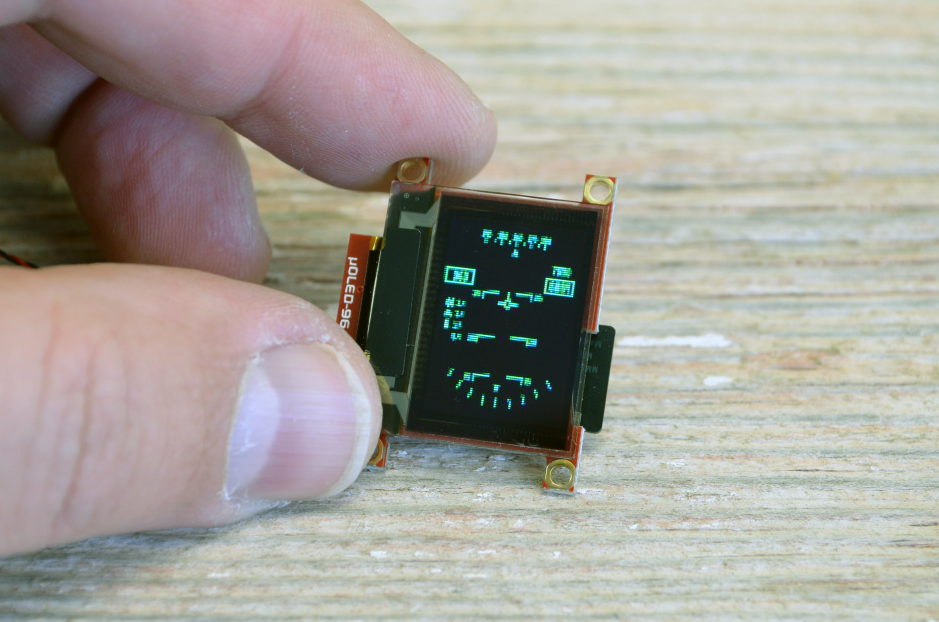
Irregular Cutting adopts laser special-shaped cutting technology (spot diameter ≤50μm) for precise processing of chamfers (R angle ≥0.3mm) and special-shaped holes (such as camera openings). The cu...
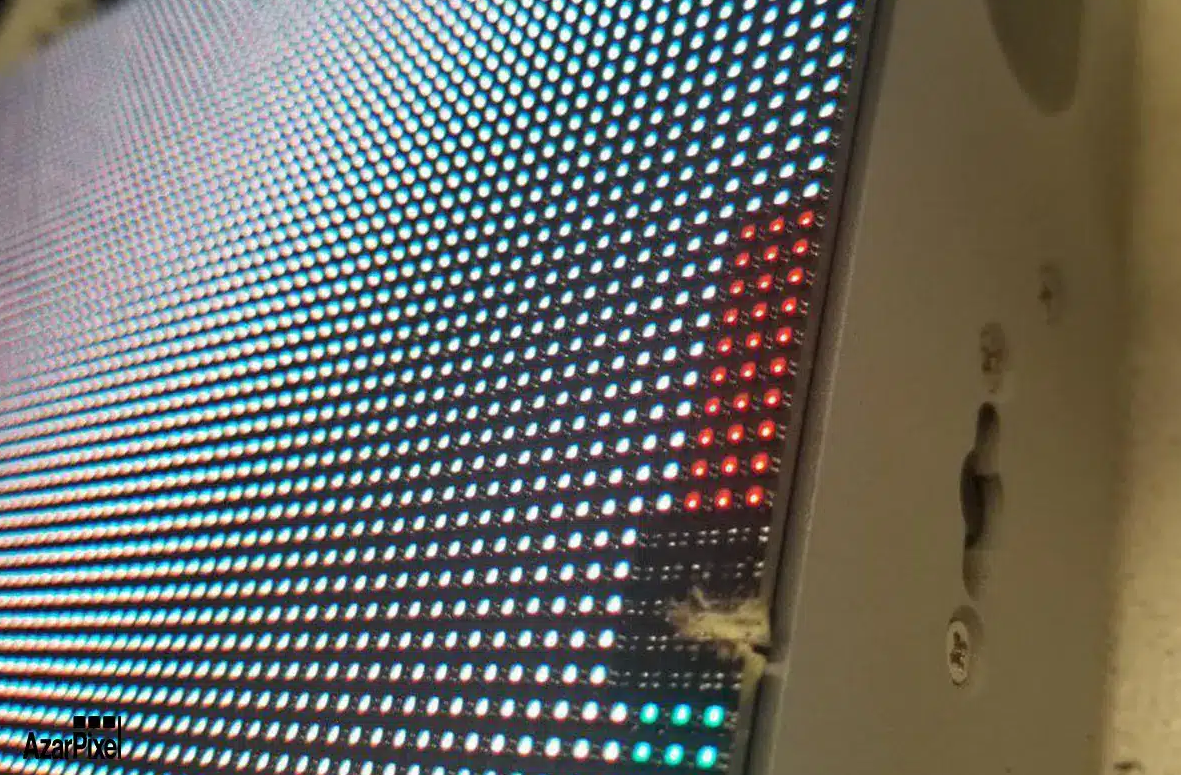
Common issues of transparent LCD screens focus on Viewing Angle due to the special arrangement of liquid crystal molecules, with horizontal/vertical viewing angles only 120°/100° (ordinary IPS is 1...
Laisser un commentaire
Ce site est protégé par hCaptcha, et la Politique de confidentialité et les Conditions de service de hCaptcha s’appliquent.