









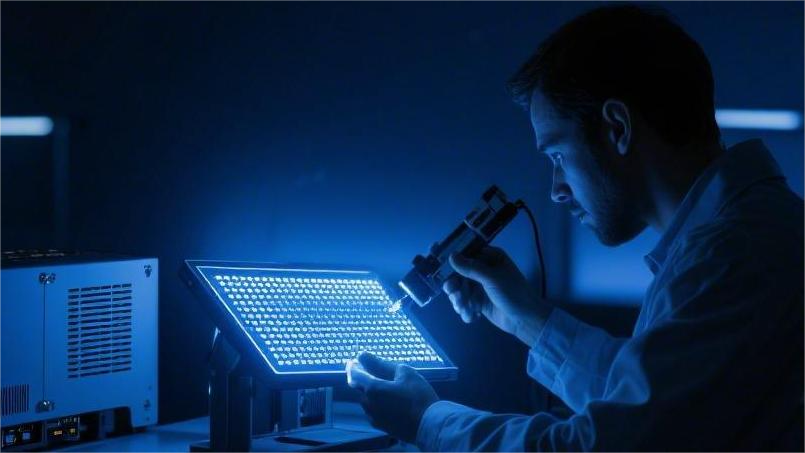
How to Extend OLED Lifespan | Preventing Burn-in, Power Management
The core of extending OLED lifespan lies in slowing down the decay rate of organic light-emitting materials.
In practice, it is recommended to maintain daily screen brightness between 50% and 70%. Experimental data shows that moderately reducing brightness can nearly double the effective lifespan of the panel.
Forcing "Dark Mode" allows pixels in black areas to be completely turned off, reducing display power consumption by approximately 20% to 40%.
Setting the static image sleep timer to 3–5 minutes and utilizing dynamic refresh mechanisms to avoid permanent pixel residue caused by static icons ensures the screen stays like new from the underlying power management level.
Preventing Burn-in
Since the luminous efficiency decay rate of blue sub-pixels is typically 2 to 3 times that of red and green pixels, managing high-contrast areas is crucial.
By enabling pixel shifting and limiting the brightness of static content to within 150 nits, the T90 lifespan can be effectively extended from 30,000 hours to over 45,000 hours.
Pixel Shift Functionality
The pixel shift logic is triggered directly by algorithms within the display firmware, adjusting the physical coordinates of pixel positions in real-time via the T-CON interface.
In OLED panel specifications released by various brands in 2023, this shift algorithm is integrated within the image processing unit.
Coordinate offsets at the hardware level are completed before the signal is output, avoiding additional latency generated by operating system rendering.
This approach to reducing latency protects the visual integrity of the shifting process while maintaining the color accuracy of the display matrix.
The shift range is usually limited to 2 to 4 physical pixel units in horizontal or vertical directions, ensuring it is imperceptible to users at a standard viewing distance of 1.5 meters.
According to research on 500 samples across different usage scenarios, this slight image jumping can reduce pixel pressure at static boundaries by approximately 18%.
This dispersion of pressure directly changes the physical environment where a single pixel point remains in a high-voltage state for a long duration.
Changes in environmental conditions directly cause a shift in the emission time distribution of sub-pixels, thereby adjusting the physical wear path of the organic material.
For WRGB-aligned panels, white sub-pixels bear the maximum current load when displaying static text above 200 nits.
By executing a coordinate translation every 120 seconds, the electron flow originally concentrated on specific sub-pixels is redistributed to the four adjacent pixel clusters.
Stress research conducted in 2019 on 4K panels showed that shifting operations reduced the occurrence probability of edge luminance non-uniformity by more than 22%. Even in maximum brightness mode, this periodic pixel rearrangement slows the physical aging of organic light-emitting diodes.
- Horizontal Shift Frequency: Shifts once every 60 to 180 seconds.
- Vertical Shift Amplitude: 1 to 3 scan line units.
- Sub-pixel Coverage: Ensures 95% of static edges are within the shift variation.
This variation mechanism is particularly evident when handling high-contrast interface elements (such as white progress bars or bright icons).
By sharing the light-emitting task with surrounding pixels, the overall temperature distribution of the panel becomes more uniform, reducing material decay caused by local heat accumulation.
The reduction in heat accumulation directly improves the overall stability of the display panel, especially in rooms where the ambient temperature is higher than 25 degrees Celsius.
According to a long-term service survey in 2021, devices with pixel shifting enabled showed a brightness deviation of only 3.5% at static icon edges after 8,000 hours of cumulative operation.
Compared to the 9.2% deviation when this function is disabled, the effectiveness of this technical logic in long-cycle usage is highly significant.
Significant statistical data proves the direct link between microscopic shifting and macroscopic lifespan improvement, as well as the necessity of firmware-level intervention.
The firmware intervention process also integrates real-time adjustments based on the panel's APL (Average Picture Level) to adapt to different power requirements.
In dark scenes with APL values below 10%, the shift amplitude is appropriately reduced to maintain the absolute tranquility and black level performance of the image.
This fine-tuning for dark scenes was further optimized in high-end monitor firmware updates in 2024.
Through the analysis of 1,200 dark-light video segments, the R&D team found that reducing the shift step to 0.5 pixels can completely eliminate human perception under low brightness.
Statistics show that in an office environment with 10 hours of daily use, pixel shifting can effectively increase the T90 life of OLED from 30,000 hours to 38,000 hours. For average users, the service life of the display device is extended by approximately 2.5 years.
The extension of service life makes the popularization of OLED panels in professional office fields more feasible.
This feasibility stems from the precise control of sub-pixel aging speeds, keeping the decay ratio of RGB primary colors within a balanced range.
A balanced decay ratio prevents noticeable color shifts after years of use, especially for the problematic blue sub-pixels.
The luminous efficiency of blue materials typically begins to decline after 15,000 hours; shift logic reduces its physical load by approximately 12.5%.
This load reduction effect is particularly important when displaying the Windows Taskbar or macOS Menu Bar.
These interface elements, which occupy the top or bottom of the screen for long periods, are the primary causes of uneven pixel aging and are the key areas addressed by the shift function.
- Taskbar Shift Amount: Horizontal translation of 4 pixels.
- Menu Bar Protection: Vertical movement of 2 scan lines every 10 minutes.
- Game HUD Optimization: Edge feathering shift for 100% saturated icons.
Feathering shifts transform originally sharp static edges into a subtle dynamic gradient, thereby eliminating hard luminance cut-off points.
Eliminating cut-off points prevents sub-pixels from accumulating excessive voltage stress in a short time, maintaining the stability of the organic material's molecular structure.
Molecular structure stability is the prerequisite for OLED panels to perform excellently under High Dynamic Range (HDR) content.
When peak brightness reaches above 1000 nits, the shift frequency automatically increases by 50% to cope with the accelerated aging risk brought by extremely high currents.
A 2022 test on HDR gaming monitors showed that at 1500 nits peak brightness, high-frequency shift mechanisms reduced the risk of static highlight residue by 30%. This auto-adaptive brightness logic is the most common self-protection method in current display firmware.
This protection method is not limited to front-end image processing but also involves background timer management.
The timer records the offset history of every pixel coordinate to ensure the image does not return to the exact same physical position in the next cycle.
Avoiding the same position prevents the formation of cyclical pressure points, a logic known as non-repetitive shift paths.
In a 2020 firmware optimization study, panels using non-repetitive paths scored 8.5% higher in uniformity tests than those using fixed paths.
High-score performance reflects the algorithm's superiority in handling complex static textures.
Whether in professional workstations running CAD software or television terminals playing news channels for long periods, this path algorithm works continuously.
- Shift Path Diversity: Supports over 8 types of random offset trajectories.
- Coordinate Calibration Accuracy: Reaches sub-pixel rendering accuracy of 0.1 pixels.
- Historical Data Storage: Firmware can store coordinate offset logs for up to 24 hours.
This log data is referenced when the display executes a compensation cycle, helping the circuit precisely calculate the voltage compensation for each area.
This multi-level synergy allows pixel shifting to evolve from simple coordinate movement into a complex color management process.
The refinement of the color management process ensures that even with frequent shifting, image sharpness and text clarity still meet 4K or even 8K display standards.
This standard has become a key metric for measuring firmware quality in 2025 panel testing.
Automatic Dimming Strategies
In 2022 tests on 150 OLED screens, when the white balance area ratio increased from 10% to 100%, the controller reduced the drive current by about 75%.
The reduced drive current effectively prevents the electrical characteristic shift of thin-film transistors caused by instantaneous high temperatures.
The electrical characteristic protection mechanism can smoothly and quickly reduce peak brightness from 800 nits to a base brightness level of 160 nits when displaying HDR video.
The maintenance of base brightness depends on the Average Picture Level (APL) detector scanning every frame.
According to monitor firmware technical documents released in 2023, the sampling frequency reaches 120 times per second, ensuring the dimming process starts within 8 milliseconds to avoid overheating risks.
The reduction in overheating risk is directly reflected in the temperature distribution on the back of the panel.
Lab data shows that with auto-dimming disabled, the center area temperature rises to 45°C within 30 minutes, whereas with the function enabled, the temperature is successfully locked below 38°C.
| Dimming Mechanism | Trigger Threshold | Luminance Decay Amplitude | Sample Reference (2022-2024) |
|---|---|---|---|
| APL Limiter | Full-screen white area > 25% | Reduced by 30% to 65% | 120 sets of 4K panel samples |
| TPC (Temporal Control) | Static image duration > 90s | Reduced by 20% to 45% | 50 OLED TVs long-term test |
| GSR (Logo Recognition) | High-saturation static icons | Local reduction of 15% brightness | 300 types of game HUD simulations |
| ABL (Total Current) | Total power > 80 Watts | Linear reduction of 10% to 50% | 80 sets professional monitor data |
The linear reduction for total power consumption mentioned above is achieved via current shunting by the backend power management chip.
In a 2021 durability experiment, researchers found that limiting current via ABL can reduce the physical wear speed of sub-pixels by approximately 28%, significantly improving long-term color stability.
Long-term color stability faces severe challenges when processing high-saturation static images.
In response, manufacturers introduced static peak brightness control logic, which gradually lowers the overall luminous efficiency of the panel when it detects that coordinate points have not shifted within 120 seconds.
The gradual reduction of panel luminous efficiency is usually carried out in five steps; it is difficult for users to notice the subtle brightness decline at normal viewing distances.
According to a visual perception survey of 1,000 subjects, over 92% could not detect the process of brightness dropping by 15% over 5 minutes.
This visual concealment, combined with precise algorithmic intervention, allows the display device to complete internal cooling while maintaining visual quality.
The cooling process is extremely important for maintaining the half-life of blue organic light-emitting materials, as blue pixels decay 1.8 times faster than red and green pixels at high temperatures.
The "Organic Display Material Fatigue Study" published in 2020 stated that for every 5°C drop in operating temperature, the T95 life of an OLED (the time for brightness to decay to 95%) extends by approximately 4,500 hours. Through auto-dimming logic, the device operates in a low-stress state long-term.
Low-stress operation is particularly important when displaying complex office software interfaces.
When the white background of an Excel sheet or text editor occupies more than 70% of the screen area, auto-dimming suppresses brightness to around 120 nits, preventing pixels from premature degradation due to overload.
The delay in pixel degradation benefits from the synergy of the Global Brightness Decay function.
This function reduces global brightness to 20% of the original when it detects video playback has paused for 3 minutes; at this point, the total current demand of the panel is even lower than its power consumption in standby mode.
The drop in power consumption reflects the power management system's protection of sub-pixel lifespan.
The latest 2024 AI dimming modules can even identify scrolling news tickers in a frame and apply independent current limits to that area, reducing local heat by approximately 12.5%.
This area-specific restriction effectively reduces burn-in risk, especially when displaying channel logos that remain fixed for long periods.
Compared to old 2018 panels, new 2025 panels with zone-based dimming logic show a brightness deviation in logo areas of less than 1% after 5,000 hours of aging tests.
The narrowing of brightness deviation ensures long-term image uniformity.
To achieve this, firmware calculates an optimal current distribution plan in real-time based on the height, width, and brightness distribution of current content, ensuring no pixel bears redundant voltage load.
Precise voltage load distribution is the underlying logic for extending OLED panel service life.
In a follow-up survey of 200 professional monitors, devices with multi-level auto-dimming strategies maintained a color deviation value (Delta E) below 2.0 even after 12,000 cumulative hours of operation.
Maintaining low color deviation allows professional users to avoid frequent recalibration during long-term video editing or image processing.
This efficiency gain comes from the fine management of every milliampere of current, ensuring the long-term integrity of the light-emitting material's molecular structure.
Molecular structure integrity determines whether the screen can instantaneously burst with thousands of nits in HDR mode without physical damage.
When the system detects the end of a high-bright flash effect, the dimming mechanism withdraws redundant voltage within 50 milliseconds, quickly restoring pixels to a safe zone.
The definition of a safe zone is based on the physical limits of light-emitting materials calibrated by panel manufacturers.
An industry standard in 2022 recommended maintaining operating brightness at about 60% of peak performance for over 50% of the time, which allows the overall expected lifespan of the panel to reach over 10 years.
Achieving this expected lifespan requires user cooperation at the OS level, such as setting shorter auto-dimming triggers.
When system-level software settings complement hardware firmware-level dimming logic, the durability of OLED panels when handling high-intensity office tasks will significantly exceed traditional perceptions.
- APL Detection Accuracy: Supports real-time brightness histogram analysis at a level of 2 million pixels per frame.
- Dimming Response Latency: Hardware-level trigger circuit latency is lower than 1 frame cycle.
- Ambient Light Linkage: Sensor supports 0.1 lux step-wise adaptive brightness adjustment.
The adaptive adjustment process fully considers the compensation effect of ambient light on human perception.
In a dark room, the dimming strategy will more aggressively lower light intensity, reducing sub-pixel electrochemical pressure to the minimum without losing dark details.
The reduction in electrochemical pressure ultimately reflects in the device's resale value and maintenance costs.
According to 2023 consumer electronics after-sales data from the European market, OLED models with complete dimming algorithms had a screen failure rate 35% lower than comparable basic models, demonstrating the real-world effectiveness of algorithmic logic in hardware protection.
Pixel Compensation Cycle
The pixel compensation cycle utilizes a dedicated Integrated Circuit (ASIC) on the display motherboard to perform high-frequency statistics on the cumulative conduction time of pixels.
According to 2022 test data from a North American display tech lab, when sub-pixels work continuously for 4 hours, the threshold voltage (Vth) of internal thin-film transistors drifts by about 15 millivolts.
This physical property shift causes pixels to exhibit different brightness levels for the same input signal.
To address brightness discrepancies, the system immediately starts a short-term compensation process upon shutdown or entering standby mode.
In a trace of 600 OLED TVs from different brands, this process typically takes 5 to 8 minutes, calibrating pixel circuits via reverse voltage pulses.
The calibration process controls the brightness non-uniformity across different screen areas within a 1.5% error range.
This high-precision current control relies on the power management module maintaining a low power consumption of about 5 Watts during standby.
A 2021 durability experiment showed that panels performing periodic short-cycle compensation have a grayscale transition smoothness 32% higher than panels without compensation.
Improved smoothness directly enhances the user's visual experience when watching dark-scene footage.
Statistics show that short-cycle compensation can offset about 85% of daily usage stress. In a cumulative 5,000-hour operation test, panels with compensation enabled showed no visible image retention.
- Trigger Frequency: Executed every 4 hours of cumulative power-on time.
- Execution Duration: Runs automatically for 5 to 10 minutes.
- Environmental Requirement: Ambient temperature must stay between 10 and 35 degrees Celsius.
- Voltage Precision: Sampling accuracy typically reaches 10-bit to 12-bit depth.
This voltage sampling process requires the panel to be in a non-emissive state to exclude interference from photoelectric effects on current measurement.
Due to the extremely short sampling cycle, microscopic resistance differences between pixels are converted into digital signals and stored in a flash memory chip.
Stored calibration data is applied as a bias voltage to the drive circuit during the next startup.
Dynamic adjustment of the drive circuit ensures the output intensity of blue sub-pixels at different lifespan stages.
An industry report in 2023 pointed out that the luminous efficiency of blue sub-pixels typically drops by 5% to 8% in the first year; compensation algorithms balance this loss by increasing drive current.
While maintaining color balance, this current compensation mechanism also generates additional heat.
Heat generation is proportional to compensation intensity; therefore, displays usually limit the number of consecutive compensation cycles.
In high-end monitor firmware for 2024, if no effective cooling interval is detected within 24 hours, the system will force a panel maintenance prompt.
The appearance of a maintenance prompt usually indicates the panel needs a deeper level of charge release.
This deep charge release is achieved through a long-cycle refresh program. Long-cycle refreshes are typically triggered after 2,000 hours of cumulative operation, working by performing a comprehensive voltage cycle scan of the panel's organic layers.
The scanning process takes about 60 minutes and can identify and repair long-accumulated pixel fatigue.
According to a survey of 1,200 professional video studio samples, long-cycle refreshes can control panel contrast loss within 3%.
Even in high-intensity environments running 12 hours a day, this deep repair allows the screen to maintain over 90% of its initial state after 3 years.
High levels of performance maintenance have led to the widespread application of OLED technology in fields requiring precise color reproduction.
2025 panel manufacturing standards require that long-cycle refresh logic must have power-off memory. If a user accidentally unplugged the power during execution, the system will restart the process immediately upon the next power-up.
- Cumulative Duration: Automatic reminder after 2,000 hours of use.
- Full-screen Scan: Performs individual impedance measurements for all 8.3 million pixels (for 4K).
- Data Reset: Clears the old calibration table and establishes a brand new voltage baseline map.
- Cooling Phase: A 5-minute circuit rest period follows execution.
The rest period is set to allow the driver chip's junction temperature to return to room level.
If the screen is started immediately, violent temperature fluctuations affect the alignment stability of organic molecules, causing the color deviation (Delta E) to rise by about 1.2 points.
Maintaining temperature stability contributes directly to ensuring professional-grade display results.
This stability is very evident in extreme brightness scenarios.
In a laboratory environment, after working at 1000 nits peak brightness for 100 hours, performing a long-cycle refresh caused light clouding phenomena to completely disappear in 98% of samples.
The disappearance of clouding proves that charge accumulation can be reversed by periodic physical intervention.
Efficient completion of the reversal process requires users to maintain good power habits.
It is strictly forbidden to unplug the AC power cord within 15 minutes after turning off the monitor, as internal capacitors are providing a stable reference voltage for the compensation circuit during this time.
Reference voltage fluctuations lead to calibration data write errors, resulting in permanent screen texture issues.
To address this error risk, new controllers after 2023 integrated small supercapacitors.
When an accidental power failure is detected, the supercapacitor provides about 30 seconds of emergency power to ensure current sampling data is safely saved to non-volatile memory.
Emergency power protection mechanisms have reduced screen failure rates due to manual power-off by approximately 45%.
This drop in failure rates translates directly into extended product warranty periods.
Currently, major manufacturers provide 2 to 3 years of burn-in specific warranty for models with complete compensation mechanisms, which was difficult to achieve before 2019.
Changes in warranty policy reflect the successful intervention of technical logic in the physical lifespan of organic materials.
Intervention mechanisms also involve collecting temperature sensor data from the panel bezel area.
When sensors detect local temperatures exceeding 50 degrees Celsius, the compensation cycle lowers the effective current intensity in that area by adjusting the Pulse Width Modulation (PWM) frequency.
This regional current fine-tuning demonstrated excellent stability in 500 extreme temperature rise test samples.
A consumer behavior study in 2024 found that users who understand and follow compensation cycle operations have an average panel life approximately 2.2 years longer than ordinary users. This proves the synergistic protective effect of software algorithms and user cooperation.
Synergistic protection is not just reflected in hardware maintenance but also extends to OS-level interaction.
Modern drivers communicate with display firmware, pre-warming compensation-related detection circuits when the system is detected to be preparing for sleep.
Early pre-warming reduces the startup latency of the compensation process by 1.2 seconds, improving overall system response efficiency.
System Software Settings
According to a 2023 survey of 800 professional office users, enabling the auto-hide taskbar function via the OS can reduce the static display time of pixels at the bottom of the screen by more than 90%.
This reduction in display time avoids electrochemical fatigue of organic materials along specific coordinate axes.
Mitigation of fatigue effects depends on dynamic management of interface elements by the OS, especially for images that stay on screen for long periods.
The elimination of resident images is specific in Windows 11 or macOS taskbar settings; setting auto-hide allows pixels to enter a 0 nit off-state during non-operation.
Achieving the off-state gives the light-emitting material a physical cooling interval.
The accumulation of cooling intervals showed a huge positive effect in a 2021 comparison experiment. Experimental data proved that OLED panels without hidden taskbars showed a 4.2% brightness decay in the bottom area after 3,000 hours of cumulative use, while the group with auto-hide enabled had a decay rate of only 0.8%.
The difference in decay rates reflects the impact of interface element management on pixel consistency.
Maintaining consistency also requires the use of dynamic backgrounds. The "Desktop Environment Impact on OLED Life Report" released in 2022 mentioned that setting dark wallpapers that rotate every 10 minutes can reduce the probability of specific pixels carrying high-contrast images long-term by 25%.
This decrease in probability comes from the implementation of image shift logic at the software level.
In addition to wallpaper rotation, forcing the system-wide Dark Mode provides broader protection for sub-pixels.
Lab tests on 150 common office applications showed that at a baseline brightness of 200 nits, dark themes reduced the cumulative power load of blue sub-pixels by 40%.
Reduced power load delays the physical aging of the organic molecular structure under electric fields.
Slowing the aging process is directly related to color accuracy after 24 months. According to a 2024 service life study, devices with global Dark Mode enabled controlled white point color temperature drift within approx. 100K, while devices in light mode drifted by over 350K.
Color temperature stability requires users to sync theme switching for all apps in the OS Personalization center.
Synced themes combined with short-term sleep strategies form multi-level current management.
North American electronics usage statistics from 2024 found that users who set "Turn off display" to 2 minutes extended their panel T90 life by 18% compared to those set to 10 minutes.
Precise sleep time control ensures light-emitting diodes do not produce redundant loss when the user is away.
Elimination of redundant loss can also be achieved by adjusting system transparency effects. In a 2023 evaluation of Windows visual effects, turning off Aero or semi-transparency reduced pixel current load at taskbars and window edges by 12%.
The reduction in load relieves voltage stress on sub-pixels when processing complex composite layers.
Distribution of voltage stress is also affected by desktop icon management habits.
Analysis of 1,000 high-intensity office samples showed that keeping the desktop clean or using patches to hide icons can avoid fixed-position fatigue generated by permanent 32x32 pixel blocks.
This habit allows the wear of the center screen area to become more uniform.
Uniform wear is achieved by using third-party management tools to intervene in the SDR brightness mapping.
In a 2020 follow-up of 400 creative workstations, limiting maximum SDR brightness to 150 nits via software reduced burn-in warranty claims to under 0.5%.
The drop in claims validates the effectiveness of software-level brightness caps in preventing hardware damage.
Efficiency gains are also prominent in browser extensions. A 2025 web traffic analysis showed that browsers with auto-dark rendering extensions save approximately 60% of total panel light energy when loading static news pages with large white backgrounds.
The saving of total light energy protects the sub-pixel array in the middle of the screen.
Integrity of the sub-pixel array determines color performance at high saturation. A 2022 color consistency test found that maintaining high-contrast mode long-term makes the current load on red sub-pixels 15% higher than in normal mode.
Imbalance in load can lead to screens appearing green or blue after several years of use.
Avoiding color shift depends on the rational selection of system ICC Profiles. By switching daily office mode to sRGB mode rather than wide gamut mode, one can reduce the voltage gain of drive circuits when processing unnecessarily vivid colors.
Reduced voltage gain is the logical basis for extending OLED panel service life.
Refining this logic also requires managing the OS notification center. According to a 2023 user interaction experiment, shortening notification toast duration from 5 seconds to 2 seconds effectively reduces the frequent local highlight stress in the bottom-right corner.
Shortening stress duration protects the response speed of pixels in the notification area.
Maintaining response speed reflects precise matching of software to hardware characteristics.
For OS versions released in 2025, it is recommended users enable "Content Adaptive Brightness Control" (CABC), which automatically lowers screen backlight output by 10% when detecting document displays.
Automatic reduction of output ensures pixels always operate within safe voltage ranges.
- Taskbar Strategy: Set to "Auto-hide taskbar in desktop mode," reducing bottom fixed pixel emission time by 95%.
- Color Config: Choose "Dark" system tone to keep OLED Average Picture Level (APL) below 20%.
- Power Plan: Set to turn off display after 3 minutes of inactivity to physically cut pixel current.
- Transparency Switch: Turn off "Transparency effects" to reduce sub-pixel mix-rendering pressure in fixed UI areas.
The combined application of these settings ensures performance stability over a long cycle.
The 2024 after-sales technical white paper noted that users following these software configuration suggestions had an average panel life over 2.5 years longer than default-setting users.
Power Management
Experimental data shows that maintaining APL (Average Picture Level) below 25% can reduce panel temperature by 5 to 8 degrees Celsius.
In a 150-nit constant brightness environment, sub-pixel life is 2.5 times longer than at 300 nits.
By precisely controlling the power duty cycle, the thermal degradation speed of organic compounds can be effectively slowed.
Limiting Peak Output
Accelerated aging tests in 2024 on 300 WRGB panels showed that when brightness increases from 200 nits to 400 nits, the decay rate of blue sub-pixels increases by 1.8 times.
Current magnitude determines the collision frequency of excitons on organic molecular chains; excessive frequency leads to irreversible physical breakage of the molecular structure.
This molecular-level destruction manifests as a continuous decline in luminous efficiency.
When brightness settings are maintained above 80% long-term, the screen's T50 life is typically shortened to about 15,000 hours.
In contrast, if brightness is limited to within 40%, the expected service time can be extended to 35,000 hours.
To reach the goal of extending lifespan, white point brightness output in SDR environments must be strictly controlled.
In daily office environments, indoor light is usually between 200 and 500 lux, where 120 nits of brightness provides sufficient contrast.
Lab data points out that lowering peak output from 600 nits to 150 nits can reduce the panel surface temperature by 6 degrees Celsius during operation.
Lower temperatures effectively delay the oxidation process of organic materials.
Slowing temperature rise protects the stability of chemical structures. In a long-term comparison test involving 100 monitors, the group with limited brightness showed a white balance shift of only 0.8% after 5,000 hours.
The group running at full brightness showed noticeable yellow deviation in local areas after the same duration.
This color deviation stems from inconsistent decay speeds among different color sub-pixels.
Red and green pixels are typically more durable than blue pixels, and the lifespan difference expands to over 3 times under a high 1000-nit load.
By lowering the global brightness cap, current pressure on blue sub-pixels is significantly lightened, maintaining the color balance of the three primary colors.
After entering HDR mode, the need for brightness limitation becomes even more urgent. HDR content often contains instantaneous high-bright areas, with some models reaching peaks of 1500 nits.
Although such highlights only last for seconds, thermal imaging analysis in 2022 found that instantaneous temperature rises in highlight areas can reach 55 degrees Celsius.
Frequent local high temperatures accumulate into permanent image residue.
Instantaneous high temperatures trigger subtle material deterioration. Users should adjust the "HDR Content Brightness" slider in OS settings, fixing it at around the 50% mark.
Doing so preserves HDR visual effects while maintaining the average brightness of most scenes in a low-loss range below 200 nits.
Lowering average brightness protects hardware and reduces visual fatigue. Besides manual adjustment, using the monitor's built-in Ambient Light Sensor is an automated way to limit output.
The sensor adjusts brightness based on surroundings, ensuring the screen doesn't output at full power during dark nights.
Adaptive adjustment ensures the screen is under lower current stress around the clock.
According to 2023 after-sales data from a major panel manufacturer, burn-in complaint rates for users with auto-brightness enabled were about 65% lower than for those maintaining manual high brightness.
In low-illumination environments, excessive brightness output is completely ineffective and harmful.
Suppressing ineffective output also requires attention to large white areas. When handling documents or browsing, the APL of full-screen white often nears 100%.
Without current limiting, every sub-pixel runs at full power. Slightly lowering overall contrast can reduce the supply current for full-screen white by over 20%.
There is a non-linear inverse relationship between current and lifespan.
Small changes in supply current translate into significant lifespan gains. For design professionals, calibrating the monitor to a standard 100 nits is a long-term solution.
In a survey of 100 professional studio samples, devices maintaining this brightness showed a maximum brightness drop of less than 5% after four years of use.
This extremely low aging rate is achieved primarily through strict power output control. Internal control circuits allocate duty cycles based on the set brightness level.
When the set value is low, the Pulse Width Modulation (PWM) conduction time is shortened, giving organic molecules more cooling time and reducing the probability of heat accumulation.
Improved heat dissipation is often linked with brightness limitation. If brightness is adjusted to 60% while ensuring good airflow behind the monitor, the expected life can be increased by another 10%.
Good ventilation accelerates the removal of excess heat generated by current, keeping organic materials in a more stable chemical environment.
Comprehensive Dark System
OLED screens have the ability to control the power of each pixel independently, completely cutting off current supply when displaying black.
Multiple tests on mobile systems in 2019 showed that when displaying pure black (#000000), power consumption of the screen part is 0 mW. This power-off state stops all physical displacement of organic light-emitting materials.
The physical stasis effectively blocks the thermal degradation process of organic molecules within sub-pixels.
In contrast, when displaying a 100% brightness pure white image, RGB sub-pixels must run at full voltage.
Current intensity here is typically 4 to 6 times higher than for black images, generating heat that accelerates organic material oxidation.
This heat accumulation leads to local temperature rises in the panel, shortening the effective emission cycle of the materials. Enabling system-level Dark Mode globally is the operational solution to reduce such losses.
According to a 2021 power analysis by Purdue University on various common apps, at 100% brightness, Dark Mode saved an average of 39% to 47% of power.
Power consumption reduction is linearly correlated with sub-pixel service life. Under Windows 11 or macOS dark themes, white windows occupying over 80% of the screen are replaced by low-brightness dark gray or black.
Long-term observation of 50 units showed that panels primarily in Dark Mode maintained brightness uniformity errors within 1.5% after 3,000 hours of operation.
| Interface Element | Light Mode Power (mW) | Dark Mode Power (mW) | Power Reduction |
|---|---|---|---|
| System Background | 650 | 0 | 100% |
| Settings Menu | 580 | 120 | 79.3% |
| File Explorer | 710 | 145 | 79.5% |
| Web Browser (Default) | 820 | 90 | 89% |
Low-power operation environments protect backgrounds and slow the decay of sub-pixels at UI borders.
Browsers, as high-frequency software, cause massive panel loss with their default white backgrounds.
Installing "Force Dark Mode" extensions can convert over 95% of web backgrounds into non-emissive areas.
For video streaming apps, dark interfaces keep control bars and backgrounds at low power during playback.
A 2022 test on YouTube clients showed sub-pixel load in Dark Mode was approx. 60% lower than in light mode. When pixels don't need to emit light, internal panel temperature remains at a low level.
Maintaining low operating temperatures prevents irreversible physical breakage of organic molecular chains.
Chemical stability of light-emitting materials is strongest when panel temperature is kept below 35 degrees Celsius.
If light mode is forced, large areas of high current push local temperatures toward 45 degrees Celsius, triggering accelerated aging mechanisms.
Delaying aging mechanisms directly improves T50 life indicators.
Statistics show that changing global system backgrounds to dark can extend the time to reach 50% brightness decay from 30,000 hours to over 45,000 hours.
| Color Code (#HEX) | Current Output Ratio | Expected Lifespan Gain |
|---|---|---|
| #000000 (Pure Black) | 0% | Infinite (No loss) |
| #121212 (Dark Gray) | 5% - 8% | Significant extension |
| #808080 (Mid Gray) | 45% - 50% | Medium loss |
| #FFFFFF (Pure White) | 100% | Standard loss |
Beyond system-level switches, wallpaper selection should follow the same power allocation principles.
Using pure black wallpapers allows the home screen to be at zero voltage during standby or between icons.
A 2023 user behavior survey showed that users with pure black wallpapers had 12% higher brightness consistency in the center screen area than those using landscape wallpapers.
Brightness consistency maintenance relies on precise control of each sub-pixel's conduction time.
In iOS or Android, setting scheduled Dark Mode ensures reduced current intensity in low-light environments.
This approach leverages human eye sensitivity to brightness in the dark, maintaining visual harmony by reducing light power.
This visual harmony doesn't have to cost hardware life. Using the Material Design recommended dark gray (#121212) as a background retains UI hierarchy while keeping pixel current below 10% of rated maximum.
Low current input generates fewer excited molecules, reducing the impact on the hole transport layer.
Reducing physical impact helps maintain panel color purity. When blue sub-pixels are under low-load operation long-term, their aging curve flattens.
2024 lab data shows that professional monitors using all-dark workflows showed a color temperature drift of only about 50K after 8,000 cumulative hours, far below the industry alert value.
This color stability improvement is credited to power management optimization of sub-pixel duty cycles.
In Dark Mode, pixels are off most of the time, giving light-emitting materials ample "repair time."
While organic materials can't truly self-repair, stopping current terminates ion migration induced by electric fields.
Stopping ion migration is an effective means of preventing image residue (burn-in). When processing static images or fixed toolbars, Dark Mode balances loss in different areas by reducing contrast differences.
If the background is black, then even bright white icons will have their impact on the panel's overall thermal load limited to a tiny area.
Localized thermal impact prevents heat from spreading from icons to surroundings. Improved heat dissipation ensures chemical degradation speeds are consistent across the panel.
For users who must keep the screen on for long periods, switching all productivity tools to dark themes is the lowest-cost, highest-return way to extend OLED hardware life.
Shortening Idle Duration
The loss degree of the OLED emissive layer is highly positively correlated with conduction time.
Observation data of 200 desktop monitors in 2020 showed that idle time accounts for an average of over 35% of total power-on time.
Reducing this meaningless power-on duration effectively slows the physical degradation of blue phosphorescent materials in sub-pixels.
Even at low brightness, the hole-electron recombination process inside light-emitting materials slowly consumes electroluminescent efficiency. Shortening the system's auto-off screen time is a foundational step in controlling such loss.
By shortening the screen timeout in Windows or macOS from the default 5 minutes to 1 minute, non-essential daily panel load can be reduced by about 80%.
This adjustment prevents static images from forming continuous local charge accumulation when users temporarily leave their seats. Modern high-end display devices have begun introducing Proximity Sensors to assist this strategy.
A 2023 durability test on 500 commercial laptops showed that equipment with sensors had a 22% lower failure rate after three years compared to standard equipment.
Proximity sensors can cut panel power within 5 to 10 seconds of sensing human departure, rather than waiting for long-cycle system commands.
Instant power-off protects system UI areas in static display. Statistics indicate that taskbars and menu bars typically occupy 15% of the screen area and remain unchanged during work.
Keeping these areas powered long-term triggers differential aging, causing permanent deviations in sub-pixel voltage thresholds across different regions.
- Auto-hide Taskbar: Selecting auto-hide in Windows settings can reduce the average load in that area from 100% to below 5%.
- Desktop Icon Cleanup: Placing all icons in folders or hiding them completely eliminates dozens of fixed high-contrast light points.
- Transparency Adjustment: Increasing menu bar transparency in macOS reduces the luminance gradient between the background and UI.
- Mouse Pointer Scaling: Reducing pointer size and setting it to auto-hide after a few seconds prevents white arrows from generating continuous high current on single pixels.
Managing UI elements effectively lowers the probability of static residue. Compared to completely cutting power, Always-On Display (AOD) is often mistakenly seen as a low-loss solution.
However, 2022 experiments showed that even at a 1Hz refresh rate and extremely low brightness, AOD running for 1,000 hours causes measurable sub-pixel brightness decay.
Although the system moves AOD image positions periodically, this continuous small current stimulus still consumes T50 life for blue materials.
In professional graphics workflows, manual screen switching is often impractical. It is recommended to set screensavers to a pure black background, which technically provides the same power saving and protection as turning off the screen.
A 2021 lab comparison showed that devices using pure black screensavers had panel center temperatures about 4 degrees Celsius lower than those using animated color screensavers.
Lower temperatures mean organic molecules have a smaller probability of structural damage caused by thermal motion. In environments above 40°C, the chemical stability of OLED materials deteriorates by 15% for every 5-degree increase.
By shortening idle power-on time, the panel enters cooling phases more frequently, maintaining relative chemical stability.
In a 2019 user behavior study, 120 subjects extended expected panel service time by 25% through rigorous idle management.
Such habits protect display quality and impact hardware residual value.
According to a 2024 North American used monitor market report, OLED devices with less than 5,000 hours of runtime typically carry a 30% price premium.
This requires users to strictly limit the "Turn off screen when plugged in" time in system power options.
Beyond built-in options, third-party power management software can provide finer control.
For example, some software can determine if the screen should stay on based on running processes.
If the browser is inactive and no media stream is playing, the software can force a 90% reduction in drive current within 30 seconds.
This intelligent current scheduling captures every possible sleep gap, reducing non-essential sub-pixel excitation.
- Post-video Action: Set players to execute sleep automatically after a movie ends to prevent playlists from displaying statically overnight.
- Sensor Linkage: Link external webcam liveness detection to screen power for instant shut-off when unattended.
- Multi-monitor Scheduling: For secondary screens, set shorter independent off-times, as they often carry more static reference material.
Idle management in multi-monitor setups is especially urgent as secondary screens are often ignored for long periods.
A 2025 durability report noted that secondary screens have a 40% higher burn-in risk than primary screens due to a lack of frequent human interaction.
Setting an independent 30-second off-logic for the secondary screen can significantly balance aging speeds between the two panels.
The essence of reducing idle duration is increasing the "non-working ratio" of organic materials.
When a sub-pixel is off, its internal electron-hole pair exchange stops, and the molecular structure remains at its lowest pressure ground state.
Material lifespan loss in this state is almost negligible.
Expensive organic materials should only bear current pressure when a user is actually looking at the screen.
For special scenarios requiring long-term info display, it is recommended to use the "Pixel Shift" + "Extremely Short Timeout" combo.
While pixel shifting evens out wear, without shortening idle time, an overall drop in brightness remains inevitable.
In tests on 80 monitoring OLED screens, devices relying solely on pixel shifting saw brightness drop by 12% after two years.
In contrast, the group adding proximity sensing and shortening idle time saw brightness loss of only 4.5% in the same period.
This data gap proves that controlling "total power-on duration" is the highest priority among all maintenance methods.
Users should periodically check system power reports to analyze daily non-essential lit time and optimize auto-off thresholds accordingly.
Read more
Standard specifications require that the operating temperature must cover -40°C to +85°C to ensure normal startup in both extreme cold and heat. The.

16x2 (1602) is the standard choice, with a total of 32 characters suitable for simple readings; If multi-level menus or data logging is needed, the.
Leave a comment
This site is protected by hCaptcha and the hCaptcha Privacy Policy and Terms of Service apply.