









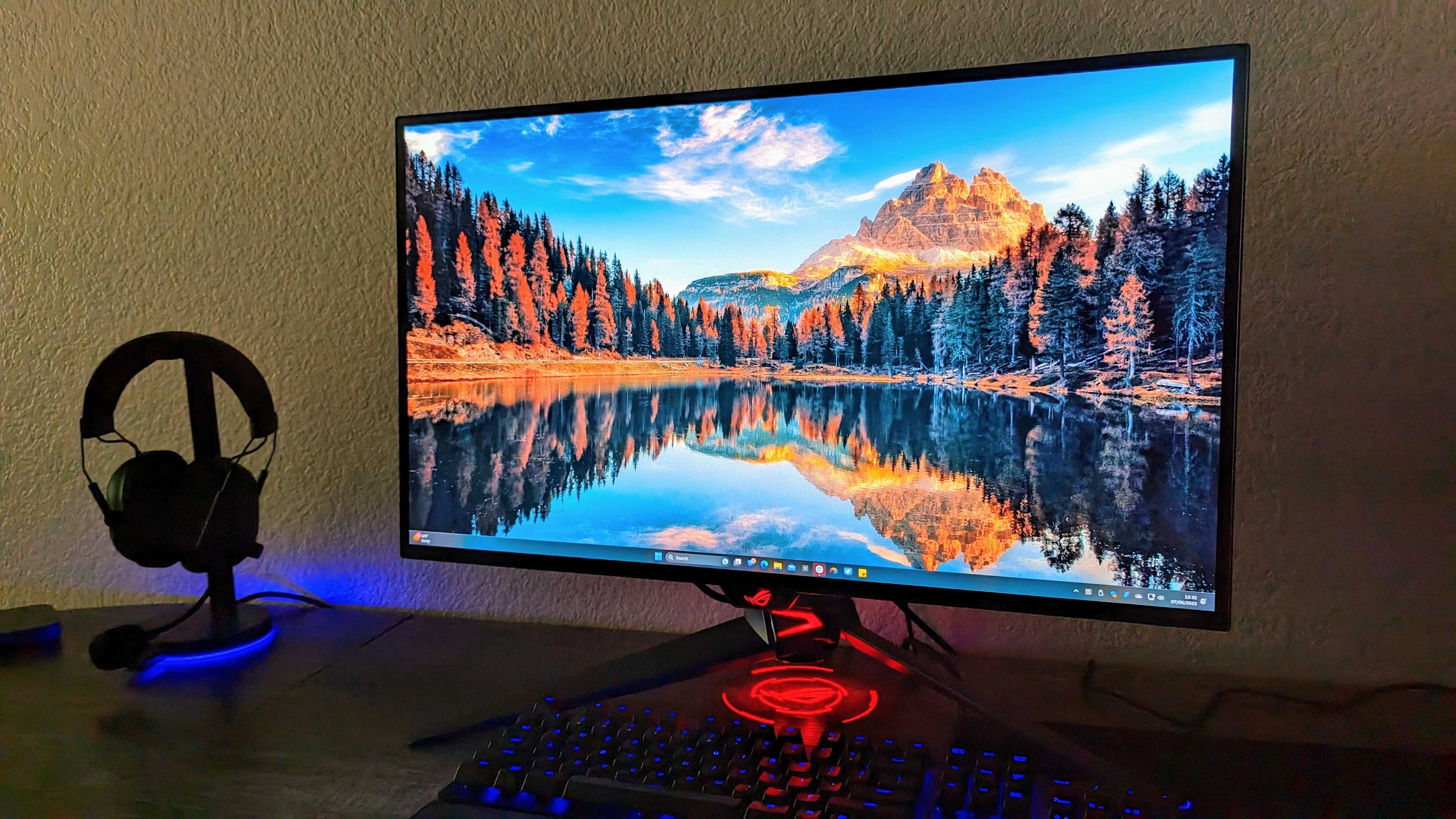
OLED vs LCD Display Module | Differences and Selection Guide
Choose OLED for superior contrast (over 1,000,000:1), faster response (microseconds vs milliseconds), and wider viewing angles. It's ideal for high-end devices. Select LCD for higher maximum brightness (1000+ nits for sunlight readability) and better cost-effectiveness for large displays or long-life industrial applications.
Differences
The difference lies in OLED's self-emissive pixel characteristic, while LCD relies on an entire backlight layer for illumination.
This fundamental difference leads to significant performance parameter disparities: OLED response time can be as short as 0.1 milliseconds, far exceeding the common 1-4 milliseconds of LCD, nearly eliminating motion blur in dynamic images.
In terms of contrast, OLED benefits from individually controllable pixels, achieving theoretically infinite contrast and pure blacks; whereas even top-tier LCDs typically have static contrast ratios hovering between 1000:1 to 5000:1.
Regarding viewing angles, OLED color shift is almost imperceptible within ±5°, far surpassing LCD.
Image Quality
1. Why is there such a big difference in black level performance?
-
How OLED achieves it: Each pixel in an OLED is an independently controlled light. When displaying black, these pixels can be completely turned off, meaning zero light output. This capability is called "per-pixel dimming." Therefore, OLED can display true, uncontaminated black, and its contrast ratio (the ratio of brightest white to darkest black) is theoretically considered infinite. In practical measurements, the static contrast ratio of OLED displays can easily exceed 100,000:1, or even higher.
-
LCD's challenges and solutions: LCD itself does not emit light; it relies on a constantly lit backlight layer. When displaying black, the liquid crystal molecules try to twist to block the backlight, but cannot achieve 100% blockage.
-
Solution: Local Dimming: To improve this flaw, high-end LCDs employ local dimming technology. Particularly, Mini-LED technology replaces the backlight layer with thousands of tiny LED chips, dividing it into hundreds or even thousands of independently controlled zones.
-
How it works: When a dark scene needs to be displayed in a specific area of the screen, the corresponding backlight zone is dimmed or turned off. For example, when displaying a starry sky, the zones with stars remain bright, while the surrounding black zones are completely off, significantly improving contrast.
-
Limitation: Blooming/Halo Effect: Local dimming is not perfect. When a small, bright object (like subtitles) appears on a black background, its backlight zone is lit, but some light inevitably spills into adjacent zones that should be off, creating a faint halo around the bright object.
-
Data Comparison:
-
Black Level Luminance: OLED black level luminance can be below 0.0005 nits, while even the best consumer-grade Mini-LED LCDs typically have a black level between 0.01 to 0.05 nits—tens to hundreds of times higher than OLED.
-
Contrast Ratio: OLED static contrast easily exceeds 1,000,000:1; whereas top-tier Mini-LED backlit LCDs might achieve a real static contrast ratio of 20,000:1 to 100,000:1, still a difference of orders of magnitude.
2. Brightness Performance:
LCD's Brightness Advantage: LCD's backlight layer can be made very powerful. Especially LCDs using Mini-LED technology can achieve very high full-screen sustained brightness (typically over 600 nits) and impressive peak brightness (reaching 1500 to 2500 nits or higher for small areas).
OLED's Brightness Strategy: Early OLEDs had lower peak brightness, but technology has advanced significantly. Modern OLED panels commonly achieve peak brightness (for a 10% window) of 800-1300 nits. However, due to concerns about overheating and organic material degradation, OLED automatically limits brightness when displaying large bright scenes (like a full white screen) to protect the panel, with full-screen sustained brightness typically around 150-250 nits.
ABL Mechanism: This brightness limiting function is called Automatic Brightness Limiter. For users whose primary use is movie watching and gaming, ABL has little impact because high brightness is usually only used for local highlights. But for users who need to work with large amounts of white-background documents for extended periods, they might notice changes in screen brightness.
Suitable Scenarios:
-
LCD: More suitable for brightly lit living rooms, or excels in HDR content requiring extreme highlight detail.
-
OLED: In controlled, dark room environments, its infinite contrast advantage far outweighs the slight brightness gap, providing a more immersive viewing experience.
3. Color:
-
Color Gamut: Refers to the range of colors a display can reproduce. Currently, both high-end OLEDs and LCDs can cover the DCI-P3 color gamut (digital cinema standard) well, commonly over 95%, with some models reaching 98%-99%.
-
Color Accuracy: Refers to the accuracy of color reproduction, usually measured by Delta E (lower is better). Delta E < 2 is generally considered professional-grade. Both top-tier OLEDs and well-calibrated LCDs can achieve this standard. Color accuracy depends more on the manufacturer's calibration level than an inherent advantage of the technology itself.
-
Color Volume: This is a more important concept. It describes the range of colors a display can maintain at different brightness levels. Because OLED can display extremely deep blacks without losing color saturation, its color volume performance in low-brightness areas is better than LCD's.
4. Motion Clarity:
-
OLED: Based on electroluminescence, its response speed is extremely fast, reaching 0.1 milliseconds or lower. This means that when playing fast-moving content (like sports events, action movies) or playing fast-paced video games, image edges are sharp with almost no ghosting or blur.
-
LCD: Liquid crystal molecules need time for physical reorientation, making their response much slower, typically in the range of several milliseconds to over ten milliseconds. Even the fastest gaming LCD monitors (advertised as 1ms GtG) exhibit varying degrees of ghosting.
Response Speed
How long does a pixel take to change?
A display's response speed is usually indicated by the Gray-to-Gray (GtG) time, which is the time it takes for a pixel to change from one gray shade to another.
-
OLED's Response Process: OLED uses electroluminescence; the on/off state of each pixel is directly controlled by current. This process is nearly instantaneous due to the extremely fast movement of electrons. The typical GtG response time of OLED can be as short as 0.1 milliseconds or lower.
-
LCD's Response Process: LCD's response is a physical mechanical process. Each pixel relies on the reorientation of liquid crystal molecules. These molecules act like tiny gates, requiring the application and change of voltage to adjust their orientation, thereby controlling the amount of backlight passing through. This reorientation requires a certain relaxation and twist time. Even the fastest gaming LCD monitors have advertised GtG response times in the range of 1 to 4 milliseconds, and this is usually their best-case value.
Data Difference: Numerically, OLED's response speed (0.1 ms) is at least 10 to 40 times faster than mainstream LCD (1-4 ms). This tiny millisecond-level gap is imperceptible in static images but makes a qualitative difference in displaying high-speed continuous motion.
How is ghosting produced?
-
LCD's Ghosting Mechanism: Due to the slower reorientation of liquid crystal molecules, when the current frame needs to switch to the next, some pixels may not have fully reached their target color state.
-
OLED's Clear Advantage: Because pixel response is extremely fast, color switching can almost be completed synchronously with the screen refresh. Therefore, on OLED screens, even with high-speed motion, object edges remain very sharp, greatly improving motion clarity.
GtG Response Time vs. MPRT
GtG is the fundamental metric for measuring pixel switching ability, but there's another metric called Moving Picture Response Time (MPRT), which focuses more on the motion blur perceived by the human eye.
-
Meaning of MPRT: MPRT does not describe the speed of pixel switching itself, but rather how long each pixel remains lit on the screen. Even if GtG response is fast, if a pixel stays lit for a long time during the refresh cycle, the human eye will still perceive blur when tracking moving objects.
-
Solution: Backlight Strobing or Black Frame Insertion: To improve MPRT, some displays use Black Frame Insertion (BFI) technology. This technique inserts a full black frame between every two image frames, effectively greatly reducing the persistence time of each image, thereby reducing blur caused by persistence of vision.
High Refresh Rate Requires Matching Response Speed
In recent years, display refresh rates have increased from the traditional 60Hz to 120Hz, 144Hz, and even 240Hz or higher.
-
Bottleneck of High Refresh Rate: However, the advantage of a high refresh rate requires extremely fast response speed to support. Taking a 240Hz refresh rate as an example, the display time for each frame is about 4.17 milliseconds. If an LCD monitor's pixel response time is 3-4 milliseconds, the pixel needs almost the entire frame time to complete the color change, leading to severe ghosting and significantly diminishing the advantage of the high refresh rate.
-
OLED's Natural Match: OLED's 0.1 ms response time is far lower than the 4.17 ms frame time, meaning it has ample time within each refresh cycle to stably display the target color, thus being able to showcase the ultimate smoothness brought by high refresh rates without hindrance. For PC gamers and next-gen console (like PlayStation 5, Xbox Series X) users pursuing ultimate performance, OLED currently provides the clearest motion picture.
Differences Among LCD Panel Types
There are also different technologies within LCD, and their response speeds differ:
-
TN Panels: Fastest response speed, traditionally used in gaming monitors, but have poorer color performance and viewing angles.
-
IPS Panels: Good color accuracy and viewing angles, but response speed is typically slower than TN panels.
-
VA Panels: Highest contrast among the three LCD types, but the slowest response speed, especially during dark color transitions, where ghosting is most apparent.
Viewing Angles
What happens when viewing the screen from the side?
When the viewing angle deviates from directly in front of the screen, the path of light reaching the eye changes, and different display technologies have significantly different capabilities to handle this.
OLED's Emission Characteristic: Each OLED pixel is self-emissive, with light emitted from the surface nearly perpendicularly in all directions.
At a 60-degree viewing angle, the brightness attenuation of an OLED screen is typically controlled within 30%, with minimal color saturation change.
Professional review data shows that high-end OLED TVs at a 45-degree angle typically have a color distortion Delta E value below 3 (the threshold barely perceptible to the human eye), with contrast retention over 80%.
LCD's Optical Path Limitation: LCD requires backlight to pass through multiple layers (polarizer - liquid crystal layer - color filter), causing refraction and light leakage when light passes through at oblique angles. Specific manifestations include:
-
VA panel contrast may drop to 30% of the head-on value at a 20-degree tilt.
-
Brightness uniformity may deteriorate to below 75% at a 30-degree angle.
-
Color gamut coverage generally degrades by 15-25% at a 45-degree angle.
Viewing Angle Differences Among LCD Panels
TN Panel's Viewing Angle Limitations:
-
Maximum horizontal viewing angle is about 170 degrees, but color inversion is noticeable.
-
Vertical viewing angle is especially sensitive, with noticeable gamma shift at just 10 degrees up or down.
-
Professional tests show that color difference Delta E can exceed 10 at a 30-degree tilt.
VA Panel's Contrast Degradation:
-
Although static contrast can reach 3000:1 to 6000:1 when viewed head-on.
-
Contrast drops sharply to below 500:1 at a 30-degree tilt.
-
Rising black level causes the picture to appear washed out, greatly diminishing HDR效果.
IPS Panel's Improved Solution:
-
Uses in-plane switching technology, where liquid crystal molecules rotate horizontally.
-
Can still maintain a usable contrast ratio above 100:1 at a 60-degree angle.
-
However, oblique light leakage causes the black level to rise, with actual contrast dropping to around 200:1.
Angular Dependence of Color Fidelity
Data comparison of color accuracy changes with viewing angle (based on professional laboratory measurements):
| Tilt Angle | OLED Color Difference Delta E | IPS-LCD Color Difference Delta E | VA-LCD Color Difference Delta E |
|---|---|---|---|
| 15 degrees | < 1.5 | < 2.0 | 3.0-5.0 |
| 30 degrees | < 2.0 | 3.0-4.0 | 6.0-10.0 |
| 45 degrees | < 3.0 | 5.0-7.0 | 12.0-15.0 |
| 60 degrees | < 5.0 | 8.0-12.0 | > 15.0 |
(Note: Delta E < 2 indicates color difference barely perceptible to the human eye, Delta E > 5 indicates noticeable color difference)
Technical Improvements and Physical Limitations
LCD's Compensation Film Technology:
-
Wide-viewing-angle compensation film developed by Fujifilm can expand the viewing angle to 80 degrees.
-
Sharp's ASV technology improves viewing angles by optimizing pixel arrangement.
-
However, additional optical films increase manufacturing costs by about 15%.
OLED's Flexible Advantage:
-
Flexible OLED substrates enable curved designs, optimizing viewing angle consistency.
-
Foldable devices can maintain color uniformity even when unfolded.
-
Per-pixel light control avoids backlight uniformity issues when viewed from an angle.
Impact on Practical Application Scenarios
Home Theater Environment:
-
At a 3-meter viewing distance, viewers at the edges have a viewing angle of about 30-45 degrees.
-
OLED can still maintain over 90% of its picture quality at this angle.
-
LCDs require frequent calibration to meet multi-angle viewing needs.
Commercial Display Scenarios:
-
Digital signage typically requires an effective viewing angle over 160 degrees.
-
Museum exhibit descriptions require minimal color accuracy change with viewing angle.
-
Automotive center console screens need to accommodate both driver and passenger viewing angles.
Power Consumption
Two Different Power Consumption Modes
LCD's Power Consumption Pattern
LCD's power consumption mainly comes from the constantly operating backlight system.
Regardless of whether the screen displays a completely black image or a pure white one, the backlight module needs to continuously consume energy to provide basic illumination. Its power consumption consists of:
-
Backlight source (LED light bar) energy consumption, accounting for 70% to 85% of total power.
-
Energy consumption of the liquid crystal driving circuit, accounting for about 15% to 30%.
-
Fixed energy consumption of the control chip and interface.
A typical 15.6-inch LCD laptop screen consumes about 3-4 watts at typical brightness.
When a user adjusts brightness from minimum to maximum, power consumption may increase by 1.5-2.5 watts, entirely due to increased energy consumption of the backlight system.
OLED's Pixel-Dependent Power Consumption
Each pixel in an OLED is an independent light source, so its total power consumption directly depends on the specific content being displayed:
-
When displaying pure black, pixels are completely off, resulting in minimum power consumption.
-
When displaying pure white, all sub-pixels need to work, reaching peak power consumption.
-
When displaying colorful images, power consumption depends on the emission intensity of each sub-pixel.
Actual measurement data shows that a 6.1-inch OLED smartphone screen can have power consumption as low as 0.5 watts when displaying a pure black image, while it may rise to over 2.5 watts when displaying a full white image, a fluctuation of more than 400%.
Practical Impact of Display Content on Energy Consumption
Power Consumption Differences in Different Usage Scenarios
-
Web Browsing: Webpages with predominantly white backgrounds can increase OLED power consumption by over 40%, while LCD power consumption remains stable.
-
Video Playback: For movies with an average picture brightness of 40%, OLED typically saves 20-30% energy compared to LCD.
-
Map Navigation: Dark interfaces give OLED a clear advantage, potentially reducing power consumption by over 35%.
-
E-Reading: Black background with white text mode can significantly reduce OLED power consumption, while white background with black text has the opposite effect.
Energy Efficiency Curve of Brightness Output
Within the low brightness range (below 150 nits), OLED has relatively high energy efficiency, requiring less energy per nit of brightness.
But as brightness increases, OLED requires larger currents to drive the organic materials, and its energy efficiency gradually decreases.
Due to the operating characteristics of the backlight system, LCD's energy efficiency curve is relatively flat.
Impact of Resolution and Panel Size
Pixel Density's Contribution to Power Consumption
-
Compared to a 1080p version, a 4K resolution OLED requires driving 4 times the number of pixels, increasing total power consumption by about 50-70%.
-
When LCD increases resolution, backlight system energy consumption remains largely unchanged, with the main increase coming from the driving circuit power consumption.
Scaling Effect of Screen Size
A 55-inch OLED TV may consume over 150 watts when displaying a full white screen, while a high-end LCD TV of the same size typically consumes between 100-120 watts.
This indicates that in large-size, high-brightness application scenarios, OLED's energy efficiency advantage correspondingly diminishes.
Energy Efficiency Optimization Technical Solutions
OLED's Energy-Saving Technologies
-
Adaptive Refresh Rate: LTPO backplane technology dynamically lowers the refresh rate from 120Hz to 1Hz, reducing power consumption for static images by up to 50%.
-
Non-Uniform Brightness Algorithm: Balances visual experience and energy consumption by lowering brightness in non-core areas.
-
Subpixel Rendering Optimization: Improves luminous efficiency by adjusting pixel arrangement.
LCD's Energy Efficiency Improvements
-
Mini LED Backlight: Improves overall energy efficiency by reducing ineffective backlit area through zone control.
-
Quantum Dot Film Technology: Improves light conversion efficiency, reducing backlight energy loss.
-
High Transmittance Liquid Crystal Material: Reduces backlight intensity requirements, achieving lower power consumption at the same brightness.
Actual Energy Consumption Comparison in Applications
Daily Use of Smartphones
In mixed usage scenarios (including video, web browsing, social apps), smartphones with OLED screens typically have 10-15% longer battery life compared to similar LCD models.
Energy Efficiency Labels for TV Products
According to ENERGY STAR testing standards, the estimated annual power consumption of a 55-inch 4K OLED TV is 110-130 kWh, while a high-end LCD TV of the same size is about 100-120 kWh.
The difference is within the 10-20% range, depending on usage patterns and content type.
Advantages for Wearable Devices
Small-sized devices like smartwatches, due to primarily displaying dark interfaces and needing to display fixed content for long periods, make OLED's low-power characteristics a more ideal choice.
The Always-On Display function can save up to 80% power on OLED.
Selection Guide
At the crossroads of display technology, the core difference between OLED and LCD stems from the fundamentally different principles of pixel light control: the former consists of tens of millions of independently switchable micro light sources, while the latter relies on a constantly lit backlight shining through liquid crystal shutters.
This physical essence determines the divergence in performance and application.
OLED, with its infinite contrast and pixel-level precise light control, can present pure blacks and brilliant colors, and its microsecond-level response speed is born for dynamic images.
However, the lifespan degradation of organic materials and the potential risk of burn-in are physical limitations it has to face.
In contrast, the mature technology of LCD excels in excellent brightness stability, ultra-long lifespan, and highly competitive cost, being irreplaceable especially in commercial scenarios displaying large amounts of static content.
Selection Process
1. What is primarily displayed on your screen?
The interface content directly determines whether the advantages of the two technologies can be leveraged. Evaluation should not only look at static images but also consider dynamic visuals during user interaction.
-
If the answer is "Rich videos, games, user interfaces using dark mode":
-
OLED's infinite contrast and pixel-level light control can bring a noticeable improvement. For example, when playing HDR-supported movies, OLED can display scenes containing both bright stars and deep night skies, while LCD's backlight system causes black scenes to appear grayish.
-
For fast-scrolling web pages or action games, OLED's microsecond-level response speed can significantly reduce motion blur, making images clearer.
-
-
If the answer is "Large amounts of text, spreadsheets, navigation bars, static charts, and tool buttons":
-
LCD's standard RGB stripe arrangement typically provides sharper character edge definition, which may be more comfortable for long-term text reading.
-
More importantly, this type of static content interface is a high-risk area for burn-in. It is necessary to evaluate the dwell time and brightness of fixed elements like status bars and navigation keys on the screen.
-
Quantitative reference: Under a typical dark mode user interface, the power consumption of an OLED panel may be over 40% lower than that of a comparable LCD.
2. Where is the device typically used?
Ambient light intensity is the primary factor determining screen brightness requirements.
-
Outdoor or bright light environments (e.g., courtyard in sunlight, retail stores):
-
The screen needs to maintain high brightness for readability. Currently, high-end LCDs still have an advantage in this aspect, able to stably sustain full-screen brightness over 1000 nits without significantly reducing brightness due to heat.
-
OLED screens can achieve extremely high brightness (over 1500 nits) when displaying small-area highlight content (like the sun in HDR video), but maintaining high full-screen brightness leads to severe power consumption and aging issues.
-
-
Indoor or controlled light environments (e.g., offices, homes):
-
Brightness below 500 nits is usually sufficient. Under these conditions, OLED's contrast advantage can be fully demonstrated, while LCD can also provide a good experience.
-
3. How is the device powered? What is the expected battery life?
Power consumption assessment must be considered together with the answer to the first question (display content).
-
Battery-powered, and pursuing extreme battery life:
-
If the user interface design is based on a dark theme (like many AMOLED phone themes), choosing OLED can bring significant battery life benefits. For example, browsing the web in dark mode may extend battery life by 1-2 hours compared to an LCD solution.
-
If the application unavoidably involves many white interfaces (like document processing, email), OLED's energy-saving advantage diminishes. At this point, actual power consumption measurements of both solutions are needed.
-
-
Plug-in devices (e.g., TVs, desktop monitors):
-
Power consumption is usually not the primary constraint but remains an operational cost consideration. On average, a 55-inch OLED TV may consume 10%-20% more power than a same-size LCD TV when playing HDR content, but the specific value varies depending on the average picture brightness.
-
4. How long will the screen be on each day? Are there unchanging graphic elements?
This is the core of reliability assessment, directly related to the product's long-term reputation.
-
High-intensity usage, scenarios with many static elements (e.g., airport flight information screens, taxi rear-seat entertainment systems):
-
These screens run 18-24 hours a day, displaying fixed logos, channel identifiers, and status bars long-term. This is a high-risk scenario for burn-in.
-
The inorganic material properties of LCDs give them a lifespan easily exceeding 50,000 hours (about 5.7 years of continuous operation), with uniform brightness degradation and no image retention. This is a safer choice.
-
-
Medium-intensity usage, frequently changing content scenarios (e.g., personal phones, tablets):
-
Modern OLED panels already employ various technologies to mitigate burn-in, such as pixel shifting, reducing icon brightness, and periodic refresh. For typical personal users with screen-on time of 4-6 hours per day, the probability of noticeable burn-in occurring within the device's normal lifecycle (3-4 years) is already very low.
-
5. What is the budget for the display module?
Cost is the ultimate constraint.
-
For the same size and resolution, the procurement cost of an OLED module is typically 20% to 100% higher than that of an LCD. This price gap is more pronounced for medium to large-size panels.
-
When making a decision, consider: Can the premium paid for OLED be recouped by increasing the product's selling price or enhancing market competitiveness? If display quality is not the core selling point of the product, then adopting LCD and investing the cost savings into other features (like a more powerful processor, better speakers) might be a better overall product definition.
Technical Dimension Comparison
1. Contrast Ratio:
-
OLED: Each pixel is self-emissive. When displaying black, the pixel can be completely turned off, resulting in 0 nits brightness. Therefore, in tests, OLED's contrast ratio is often labeled as "infinite:1".
-
LCD: Requires a backlight layer. Even when liquid crystal molecules are fully closed to block light, some backlight still leaks through, known as "backlight bleed." Therefore, LCD's black is actually a dark gray. A high-quality LCD TV typically has a static contrast ratio between 5000:1 and 6000:1. The black level it displays might reach 0.05 nits (assuming a peak brightness of 500 nits), unable to achieve OLED's pure black.
In practical experience, OLED's high contrast ratio provides a clear advantage for watching HDR movies and playing games with many dark scenes. For LCDs used in bright environments, the impact of the contrast difference on the human eye is reduced.
2. Brightness:
Full-Screen Sustained Brightness: Refers to the brightness the entire screen can maintain for an extended period.
- LCD: Usually has the advantage. Because its backlight system is designed to evenly illuminate the entire screen. High-end LCD TVs can easily sustain 600-800 nits full-screen brightness, with some professional outdoor LCD displays exceeding 1500 nits.
- OLED: Due to concerns about rapid aging of organic materials under high temperature and brightness, its full-screen brightness is usually lower. Currently, most OLED TVs have full-screen sustained brightness between 150-200 nits.
Small Window Peak Brightness (typically measured on a 10% window):
- OLED: Can be higher. Because only a small portion of pixels need to be lit, reducing heat dissipation and aging pressure. Flagship OLED TVs' 10% window peak brightness can exceed 1000 nits, even reaching 1500 nits, used to showcase highlight details like sunlight and lights in HDR video, with strong impact.
- LCD: The difference between its peak brightness in full-screen and small window scenarios is not significant.
3. Response Time:
-
OLED: Has microsecond-level (one-thousandth of a millisecond) response time. This means pixel color switching is almost instantaneous. When quickly scrolling web pages or playing fast-paced action games, OLED minimizes motion blur, making dynamic images clearer.
-
LCD: Requires liquid crystal molecules to reorient, making its response much slower, typically in the range of several to over ten milliseconds. This causes brief ghosting when displaying fast-moving objects.
4. Color Performance:
-
OLED: Can display very pure colors because each pixel can independently produce highly saturated light. Currently, high-end OLED monitors can cover over 95% of the DCI-P3 color gamut, the standard color space for HDR film and video production.
-
LCD: Color saturation relies on backlight passing through color filters. LCD TVs using quantum dot technology (QLED) can greatly improve the color gamut, with their top models also achieving over 95% DCI-P3 coverage, comparable to OLED.
5. Viewing Angles:
-
OLED: When the viewing angle deviates, its color and brightness attenuation is very small. Even when viewed from a large angle (e.g., 60 degrees), the picture remains accurate.
-
LCD: As the viewing angle increases, noticeable color shift (usually whitening or fading) and brightness drop occur. LCDs with IPS panels perform better in this regard but still fall short of OLED.
6. Power Consumption:
-
OLED: Power consumption is directly related to the number of lit pixels, i.e., the "Average Picture Level (APL)". When displaying dark content (e.g., webpages with black backgrounds), power consumption is very low. When displaying bright white content (e.g., document processing), power consumption increases significantly, potentially even exceeding that of a same-size LCD.
-
LCD: Power consumption mainly depends on backlight brightness and has little relation to displayed content. When the backlight is set to maximum brightness, its power consumption is relatively fixed.
7. Lifespan:
-
LCD: Uses inorganic materials, has a very long lifespan, typically over 50,000 hours. During its service life, brightness degradation is uniform.
-
OLED: Organic light-emitting materials slowly degrade over time, and pixels of different colors degrade at different rates (blue pixels are usually the fastest). This can lead to two problems:
-
Overall Brightness Decrease: After thousands of hours of use, the screen's maximum brightness will slightly reduce.
-
Image Retention (Burn-in): If static high-contrast images (like news channel logos) are displayed for a long time, pixels in these areas degrade faster than others, causing a permanent afterimage on the screen.
-
Application Scenario Recommendations
Smartphones:
-
High-end flagship models (e.g., iPhone 15 Pro, Samsung Galaxy S series)
-
Preferred Technology: OLED
-
Reasoning:
-
Visual Experience Priority: Smartphones are the most frequently used personal devices for consuming videos, games, and photos. OLED's infinite contrast, high color saturation, and HDR performance deliver a more impactful visual experience.
-
Form Factor Innovation Needs: Designs like full-screen displays, curved screens, and the "Dynamic Island" on iPhone 14 Pro require OLED's flexible substrate characteristics to achieve more extreme bezel control and unique form factors.
-
Power Optimization and Interaction: Smartphones commonly use dark mode and always-on display features. OLED consumes significantly less power than LCD when displaying black and dark interfaces.
-
Product Differentiation: In the high-end market, OLED screens have become an important marketing point and a perceived "premium" feature among users.
-
-
-
Mid-range, Low-end, and Entry-level Models
-
Preferred Technology: LCD
-
Reasoning:
-
Cost Control is Key: The display module is a significant part of smartphone cost. Using LCD can reduce overall device cost by 20% or more, which is crucial for price-sensitive market segments.
-
Meeting Basic Needs: For daily tasks like communication, social apps, and web browsing, modern LCDs (especially IPS screens) provide sufficiently clear and color-accurate display quality, meeting the basic needs of most users.
-
No Burn-in Concerns: Entry-level smartphone users may hold devices longer or use more static-interface apps (like navigation), making LCD's longer lifespan and worry-free burn-in risk an advantage.
-
-
TVs and Home Theater:
-
Home Theater Enthusiasts in Dark Room Environments
-
Preferred Technology: OLED (e.g., LG G3, Sony A95K)
-
Reasoning:
-
Contrast is the Foundation of Picture Quality: In a dark room with controlled lighting, the human eye is most sensitive to contrast. OLED's per-pixel light control can present true black, the most important factor for achieving an immersive cinematic feeling.
-
Wide Viewing Angles: Suitable for family members watching from different positions on the sofa, with no color distortion or brightness loss when viewed from the side.
-
-
-
Bright Living Rooms & Pursuing Ultra-large Sizes
-
Preferred Technology: High-end LCD/QLED (e.g., Samsung QN series, Hisense U series)
-
Reasoning:
-
High Brightness to Combat Ambient Light: Living rooms usually have windows or overhead lights, creating strong ambient light. QLED TVs can easily achieve 1500-2000 nits or higher peak brightness and maintain high full-screen brightness, ensuring the picture remains clear and vibrant even during the day.
-
No Burn-in Risk: Static elements like news channel logos and video game UIs may be displayed for long periods. QLED has no burn-in concerns, offering more worry-free use.
-
Cost Advantage in Large Sizes: In the ultra-large size segment above 85 inches, high-end Mini-LED TVs typically cost less than same-size OLED TVs, providing consumers with a more cost-effective large-screen option.
-
-
Wearable Devices (Smartwatches):
-
Technology: OLED dominates overwhelmingly (e.g., Apple Watch, Samsung Galaxy Watch).
-
Reasoning:
-
Flexibility and Form Factor: Watch screens are small and often curved. OLED's flexible nature can conform to watch face designs.
-
Power Optimization is Crucial: Watch batteries have extremely small capacities. The watch face is in always-on display mode most of the time; OLED only lights up a few pixels, consuming very low power.
-
High Contrast for Easy Reading: Even under bright outdoor light, OLED watches, by boosting peak brightness and pairing with dark UIs, provide clear readability.
-
Automotive Displays:
Automotive displays have extreme requirements for reliability, brightness, and lifespan.
-
Current Mainstream: LCD
-
Reasoning:
-
High Temperature and Long Lifespan: Cabin temperatures can reach 70-80°C, and vehicle design life exceeds 10 years. The inorganic materials of LCDs can better withstand high temperatures and long-term use, with uniform brightness degradation.
-
High Brightness Requirement: In-car screens must remain clearly readable under direct sunlight, requiring extremely high full-screen sustained brightness (often exceeding 1000 nits), which is LCD's area of strength.
-
Static Content Display: UI elements like navigation bars and climate control status bars are fixed long-term, amplifying OLED's burn-in risk in automotive environments.
-
-
-
Emerging Trend: High-end models are beginning to adopt OLED (e.g., the entire center console interface in the Mercedes-Benz EQS).
-
Application Scenario: Primarily used to create differentiated visual experiences, such as presenting deep black UI backgrounds that perfectly integrate with ambient cabin lighting, enhancing the sense of technology and luxury.
-
Industrial, Medical, and Public Information Displays:
-
Application Examples:
-
Industrial Control Panels (Factory HMI)
-
Medical Monitor Displays (Hospital Patient Monitors)
-
Digital Signage (Airport Flight Information Screens, Mall Advertisement Screens)
-
POS Systems
-
-
Preferred Technology: Industrial-grade LCD
-
Reasoning:
-
24/7 Uninterrupted Operation: These devices need to be powered on year-round, often displaying static content. LCD's ultra-long lifespan and no burn-in risk are essential requirements.
-
Brightness and Stability: Industrial-grade LCDs can provide extremely high and stable brightness (typically over 2500 nits), ensuring clear visibility under any lighting condition.
-
Cost and Maintenance: In scenarios requiring large-scale deployment (like hundreds of information screens in an airport), LCD's procurement and maintenance costs are far lower than OLED's, with lower failure rates.
-
Weiterlesen
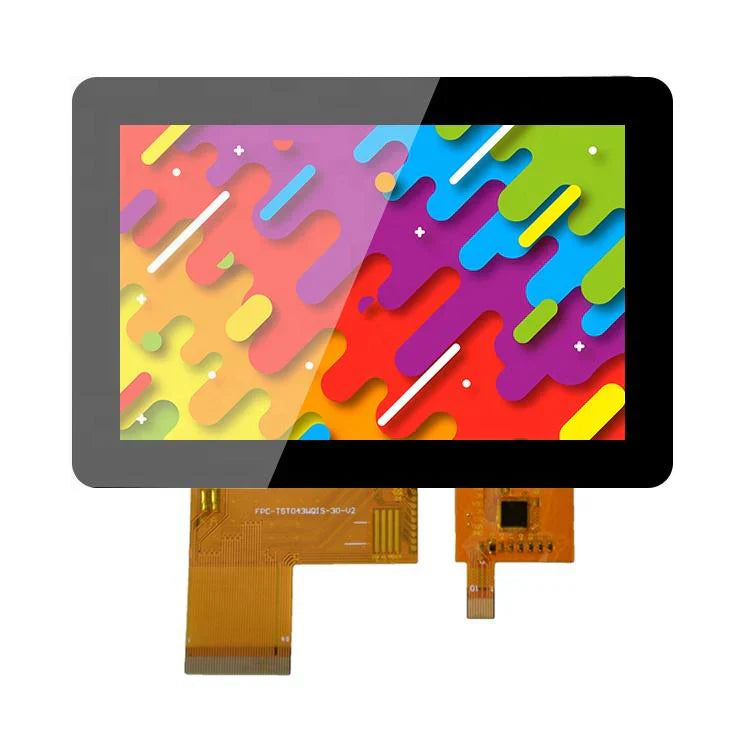
Custom LCD modules are tailored to your needs. The process starts with a requirement document detailing size, resolution, interface, and operating temperature. This allows for unique shapes, integr...
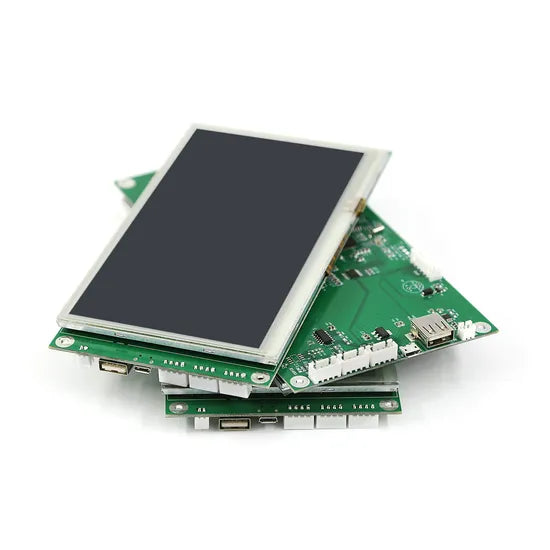
LCD module prices range from 2 for basic 16x2 character modules to 50+ for high-resolution TFTs. Wholesale prices drop 20-40% for orders of 1,000+ units. Key cost factors are size, resolution, and ...
Hinterlasse einen Kommentar
Diese Website ist durch hCaptcha geschützt und es gelten die allgemeinen Geschäftsbedingungen und Datenschutzbestimmungen von hCaptcha.