









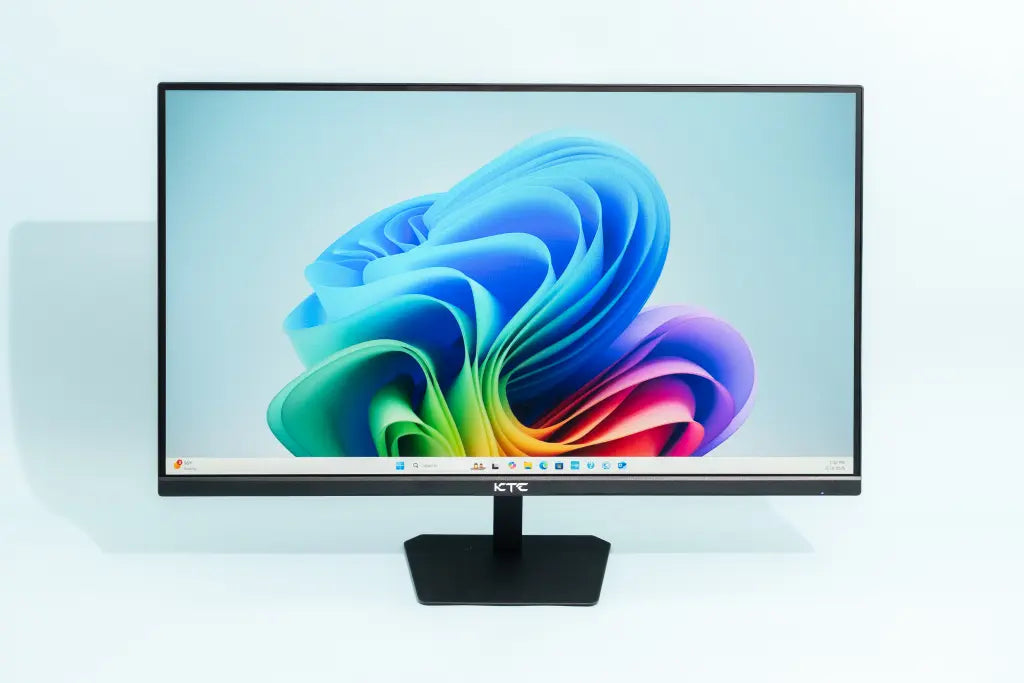
IPS Monitor Buying Guide | Specs , Top Brands, Best Uses
When selecting an IPS monitor, specifications should be determined based on the intended use.
For professional design, models with 4K resolution and 99% sRGB/AdobeRGB color gamut coverage, such as Dell's UltraSharp series, are the preferred choice, offering guaranteed color accuracy.
Gamers, on the other hand, should focus on models with a refresh rate of 144Hz or higher and a 1ms response time, such as LG's Nano IPS screens, which can effectively reduce motion blur.
Specs
A monitor's core specifications directly determine its performance boundaries. A 27-inch screen paired with 2560x1440 resolution achieves a pixel density of 108 PPI, while a 4K panel on a 32-inch screen is only 140 PPI.
Regarding color gamut coverage, 100% sRGB is approximately equal to 72-75% NTSC, while professional-grade DCI-P3 coverage needs to reach over 98%.
There is a correlation between refresh rate and response time: a 144Hz panel requires a 3ms GTG response time to eliminate motion blur, while a 360Hz esports screen demands a response time below 1ms.
Interface bandwidth determines output capability; DisplayPort 1.4 can support 4K 144Hz with 8-bit color, while HDMI 2.1 is required for lossless 4K 120Hz output.
In terms of brightness, the VESA DisplayHDR 400 certification requires a peak brightness of at least 400 nits and must have local dimming functionality.
Resolution and Size
Taking a 27-inch 4K monitor as an example, its PPI = √(3840² + 2160²) / 27 ≈ 163.18.
This number directly determines the visibility of individual pixels: when PPI is below 110, the pixel grid may be observable at a normal viewing distance.
When PPI exceeds 150, optical blurring effects may appear on text edges, requiring optimization by the operating system's scaling algorithms.
The theory of human visual acuity indicates that at a 60 cm viewing distance, the limiting resolvable density for the human eye is approximately 286 PPI. This means:
-
Smartphone screens (400+ PPI) far exceed physiological needs.
-
32-inch 4K monitors (140 PPI) have room for improvement in sharpness.
-
The latest 27-inch 8K monitors (326 PPI) have reached the visual limit.
Impact of Working Distance on Perception
-
Programmers typically maintain a 70-80 cm viewing distance; a 27-inch 2K monitor (109 PPI) requires 125% scaling.
-
Graphic designers often shorten the viewing distance to 40 cm; at this distance, a 27-inch 4K monitor needs to be set to 200% scaling.
-
Esports players' viewing distance fluctuates between 30-100 cm; a 24-inch 1080P monitor (92 PPI) can balance sharpness and field of view coverage by adjusting the distance.
Scaling Logic Differences Across Operating Systems
-
Windows scaling algorithms can cause third-party applications to appear blurry; it is recommended to choose integer scaling factors (100%/200%).
-
macOS's Retina scaling uses pixel doubling technology; the actual rendering resolution follows specific ratios (e.g., a logical resolution of 2560x1440 on a 5K monitor).
-
Linux desktop environments require manual DPI configuration; the GNOME environment recommends setting DPI values that are multiples of 96.
Special Requirements in Industry Applications
Medical imaging diagnostic displays (e.g., Barco MDSC-3134) use a resolution of 2048×1536 paired with a 21.3-inch size (120 PPI).
Curved simulation cabins in the aerospace industry use LED arrays with a 0.5mm dot pitch to achieve visual continuity equivalent to 180 PPI at a 2-meter viewing distance.
Data Correlation Between Size and Ergonomics
-
According to Ergotron research, the optimal viewing distance for a 27-inch monitor is 0.8 times the arm's length (approximately 60 cm).
-
Ultra-wide monitors (32:9) require head movement; when the horizontal viewing angle exceeds 60°, the frequency of neck movement needs to increase.
-
For vertically placed secondary screens, the height difference should be controlled, with the angle between the line of sight and the top of the screen not exceeding 15°.
Immersion Threshold for Multimedia Consumption
NHK research data shows that when the screen covers more than 60° of the field of view, the immersion index increases by 3.2 times. This means:
-
Living room TVs need to match the viewing distance (55 inches corresponds to 2.1 meters).
-
In a desktop environment, a 32-inch monitor requires a viewing distance of more than 80 cm.
-
VR devices can achieve an equivalent 180° field of view coverage through optical lenses.
Variables in Pixel Arrangement Technology
The effective PPI of Samsung OLED displays with Diamond Pentile arrangement needs to be multiplied by a coefficient of 0.81; the actual sharpness of a 27-inch 2K OLED is equivalent to 110 PPI with an RGB stripe arrangement.
LG's WRGB arrangement can cause color fringing during text rendering, requiring compensation via Cleartype technology.
Color Performance
Practical Meaning of Color Gamut Coverage
The sRGB color space contains approximately 16.77 million colors, equivalent to the full range of 8-bit color depth.
100% sRGB coverage means the monitor can accurately reproduce all colors within this range.
The DCI-P3 color space is 25% larger than sRGB, especially in the red and green ranges.
When we say a monitor covers 95% DCI-P3, it means it can display 95% of the colors in the DCI-P3 color space.
Professional monitors typically indicate multiple color gamut standards simultaneously:
-
99% sRGB (approximately equivalent to 76% NTSC)
-
95% DCI-P3 (approximately equivalent to 99% sRGB)
-
85% Adobe RGB (approximately equivalent to 95% sRGB)
Professional Requirements for Color Accuracy
ΔE (Delta-E) is an indicator that measures color deviation. In standardized tests, 24 standard color samples from the CIE Lab color space are typically used for measurement:
-
ΔE < 1.5: Color difference indistinguishable to the human eye; required for medical imaging displays.
-
ΔE 1.5-3.0: Professional-grade color accuracy, meeting photography editing needs.
-
ΔE 3.0-6.0: Common level for consumer-grade monitors, acceptable for average users.
For example, the Apple Pro Display XDR has an average ΔE of 0.9, with a maximum deviation not exceeding 1.3.
Dell UP2720Q monitors come with an individual calibration report out of the factory, recording the ΔE value for each color sample.
Color Depth and Gradient Smoothness
True 10-bit color depth can display 1.07 billion colors, which is 64 times that of 8-bit (16.77 million colors). This is particularly noticeable when displaying gradient colors:
-
8-bit monitors may show color banding in gradients from dark blue to black.
-
10-bit monitors can achieve perfectly smooth transitions.
-
Most consumer-grade monitors advertised as 10-bit are actually 8-bit + FRC (Frame Rate Control).
Color Uniformity Testing
Professional monitors need to measure color consistency across 9 areas of the screen:
-
The center area serves as the benchmark (ΔE=0).
-
The ΔE value in corner areas should be < 3.
-
Professional-grade requires ΔE variation < 2 across all areas.
Brightness Uniformity Indicator
Expressed as a percentage, e.g., "85%", indicating the ratio of edge brightness to center brightness:
-
Consumer-grade: 80-85% is within the normal range.
-
Professional-grade: Requires over 90%.
-
Top-tier monitors: Uniformity above 95%.
Color Temperature Consistency
The standard color temperature is 6500K. Professional requirements:
-
Color temperature fluctuation < 200K across the full brightness range.
-
Color temperature change < 5% under different brightness settings.
-
Color temperature difference < 150K across different screen areas.
Gamma Curve Accuracy
The gamma value affects the contrast of mid-tones:
-
Windows system standard is 2.2.
-
Mac system standard is 1.8.
-
Professional monitors should accurately follow the target gamma curve, with a deviation < 0.1.
HDR Color Volume
HDR performance depends not only on brightness but also on Color Volume:
-
Measures the monitor's ability to reproduce colors at different brightness levels.
-
High-end HDR1000 monitors need to achieve 90% DCI-P3 color volume.
-
OLED monitors excel in color volume due to their per-pixel light control.
Color Stability Testing
Professional monitors need to test color shift after 24 hours of continuous operation:
-
ΔE change should be < 0.5.
-
Color temperature fluctuation < 100K.
-
Brightness attenuation < 5%.
Dynamic Performance
Relationship Between Refresh Rate and Motion Fluency
Refresh rate represents how many times the screen refreshes the image per second. 60Hz means displaying 60 frames per second, with each frame staying for about 16.67 milliseconds.
When the refresh rate increases to 144Hz, the display time per frame shortens to 6.94 milliseconds, increasing the image update speed by 2.4 times.
In fast-moving games, a higher refresh rate can significantly reduce motion blur.
Actual test data shows:
-
Increasing from 60Hz to 120Hz reduces frame latency from 16.7ms to 8.3ms.
-
Increasing from 120Hz to 240Hz further reduces latency to 4.2ms.
-
Professional esports players can distinguish the difference between 240Hz and 360Hz refresh rates.
Impact of Response Time on Image Clarity
Response time refers to the time it takes for a pixel to switch from one color to another. Taking Gray-to-Gray (GTG) response time as an example:
-
Standard IPS panel: 4-5ms GTG.
-
Fast IPS panel: 1ms GTG.
-
TN panel: Typically achieves 0.5-1ms GTG.
An overly slow response time causes "ghosting" or "smearing." When the pixel response time exceeds the frame display time, noticeable motion blur occurs.
For example, at a 144Hz refresh rate, each frame stays for 6.94ms, requiring a response time below this value.
How Variable Refresh Rate Technologies Work
G-SYNC and FreeSync technologies eliminate screen tearing by synchronizing the monitor's refresh rate with the GPU's output frame rate. Specific implementation:
-
G-SYNC requires a dedicated hardware module, supporting a range of 30-240Hz.
-
FreeSync is based on the VESA Adaptive-Sync standard, supporting a range of 48-144Hz.
-
FreeSync Premium Pro adds HDR support requirements.
Dynamic Clarity Enhancement Technologies
ULMB (Ultra Low Motion Blur) technology reduces the persistence of vision effect by strobing the backlight:
-
At 144Hz refresh rate, the backlight flashes at 144 times per second.
-
Each flash lasts about 1ms.
-
This method can improve motion clarity to a level equivalent to a 280Hz refresh rate.
Components of Input Lag
Monitor input lag includes multiple stages:
-
Signal processing time: 1-2ms.
-
Scaler processing time: 2-8ms.
-
Pixel response time: 1-5ms.
-
Total input lag is typically in the range of 4-15ms.
Requirement Differences for Different Content Types
-
Competitive gaming: Requires a refresh rate above 144Hz and a 1ms response time.
-
Movie watching: A 24Hz refresh rate is sufficient to match the native frame rate of films.
-
Web scrolling: A 75Hz refresh rate provides a noticeably smoother experience.
Testing Methods and Measurement Standards
Professional tools like the Leo Bodnar tester can accurately measure input lag.
MPRT (Moving Picture Response Time) is another important metric, measuring the time a pixel remains lit while changing state.
An excellent gaming monitor should have both low GTG response time and low MPRT value.
Limitations of Panel Type on Dynamic Performance
Different panel technologies have inherent performance limitations:
-
IPS panels strike a balance between color accuracy and response time.
-
VA panels have high contrast but slower response times.
-
TN panels have the fastest response but poorer color performance and viewing angles.
Impact of Temperature on Performance
Liquid crystal materials are sensitive to temperature, which affects response time:
-
In low-temperature environments (10°C), response time may increase by 30%.
-
High-temperature environments (40°C) may cause overshoot.
-
Some high-end monitors have built-in temperature sensors to dynamically adjust the drive voltage.
Top Brands
LG, as the inventor and main supplier of IPS panels, dominates the high-end gaming and professional fields with its Nano IPS technology, achieving 98% DCI-P3 color gamut and 1ms GtG response time.
Dell has built a reputation in the professional market with its UltraSharp series.
Products in this series generally promise factory color accuracy with Delta E < 2, cover 99% of the sRGB color gamut, and come with a three-year after-sales service including a "Perfect Panel" guarantee.
While Samsung is known for its VA panels and QLED technology, its IPS lineup is also competitive in color performance.
Professional and High-End Brands
Dell UltraSharp Series:
Dell's UltraSharp series is one of the most visible monitors in professional work environments. Its reputation is built on "out-of-the-box" color consistency and comprehensive after-sales service policies.
-
Panel and Color Accuracy: Recent UltraSharp models widely use LG Display's IPS Black technology. This technology increases the native contrast ratio from the typical 1000:1 of standard IPS panels to about 2000:1, resulting in clearer dark details, offering advantages when working with black-and-white documents or dark-toned images. For example, the U2723QE model promises factory color accuracy Delta-E < 2, covering 100% sRGB, 100% Rec. 709, and 98% DCI-P3 color gamuts.
-
Functional Design: UltraSharp monitors rarely adopt exaggerated gaming aesthetics. Their value lies in practicality: full-featured USB-C ports (supporting up to 90W laptop charging, video transmission, and data exchange), an ergonomic stand adjustable for height, tilt, swivel, and even pivot to portrait mode, and easy cable management design.
-
After-Sales Service: Dell provides after-sales service for its high-end series, including a "Perfect Panel" guarantee. This means if a certain number of dead pixels are found during the warranty period, the user can request a replacement.
LG High-End Series:
LG's unique advantage lies in its vertical integration capability as a panel manufacturer. Its high-end monitors are often the first to adopt the latest self-developed panel technologies.
-
Nano IPS Technology: This technology adds a layer of nanoparticles in front of the LED backlight of a standard IPS panel. These particles absorb excess light wavelengths, resulting in purer red, green, and blue primary colors. The result is a wider color gamut, such as achieving 98% DCI-P3 coverage. This technology is used not only in its high-end gaming products (like the UltraGear series) but also in professionally oriented models (like the UltraFine series), achieving a good balance between color saturation and response speed.
-
Optimized for the Apple Ecosystem: LG is one of Apple's official monitor partners. Its UltraFine series monitors (like the 27-inch 27MD5KL) have deep hardware and software integration with MacBooks and iMacs. For example, the monitor can power a MacBook directly via a Thunderbolt 3 connection and automatically sync settings like brightness and color temperature. Its color calibration is highly consistent with Apple devices, making it the preferred external display for many Mac users.
BenQ Professional Monitors:
BenQ's strategy is to delve into specific professional fields and develop highly targeted features.
-
Hardware Calibration: For photographers and colorists with extremely stringent color requirements, BenQ's SW (PhotoVue) series supports hardware calibration. Unlike standard software calibration (which adjusts the graphics card's output signal), hardware calibration writes the color profile (ICC Profile) directly into the monitor's internal chip.
-
Dedicated Modes and User-Friendly Design:
-
Animation Mode: Designed for animators, allowing preview of animation drafts in low resolution and high frame rate in one corner of the screen while performing high-resolution detailing in the main area.
-
Dual Color Mode: Allows the screen to display two different color modes (e.g., sRGB and DCI-P3) side-by-side, facilitating direct comparison of color performance under different standards.
-
Hotkey Puck: Comes with a physical external controller for quickly switching color modes, brightness, etc., without entering the cumbersome OSD menu.
-
EIZO and Apple:
-
EIZO: Represents the pinnacle of professional monitors. Its ColorEdge series uses built-in sensors for periodic automatic hardware calibration, ensuring color consistency over thousands of hours of use. Its target users are fields with absolute requirements for color consistency, such as printing, medical imaging, and aerospace.
-
Apple Studio Display: This monitor is positioned as the perfect extension of the Apple ecosystem. Its core value lies in seamless integration: 5K resolution, excellent built-in camera, microphone, and high-fidelity six-speaker system. All functions are connected and powered by a single Thunderbolt cable to the Mac. While the color performance (P3 wide color gamut, True Tone) is also excellent, its selling point is more focused on an "all-in-one" elegant solution rather than ultimate parameter performance.
Gaming Performance Brands
ASUS ROG Series:
-
How ELMB SYNC Works: Traditionally, Variable Refresh Rate (like G-SYNC/FreeSync) and Backlight Strobing (Motion Blur Reduction) couldn't be enabled simultaneously. The former syncs the image by adjusting the refresh rate, while the latter requires a fixed refresh rate to insert black frames. ELMB SYNC resolves this conflict through sophisticated algorithms. It makes the backlight flash quickly once during the interval between two different frames output by the GPU. This flash occurs between frames, maintaining the sync effect of G-SYNC/FreeSync while inserting a "black frame" to eliminate image persistence in human vision, thus keeping target outlines clear even during rapid view rotation.
-
Matching Refresh Rate and Response Time: ASUS emphasizes "real performance." A monitor advertised as 360Hz will produce inverse ghosting if its gray-to-gray (GtG) response time is not fast enough. Therefore, ASUS matches different refresh rate panels with corresponding drive circuits. For example, on a 1080p 360Hz model, the response time optimization target is set below 1ms GtG; while on a 4K 160Hz model, the target might be 3-4ms GtG, ensuring pixel transitions can keep up with each refresh.
-
Game-Assist Features: The OSD menu integrates various practical tools.
-
On-Screen Crosshair: Overlays a crosshair at the center of the screen, useful for games where the sniper mode lacks a crosshair.
-
FPS Counter: Displays the real-time frame rate.
-
Timer: Used for game scenarios requiring precise timing.
-
These features can be quickly accessed via independent physical buttons (like a five-way joystick).
-
Acer Predator Series:
-
Advantages of Mini LED Backlight Technology: Unlike traditional edge-lit or full-array backlights, Mini LED divides the backlight into hundreds or even thousands of independent dimming zones. For example, the Predator X32 FP features 576 dimming zones. When displaying dark scenes like starry skies, the backlight in the star areas is fully on, while the backlight in the surrounding black areas is completely off, achieving extremely high contrast and pure blacks. This is a qualitative improvement for HDR gaming and video, enabling peak brightness exceeding 1000 nits or even higher, with details far surpassing ordinary HDR400/600 monitors.
-
Importance of Color Volume: Wide color gamut (e.g., 95% DCI-P3) is typically measured at high brightness. But Color Volume measures the range of colors a display can reproduce at different brightness levels. Due to its high brightness and precise dimming capability, Mini LED's Color Volume performance is far superior to traditional IPS. In HDR scenes, vibrant colors are not only displayed but also shown at their intended brightness, making the image more three-dimensional.
-
Balancing Specifications and Price: The Predator series often pioneers bringing high-end technology down to more competitive price points. For example, after AU Optronics (AUO) releases a new generation of Fast IPS panels, Acer is often one of the first brands to launch corresponding products, quickly providing the market with cutting-edge specifications like 4K high refresh rate.
MSI:
-
Game-Optimized Preset Modes: MSI's OSD menu includes preset modes optimized for different game genres. For example, FPS mode might automatically increase shadow brightness (Shadow Boost) to make enemies hiding in corners easier to spot; RTS/RPG mode prioritizes color saturation and visual effects.
-
Mystic Light RGB Sync: Through MSI's own Mystic Light software, the RGB lighting on the back of the monitor can be synchronized with the lighting of MSI graphics cards, motherboards, memory, keyboards, and mice, creating a unified gaming atmosphere.
-
Clear Product Line Segmentation:
-
MEG Series: Flagship positioning, using the top-tier panels and technologies, like Mini LED and ultimate refresh rates.
-
MPG Series: Mainstream high-performance, balancing price and performance, the main sales driver.
-
MAG Series: Affordable gaming, targeting budget-conscious players, providing a reliable high refresh rate experience.
-
Samsung Odyssey Series: Representative of Curved and Quantum Dot Technology
-
1000R Curvature: The Samsung Odyssey series (e.g., G7, G9) promotes an extreme 1000R curvature, which is close to the curvature of the human eyeball, aiming to provide stronger immersion and a more ergonomic viewing experience, reducing distortion at the edges and eye movement.
-
Quantum Dot Technology (QLED): Adds a quantum dot film in front of the VA panel, converting the backlight into purer red, green, and blue primary colors through nanomaterials. This technology enables Samsung gaming monitors to achieve extremely high color gamut coverage (often advertised as 125% sRGB or 95% DCI-P3) and excellent color volume, while maintaining the natural high contrast advantage of VA panels.
Mainstream High-Value Brands
AOC:
AOC, as one of the world's largest monitor manufacturers, has its core competitiveness in massive production scale and an extremely wide product line layout. This economy of scale allows it to offer products with impressive specifications at astonishing prices.
Clear Product Tiering Strategy: AOC's product lines are very clearly defined, allowing consumers to choose easily.
- Entry-Level (e.g., E Series): Positioned for basic office and home entertainment. Typically use IPS panels with 60Hz or 75Hz refresh rates, covering about 99% sRGB color gamut, with brightness around 250 nits. Ports include HDMI 1.4 and VGA, meeting the most basic connection needs. The price of such products is usually kept below $150.
- Mainstream Level (e.g., Q Series, P Series): Start to include more features. For example, a model like the Q27P2CA will feature QHD (2K) resolution, 75Hz refresh rate, and add a full-featured USB-C port supporting 65W charging, becoming a cost-effective choice for laptop users seeking an extended display.
- Performance Level (AGON Series): This is AOC's sub-brand targeting the gaming market. Its product specifications directly compete with ASUS TUF Gaming or Acer Nitro series. For example, the AG273QXE model offers 27-inch QHD resolution, 170Hz refresh rate, 1ms MPRT response time, and supports AMD FreeSync Premium technology, yet its price is 20-30% lower than first-tier gaming brands with similar specifications.
The Art of Cost Control: The key to AOC's ability to offer high parameters at low prices lies in optimizing non-core components. For example, it might use a slightly less power-hungry but sufficient backlight system, controlling brightness at 250 nits instead of the mainstream 300-350 nits; or the stand might only offer basic adjustments (tilt), reserving the fully ergonomic stand for higher-end models.
Philips:
Philips monitors continue the brand's consistent tone in consumer electronics: focusing on user health, comfort, and product practicality and ease of use, with a design language leaning towards simplicity and business style.
-
Continuous Investment in Eye Care Technology: Philips was an early promoter of "Low Blue Light Mode" and "Flicker-Free" technology. Its technology iteration is very specific:
-
LowBlue Mode: Reduces the output of harmful short-wavelength blue light by adjusting the emission spectrum of the LED backlight, rather than simply adding a yellow filter in software, thus minimizing color distortion while protecting the eyes.
-
PowerSensor: This is a tiny sensor at the bottom of the monitor. It detects if someone is in front of the monitor and automatically reduces brightness after a set time if the user leaves, saving energy.
-
SoftRead Mode: This mode simulates the display effect of e-paper by reducing contrast and adjusting color temperature to minimize eye strain during long reading sessions.
-
-
Practical Design for Office Environments: Many Philips models feature "all-in-one" bases. These bases not only support height, swivel, and tilt adjustments but often integrate a USB hub and even an Ethernet port.
Acer Nitro and Dell S Series:
These two series come from first-tier manufacturers and are forces to be reckoned with in the mainstream market and entry-level gaming segment.
-
Acer Nitro Series: The positioning is very clear: "the first gaming monitor for young people." It inherits some of the design language and trickle-down technology (like the same panels) from the Predator series but simplifies the backlight, ports, or stand functions to control costs. For example, the Nitro XV272U KV model uses a QHD, 170Hz Fast IPS panel of the same grade as high-end products, with excellent color performance, but might use edge-lit backlighting instead of Mini LED to keep costs down.
-
Dell S Series: As the civilian version of the UltraSharp series, the S series inherits Dell's reliable quality control and simple design. It doesn't pursue ultimate color or refresh rates but offers a "good enough" experience. For example, the Dell S2722QC is a 27-inch 4K monitor with a USB-C port, very suitable for connecting to a MacBook or thin-and-light laptop for daily office work and entertainment. Although the refresh rate is only 60Hz and the color accuracy is not as high as the UltraSharp, its clarity and functionality are completely sufficient for non-professional users, and the price is more accessible.
Best Uses
The primary step in choosing a monitor is to define its main purpose.
IPS panels are the preferred choice for most scenarios due to their color accuracy and wide viewing angles, but the performance focus varies drastically depending on the task.
Professional design requires attention to color accuracy with Delta E < 2 and 99% Adobe RGB color gamut coverage, while competitive gaming prioritizes a refresh rate above 144Hz and a 1ms response time.
Professional Design and Content Creation
Color accuracy is the primary threshold
Color accuracy is typically measured by the Delta E value.
When the Delta E value is below 3, the color difference is imperceptible to the human eye; while a Delta E value less than 1.5 reaches professional-grade color accuracy, sufficient for demanding tasks like print production and high-end product imagery.
Most professional-grade monitors provide a factory calibration report, which is an important document to verify their initial color accuracy.
Color gamut range determines the boundaries of work
Different creative fields require different color spaces:
-
sRGB: The standard for web content. Ensures that your work appears consistent on the vast majority of computer and phone screens. Coverage should reach 99%-100%.
-
Adobe RGB: Primarily aimed at professional photography and printing. It is about 35% larger than sRGB, especially performing better in cyan and green areas. Professional photography monitors typically require over 99% Adobe RGB coverage.
-
DCI-P3: The standard for the film and television industry. It is 25% larger than sRGB, with its main advantage in the red and green areas. Video editing and color grading work recommend choosing a monitor with 98% DCI-P3 coverage.
-
Rec. 2020: The next-generation color standard for Ultra HD TV (4K/8K). Currently, consumer-grade monitors struggle to fully cover it, but higher coverage indicates future-proof capability.
Color depth affects gradient smoothness
8-bit panels can display 16.7 million colors, while 10-bit panels can display 1.07 billion colors.
When processing smooth colors like sky gradients or skin tone transitions, 8-bit panels may show color banding across 256 grayscale levels.
10-bit panels (or those achieving 10-bit via dithering/FRC technology) provide extremely smooth gradients, which is particularly important for landscape photography and video color grading.
Matching resolution and screen size
Pixel density (PPI) directly affects the fineness of the image and the effective working area.
-
27-inch monitor: Paired with 4K resolution, the PPI is about 163, an ideal choice balancing detail representation and UI element readability.
-
32-inch monitor: At 4K resolution, the PPI is about 140; a slightly farther viewing distance is recommended. For ultimate detail, consider a 32-inch model with 6K or 8K resolution.
Added value of professional features
-
Hardware Calibration: Allows the color profile to be written directly into the monitor's hardware, rather than relying on the graphics card. This means the color configuration remains effective even after changing computers or operating systems.
-
Uniformity Compensation: Addresses inconsistencies in brightness and color temperature between the screen edges and the center. Crucial for work sensitive to uniformity, like graphic design.
-
Ergonomic Stand: Support for height, tilt, and swivel adjustments is basic. The ability to rotate 90 degrees into portrait mode greatly facilitates programmers browsing code, designers working on long web images, or documents.
-
Monitor Hood: Effectively blocks ambient light from causing glare and reflections on the screen surface, enhancing the purity of color perception, especially in bright work environments.
Gaming and High-Performance Gaming
Refresh rate determines the ceiling of motion fluency
Refresh rate represents how many times the monitor refreshes the image per second, measured in Hertz (Hz).
-
60Hz is the base standard, displaying 60 frames per second.
-
144Hz is currently the entry-level benchmark for gaming monitors, offering a visibly improved motion smoothness compared to 60Hz, allowing you to track targets more clearly during fast view rotation.
-
240Hz and higher (e.g., 360Hz, 500Hz) primarily serve competitive FPS gamers (e.g., CS:GO, Valorant) pursuing the ultimate reaction speed. Higher refresh rates further reduce screen tearing, making moving targets appear more stable.
Response time affects image clarity
Response time refers to the time it takes for a pixel to switch from one color to another, measured in milliseconds (ms). A slower response time causes blurring or ghosting at the edges of fast-moving objects.
GTG (Gray-to-Gray) Response Time is the most common measurement standard. 1ms GTG is the ideal target for gaming monitors.
It's important to note that some manufacturers advertise 1ms MPRT (Moving Picture Response Time), which is achieved through technologies like backlight strobing and is measured differently from GTG. When choosing, prioritize 1ms GTG.
Adaptive Sync technology eliminates screen tearing and stuttering
When the GPU's frame output rate is not synchronized with the monitor's refresh rate, screen tearing (multiple frames displayed within one refresh) and stuttering occur.
NVIDIA G-SYNC: A hardware solution requiring a dedicated chip in the monitor. The effect is stable, but it increases the monitor's cost.
- FreeSync: The base standard.
- FreeSync Premium: Requires at least a 120Hz refresh rate and supports Low Framerate Compensation (LFC).
- AMD FreeSync: A software solution based on the VESA Adaptive-Sync standard, with lower cost. It has three levels:
Most FreeSync-supported monitors are also certified as NVIDIA G-SYNC Compatible, allowing adaptive sync to be enabled on NVIDIA graphics cards.
Panel Technology: Fast IPS and Nano IPS
Traditional IPS panels were once slower in response time compared to TN panels. New technologies have addressed this:
-
Fast IPS: By optimizing the alignment of liquid crystal molecules, it achieves a much faster response speed than traditional IPS, reaching 1ms GTG, while retaining the wide viewing angles and good color of IPS.
-
Nano IPS: Adds nanoparticles to the backlight, which filter out excess light wavelengths, resulting in purer reds and improved color performance (typically achieving 98% DCI-P3 gamut), while maintaining high-speed response.
HDR's improvement to the gaming experience
HDR (High Dynamic Range) provides higher contrast, brighter highlights, and richer colors.
-
VESA DisplayHDR 400: Entry-level HDR certification, requiring a peak brightness of 400 nits, but usually lacks local dimming, offering limited HDR effect.
-
VESA DisplayHDR 600 and above: Requires a peak brightness of 600 nits and features local dimming, enabling true contrast between light and dark areas, significantly enhancing the visual impact of AAA titles.
Detailed recommendations for different game genres
-
Competitive FPS/TPS Games (e.g., CS:GO, Apex Legends): Prioritize high refresh rate (above 240Hz) and ultimate response speed (1ms GTG). Resolutions below 27-inch, like 1080p or 1440p, help focus attention.
-
AAA Single-Player Games (e.g., Cyberpunk 2077, Elden Ring): While ensuring a base refresh rate of 144Hz, more attention should be paid to image quality. Choose IPS panels supporting HDR600 and above standards, with a wide color gamut (90%+ DCI-P3). Sizes can be considered from 27 to 32 inches with 1440p or 4K resolution.
-
MOBA/MMORPG Games (e.g., League of Legends, World of Warcraft): A high refresh rate (144Hz-180Hz) improves operational smoothness. Consider an ultra-wide screen (21:9) around 34 inches; the wider field of view provides an information advantage in the game.
Game-assist features
-
Black Equalizer / Shadow Boost: Increases the brightness of dark areas in the image, making it easier to spot enemies hiding in shadows.
-
On-Screen Crosshair: Provides a fixed crosshair at the center of the screen, useful for games where the sniper scope lacks a crosshair.
-
FPS Counter: Displays the current frame rate in real-time.
Multi-Window Collaborative Work
How screen size and aspect ratio affect work efficiency
The physical size and aspect ratio of the screen determine how many windows you can comfortably open simultaneously.
-
27-inch 16:9 Monitor: When using the operating system's built-in split-screen function (like Windows' Snap Assist), it can display two full documents or web pages side by side, but each window will appear relatively narrow.
-
34-inch 21:9 Ultra-Wide Screen ("Ultrawide"): This screen provides a width equivalent to two 24-inch monitors side by side. You can effortlessly display three or even four windows side by side. For example, you can have a code editor on the left, a browser preview window in the middle, and communication software and a file manager on the right. The resolution is typically 3440x1440, offering nearly 40% more horizontal pixels than a standard 2560x1440 (2K) monitor.
-
38-inch and 49-inch Ultra-Wide Screens: 38-inch models often use a 3840x1600 resolution, providing more vertical space. The 49-inch ultra-wide screen (32:9 aspect ratio, 5120x1440 resolution) is essentially equivalent to seamlessly joining two 27-inch monitors together, eliminating the interference of a physical bezel.
Resolution and pixel density determine content clarity
Higher resolution means the screen can display more pixels, thus showing more content without scaling. But for multi-window work, pixel density (PPI) is equally important.
-
For 27-34 inch screens, 1440p (2560x1440 or 3440x1440) is generally considered the sweet spot. It provides much more information than 1080p, and most modern discrete graphics cards can drive it smoothly.
-
For sizes of 32 inches and above, considering 4K (3840x2160) resolution is worthwhile. It offers extremely high pixel density, with extremely sharp text and icon edges. However, note that default scaling in some operating systems and applications at 4K resolution may cause display anomalies.
Specific features and interfaces that enhance multi-tasking efficiency
-
Picture-in-Picture (PIP) & Picture-by-Picture (PBP): This feature allows you to input two different signal sources into the same monitor. For example, using PBP mode, you can display the screens of your work laptop and home desktop side-by-side on the same ultrawide screen, sharing one set of keyboard and mouse (achieved via a KVM switch function), eliminating the need for frequent cable plugging/unplugging.
-
USB-C Interface and Single-Cable Solution: A full-featured USB-C port supporting 90W or even 96W power delivery is crucial. A single cable can handle video transmission, data transfer, and laptop charging simultaneously, greatly simplifying desk cable management.
-
Ergonomic Stand: Monitor support for height, tilt, and swivel adjustment is a basic requirement. The ability to pivot 90 degrees clockwise into portrait mode is very practical for programmers browsing long code, writers reviewing long documents, or web designers previewing webpage flow.
Window layout needs for different professions
-
Software Development: Prioritize an ultrawide or dual-screen setup. A typical layout is: a vertical screen for the code editor, and a horizontal screen for running the program, viewing the browser, and documentation. High resolution ensures that a single line can display enough code characters in portrait mode.
-
Financial Data Analysis: Requires opening multiple trading windows, data analysis software, Excel spreadsheets, and news feeds simultaneously. An ultrawide or high-resolution 32-inch+ monitor is the preferred choice to monitor a large amount of real-time data at once.
-
Academic Research and Writing: The layout typically involves opening literature reading software (e.g., PDF) on one side and note-taking software or a Word document on the other. Vertical screen space is very important, so high-resolution 16:9 or 16:10 monitors are good choices.
-
Content Creation and Project Management: For example, during video editing, the timeline, preview window, media library, and effects controls need to be expanded simultaneously. An ultrawide screen can provide a more spacious workspace for professional software, reducing the number of panel switches.
En lire plus
IPS (In-Plane Switching) displays are widely recognized for their excellent color performance and viewing angles. Compared to VA or TN panels, their advantage is a wide 178-degree viewing angle, wi...
To choose an LCD module, first define requirements: size (e.g., 2.4"), resolution (e.g., 320x240), and interface (SPI for simplicity, MIPI for speed). Check operating temperature (-20°C to 70°C for...
Laisser un commentaire
Ce site est protégé par hCaptcha, et la Politique de confidentialité et les Conditions de service de hCaptcha s’appliquent.