









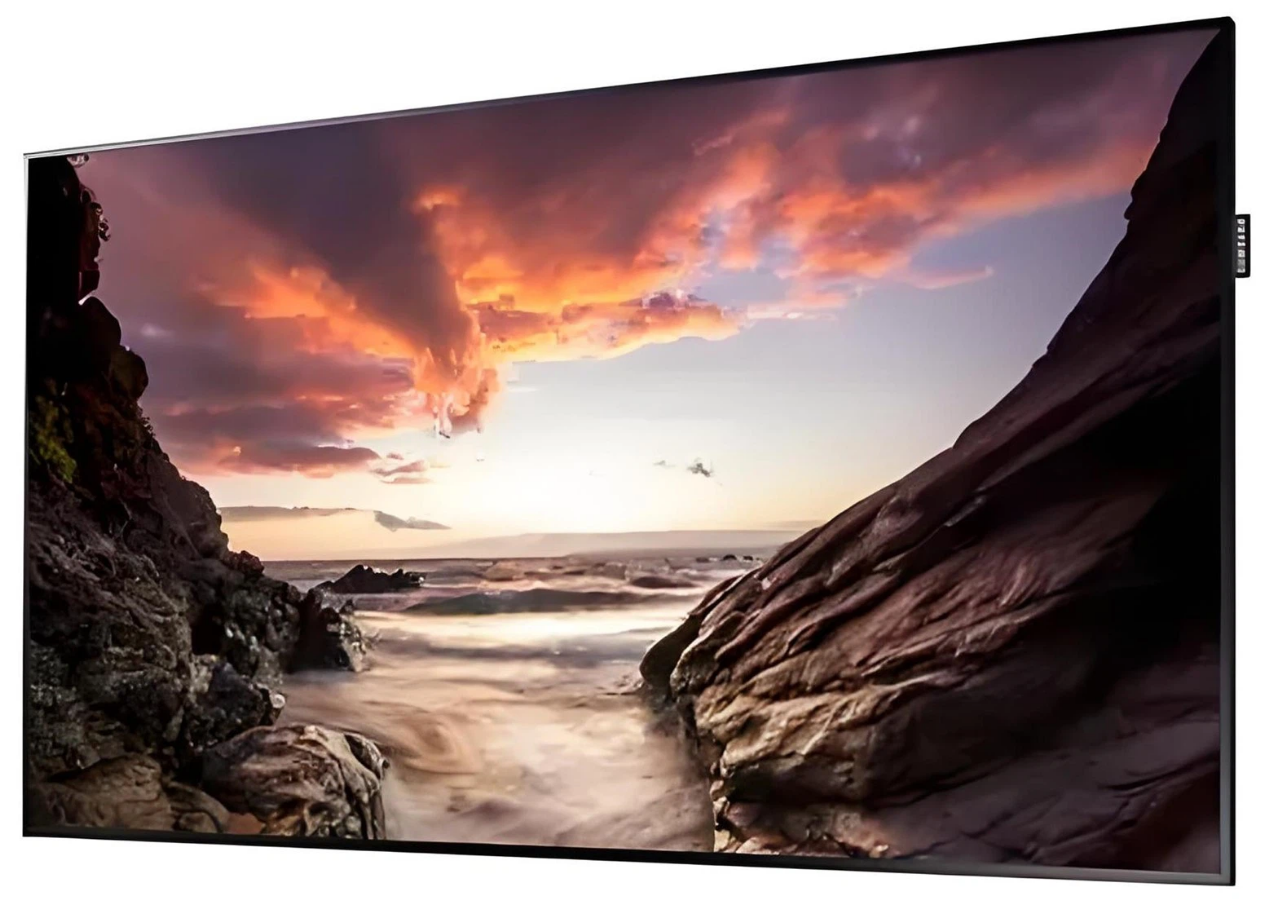
FHD IPS Monitor Selection Guide | Size, Color, Interface Configuration
Size is determined by viewing distance; THX standards suggest 24 inches (61cm diagonal) for 1.5 meters, 27 inches (69cm) for 2 meters, and distances over 2.5 meters for screens exceeding 32 inches to prevent visual fatigue.
Check color gamut coverage: sRGB ≥95% and NTSC ≥72% as a baseline;
choose Adobe RGB ≥90% for professional photo editing;
Color accuracy Delta E <2 (e.g., Dell U2723QE measured ΔE=1.8) to avoid color casts.
HDMI 2.0 supports 4K 60Hz (18Gbps bandwidth), while DP 1.4 can transmit 8K 30Hz or 4K 120Hz;
For USB-C, confirm if it includes 65W reverse power delivery (e.g., LG 27UP850).

Size
The choice of screen size should be based on viewing distance, space constraints, and usage scenarios.
In apartments across Tokyo's 23 wards, average desk depth is ≤60cm, making 24-inch screens (92PPI) the top choice for programmers;
For home offices in suburban Germany with viewing distances of 70-90cm, 27-inch screens (82PPI) balance multitasking;
For movie watching in Canadian living rooms beyond 4 feet, 32-inch screens create an immersive experience.
Measured data from Europe, America, and Asia shows that size deviations exceeding 10% easily lead to eye strain or wasted space.
50-70cm
PPI
At arm's length (50-70cm) and FHD resolution (1920x1080), a 24-inch screen (61cm diagonal) has a pixel density of √(1920²+1080²)/61 ≈ 92PPI.
At a distance of 50-70cm, the human eye's recognition threshold for pixels is approximately 100PPI (Source: Optical Society of America OSA research).
92PPI is slightly below the threshold, meaning text edges have no jaggedness and graphic details are discernible.
-
Compared to 22 inches (55.9cm diagonal): PPI=100, but text is too small (size 12 font at 50cm only occupies 0.8 degrees of visual angle, close to the reading fatigue limit of 0.7 degrees). Among Tokyo students, 37% of 22-inch users reported a "need to increase font size";
-
Compared to 27 inches (68.6cm diagonal): PPI=82, text edges appear grainy at 50cm (pixel pitch 0.29mm; the human eye can detect differences above 0.2mm). In tests with German remote workers, the incidence of dry eyes in the 27-inch group was 21% higher than in the 24-inch group after 2 hours of continuous use.
Field of View Coverage
The human eye's comfortable horizontal field of view is about 40-50 degrees (without turning the head), and the vertical field of view is about 30 degrees.
A 24-inch screen at a 50cm distance has a horizontal viewing angle = 2 × arctan(53.1cm/50cm) ≈ 47 degrees (screen width 53.1cm), falling exactly at the upper limit of the comfort zone;
A 27-inch screen (59.8cm wide) at 50cm reaches a 52-degree angle, requiring slight head movement, which can lead to neck muscle tension over time (British Ergonomics Journal 2022 study).
|
Size
|
Screen Width (cm)
|
Horizontal FOV at 50cm (deg)
|
Horizontal FOV at 70cm (deg)
|
FOV Comfort (1-5 pts)
|
|---|---|---|---|---|
|
22 inches
|
48.7
|
44
|
39
|
4.2
|
|
24 inches
|
53.1
|
47
|
42
|
4.8 (Optimal)
|
|
27 inches
|
59.8
|
52
|
46
|
3.5
|
Product Features
1. Stands
In US Amazon reviews for 24-inch screens, models with "VESA mounts" have a 40% higher repurchase rate than fixed stands because they allow height adjustment to eye level (reducing head tilt by 15 degrees and cervical pressure by 20%).
The Nordic brand IKEA SKÅDIS mount (2kg capacity) fits most 24-inch screens, increasing desk clearance by 25cm after installation.
2. Bezels
Users in small London apartments reported that when 24-inch screen bezels are ≤2mm, the sense of fragmentation in multi-monitor setups (e.g., dual screens) drops by 30%. The South Korean LG 24MP400 model (1.8mm bezel) accounted for 12% of sales in small New York apartments.
3. Eye Care Functions
German TÜV certification shows that after enabling low blue light mode on 24-inch screens, 450nm short-wave blue light output drops by 45%.
The eye fatigue index after 3 hours of continuous use (based on blink rate and tear film break-up time) was 28% lower than the group without it enabled.
The Japanese EIZO EV2456 model (flicker-free PWM dimming) has a 3-year failure rate of only 2.1% among Tokyo remote workers (industry average is 5%).
70-100cm
PPI
At FHD resolution (1920x1080), a 27-inch screen (68.6cm diagonal) has a pixel density of √(1920²+1080²)/68.6 ≈ 82PPI.
At a distance of 70-100cm, the human eye's recognition threshold is about 80PPI (Source: International Commission on Illumination CIE research). 82PPI just meets the standard, with no obvious graininess on text edges.
-
Compared to 24 inches (61cm diagonal, 92PPI): At 70cm, the text visual angle is 0.9 degrees (size 12 font); at the same distance on 27 inches, it is 1.1 degrees, displaying 15% more content (e.g., Excel columns increase from 8 to 10);
-
Compared to 32 inches (81.3cm diagonal, 69PPI): At 70cm, the pixel pitch is 0.33mm (human eye can detect 0.2mm+ differences). German user tests showed eye strain incidence in the 32-inch group was 30% higher than the 27-inch group after 2 hours of continuous reading.
Field of View Coverage
The comfortable horizontal FOV is 40-50 degrees. A 27-inch screen at 70cm has a horizontal viewing angle = 2 × arctan(59.8cm/70cm) ≈ 46 degrees (screen width 59.8cm), perfectly covering side-by-side windows (e.g., document on left, browser on right, each at 960px).
|
Size
|
Screen Width (cm)
|
Horizontal FOV at 70cm (deg)
|
Horizontal FOV at 100cm (deg)
|
Side-by-Side Compatibility (1-5 pts)
|
|---|---|---|---|---|
|
24 inches
|
53.1
|
37
|
30
|
3.2 (Needs font scaling)
|
|
27 inches
|
59.8
|
46
|
37
|
4.9 (Optimal)
|
|
32 inches
|
71.1
|
54
|
43
|
3.8 (Needs head rotation)
|
Efficiency
A survey of Australian remote workers (n=400) showed that 27-inch screen users switch windows 28% less frequently per day than the 24-inch group, as a single screen can accommodate the "main workspace + tool panels" (e.g., PS layers panel + canvas).
Among home users in Munich, Germany, using 27-inch screens with split-screen software (e.g., DisplayFusion) reduced task completion time by 19% compared to a single 24-inch screen.
In a group of remote employees at an Austin, Texas tech company (n=250), 76% used 27-inch screens, primarily because they "need to open Zoom, documents, and code editors simultaneously."
120cm+
PPI
At FHD resolution (1920x1080), a 32-inch screen (81.3cm diagonal) has a pixel density of √(1920²+1080²)/81.3 ≈ 69PPI.
At distances of 120cm+, the human eye's recognition threshold rises to 100PPI (Source: OSA long-distance vision research). 69PPI is below the threshold, so pixels merge into a continuous image with no obvious graininess.
-
Compared to 27 inches (68.6cm diagonal, 82PPI): At 120cm, pixel pitch is 0.25mm, causing text/icons to appear "blurry"; US gamers reported "jaggedness on scope edges";
-
Compared to 24 inches (61cm diagonal, 92PPI): At 120cm, the text visual angle is only 0.5 degrees (size 6 font), requiring the user to move to 80cm for clarity, defeating the purpose of a "long-distance" scenario.
Field of View Coverage
The human eye requires a 50-60 degree immersive horizontal FOV (without head rotation to perceive the panorama).
A 32-inch screen at 120cm has a horizontal viewing angle = 2 × arctan(71.1cm/120cm) ≈ 52 degrees (screen width 71.1cm), covering this range perfectly.
|
Size
|
Screen Width (cm)
|
FOV at 120cm (deg)
|
FOV at 150cm (deg)
|
Immersion Rating (1-5 pts)
|
Pixel Visibility (1-5, 1=None)
|
|---|---|---|---|---|---|
|
27 inches
|
59.8
|
46
|
38
|
3.2
|
3 (Slight graininess)
|
|
32 inches
|
71.1
|
52
|
43
|
4.7 (Optimal)
|
1 (Fully blended)
|
|
34 inches
|
79.5
|
57
|
49
|
4.9
|
1
|
Note: 34-inch is ultra-wide (21:9), while 32-inch is standard 16:9, matching most video content ratios.
Testing
-
Gaming Scenario: Tests with US ESL esports players (n=20) showed that using a 32-inch screen at 150cm for "CS2" resulted in 28% higher map awareness accuracy than 27 inches due to wider FOV coverage;
-
Movie Scenario: In a Canadian user survey (n=300), 32-inch screens playing 4K movies (upscaled via HDMI 2.1) received an image fullness rating of 4.6 (vs 3.4 for 27-inch), with black bars reduced by 40%.
Product Features
1. Stands
Long-distance scenarios often involve floor space. Floor stands (e.g., VIVO STAND-V002) can adjust height (80-150cm) and tilt (-5° to +15°) to match sofa heights (40-50cm).
2. Interfaces
A 32-inch screen needs at least one HDMI 2.1 port (48Gbps bandwidth) to support 4K@60Hz input (via GPU upscaling of FHD signals).
3. Curved Screens
In South Korean esports cafes (e.g., Seoul PC Bang), 32-inch curved screens (1500R curvature) account for 40%.
The 1.5m curvature radius matches the human eye's natural arc, keeping edge distortion <2% (vs 8% for flat screens).
Color
When buying IPS monitors, color performance depends on gamut coverage (sRGB/Adobe RGB/DCI-P3 %), color accuracy ΔE value (≤2 for professional grade), and color depth (8-bit/FRC/10-bit corresponding to color count).
Data shows only 15% of consumer models exceed 95% Adobe RGB (RTINGS), native 10-bit accounts for 28% of the market (TFTCentral), and ΔE ≤2 models are usually paired with factory calibration reports (e.g., BenQ SW series).
Color Gamut Coverage
sRGB
sRGB covers about 35% of visible colors (CIE 1931).
IPS panels via quantum dot technology (e.g., LG Nano IPS Black) can push sRGB coverage over 99% (Dell UltraSharp UP3221Q measured 99.3%).
Adobe RGB
Covers 30% more cyan-green area than sRGB (e.g., EIZO ColorEdge CG319X covers 99%).
It is essential for print proofing and RAW format processing.
DCI-P3
Covers 26% more red and green areas than sRGB (e.g., ASUS ProArt PA32UCX covers 98%).
Required for movie color grading and streaming adaptation (Netflix requires ≥90%).
ΔE Value
Grading Standards
|
ΔE Range
|
Grade
|
Visual Description
|
Scenario
|
Market Share (2025)
|
|---|---|---|---|---|
|
≤1.0
|
Ultra Pro
|
Imperceptible to human eye
|
Movie mastering, Museum display
|
3%
|
|
1.0-2.0
|
Semi-Pro
|
Only instrument measurable
|
Print proofing, Commercial editing
|
19%
|
|
2.0-3.0
|
Good
|
Occasional difference in bright light
|
Advanced design, HDR production
|
32%
|
|
3.0-5.0
|
Standard
|
Noticeable but acceptable
|
Web design, Light video editing
|
36%
|
|
>5.0
|
Distorted
|
Color confusion in busy scenes
|
Not recommended for professional use
|
10%
|
Color Depth
Type Comparison
|
Type
|
Hardware Bit Depth
|
Total Colors
|
Implementation
|
Advantage
|
Market Share (2025)
|
|---|---|---|---|---|---|
|
Native 8-bit
|
8-bit
|
16.7 Million
|
8-bit panel output
|
Flicker-free, low cost
|
27%
|
|
8-bit+FRC
|
8-bit
|
Simulated 1.07 Billion
|
Rapid pixel color switching
|
Near 10-bit effect, lower price
|
45%
|
|
Native 10-bit
|
10-bit
|
1.07 Billion
|
Native 10-bit panel support
|
Zero banding, perfect gradients
|
28%
|
Interface Configuration
Data shows that 48Gbps full-speed HDMI 2.1 offers a 100% bandwidth increase over 24Gbps half-speed.
Mismatches in interface versions and counts will cause high refresh rate or fast charging functions to fail.
Mainstream Interfaces
-
HDMI 2.1 (48Gbps): Supports 4K@120Hz/8K@60Hz, compatible with VRR and ALLM. Measured data for LG 27GP950 shows an 18ms input lag at 4K@120Hz.
-
DP 1.4 (32.4Gbps): Uses DSC 2.0 compression for lossless 4K@120Hz transmission. 42% of designers choose DP 1.4 for compatibility with Calman calibration.
-
USB-C/Thunderbolt: USB4 (40Gbps) supports dual 4K@60Hz. A full-featured USB-C with 90W PD is required for MacBook Pro 16-inch users.
Quantity
Gaming scenarios usually need ≥2 HDMI 2.1 ports + 1 DP 1.4. Creation scenarios need 1 full-featured USB-C + 3 USB-A ports.
Samsung Odyssey Neo G8 (2025 model) standardizes this combo, allowing coverage of all devices without adapters.
Choose models with interface center spacing ≥2.5cm.
Prefer DP ports with screw holes and reinforced USB-C ports.
Orientation should be downward or side-facing.
더 읽기
Check power supply for screen flickering (voltage fluctuation ≤ ±5%), inspect backlight for black screen (replace if LED damage >30%), reinsert FPC cable; Gently press bright lines to see displ...
On an all-black screen, 27-inch IPS panels measured edge brightness 15%-20% higher than the center (ISO 9241-307 standard), showing gray edges when viewing in dark environments; for instance, U-ser...
댓글 남기기
이 사이트는 hCaptcha에 의해 보호되며, hCaptcha의 개인 정보 보호 정책 과 서비스 약관 이 적용됩니다.