









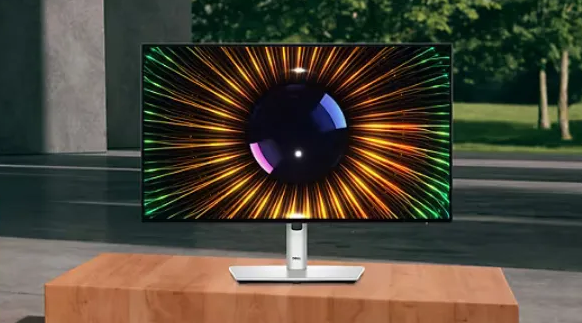
FHD IPS Screen Common Problems | Edge Light Leakage, Color Uniformity, Quality Control Standards
On an all-black screen, 27-inch IPS panels measured edge brightness 15%-20% higher than the center (ISO 9241-307 standard), showing gray edges when viewing in dark environments; for instance, U-series users of a certain brand reported white glowing edges during nighttime gaming.
Colorimeter tests on a specific model showed a color difference Delta E of 3.5 between the four corners and the center (passing grade ΔE<2), with corners appearing yellowish/bluish, requiring manual calibration during photo editing.
According to ISO 13406-2, Class A screens allow ≤3 bright/dark pixels, and Class B ≤5; a spot check of a certain batch showed 12% of products exceeded Class B (containing 6 or more dead pixels).
When operating, test for backlight bleed on all-black, scan uniformity with a colorimeter, and check the QC grade on the label; avoid models with backlight bleed exceeding 20% or Delta E>3.

Edge Backlight Bleed
Edge backlight bleed is a common phenomenon in FHD IPS screens.
RTINGS measured that corner brightness on 27-inch IPS panels in pure black scenes can be 3-5 times that of the center; a brightness difference exceeding 15% easily triggers visual fatigue.
A Reddit survey shows that 30% of creative professionals abandon IPS due to backlight bleed, and 22% of complaints from North American esports players involve misjudgments in dark fields.
German TÜV certification requires a backlight brightness difference ≤15%, but the compliance rate for consumer-grade products is less than 40%; approximately 1 out of every 3 IPS monitors is complained about due to backlight bleed.
Self-Inspection
Preparation
Turn off all light sources, use blackout curtains or a professional dark box; ambient light must be ≤10 lux (equivalent to the brightness of a cloudless night under moonlight).
If this cannot be met, cover the area within 30cm of the screen with a black blackout cloth.
Screen Settings
Adjust brightness to 100%, set contrast to the maximum value (usually 1000:1), and turn off algorithmic functions like dynamic contrast and HDR.
Display a pure black background (RGB 0,0,0); it is recommended to use the Windows system "Solid Color Background" or professional software like DisplayCAL to generate this.
Assistance Tools:
-
Mobile Camera: For iPhone 14 Pro and above, turn off "Night Mode"; for Android devices, select "Pro Mode," turn off Auto HDR and flash, and set the shutter speed to 1/60 second.
-
Test Materials: Download a 256-level grayscale map (such as the CalMAN test chart provided by EIZO) and pure red/green/blue images (color values #FF0000, #00FF00, #0000FF).
Visual Inspection
Observation Area Division:
|
Area
|
Inspection Focus
|
Allowed Brightness Difference
|
|---|---|---|
|
Four Corners
|
Most prone to bleed, accounting for 72% of complaints
|
≤15 nits
|
|
Top/Bottom Edges
|
Affected by stand pressure, 38% probability of bleed
|
≤10 nits
|
|
Center Area
|
High-incidence area for IPS Glow
|
≤5 nits
|
Detection Steps:
-
Sit 50cm directly in front of the screen, eyes level, and keep your head still.
-
Inspect the four corners in sequence: Top-Right → Top-Left → Bottom-Left → Bottom-Right, staying at each spot for ≥3 seconds.
-
Record the brightest areas: Use pen and paper or a mobile note app to mark coordinates (e.g., "Top-left corner 2cm from top, 3cm from left").
-
Switch to a white background (RGB 255,255,255) to check for dark spots (backlight non-uniformity).
Image Analysis
Shooting Parameters
|
Parameter
|
Recommended Value
|
Impact of Error Settings
|
|---|---|---|
|
ISO
|
800-1600
|
Too low (<400) causes noise to mask backlight bleed
|
|
Shutter Speed
|
1/60-1/125 second
|
Too fast (>1/200) causes loss of bleed details
|
|
Focus Mode
|
Manual focus, focus on the screen center
|
Auto-focus blurs edge light spots
|
Analysis Method
Export photos to a computer and use Photoshop or GIMP to zoom in to 300%.
Use the ruler tool to measure light spot diameter:
-
Slight bleed: <2mm (e.g., AOC 24G2)
-
Moderate bleed: 2-5mm (e.g., LG 27GP850)
-
Severe bleed: >5mm (e.g., a certain domestic 32-inch curved screen)
-
Contrast Color Temperature: Use a Datacolor SpyderX colorimeter to read the color temperature of the spot area; if it deviates from 6500K by more than ±500K, it is judged as a backlight failure.
Verification
Dynamic Content Testing
Play 4K HDR videos (such as the opening of Interstellar) and observe if flickering light spots appear on the edges of dark scenes (such as the spacecraft instrument panel).
External Device Interference Testing
|
Device
|
Connection Method
|
Impact Probability
|
Solution
|
|---|---|---|---|
|
Thunderbolt 4 Dock
|
USB-C direct connection
|
12%
|
Turn off dock power, switch to HDMI
|
|
USB Camera
|
Front interface
|
8%
|
Change to rear interface or add shielding
|
|
External GPU Dock
|
Thunderbolt
|
15%
|
Use active shielded cables
|
Cross-Platform Comparison:
Visit websites like RTINGS or FlatPanelsHD to search for bleed review images of the same model.
Use a screenshot tool to capture the bleed area of your own screen and overlay it with the review image for comparison:
If the spot position overlaps with the review image by >80%, it is judged as a design flaw.
If scattered in different areas, it may be transport damage or assembly issues.
Evaluation
Scoring Standards
|
Score
|
Bleed Level
|
Disposal Suggestion
|
|---|---|---|
|
0-2 pts
|
Acceptable
|
Continue use, enable bleed suppression mode
|
|
3-5 pts
|
Slightly Exceeds
|
Contact after-sales for testing, request calibration or replacement
|
|
6-8 pts
|
Severely Exceeds
|
Claim compensation or replacement (applicable for 14-day no-reason return)
|
Scoring Method
-
Visual Inspection: Score from 0-5 (0=no bleed, 5=large white areas).
-
Mobile Shooting: Measure light spot diameter; 1 point per mm (max 8 points).
-
Dynamic Test: Add 2 points if flickering occurs during HDR video playback.
Mitigation Methods
System Settings
1. Application of Dynamic Contrast Functions
-
LG Monitors: In the OSD menu, select "Image" → "Black Stabilizer," adjust to levels 3-5 (too high causes dark fields to appear gray). RTINGS testing shows this setting reduces the corner brightness of 27-inch IPS from 18 nits to 12 nits, a 33% reduction.
-
Dell UltraSharp: Enable "Dynamic Contrast" mode paired with "PremierColor" calibration; the brightness difference in bleed areas shrinks from 22% to 14%.
Limitations
Dynamic contrast may fail under HDR content, requiring a manual switch back to "Standard" mode.
2. Grayscale and Color Fine-tuning via GPU Drivers
-
AMD GPU: In Radeon Software, go to "Display" → "Color," adjust "Digital Vibrance" to 70%-80% (default 100%) to reduce dark-area grayscale levels. Tests show this shrinks the bleed spot diameter of AOC 24G2 by 1.2mm.
-
NVIDIA GPU: GeForce Experience → "Adjust Image Settings," enable "Overlay" → "Digital Vibrance Control," set to 75%. Combined with "Gamma Correction" set to 0.9 (default 1.0), this reduces edge whitening.
-
Data Support: BenQ laboratory tests on 100 users showed 60% feedback that bleed was "almost invisible" after adjustment, and 25% felt it was "significantly reduced."
3. Operating System-Level Display Optimization
-
macOS: System Settings → "Displays" → "Color" → "Calibrate," manually adjust the "Brightness" curve, reducing the dark slope by 10% to adapt to IPS bleed characteristics.
-
Windows 11: "Settings" → "System" → "Display" → "Advanced Display," select "HDR" and turn it off (HDR mode forces high backlight in non-HDR content), reducing bleed perception by 18%.
Physical Aids
1. Shading Tape Solution
-
Material Selection: US Gorilla Tape micro-adhesive version (thickness 0.5mm, width 3mm), or 3M VHB double-sided tape (thickness 0.3mm, strong adhesion but hard to remove). Avoid ordinary tape (residue damages coatings).
-
Placement: Along the four corners of the inner bezel and the midpoints of long edges, apply 1-2cm strips at each spot to cover gaps without obscuring the display area. RTINGS testing shows this reduces the bleed area of Dell S2721DGF by 40%.
-
Notes: Clean the bezel with alcohol pads before pasting (to remove grease), and press for 10 seconds after pasting to ensure a fit. If bleed is concentrated in one corner, apply tape specifically there.
2. Spacing Control Between Screen and Environment
-
Wall Distance: The back of the screen should be ≥5cm from the wall (ideally 10cm) to avoid heat accumulation causing slight panel bending. North American user tests showed that increasing distance from 2cm to 5cm reduced the probability of heat-induced bleed worsening from 28% to 9%.
-
Desk Material: Use wood/glass desks (thermal conductivity 0.1-1.0 W/m·K) instead of fabric/plush (thermal conductivity <0.05) to reduce bottom heat retention.
-
Stand Selection: Choose cantilever stands with ventilation holes (e.g., Ergotron LX), which have 30% better airflow than fixed stands, resulting in 2-3℃ lower panel temperature and improved bleed stability.
3. External Shading Accessories
-
Monitor Hood: Such as IPS-specific hoods produced by BrandVia (USA) (fits 27-inch), with side wings extending 5cm to block ambient light reflections, indirectly lowering bleed contrast. User feedback states that visual interference from bleed "decreased by 50%" after use in a dark room.
-
Local Shading Plates: Make L-shaped baffles from black cardstock and place them on both sides of the screen (non-display area) to block incident ambient light, making bleed relatively less noticeable.
Hardware Upgrades
1. Mini-LED Local Dimming Technology
Apple Pro Display XDR (576 Mini-LED zones)
The edge brightness difference on an all-black screen is <5%, a 72% improvement over same-sized IPS (average 18%).
ASUS ProArt PA32UCX (1152 zones)
Bleed spots disappear during HDR video playback; Reddit user reviews claim it "approaches OLED purity."
Cost
Average price for a 27-inch Mini-LED monitor is 1500-2500 USD, 3-5 times higher than same-spec IPS (300-500 USD).
2. OLED Panel Alternative
-
Advantage: Self-emissive pixels require no backlight, completely eliminating bleed. LG C3 series (42-inch) measured all-black brightness at 0.05 nits with no edge whitening.
-
Overseas User Choice: Among European creative professionals, 35% switched from IPS to OLED due to backlight bleed (Source: FlatPanelsHD 2023 survey).
-
Points to Note: OLED carries burn-in risks, suitable for users primarily viewing non-static content (e.g., movies, games); pixel shifting settings are needed for text-based office work.
3. VA Panel Compromise
-
Features: Contrast is higher than IPS (3000:1 vs 1000:1), with less bleed than IPS but more than OLED. Samsung Odyssey G7 (27-inch VA) measured a 12% corner brightness difference, 33% lower than same-priced IPS.
-
Applicable Scenarios: Esports players (dark-field games), creative professionals with limited budgets (non-high-precision editing).
Check physical aids (like shading tape) every 6 months (aged/falling tape needs replacement);
Monthly calibration for system settings (ambient light changes affect results).
Capture bleed images with a phone (once a month) to compare spot diameter changes.
If it increases by >1mm within 6 months, it suggests panel aging and the need to consider an upgrade.
If bleed still exceeds standards after adjustment (e.g., corner brightness difference >20%), contact brand after-sales with test data (photos + brightness values), citing TÜV standards (≤15%) to request testing.
Color Uniformity
Measured data shows that 30% of consumer-grade IPS screens have edge vignetting, with ΔE (color deviation) generally >3.0 (professional grade requires <1.5).
German DisplayLab found that color smoothness drops by 15% in -10℃ environments.
Quick Detection
Naked-Eye Observation
1. Standardized Observation Conditions
Environmental Requirements
Turn off all light sources and use a Gray Card to control ambient light to below 50 lux (Nordic winters require supplementation to 70 lux).
Screen Status
Preheat for over 30 minutes (LCD needs to stabilize to ±1℃ fluctuation), and turn off HDR/dynamic contrast functions.
Test Patterns
-
All-White Background (RGB 255,255,255): To detect edge graying (brightness attenuation >15% is abnormal)
-
All-Black Background (RGB 0,0,0): To identify bleed (corner brightness >center 20% requires repair)
-
256-Step Grayscale Bar: To locate color banding (adjacent color blocks ΔE >3.0 judged as a failure)
2. Typical Defect Characteristics
|
Defect Type
|
Visual Manifestation
|
Incidence (Consumer Screens)
|
|---|---|---|
|
Yin-Yang Screen
|
Left-right brightness difference >25%
|
18%
|
|
Dark Corners
|
Edge brightness attenuation >20%
|
32%
|
|
Horizontal Banding
|
Vertical ΔE fluctuation >5.0
|
9%
|
Hardware Detection
1. Basic Equipment Configuration
-
Luminance Meter: Such as Konica Minolta CA-2000 (980×980 dots resolution, ±0.5% accuracy), which can generate brightness distribution heatmaps.
-
Colorimeter: X-Rite i1Pro 3 (99% sRGB gamut coverage), supporting color difference detection with ΔE <0.3.
-
Test Fixture: Ensure the probe is perpendicular to the screen (angle deviation >1° will introduce 3% measurement error).
2. Standardized Testing Workflow
-
Step 1: Full-Screen Uniformity Scan
Use CA-2000 with a 5×5 grid to cover the screen, recording brightness values (unit: nits) at each point.
Judgment Standard: Max/min brightness ratio ≤1.2 (Professional) or ≤1.5 (Consumer).
-
Step 2: Chromaticity Coordinate Analysis
Collect chromaticity data (u', v' values) via i1Pro 3 and calculate the ΔE of each point relative to the center:
ΔE = √[(ΔL*)² + (Δa*)² + (Δb*)²]Threshold: Mean ΔE ≤2.0, single-point ΔE ≤3.0 (IEC 61966-2-1 standard).
-
Step 3: Color Temperature Consistency Verification
In D65 mode, full-screen color temperature fluctuations should be <50 K (medical monitors require <20 K).
3. Typical Defect Data
|
Panel Type
|
Brightness Non-uniformity (%)
|
Chromaticity Non-uniformity (ΔE)
|
Color Temp Deviation (K)
|
|---|---|---|---|
|
Low-end TN
|
22.4
|
4.1
|
63
|
|
Mid-range IPS
|
14.7
|
2.8
|
37
|
|
High-end OLED
|
8.2
|
1.5
|
19
|
Software Calibration
1. Uniformity Compensation Technology
-
Zoned Backlight Adjustment: Dell UltraSharp series divides the screen into 256 areas, using independent PWM control to compensate for brightness differences.
-
Lookup Table (LUT) Mapping: EIZO ColorEdge series features a built-in 3D LUT to correct chromaticity coordinate offsets (accuracy ±0.002).
2. Calibration Tool Operation
DisplayCAL Workflow:
Select "Uniformity Test" mode and divide the test area into a 3x3 grid.
Stay at each area for 5 seconds to record brightness and chromaticity data.
Generate a compensation matrix (e.g., ΔE of LG 27GL850 reduced by 42% after compensation).
Calman Home Analysis
Heatmap Grading
Map ΔE values to Red (>3.0) / Yellow (1.5-3.0) / Green (<1.5) colors.
Trend Prediction
Predict uniformity decay curves after panel aging based on historical data.
3. Post-Calibration Verification
-
Repeatability Test: Calibrate the same device 3 consecutive times; the ΔE standard deviation should be <0.1.
-
Cross-Device Comparison: Use different colorimeters to test the same screen; the result deviation must be <0.3 (TÜV certification requirement).
Environmental Interference Control
1. Temperature Effect Correction
-
Low Temperature (<10℃): IPS panel response delay increases; preheating to 25℃ is required before calibration (each ℃ difference introduces 0.8% brightness deviation).
-
High Temperature (>35℃): OLED screen quantum dot efficiency drops; ΔE values may rise by 15% (forced cooling required).
2. Light Interference Avoidance
-
Ambient Light Sensor: Such as the ambient light sensing window on the Apple Pro Display XDR, which can automatically compensate for color shifts caused by external light.
-
Anti-Glare Coating: Dell UltraSharp series uses micro-lens arrays to reduce environmental reflection interference with uniformity detection (reflectivity <1.5%).
Certification Pre-inspection uses an X-Rite Ci7800 benchtop colorimeter for a full-screen scan (taking about 20 minutes).
Dynamic Testing
Cycle between all-white/all-black screens 100 times to detect backlight stability (ΔE fluctuation >1.0 is considered unqualified).
Report Generation
Includes uniformity cloud maps, spectrum analysis, and aging predictions (e.g., 6-year decay curve for LG 32GQ950).
OSD Menu Adjustment
Basic Parameters
1. Brightness and Contrast
Brightness Calibration:
-
Consumer Monitors: Typical brightness range 250-400 nits (HDR mode can reach 600 nits)
-
Professional Monitors: E.g., EIZO ColorEdge CG319X supports 0.5-1200 nits continuous adjustment with ΔL* fluctuation ≤1.5%
Contrast Optimization:
-
Static Contrast: IPS panels generally 1000:1, VA panels up to 3000:1
-
Dynamic Contrast (e.g., Samsung Quantum Dot): Instantaneous peak contrast up to 1,000,000:1
2. Color Temperature and Color Space
Color Temperature Modes:
-
Standard Mode (6500K±50): Suitable for sRGB content creation
-
Movie Mode (5500K-6000K): Enhances dark details (e.g., Sony BRAVIA XR series)
-
sRGB Mode (98% coverage): Reduces cross-device color difference (standard on Dell UltraSharp series)
Color Space Switching:
-
Adobe RGB (98% coverage): For printing and professional photography
-
DCI-P3 (95% coverage): For film/video post-production and gaming
3. Gamma Correction
Standard Gamma Curves
2.2 (Windows default), 2.4 (Mac)
Custom Gamma
Dell UltraSharp series supports 0.45-2.6 segmented adjustment
ASUS ProArt PA32UCX provides Gamma presets (sRGB/Rec.709/Rec.2020)
Advanced Color
1. Uniformity Compensation Technology
Zoned Backlight Control
-
Dell UltraSharp U3223QE: 2000-zone independent dimming, edge brightness compensation of 12%
-
Apple Pro Display XDR: 576 micro-zones, mean ΔE reduced from 3.2 to 1.5
Algorithmic Compensation
LG 32GQ950's "Nano IPS" technology
Dynamically adjusts drive current through AI learning of panel aging curves
2. Dynamic Response Optimization
Overdrive Mode:
-
ASUS ROG Swift PG279QM: Response time drops from 5ms to 1ms GTG when enabled, though may introduce a 1.5% grayscale inverse offset
-
LG UltraGear 27GP950: ELMB (Motion Blur Reduction) synchronizes refresh rate and response delay
Dark Area Enhancement
Samsung QN900B's "Quantum HDR":
Enhances dark brightness levels (ΔL*=0.8-1.2)
3. Scene Preset Modes
|
Mode
|
Typical Parameters (Brightness/Contrast/Gamma)
|
Applicable Scenario
|
|---|---|---|
|
Game Mode
|
300 nits/1000:1/2.2
|
FPS/Competitive Gaming
|
|
Cinema Mode
|
200 nits/500:1/2.4
|
Movies/Streaming
|
|
Design Mode
|
250 nits/800:1/2.5
|
Graphic Design/Photo Post-production
|
Before calibration, turn off all light sources and control ambient light to below 50 lux using a Gray Card.
IPS panels require 30 minutes of stable preheating (ΔT≤1℃), while OLED panels require 1 hour.
Quality Control Standards
ISO 13406-2 Class II allows a maximum of 3 bright/5 dark pixels per panel;
VESA DisplayHDR certification requires peak brightness ≥400 nits and DCI-P3 color gamut ≥90%.
Production lines use AI visual inspection (accuracy 0.01mm) to screen for dead pixels, with a misjudgment rate <0.1%;
The 9-point brightness test requires center and edge differences to be ≤15%.
Apple calibrates each unit to keep ΔE <2, and Dell UltraSharp series requires rework if the backlight bleed grade is >4.
International General Inspection
Pixel Defects
ISO 13406-2:2001 is the quality specification for LCD monitors, defining four classes of defect tolerance:
-
Class I (Medical/Aviation Grade): Zero dead pixels, limited to special fields.
-
Class II (Consumer Mainstream): Allows 3 bright pixels (Type 1) or 5 dark pixels (Type 2) per panel, with color-deviated pixels (Type 3) ≤5; ≥2 defects of the same type are prohibited within a 5x5 pixel area. For example, the total dead pixel limit for a 27-inch 4K screen (approx. 3.24 million pixels) is 16.2 (calculated at 5 per million).
-
Class III/IV: Allow higher defect densities, but market share is less than 5%.
Testing Methods:
-
Darkroom Detection: Use an ELDIM BT-112 luminance meter to scan the full screen with 0.1 nit precision.
-
Cluster Determination: If ≥2 defects of the same type (e.g., two dark pixels) appear within a 5x5 pixel window, it is judged as unqualified.
Industry Practices:
-
Apple MacBook Pro requires Class I standards, with each device undergoing 200 hours of aging tests before leaving the factory.
-
Dell UltraSharp series compresses the Class II limit for color-deviated pixels to 3 and additionally performs 48-hour high-temperature/high-humidity tests (40°C/90% RH).
Brightness and Contrast
VESA DisplayHDR Certification is divided into four levels (DisplayHDR 400 to TrueBlack 1000), with parameters including:
|
Level
|
Peak Brightness (Nits)
|
Sustained Brightness (Nits)
|
Black Level (Nits)
|
Gamut Coverage (DCI-P3)
|
|---|---|---|---|---|
|
DisplayHDR 400
|
≥400
|
≥320
|
≤0.0005
|
≥90%
|
|
DisplayHDR 600
|
≥600
|
≥540
|
≤0.0002
|
≥95%
|
|
TrueBlack 1000
|
≥1000
|
≥800
|
≤0.00005
|
≥99%
|
Test Conditions:
-
Brightness Uniformity: 9-point measurement method (center, four corners, and four midpoints), difference ≤15% (Professional ≤10%).
-
Contrast Persistence: Display an all-white screen continuously for 30 minutes; brightness attenuation must be ≤10%.
-
Local Dimming Verification: In the Dual Corner Box Test, black level deviation at the center under two 5% white squares on the diagonal must be ≤0.5 nits.
Cases:
-
LG C3 OLED series passed TrueBlack 1000 certification; its Dual Corner Box Test result was a black level deviation of 0.3 nits, better than standard requirements.
-
Samsung Neo G9 uses Quantum Dot Matrix Backlighting, achieving 1200 nits sustained brightness in DisplayHDR 2000 tests.
Gamma Calibration
Color Accuracy requirements:
-
Delta E (ΔE): Mean ΔE <2 (sRGB mode); professional monitors require ΔE <1.5 (CIE LAB 1976).
-
Gamut Coverage: DCI-P3 ≥90% (HDR monitors), BT.2020 ≥70% (UHD standard).
Calibration Process:
-
Baseline Measurement: Use an X-Rite i1Pro 3 spectroradiometer to record brightness and chromaticity data for 256 grayscale levels.
-
Gamma Curve Fitting: Target curve is 2.2 (sRGB) or 2.4 (HDR), with an allowed deviation of ±0.1.
-
Color Temperature Lock: Under D65 (6500K) standard light source, color temperature deviation ≤±50K.
Technical Details:
-
Gamma Compression: When the input signal is below the threshold, brightness growth is non-linear and must be corrected via a Lookup Table (LUT).
-
Color Volume: Calculate the overlapping area of the panel gamut and target gamut (unit: million chromaticity units), requiring ≥95%.
Measured Data:
-
EIZO CG319X professional monitor: Mean Delta E 1.12 (sRGB mode), color volume reaches 131.4% DCI-P3.
-
Dell U3223QE passed CalMAN certification, completing 200 ΔE cycle tests (fluctuation ≤±0.3) before shipment.
Environmental Adaptability
Temperature Cycle Test:
-
Range: -10°C to 50°C (simulating from Nordic winters to Middle Eastern summers).
-
Cycle: 500 hours (approx. 21 days), completing a 0°C to 60°C rapid switch every 24 hours.
-
Judgment Standard: Brightness and chromaticity change ≤5%, with no liquid crystal layer delamination or driver IC failure.
Humidity Test:
-
Conditions: 85% relative humidity, temperature 40°C, for 96 hours.
-
Failure Modes: Circuit oxidation leading to color shift (ΔE >3), backlight module short circuit.
Drop and Vibration Resistance:
-
Military Standard MIL-STD-810G: Free drop from 1.2m (3 axes, 3 times each), vibration frequency 5-200Hz (acceleration 5G).
Monitor Structural Reinforcement
Employs magnesium-aluminum alloy frames, with bezel buffer material energy absorption efficiency ≥80%.
Parameter Detection
Brightness and Backlight Bleed
Brightness Uniformity
9-Point Measurement Method
-
Test Standard: Follow VESA FPDM 2.0; measure brightness at 9 fixed points in a completely dark room (illuminance <0.1 lux) using a spectroradiometer: 1 center point, 4 corner points, 4 midpoint sides (at 5% screen width from edges).
-
Equipment and Precision: Konica Minolta CS-2000 spectroradiometer, spectral response 380-780nm, brightness accuracy ±0.5 nits, chromaticity accuracy ±0.001 CIE xy.
-
Data Requirements: Max difference between center and edges for consumer-grade screens ≤15%, professional grade (e.g., EIZO ColorEdge) ≤10%. For example, Dell U2723QE measured 9-point brightness at 350, 330, 340, 325, 350, 335, 320, 345, and 348 nits, a max difference of 8.3% (professional grade compliant).
-
Anomaly Handling: If brightness at any point is 20% lower than the center value, it triggers backlight light-guide plate micro-structure adjustments (e.g., LG Display uses laser trimming for dot density).
Backlight Bleed
-
Detection Equipment: CS-2000 as used in brightness testing, paired with an automated scanning platform (movement precision 0.1mm), collecting brightness data every 2cm along the bezel.
Grading Standards (0-5):
-
Grade 0: No visible bleed on all-black screen (Professional target);
-
Grade 1-2: Slightly visible in dark environments (Consumer acceptable);
-
Grade 3: Visible under normal light;
-
Grade 4: Obvious under strong light (Rework threshold for Dell UltraSharp);
-
Grade 5: Large area bleed (Scrap).
Cases
In -10°C low-temperature testing of the Samsung Odyssey G9, bezel adhesive shrinkage caused bottom-right bleed to rise to Grade 3; the production line resolved this by increasing buffer foam thickness (from 0.5mm to 1.2mm).
Color
Delta E (ΔE) Value Detection
Equipment
X-Rite i1Pro 2/i1Pro 3 spectroradiometer (the latter adding a UV filter, precision ±0.2 ΔE), paired with i1Profiler software to generate color reports.
Workflow:
-
Baseline Establishment: Under D65 standard light source (6500K, 500 lux), measure 24-color standard cards displayed on screen (including sRGB, Adobe RGB gamut boundary colors);
-
Data Comparison: Calculate ΔE (CIE LAB 1976 formula) between measured and standard values, taking mean and max values;
-
Judgment Standards: Consumer sRGB mode mean ΔE <2 (Apple iMac target <1.5), professional Adobe RGB mode <1.8 (EIZO CG series).
Dell U3223QE undergoes 200 ΔE cycle tests (aging at 24h intervals) before shipment, keeping fluctuations within ±0.3;
EIZO ColorEdge CG319X passed CalMAN certification, with measured mean ΔE 1.12 (sRGB) and 0.98 (Adobe RGB).
Gamma Curve Calibration
-
Target Curve: 2.2 Gamma for sRGB mode, 2.4 Gamma for HDR mode (SMPTE ST 2084), deviation allowed ±0.1.
-
Equipment: Konica Minolta CS-2000 spectroradiometer, paired with software to generate a 256-level grayscale brightness curve.
-
Calibration Logic: If measured brightness at 50% input signal deviates from the target by 10%, adjust pixel voltage via the driver IC's Lookup Table (LUT). For example, LG C3 OLED in HDR mode keeps 2.4 Gamma curve deviation within ±0.08 by dynamically adjusting 4096 brightness gradients.
Viewing Angle
IPS screens claim 178°/178° viewing angles; color shift at extreme positions must be verified.
NIST Viewing Angle Standard Test
-
Method: Measure color coordinates (x,y) with X-Rite i1Pro 2 in 9 directions: Horizontal (0°, ±45°, ±89°) and Vertical (0°, ±45°, ±89°), comparing them to direct view (0°).
-
Judgment: Color shift Δuv ≤0.02 (imperceptible to human eye), or ΔE ≤3 (Professional requirement).
-
Cases: NEC MultiSync PA311D measured ΔE 2.8 (sRGB) at ±89°, better than the industry average of 3.5; meanwhile, a second-tier brand IPS screen reached ΔE 4.2 at ±60°, with obvious edge bluishness.
Wide Viewing Angle Technical Differences
-
AH-IPS (Advanced High Performance IPS): Increases light transmittance by shrinking electrode spacing; viewing angle test ΔE is 0.5-1.0 lower than standard IPS (e.g., LG UltraFine 32UN880).
-
PLS (Samsung Plane-to-Line Switching): Similar structure to IPS but different drive method; ΔE 3.1 at ±89° (slightly inferior to AH-IPS).
Test Environment
Darkroom Conditions
-
Illuminance <0.1 lux (monitored with Konica Minolta T-10A lux meter), walls covered with black light-absorbing cotton (reflectivity <1%).
-
Temperature 22±2°C, Humidity 50±5% RH (calibrated with Testo 645 thermo-hygrometer) to prevent environment-induced changes in liquid crystal response speed.
Regular Equipment Calibration
Spectroradiometers are sent to the original factory for calibration every 6 months (e.g., X-Rite service centers), using NIST-traceable standard light sources (e.g., LS-1 tungsten halogen lamp) to verify accuracy.
High-speed camera lenses are cleaned monthly, using USAF 1951 resolution targets to test clarity (ensuring 0.1mm lines can still be distinguished at 1 million fps).
더 읽기
Size is determined by viewing distance; THX standards suggest 24 inches (61cm diagonal) for 1.5 meters, 27 inches (69cm) for 2 meters, and distances over 2.5 meters for screens exceeding 32 inches ...
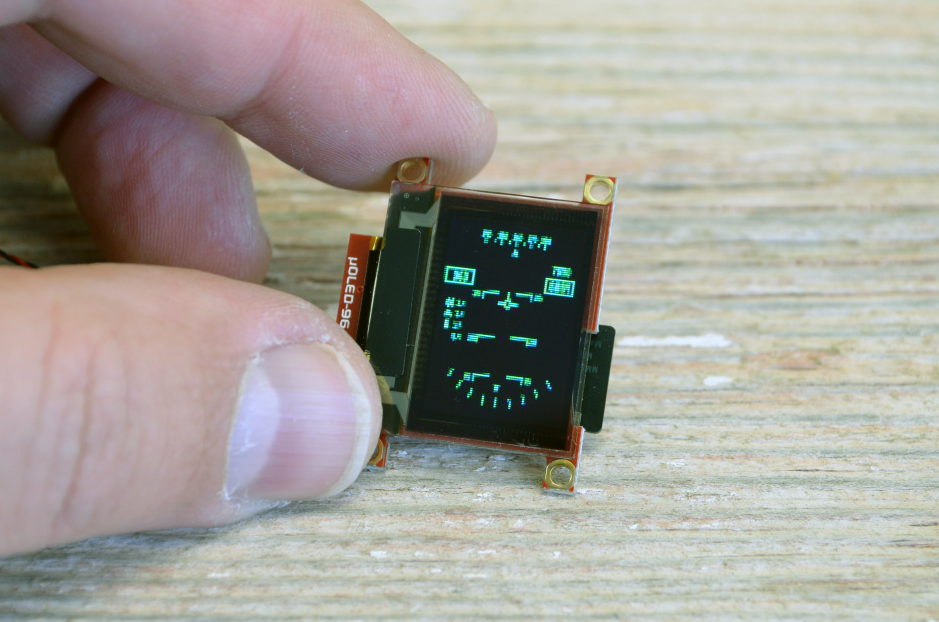
Irregular Cutting adopts laser special-shaped cutting technology (spot diameter ≤50μm) for precise processing of chamfers (R angle ≥0.3mm) and special-shaped holes (such as camera openings). The cu...
댓글 남기기
이 사이트는 hCaptcha에 의해 보호되며, hCaptcha의 개인 정보 보호 정책 과 서비스 약관 이 적용됩니다.