









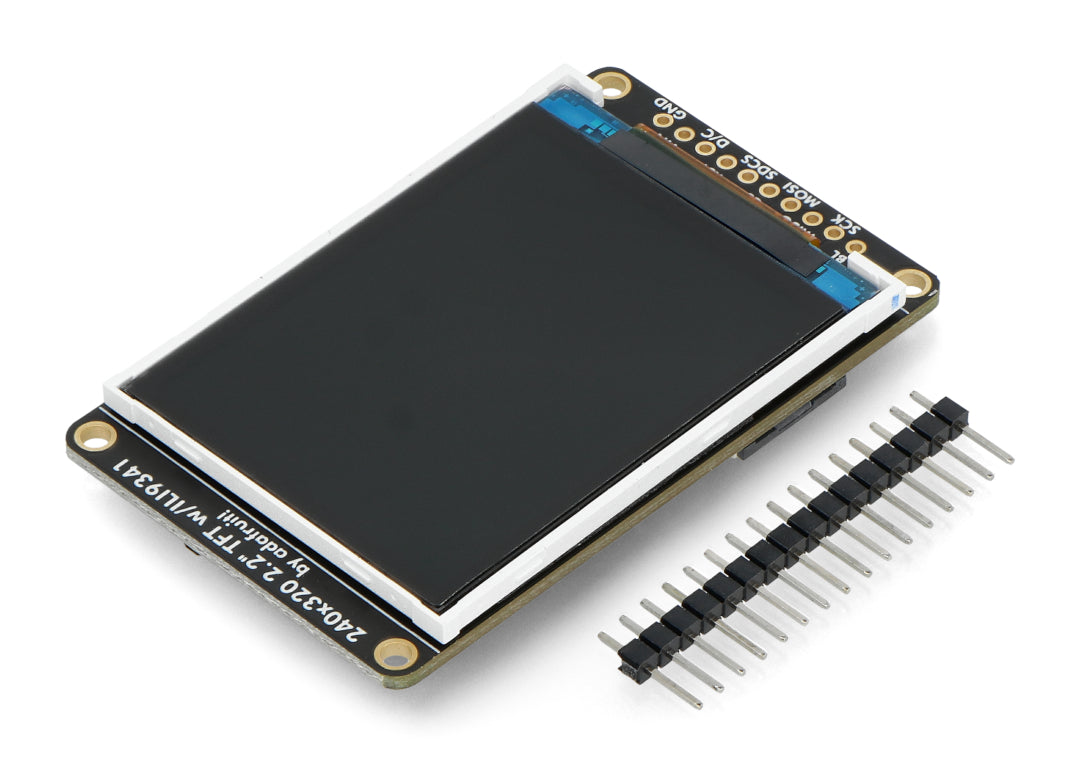
Color LCD Display Module | TFT Technology, Interfaces & Uses
The color LCD display module is based on TFT active matrix technology, offering fast response times (≤25ms) and excellent true color reproduction (16.7 million colors, 24-bit color depth), with resolutions ranging from 480x272 to 1920x1080.
It supports interfaces such as LVDS (for high-speed large screens) and SPI (for low-power small screens), and is widely used in automotive central control systems (8-10.1 inches), industrial HMIs (800x480), and smart wearables.
UI configuration is done via MCU commands, and firmware updates are performed via USB/serial port, making it adaptable to complex scenarios.
TFT Technology
TFT (Thin-Film Transistor) is the core of active matrix LCDs, with each pixel equipped with a micron-level transistor for precise voltage control, supporting 8K resolution (7680×4320), 1024 gray levels, and 90%+ NTSC color gamut.
TN type response ≤1ms, IPS viewing angle 178° with color accuracy ΔE<2, VA contrast ratio 5000:1.
Used in iPhone (500+ PPI), Dell 4K monitors, Tesla center console screens, covering consumer electronics to industrial scenarios.
Active Matrix
The Skeleton of Active Matrix:
A 4K screen (3840×2160) has about 8.29 million transistors, each 5-10 microns in size (hair diameter about 70 microns), with spacing error controlled within ±0.5 microns.
Transistors use "amorphous silicon (a-Si)" or "Indium Gallium Zinc Oxide (IGZO)" as the semiconductor layer.
The latter's electron mobility is 20-30 times that of the former, allowing faster pixel switching.
How Signals Run:
When displaying a row of red pixels, the gate line applies 10V to row N, turning on the TFTs in that row.
The source-drain lines simultaneously send 3V to the pixels in that row (corresponding to 60% red light transmittance).
After data is written, the gate voltage returns to zero to turn off the TFTs, and the pixel voltage is "held" by the storage capacitor below.
Holding Voltage:
Liquid crystal itself has slight leakage (about 0.1fF/pixel). Relying solely on pixel capacitance (about 0.3fF), the voltage would decay 10% within 16ms, causing screen flicker.
Storage capacitor capacity is usually 2-3 times that of pixel capacitance (e.g., 0.6-0.9fF), extending voltage hold time beyond the refresh cycle (16.7ms for 60Hz screens).
High-end panels use "Cs on Com" design (capacitor connected to common electrode), reducing wiring interference compared to "Cs on Gate," improving brightness uniformity by 5%.
Versus Passive Matrix:
- Resolution: Passive matrix max QVGA (320×240, 76,000 pixels), active matrix 4K screen 8.29 million pixels, 8K screen 33.17 million pixels (Sharp LC-80X500B).
- Response Time: Passive matrix 20-50ms (measured per SMPTE standard for black-white switching), active matrix TN type 1ms (ASUS ROG PG259QN), IPS type 4ms (Dell S2721DGF).
- Viewing Angle: Passive matrix at 30° offset, brightness decays 50%, color shift ΔE>10. Active matrix IPS at 30° offset, brightness decay <20%, ΔE<3 (Apple Pro Display XDR).
- Refresh Stability: Passive matrix needs refresh rate above 60Hz to prevent flicker. Active matrix storage capacitor allows refresh rate to drop to 24Hz (movie mode) with no flicker.
Key Components:
Early active matrix used amorphous silicon (a-Si), electron mobility 0.5cm²/Vs, only suitable for small/medium-sized screens (<15 inches).
After 2010, IGZO material became popular, mobility reached 15-25cm²/Vs, enabling larger screens (e.g., Samsung 65-inch QLED TV) or higher PPI (Apple iPad Pro 12.9" uses IGZO, 264 PPI).
There's also Low-Temperature Polycrystalline Silicon (LTPS), mobility 100cm²/Vs, used in phone screens (iPhone 15 Pro Max uses LTPS, 460 PPI), but cost is 30% higher.
Differences in Active Matrix Used in Different Places
- Consumer Electronics: Phone screens focus on PPI and color accuracy, e.g., Samsung Galaxy S24 Ultra uses Dynamic AMOLED 2X (LTPS TFT), 3120×1440 resolution, peak brightness 2600 nits. Gaming monitors focus on response time, e.g., ASUS PG32UQX uses Fast IPS (a-Si TFT), 4K 144Hz, GTG response 1ms.
- Industrial Equipment: Environment resistance prioritized, e.g., Siemens SIMATIC HMI TP1500 uses a-Si TFT, 12-inch screen brightness 1000 nits (visible in sunlight), operating temperature -20℃~60℃, vibration resistance 5-500Hz/1G.
- Automotive Screens: Temperature resistance is key, e.g., Tesla Model 3 center console screen uses IGZO TFT, startup time <2 seconds at -40℃ (ordinary a-Si screens need 5 seconds), brightness decay <10% at 105℃ high temperature.
Refresh from 60Hz to 480Hz
Gaming monitors now reach 480Hz (e.g., ASUS ROG Swift Pro PG248QP), by shortening gate line scan time (from 16.7ms/frame to 2.08ms/frame), requiring TFT switching speed <0.5μs.
In low-power direction, Apple Watch Series 9 uses LTPO-TFT (Low-Temperature Polycrystalline Oxide), adaptive refresh rate 1-60Hz, reducing power consumption 40%.
Future Micro LED may replace TFT, but currently active matrix remains the foundation for 99% of LCD screens.
TFT Types
TN Type:
TN (Twisted Nematic) is the earliest mass-produced TFT technology, with liquid crystal molecules arranged in a helical twist.
Its structure: lower substrate TFT array + upper substrate vertical alignment film, controlling light transmittance by twisting molecule angle via voltage.
Performance: fastest response time, TN panels generally ≤1ms (gray-to-gray response GtG), e.g., ASUS ROG Swift PG259QN claims 0.5ms GtG.
But obvious weaknesses: narrow viewing angle, brightness attenuation over 30% at 30° horizontal offset, color shift ΔE>5;
Low contrast ratio, native about 1000:1 (dark areas appear gray);
Weak color performance, NTSC color gamut coverage usually <70%.
Lowest cost, so common in gaming monitors (pursuing fast response), entry-level laptops (e.g., Dell Inspiron 15 3000 series), and old calculators, electronic watch screens.
IPS Type:
IPS (In-Plane Switching) changes the liquid crystal molecule alignment, making molecules rotate in-plane rather than twisting.
Structurally, both upper and lower substrates have electrodes, molecules switch parallel when powered.
This brings two advantages: wide viewing angle, officially claimed 178° (measured at 45° offset brightness falloff <25%), no color shift when viewed from the side;
High color accuracy, mainstream IPS panels ΔE<2 (Apple Pro Display XDR ΔE≈0.9), smooth color transitions.
But response time is slower than TN, ordinary IPS 4-8ms GtG (e.g., Dell S2721DGF), high-end Fast IPS can reach 1ms (ASUS VG27AQ).
Medium contrast ratio, native about 1500:1, HDR mode improves local contrast via local dimming.
Typical uses: Apple iPhone screens (Super Retina XDR), Dell U-Series monitors, Sony BRAVIA TVs (LCD versions), suitable for design, video editing, and other color-critical scenarios.
VA Type:
VA (Vertical Alignment) liquid crystal molecules are initially vertically aligned, completely blocking light when powered off (theoretically pure black).
When powered, molecules tilt, transmittance changes with voltage. Structurally divided into MVA (Multi-domain Vertical Alignment) and PVA (Patterned Vertical Alignment), the latter has better viewing angle.
Performance: contrast is its strength, native 5000:1 (Samsung C49HG90), high-end VA can reach 10000:1 (HDR mode); viewing angle close to IPS, 178° measured at 30° offset brightness decay <20%;
Response time 4-6ms GtG (Philips 279M1RVE). Disadvantage: response slightly slower than TN, some low-end VA have grayscale inversion (loss of dark detail).
Mainly used in LG OLED TVs (early LCD versions), Samsung Odyssey gaming monitors, high-end TVs (e.g., Sony X95J LCD version), suitable for watching movies, playing dark scene games (deep blacks).
LTPS Type:
LTPS (Low-Temperature Polycrystalline Silicon) TFT uses laser annealing to convert amorphous silicon to polycrystalline silicon, electron mobility reaches 100cm²/Vs (200 times that of amorphous silicon).
This allows transistors to be made smaller (3-5 microns), significantly increasing pixel density.
For example, iPhone 15 Pro Max screen (6.7 inches) uses LTPS, resolution 2796×1290, PPI 460; Samsung Galaxy S24 Ultra uses Dynamic AMOLED 2X (LTPS), resolution 3120×1440, PPI 505.
LTPS also supports higher refresh rates (240Hz) and lower power consumption, but cost 30% higher, only used in flagship phones, high-end tablets (iPad Pro 12.9" 264 PPI).
IGZO Type:
IGZO (Indium Gallium Zinc Oxide) is a semiconductor, electron mobility 15-25cm²/Vs (30-50 times that of amorphous silicon).
It balances LTPS's high mobility and a-Si's (amorphous silicon) large-area film-forming capability, suitable for extra-large screens or high-resolution screens.
For example, Sharp 80-inch 8K TV (LC-80X500B) uses IGZO, pixel count 7680×4320;
Tesla Model S center console screen (17-inch 2200×1300) uses IGZO, startup time <2 seconds at -40℃ low temperature (a-Si screens need 5 seconds).
iPad Pro 12.9" (6th generation) also uses IGZO, supporting ProMotion adaptive refresh rate (1-120Hz).
LTPO Type:
LTPO (Low-Temperature Polycrystalline Oxide) is a hybrid of LTPS and oxide technology, moderate electron mobility (20-50cm²/Vs), but enables pixel-level refresh rate control.
For example, Apple Watch Series 9 uses LTPO-TFT, adaptive refresh rate 1-60Hz, static scenes drop to 1Hz, power consumption 40% lower than fixed 60Hz.
Samsung Galaxy Watch 6 uses LTPO, battery life improved 30%.
Phones are starting to use it too, e.g., iPhone 14 Pro's ProMotion (1-120Hz), using LTPO to achieve high refresh when scrolling, low refresh when static.
Quantitative Indicators
Resolution:
Resolution refers to the total number of pixels horizontal × vertical, higher value means finer image. Common standards:
- HD (720p): 1280×720 (0.92 million pixels), used in early laptops.
- FHD (1080p): 1920×1080 (2.07 million pixels), baseline for mainstream monitors.
- QHD (2K): 2560×1440 (3.68 million pixels), common in gaming monitors.
- 4K UHD: 3840×2160 (8.29 million pixels), e.g., Apple Pro Display XDR (32-inch 6K: 6016×3384, 20.37 million pixels), Sony Bravia XR 4K TV.
- 8K UHD: 7680×4320 (33.17 million pixels), e.g., Sharp LC-80X500B (80-inch 8K TV).
- 16K: 15360×8640 (132 million pixels), prototype by Japan NHK lab.
High resolution demands more from TFT: 4K screen needs about 140 transistors per inch (PPI 140), 8K screen needs over 280 PPI, transistor size must shrink to 3-5 microns (1/20 hair thickness), wiring density increases 3x to prevent short circuits.
Response Time:
Response time refers to pixel switching time from one gray level to another, two types:
- Gray-to-Gray Response (GtG): Used in actual images, measures intermediate grays (e.g., 255→127→0), unit ms. TN type fastest 0.5ms (ASUS ROG Swift PG259QN), Fast IPS 1ms (MSI Optix MAG274QRF-QD), ordinary IPS 4-8ms (Dell S2721DGF), VA 4-6ms (Philips 279M1RVE).
- Black-to-White Response (BtW): Extreme contrast switching, TN 2ms, IPS 8ms, VA 6ms.
Measurement per SMPTE standard: record screen switching with high-speed camera, calculate time for 90% of pixels to complete switching. Gaming monitor claim "1ms GtG" often achieved via OD (overdrive) acceleration, may have ghosting.
Viewing Angle:
Viewing angle refers to observation angle (horizontal/vertical) where brightness decay <50%, color shift ΔE<5. Claimed 178°, measured:
- TN Type: Horizontal 170°, at 30° offset brightness drops 50%, ΔE>10 (shifts blue/yellow).
- IPS Type: Horizontal 178°, at 45° offset brightness drops 25%, ΔE<3 (Apple Pro Display XDR at 30° offset ΔE=0.9).
- VA Type: Horizontal 178°, at 30° offset brightness drops 20%, ΔE<3 (Samsung C49HG90).
Measurement with spectrophotometer: screen displays gray-scale image, observer moves around screen, record angle where brightness/color meets criteria.
Contrast Ratio:
Contrast Ratio = Brightest white brightness ÷ Darkest black brightness, measured two ways:
- Native Contrast Ratio: Without backlight dimming zones, TN 1000:1 (Dell entry-level laptops), IPS 1500:1 (LG 27UL850), VA 5000:1 (Samsung Odyssey G9).
- Dynamic Contrast Ratio: With backlight zone control, in HDR mode it can reach 10000:1 (Sony X95J LCD TV), peak 20000:1 (Samsung Neo QLED 8K).
High contrast depends on liquid crystal light blocking (VA vertical alignment blocks all light when off) and backlight control (Mini-LED local dimming).
Color Parameters:
- Color Gamut: Color coverage range, expressed as percentage of standard color space. sRGB (web/docs) coverage: ordinary IPS 99% (Dell U2422H), professional monitors 100% (EIZO CG319X). DCI-P3 (film) coverage: iPhone 15 Pro Max 98%, Samsung Galaxy S24 Ultra 100%. NTSC (old standard): IPS generally 90%+ (Apple Pro Display XDR 98%).
- Color Accuracy: Color reproduction deviation, ΔE value smaller is better. ΔE<2 indistinguishable to human eye (Apple screens ΔE≈0.9), ΔE<5 acceptable (Dell S series), ΔE>5 noticeable color shift (TN screens ΔE>5).
- Color Depth: Number of gray levels, 8bit=256 levels (16.77 million colors), 10bit=1024 levels (1.07 billion colors), 12bit=4096 levels (68.7 billion colors). Professional monitors use 10bit (e.g., EIZO ColorEdge), phones use 8bit+FRC dithering to simulate 10bit (Samsung AMOLED).
Brightness:
Brightness unit nits, three types:
- Typical Brightness: Daily use, consumer-grade 300-500 nits (iPhone 15 800 nits, Dell U2723QE 350 nits).
- HDR Peak Brightness: High Dynamic Range, 1000 nits (Apple Pro Display XDR), 4000 nits (Samsung QN900C 8K TV).
- Sunlight Readable Brightness: Industrial/automotive use, 1000-2000 nits (Siemens HMI screen 1500 nits, Tesla center console 1000 nits).
Brightness determined by backlight: LED backlight single chip 0.2-0.5W, Mini-LED local dimming boosts局部 brightness.
Power Consumption:
TFT array power consumption accounts for 20%-30% of total screen power (backlight 70%), materials greatly affect:
- a-Si (Amorphous Silicon): Electron mobility 0.5cm²/Vs, 15.6-inch FHD screen power 3-5W (Dell Inspiron).
- IGZO (Oxide): Mobility 15-25cm²/Vs, same size power reduced 20% (iPad Pro 12.9" 12W).
- LTPS (Low-Temp Poly-Si): Mobility 100cm²/Vs, phone screen power 2-4W (iPhone 15 Pro Max 6.7-inch 4W).
Adaptive refresh rate (LTPO) saves power: Apple Watch Series 9 1-60Hz adaptive, reduces power 40% vs fixed 60Hz.
Lifetime:
- TFT Transistor: Threshold voltage drift <0.5V/10k hours (industrial screen standard 50k-hour lifetime).
- Backlight: LED lifetime 50k hours (8 hours/day for 17 years), CCFL (old type) 30k hours.
- Liquid Crystal Layer: High temperature (>85℃) accelerates aging, automotive screens use -40℃~105℃ temperature resistant materials (Tesla Model S screen).
Lifetime test: Continuous display of static image for 500 hours at 85℃/85% humidity, no pixel retention (ISO 13406-2 standard).
Interfaces
An interface is the physical communication channel between a TFT color display module and a main control chip (such as an MCU or SoC).
It defines the data transmission protocol and directly impacts system bandwidth, pin usage, power consumption, and cost.
Mainstream interface parameters: SPI (4-wire, <50Mbps, pins ≤6), I²C (2-wire, ≤3.4Mbps, supports multiple devices), 8/16-bit parallel (8-bit: 10-12 pins, 16-bit: 18-20 pins, bandwidth >100Mbps), RGB (20+ lines, uncompressed), MIPI DSI (1-4 differential lanes, >10Gbps/lane, low power), LVDS (4 data + 1 clock differential pairs, hundreds of Mbps to Gbps), eDP (embedded DisplayPort, with built-in PSR for power saving).
Selection requires quantifying the trade-offs between bandwidth (e.g., 720P@30Hz requires >500Mbps), pin count, and power consumption.
Interface Types
SPI:
SPI uses 4 wires to establish master-slave communication: SCLK provides the clock signal, MOSI sends data from the master, MISO receives data from the slave, and CS (Chip Select) specifies which device to talk to.
Its operating timing is divided into four modes (combinations of CPOL/CPHA). For example, Mode 0 (CPOL=0, clock idle low; CPHA=0, sample on rising edge) is the most common.
Take a 1.3-inch 128x128 color display driven by an ST7789 as an example.
Connected to an ESP32's SPI interface with SCLK set to 40MHz, it takes about 0.82ms to transmit one frame of 128x128x16-bit color data (32,768 bytes), resulting in a bandwidth of about 40MB/s (theoretical).
However, due to command headers (like 0x2A for column address, 0x2B for row address) and CS switching delays, the effective bandwidth is about 80% of the theoretical maximum.
SPI also has a variant called QSPI (4-line SPI), commonly used for NOR Flash but rarely for TFT displays—after all, displays have large data volumes, and QSPI can't overcome the bandwidth bottleneck either.
The disadvantage is obvious: trying to handle 720P@30Hz (720x1280x3x30 ≈ 79MB/s) is challenging, requiring a higher SCLK frequency, which most MCU's SPI peripherals cannot reach.
I²C:
I²C uses only two wires: SDA (data) and SCL (clock), and distinguishes devices via 7-bit addresses (supporting up to 127 devices).
The signal protocol is specific: A start condition occurs when SDA transitions from high to low while SCL is high, and a stop condition is the opposite.
After each byte, the slave sends an ACK (pulling SDA low), and no ACK indicates an error.
For example, using the I²C interface of a TI BQ32000 RTC chip paired with a 0.96-inch OLED display (I²C address 0x3C) to send a "set contrast" command (0x81+0xCF) with SCL at 400kHz (Fast Mode), the measured time from command sending to screen response is about 2µs.
However, I²C bandwidth is too low. Transmitting one frame of 320x240x16-bit color (153,600 bytes) would take 153,600×8/400,000 ≈ 3 seconds, making real-time screen refresh impossible.
Therefore, I²C only plays a supporting role in TFT displays: for example, using the I²C port of an Atmel ATmega328P to write initialization registers (like 0x36 memory access control) to an ILI9341 controller, while the main display relies on SPI or parallel interfaces.
Parallel Interface:
Divided into 8080 and 6800 types, the difference lies in the read/write control signals—8080 uses WR (write, active low) and RD (read, active high), while 6800 uses R/W (high for read, low for write) and E (enable pulse).
Data lines are 8-bit (DB0-DB7) or 16-bit (DB0-DB15), plus RS (command/data selection, high for data, low for command), CS, and RST.
16-bit parallel offers significant bandwidth: For example, using an NXP LPC54628 MCU's 16-bit parallel port to drive a 4.3-inch 480x272 display, with a WR pulse width set to 20ns, the measured time to transmit one row of 480x16-bit color data (960 bytes) is 960×8/(1/(1/80MHz)) = 0.096ms (with an 80MHz bus clock). For a full-screen refresh at 60Hz, the required bandwidth is 480x272x16x60 ≈ 125MB/s, which is just at the theoretical upper limit of 16-bit parallel (80MHz × 2 bytes = 160MB/s, leaving some margin).
But it consumes many pins: 16 data lines + RS + WR + RD + CS + RST totals 21 lines, which is difficult to route on a small PCB.
RGB Interface:
The RGB interface splits pixel data into red, green, and blue channels, each 6-8 bits (e.g., 6-bit RGB565), plus PCLK (pixel clock), HSYNC (horizontal sync), and VSYNC (vertical sync).
Timing parameters are strict: For an 800x480@60Hz display, HSYNC front porch (HFPD) might be 40 pixels, sync pulse width (HSPW) 40 pixels, back porch (HBPD) 40 pixels, resulting in a total horizontal pixel count of 800+40+40+40=920. VSYNC is similar, with a front porch of 20 lines, pulse width of 2 lines, and back porch of 20 lines, for a total of 480+20+2+20=522 lines.
Using a Xilinx Artix-7 FPGA to generate RGB signals, with PCLK set to 33.3MHz (800x920x60 ≈ 44MHz, leaving margin), the measured eye diagram jitter is <50ps, and the image is free of glitches.
The drawback is that it requires the MCU/GPU to directly output the timing signals, which general-purpose microcontrollers cannot handle; a SoC with a display controller (like TI's AM5728) is needed.
MIPI DSI:
MIPI DSI is divided into Host (controller side) and Device (display side), using 1-4 pairs of differential lanes for data transmission (HS mode) and 1 pair for the clock lane. LP mode (low power, 1.2V single-ended) is used for control commands.
HS mode speeds are impressive: The v1.3 standard supports up to 1.5Gbps per lane, and v2.1 reaches 12Gbps.
For example, the Samsung Galaxy S23's Dynamic AMOLED 2X display (2340x1080@120Hz) uses 4-lane MIPI DSI v1.3, with a total bandwidth of 4×1.5Gbps=6Gbps.
Accounting for 8b/10b encoding overhead (20%), the actual pixel data rate (2340x1080x24-bit x 120Hz ≈ 17.2Gbps) — wait, actually, displays have internal GRAM, and the host only needs to transmit changed regions (ROI), using full bandwidth only during full-screen refresh.
The AUX channel (1 differential pair) is used to read the display's EDID (e.g., vendor ID, supported resolutions).
For example, using a Synopsys DesignWare MIPI DSI Host Controller, reading EDID via AUX takes about 500µs.
LVDS:
LVDS uses 4 pairs of differential data lines (each transmitting 7 bits of data, totaling 28 bits) plus 1 pair of differential clock lines.
The differential voltage is 200mV, providing better noise immunity than parallel interfaces.
For example, the Dell U2720Q 4K monitor uses 4-lane LVDS to transmit 3840x2160@60Hz (3840x2160x24-bit x 60 ≈ 11.9Gbps). Each lane bandwidth is 11.9Gbps/4 ≈ 3Gbps.
Using a Texas Instruments DS90C387 transmitter, the eye diagram opening is >0.8 UI (Unit Interval).
LVDS routing requires length matching (error <50 mils), otherwise data misalignment occurs.
For instance, an industrial display with 100 mil length mismatch in LVDS traces caused a 2-pixel horizontal shift in the image.
eDP:
eDP is based on DisplayPort, using 4 differential lanes, with per-lane speeds from 1.62 to 8.1Gbps (v1.4).
It supports an AUX channel (I²C protocol) for control commands.
PSR (Panel Self Refresh) is a highlight: The display stores one frame internally and refreshes it continuously while the GPU sleeps, reducing power consumption by up to 30%.
For example, the Apple MacBook Pro 14 uses eDP 1.4 (4 lanes × 5.4Gbps = 21.6Gbps) to drive its 3024x1964 Liquid Retina XDR display.
With PSR enabled, GPU power consumption drops from 8W to 3W.
The AUX channel can also send a TE (Tearing Effect) signal, synchronizing display refresh with vertical sync to prevent screen tearing.
For example, using Intel UHD Graphics 770's eDP controller with the TE signal frequency set to 60Hz, the measured tearing probability is <0.1%.
Interface Selection
First, consider what you need to display:
Displaying static icons (e.g., 128x128x16-bit color), with one frame being 32,768 bytes, SPI's 50Mbps bandwidth (approx. 6.25MB/s) can transmit a frame in 5ms, which is more than sufficient.
But playing 720P@60Hz video (1280x720x24-bit x 60Hz ≈ 1.24Gbps) requires transmitting 1/25th of a frame per unit time with SPI's 50Mbps bandwidth, making it necessary to use parallel (>100Mbps) or MIPI DSI (1.5Gbps per lane).
Then consider refresh rate: A car dashboard requiring 60Hz without motion blur for a 480x272 display needs 480x272x16-bit x 60Hz ≈ 125MB/s.
16-bit parallel (160MB/s with 80MHz bus clock) is just enough, while SPI's 50Mbps would cause dropped frames.
Measured data: Using an ST7789 display (240x240x18-bit) at 30Hz, SPI (40MHz) provides an effective bandwidth of 32Mbps, taking 32ms to transmit one frame of 129,600 bytes, exactly matching 30Hz.
If increased to 60Hz, it would require 64ms/frame, exceeding SPI's bandwidth and causing lag.
What capabilities does your main controller have?
Arduino Uno has only 1 hardware SPI (pins 11-13 + pin 10 for CS). Connecting two SPI displays would require time-sharing, which is cumbersome.
The STM32F407 has 3 SPI peripherals (up to 42MHz) and can use DMA for data transfer, suitable for multiple displays or high refresh rates.
Pin count is a practical concern: ESP32-S3 has 45 GPIOs. Connecting a 16-bit parallel interface (21 pins) leaves only 24 GPIOs, which is tight if sensors also need to be connected.
Using MIPI DSI (4 lanes + clock + control, 10 pins total) saves 11 pins for other uses.
Example: Using an NXP i.MX RT1064 (600MHz Cortex-M7) to drive a 7-inch 1024x600 display.
It has a parallel interface (16-bit), but choosing MIPI DSI (requiring an external DSI-to-parallel bridge chip) adds an extra $2 cost—it's better to use parallel directly if pins are sufficient.
Battery-powered devices must be power-efficient:
SPI idle current is <1mA (with the MCU's SPI peripheral clock disabled), increasing by 2-5mA during data transmission.
MIPI DSI's LP mode (low power) consumes <0.5mA, and HS mode (high speed) consumes 10-20mA, but overall power consumption is 40% lower than parallel interfaces.
Measured example: The Fitbit Sense uses SPI to drive a 1.4-inch 176x176x18-bit display.
Powered by a 3.7V battery, the current with the screen on is 15mA (including the display).
If using parallel (8-bit) for the same display, the current is 25mA, reducing battery life by 4 hours.
Industrial handheld terminals (e.g., Fluke 287 multimeter) use I²C for a small OLED (auxiliary display) and SPI for the main screen, with standby current <5µA (I²C clock off, SPI peripheral off).
Is the PCB layout crowded?
SPI uses 4-6 lines, occupying <1cm² board area. MIPI DSI 4-lane uses 10 lines, area ≈1.5cm². 16-bit parallel uses 21 lines, area >3cm².
Example: The JBL Flip 6 speaker's LED control display (64x64 RGB) uses SPI, reserving only 6 pads on the PCB.
An industrial PLC's 5-inch display uses a parallel interface, with 21 lines occupying one-third of the board edge.
More lines also increase interference risk: When inter-line capacitance exceeds 5pF, crosstalk occurs during high-speed transmission.
For example, with 16-bit parallel at 80MHz, trace spacing <0.2mm can cause data errors, requiring ground isolation, which takes up more space.
Are development tools user-friendly?
SPI/I²C have readily available libraries: Arduino's Adafruit_GFX library supports 200+ SPI displays; modifying an initialization sequence gets it working.
STM32's HAL library includes SPI DMA examples, transferring data without CPU intervention.
MIPI DSI is more complicated: It requires configuring the DSI Host controller (e.g., Synopsys DesignWare), writing PHY layer settings (number of lanes, speed), and handling AUX channel handshaking. A beginner might need 2 weeks to get a display working.
Don't overlook transmission distance:
For short on-board distances (<10cm), any interface works. For inter-board or long cable runs (>30cm), choose one with good noise immunity.
With parallel cable length >20cm, signal edges slow down (rise time >10ns), causing flicker at 800x480@60Hz. With RGB cable length >15cm, HSYNC jitter exceeds 50ps, causing image shift.
LVDS and MIPI DSI use differential signaling, offering strong noise immunity: With LVDS cable length of 1 meter, the eye diagram opening remains >0.7 UI. MIPI DSI cable length of 0.5 meters, the v2.1 standard allows a 20% speed reduction while still functioning.
Example: The Tesla Model 3 center console display uses LVDS cables (4 lanes) connected to the cockpit computer board, with a cable length of 1.2 meters and a bit error rate <1e-12. If parallel cables were used at 1 meter length, data would be corrupted.
Uses
According to an Omdia 2023 report, TFT-LCDs account for 92% of global shipments in the small and medium-sized display market.
Industrial HMIs commonly use 1024x768 resolution, 500 cd/m² brightness, and an operating temperature of -20℃ to 70℃.
Automotive-grade displays reach 1500 cd/m² brightness with AEC-Q100 certification.
Medical devices require 10-bit color depth and 1000:1 contrast ratio.
Consumer electronics like smartphones once accounted for 65% of TFT-LCD usage (peak in 2019) but are now shifting towards high-end tablets and large-screen TVs.
Industrial Control
Fixed Panels on Factory Control Stations:
Overseas, 90% of industrial HMI (Human-Machine Interface) panels use TFT-LCDs, with sizes ranging from 4.3 to 15 inches and resolutions from 320x240 to 1920x1080.
Red Lion Controls' (USA) G3 series is a typical example: a 7-inch screen with 800x480 resolution, 500 cd/m² brightness, 1000:1 contrast, capable of operating continuously for 50,000 hours in -20℃ to 60℃ environments (Omdia 2024 Industrial Display Report).
Germany's Beckhoff CP2-15TS panel focuses more on interaction: a 15-inch 1366x768 screen with projected capacitive touch, supporting operation with thick gloves, IP65 protection rating.
Used in control cabinets for vulcanizing machines at a Michelin tire factory in France, where workers press the screen 30 times per hour to adjust pressure parameters (±0.1 bar accuracy).
Common HMI Panel Parameter Comparison:
| Manufacturer (Country) | Model | Size | Resolution | Brightness (cd/m²) | Operating Temp. (℃) | Protection Rating | Typical Application |
|---|---|---|---|---|---|---|---|
| Red Lion (USA) | G3 HMIZ | 7-inch | 800x480 | 500 | -20~60 | IP65 | Automotive assembly line fixture pressure adjustment |
| Beckhoff (Germany) | CP2-15TS | 15-inch | 1366x768 | 450 | -10~55 | IP65 | Tire vulcanizer temperature/time control |
| Weintek (Taiwanese) | cMT-Series | 10-inch | 1024x600 | 600 | -10~60 | IP54 | Food packaging machine speed and count display |
Real-Time Data Windows Beside Machine Tools:
Germany's DMG MORI CELOS system uses a 10.4-inch TFT screen (1024x768 resolution, 800 cd/m² brightness).
On a Ferrari engine block machining line in Italy, the screen updates tool wear values in real-time (0.001mm precision), turning red when wear exceeds 0.02mm.
Japan's Makino Pro 5 controller uses a 12.1-inch screen, supporting three simultaneous windows: left for CAD drawings, center showing current coordinates (X/Y/Z axis precision ±0.005mm), right listing alarm codes, with response time <8ms.
Small Screens in PLC Cabinets:
PLC (Programmable Logic Controller) cabinets have limited space, often using TFT screens below 4.3 inches.
Japan's Omron NX series PLC uses a 3.5-inch screen (320x240 resolution, 300 cd/m² brightness).
In a General Electric wind turbine converter cabinet in the USA, it displays grid voltage (380V ±5% range), IGBT module temperature (alarm at 85℃ threshold), operating temperature -10℃~50℃, lifespan 30,000 hours.
Switzerland's ABB AC500 PLC uses a 4.3-inch screen supporting multi-language switching.
At an IKEA furniture plant in Sweden, workers input board dimensions (length×width precision 1mm) as prompted, and the system generates cutting paths automatically.
Teach Pendants Beside Robotic Arms:
Industrial robot teach pendants need to balance portability and clarity, with 5-8 inch TFT screens being most common.
Switzerland's ABB IRB 6700 robot teach pendant uses a 6.5-inch screen (640x480 resolution, 400 cd/m² brightness).
In a Volkswagen welding shop in Germany, the screen displays welding gun angle (±0.5° adjustable) and welding current (200-350A range) while the operator holds it, with 1-meter visibility in sunlight (ABB Robotics 2024 Teach Pendant Guide).
Japan's FANUC R-30iB controller uses an 8.4-inch screen.
On a wafer handling robot at a Samsung semiconductor plant in Korea, it displays real-time robotic arm joint torque curves (0-50Nm) to prevent overload damage to wafers.
Industrial Tablets:
USA's Advantech UNO-2271G uses a 10.1-inch screen (1280x800 resolution, 1000 cd/m² brightness).
At an Amazon US sorting center, the tablet is mounted on an AGV, displaying shelf location (±5cm error) and item weight (0.1kg precision), transmitting data via Wi-Fi 6, with 8-hour battery life (Advantech 2023 Industrial Tablet Test).
Germany's Kontron KBox A-201 uses a 15.6-inch screen.
On a Norwegian offshore drilling platform, engineers use it to monitor pump vibration data (0-50mm/s range), with anti-salt spray corrosion rating IK08.
Specialized Screens for High-Temperature/Oily Environments:
USA's Pepperl+Fuchs Ex-View series uses a 7-inch TFT screen (800x480 resolution, 700 cd/m² brightness) with an oil-resistant film.
At a Ford casting plant in Mexico, 3 meters from a melting furnace, it displays molten iron temperature (1350-1450℃), operating temperature 0℃~80℃, lifespan 40,000 hours.
Medical Devices
Dynamic Image Windows in Ultrasound Machines:
GE Healthcare's (USA) Vivid E95 ultrasound system uses a 19-inch TFT screen (1280x1024 resolution, 1000 cd/m² brightness, 1000:1 contrast).
In the obstetrics department at Mayo Clinic, Minnesota, the screen displays 4D fetal images (facial expressions, limb movements) at 30fps, with 256 grayscale levels distinguishing placenta and amniotic fluid boundaries (error <0.5mm).
Germany's Siemens Acuson Sequoia uses a 21.5-inch screen (3840x2160 4K resolution).
In the cardiology department at Charité hospital, Berlin, it zooms in to show high-speed blood flow of mitral regurgitation (velocity 0-5m/s), with 10-bit color depth (1.07 billion colors) distinguishing subtle differences in red/blue blood flow signals.
Such screens need IEC 60601-1-2 electromagnetic compatibility certification to prevent interference with ECG monitors.
The GE Vivid E95 screen lifespan is 50,000 hours (17 years at 8 hours/day), operating temperature 10℃~40℃, humidity 30%-75%.
Waveform Capture Screens in ECG Machines:
Electrocardiogram (ECG) machines need to simultaneously display 12-lead waveforms. The refresh rate and contrast of TFT-LCDs determine the clarity of ST-segment elevation.
Netherlands' Philips PageWriter TC50 portable ECG uses an 8.4-inch screen (800x600 resolution, 600 cd/m² brightness).
At an NHS community clinic in the UK, with a 500Hz sampling rate (one point every 2ms), it captures irregular RR intervals during atrial fibrillation (error <10ms).
The screen simultaneously displays 3 sets of lead waveforms (Ⅰ, Ⅱ, V5), with 1200:1 contrast distinguishing baseline drift from real P waves (Philips 2023 ECG Technical Manual).
USA's Mortara ELI 250 uses a 10.4-inch screen (1024x768).
In the emergency department of the University of Chicago Medical Center, it stores 1000 sets of ECG data (10 seconds each), supports waveform zoom (2-10x), and adjustable brightness 200-800 cd/m² (for dark room viewing).
Image-Assist Screens Under Surgical Lights:
USA's Medtronic O-arm intraoperative CT uses a 24-inch screen (1920x1200 resolution, 1500 cd/m² brightness).
During spinal surgery at the Hospital for Special Surgery in New York, the screen displays 3D-reconstructed vertebra structures at 60fps with <50ms delay (to avoid affecting screw placement), and a 178° wide viewing angle ensures the surgeon, assistant, and nurse can all see clearly.
Germany's Brainlab Krios microscope system uses a 15-inch screen (1280x1024).
In neurosurgery at Munich University Hospital, it displays real-time MRI fusion images of brain tumor resection (grayscale + pseudo-color overlay), with 8-bit color depth distinguishing normal brain tissue (light gray) from tumor (dark red), and response time <10ms keeping pace with surgery.
Trend Graph Screens on Portable Glucose Meters:
USA's Abbott FreeStyle Libre 3 uses a 1.4-inch screen (128x32 resolution, 116 PPI pixel density).
Among diabetic patients in California, it displays glucose curves (sampled every 15 minutes), high/low glucose alerts (thresholds 70-180 mg/dL), power consumption <0.05W (coin cell battery lasts 2 years), 200 cd/m² brightness readable in sunlight.
Germany's Roche Accu-Chek Guide uses a 2.2-inch screen (240x320).
Sold in French pharmacies, it supports Bluetooth data transfer to a phone app, displaying 14-day average values (±15 mg/dL accuracy) on screen, with 800:1 contrast distinguishing pre-meal (fasting) and post-meal (peak) curves.
Multi-Parameter Windows on ICU Monitors:
Germany's Draeger Infinity M540 uses a 15-inch screen (1280x800 resolution).
In the ICU at St Thomas' Hospital, London, it divides into 4 areas: top-left heart rate (30-250 bpm, 1Hz refresh), top-right blood oxygen (SpO2 70%-100%, ±2% accuracy), bottom-left blood pressure (non-invasive/invasive, 0-300mmHg range), bottom-right respiratory rate (0-60 breaths/min), brightness adjustable 500 cd/m² (night mode <100 cd/m²), lifespan 40,000 hours.
USA's GE Carescape B650 uses a 17-inch screen (1920x1080).
At Houston Methodist Hospital, it supports customizable layouts, with response time <5ms to avoid data lag.
Gas Concentration Screens on Anesthesia Machines:
Germany's Dräger Fabius Plus uses a 7-inch screen (800x480 resolution, 400 cd/m² brightness). In an operating room at Amsterdam UMC, it displays O2 (21%-100%), N2O (0-70%), and sevoflurane (0-8%) concentrations, with ±0.5% accuracy.
The screen turns red and beeps when concentrations exceed limits (response <2 seconds), operating temperature 5℃~40℃.
Read more
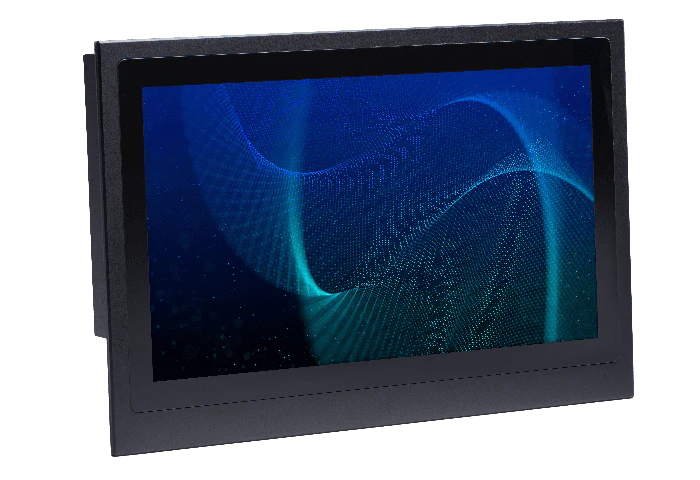
The industrial LCD display module focuses on high brightness (1500 nits), wide temperature range (-40℃ to 85℃), and strong durability. It uses a 10.1-inch fully laminated screen with a contrast rat...
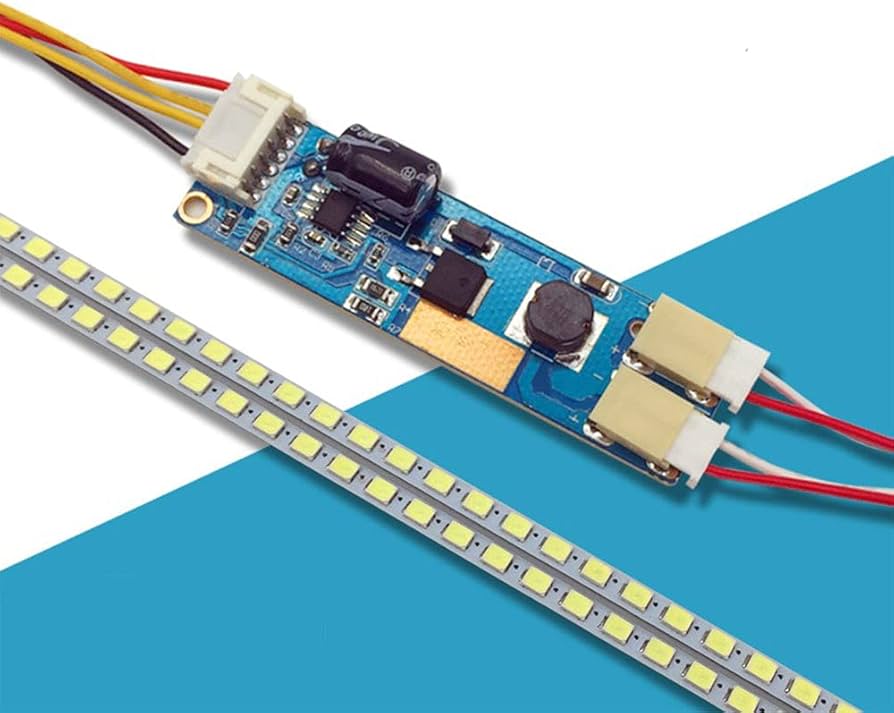
LCD backlights are divided into two types: LED and CCFL. LEDs are the mainstream technology, with a lifespan of 50,000+ hours, 30%-50% lower power consumption than CCFLs, a color gamut of 95%+ sRGB...
Leave a comment
This site is protected by hCaptcha and the hCaptcha Privacy Policy and Terms of Service apply.