









Graphic LCD vs Character LCD | Key Differences, Selection Guide & Costs
Character LCDs, such as the 1602, display only fixed ASCII codes, featuring low cost and simple interfaces;
Graphic LCDs, such as the 12864, can independently control pixel points to draw curves or Chinese characters.
Developing for them requires font/pattern generation software to create dot matrix data.
Although the price is slightly higher, they are suitable for building complex human-machine interaction interfaces.
Key Differences
Character LCDs (such as the 1602) mostly use the HD44780 controller, dividing the display area into fixed 5x8 dot matrix blocks.
They can only call ASCII code fonts from the internal ROM and support only 8 custom characters (CGRAM).
In contrast, Graphic Dot Matrix LCDs (driven by controllers like ST7920 or KS0108) use Bit-mapped technology.
Common resolutions are 128x64 or 240x128, where every bit corresponds to a pixel on the screen.
This requires the MCU to reserve about 1KB of RAM (for a 128x64 monochrome screen) as a Frame Buffer to draw non-text graphics.
Pixel Architecture
Physical Etching
The display screen of a Character LCD (e.g., the commonly used 1602 or 2004 modules) is not a complete "canvas".
When manufacturing the glass panel, the manufacturer has already physically etched the conductive layer into fixed dot matrix blocks.
However, the spacing between characters often reaches 3.5 mm or more, and the spacing between lines is also significant.
These wide gap areas are not covered by liquid crystal drive electrodes. No matter how you program, these areas can never display black.
This physical structure directly determines that it can only display discrete information and cannot draw vertical lines connecting the first and second rows.
The ITO glass of a Graphic LCD (such as the 12864 module) is etched into a continuous, uniform grid.
Taking 128x64 resolution as an example, it possesses 128 vertical signal electrodes (Segment) and 64 horizontal scanning electrodes (Common).
The spacing (Gap) between pixels is extremely small, typically only 0.02 to 0.05 mm, which is almost imperceptible to the naked eye at a normal distance.
Memory Mapping
The pixel control logic of the two presents completely different mapping relationships at the video memory (RAM) level.
In the controller of a Character LCD (such as HD44780 compatible chips), the on/off state of a pixel does not directly correspond to a bit in the memory.
Its video memory is called DDRAM (Display Data RAM). DDRAM stores 8-bit character codes (e.g., ASCII codes).
When you write data 0x41 (letter 'A') to the 0x00 address of DDRAM, the character generator (CGROM) inside the controller will look up the pre-stored font data based on this code.
The video memory of a Graphic LCD is usually called GDRAM (Graphic RAM) or Video RAM.
The mapping here is linear and direct. For monochrome graphic screens, every bit in GDRAM directly corresponds to a physical pixel on the screen glass.
- Logic 1: The liquid crystal molecules at the corresponding position deflect, and the pixel turns black.
- Logic 0: The pixel does not display.
In common KS0108 or ST7920 controllers, this mapping usually adopts a Page Structure.
Since the MCU is also an 8-bit architecture, graphic screens usually pack 8 pixels in the vertical direction into a "Page".
When you write a byte of data to the video memory, you are actually controlling 8 pixels in that vertical column simultaneously.
This architecture makes drawing horizontal lines on the screen very fast (directly filling bytes), but drawing vertical lines or modifying single pixels (Pixel Plotting) is cumbersome because it requires reading the current byte, modifying the corresponding bit, and then writing it back (Read-Modify-Write).
Custom Area
Although the structure of Character LCDs is fixed, the controller usually reserves a tiny "programmable pixel area" called CGRAM.
This area allows users to bypass the fixed ASCII font library and directly define pixel dot matrices.
However, this area is very small, usually only 64 bytes.
You can use these 8 custom characters to patch together a simple battery icon or signal bars, but if you want to display a slightly more complex dynamic waveform, the quota of these 8 characters will be exhausted instantly.
Once used up, you can only reuse these 8 shapes and cannot create new graphical elements.
In contrast, the entire screen of a Graphic LCD is a "Custom Area". It has no built-in read-only font library.
All content, whether text, punctuation, or charts, is filled into GDRAM by bitmap data calculated in real-time by the MCU.
A 12864 screen has 1KB of video memory space, and every bit is readable and writable by the user, without any preset shape limitations.
Scanning Method
Pixel driving is inseparable from the underlying voltage scanning, which involves the concept of Duty Cycle. It directly affects the response speed and contrast of pixels.
Due to the fixed and small number of rows (usually 2 or 4 rows), the drive multiplex rate of Character LCDs is usually low, commonly 1/16 Duty.
Each row of pixels has 1/16 of the time to have voltage applied during each refresh cycle.
Because the number of time-division scanning rows is small, the driving voltage does not need to be too high, pixel contrast is usually easy to optimize, and ghosting (Crosstalk) phenomena are rare.
Driver Principles
Separation of Instruction and Data
At the driver level, whether it is a Character or Graphic LCD, the conversation between the MCU (Microcontroller) and the screen relies heavily on a key pin: RS (Register Select) or D/I (Data/Instruction).
The high or low level of this pin determines whether the 8-bit data currently on the bus is a "command" or "content".
For Character LCDs (HD44780 architecture), this separation is very clear and high-level.
-
Write Instruction (RS=0): The MCU sends macro instructions like
0x01(Clear Screen) or0xC0(Move cursor to the start of the second line). The controller has a specialized instruction decoder internally; receiving a command triggers a series of complex hardware actions, such as clearing all DDRAM and resetting the address counter. -
Write Data (RS=1): The MCU sends ASCII codes, such as
0x48('H'). After receiving it, the controller does not directly display this byte on the screen but stores it in DDRAM, and then internal logic calls the font library.
For Graphic LCDs (e.g., KS0108 architecture), the instruction set appears more "low-level" and "primitive".
- It does not have high-level instructions like "Clear Screen". If you want to clear the screen, the MCU must run a loop program to traverse every Page and every Column of the video memory, writing
0x00byte by byte. - Its instructions are mainly responsible for "navigation", such as
Set Page AddressorSet Column Address. Once the address is set, the data written with RS pulled high will directly correspond to the lit/unlit dots on the screen, without any font translation process.
The "Lookup Table" Mechanism of Character Screens
The driving of a Character LCD is essentially an Indexing process.
When you buy a 1602 screen, its controller has a huge bitmap table solidified inside, called CGROM (Character Generator ROM).
This table stores dot matrix data for 192 or more standard characters.
The data flow of the driving process is as follows:
- The MCU sends
0x41('A') to the LCD via the 8-bit or 4-bit data bus. - The LCD controller stores
0x41into the current cursor position of DDRAM (Display Data RAM). - The display scanning circuit periodically reads the value in DDRAM.
- The circuit takes
0x41to look up the table in CGROM, finding the 5x8 dot matrix data corresponding to 'A' . - Finally, these dot matrix data are output to the liquid crystal drive electrodes.
"Paging" and "Chip Select" of Graphic Screens
The driving logic of Graphic LCDs is completely different; it usually employs Page Addressing and a Chip Select mechanism.
Taking the classic 12864 (KS0108 controller) as an example, the screen is divided into left and right independent 64x64 areas.
1. Chip Select:
The MCU must use the CS1 and CS2 pins to tell the screen: "Am I operating on the left half or the right half now?"
If drawing a horizontal line crosses the center of the screen, the driver program must first select the left controller to write the first half, then flip the CS signal, select the right controller, and write the second half.
2. Vertical Paging:
This is the most counter-intuitive part of graphic drivers. Although the screen is a pixel array, you cannot address a single pixel individually. The video memory is organized by "Page".
- Every 8 pixels in the vertical direction of the screen are packed into 1 Page.
- The height of 64 pixels is divided into a total of 8 Pages (Page 0 ~ Page 7).
- When you write a byte of data (e.g.,
0xFF) to the video memory, you are not drawing a horizontal line, but a vertical line 8 pixels high.
Read-Modify-Write Process
Precisely because of the aforementioned "paging" structure, when drawing non-aligned graphics (such as drawing a circle or diagonal line) on a Graphic LCD, the driver must execute a tedious RMW operation:
Suppose you want to light up the 3rd pixel (Bit 2) of Page 0, Column 10:
-
Read: The MCU must first read the current byte of data from Page 0, Column 10 of the LCD (Dummy Read + Data Read). Suppose the readback is
0001 0000. -
Modify: Set the 3rd bit (Bit 2) to 1 through bitwise operations (OR operation) inside the MCU. Calculation:
0001 0000 | 0000 0100 = 0001 0100. -
Write: Write the modified new byte
0001 0100back to the same address on the LCD.
Timing Synchronization and Busy Detection
In low-level signal transmission, the Busy Flag is the core to ensuring driver stability.
- Character LCDs have relatively slow processing speeds. For example, executing a Clear Display instruction may take 1.52 milliseconds, which is like a century in the microsecond-level electronic world. If the MCU sends another "Write Character" instruction within these 1.52 milliseconds, the LCD controller will directly discard it or crash.
- Graphic LCDs, although not having time-consuming instructions like Clear Screen, are still limited by the Access Cycle Time due to large data throughput. In 6800 timing mode, the pulse width ($t_{PW}$) and setup time ($t_{AS}$) of the E signal (Enable) have strict nanosecond-level regulations.
Evolution of Data Interfaces
Early drivers mostly used Parallel Interfaces:
- 8-bit mode: Fastest data transmission, but on a 12864, it occupies 8 data ports + 5/6 control ports, almost exhausting the pins of low-end microcontrollers.
- 4-bit mode: A wire-saving mode unique to character screens. One byte is transmitted in two parts (high 4 bits + low 4 bits), saving 4 pins, but the software driver becomes complex and speed is halved.
Modern Graphic LCD modules are increasingly turning to Serial Interfaces (SPI / I2C):
- Only 2-4 wires are needed to drive.
- The cost is a decrease in refresh rate. For a 128x64 monochrome screen, SPI can handle it easily; but if it is a 320x240 graphic screen, the time required for serial transmission of each frame may cause visible screen refresh delay, which is why high-end graphic drivers often return to 8080/6800 parallel buses or even RGB interfaces.
Specifications
The "Hard Metrics" of Resolution
When looking at a datasheet, the first thing one looks at is resolution, but the definitions of "resolution" for these two types of screens are on completely different wavelengths.
The specifications for Character LCDs are usually written as 16x2, 20x4, or 40x2. The unit of these numbers is "character count", not pixels.
- Taking the most common 1602 module as an example, its physical dot matrix is actually fixed. Each character position consists of 5 x 8 (40) pixels.
- If you look with a magnifying glass, you will find that the Dot Size of the character is large, usually around 0.55mm x 0.55mm.
- More importantly, the Dot Pitch, which is the distance from pixel center to center, is usually 0.60mm.
- But this is only inside the character. There is a huge physical fault between characters called Character Pitch, which can reach 3.55mm horizontally and about 5.95mm vertically.
The specifications for Graphic LCDs are solid pixel counts, such as 128x64, 122x32, or 240x128.
- For a 12864 module, this means there are 128 pixels horizontally and 64 vertically.
- The pixels here are much finer, with a Dot Size usually only 0.39mm x 0.39mm or even smaller.
- The essential difference lies in the extremely small Dot Gap, usually only 0.02mm to 0.05mm. This means that when two adjacent pixels are lit, the light will have slight edge diffusion, appearing to the human eye as connected lines. The entire screen is a complete Viewing Area without insurmountable physical gaps.
"Tricks" in Pin Definitions
Looking at the Pinout table, you will find that although the physical interfaces look similar, the signal logic is very different.
Character LCDs are usually standard 14-pin or 16-pin (with backlight) interfaces.
- Data Lines: DB0 to DB7, 8 in total. But in 4-bit mode, you only need to connect DB4-DB7 to get it running, extremely saving GPIO resources of the MCU.
- Control Lines: Only 3 wires—RS (Instruction/Data Select), RW (Read/Write), E (Enable).
- Its interface logic is very standardized; almost all manufacturers' 1602 pin definitions are identical, and wiring blindly is usually correct.
The pins of Graphic LCDs are much more complicated; common 12864s usually have 20-pin interfaces.
- Chip Select Signal (CS): This is absent in character screens. Because early KS0108 controllers had limited driving capability, one chip could only manage 64 columns of pixels. So, two controllers are actually soldered behind the 12864 screen. You need CS1 and CS2 pins to activate the left and right half screens respectively.
- Reset Pin (RST): The internal logic of graphic screens is complex and often unstable after power-up, requiring a dedicated hardware reset pin connected to the MCU or an RC reset circuit.
- Backlight Pins: The backlight of character screens (Pin 15/16) is usually at the end of the header. However, for many graphic screens (especially COG packages), the backlight pins are two separate flying wires, or the header layout is completely different (e.g., Pin 19/20); connecting them wrong will directly burn the LED beads.
Drive Voltage and Negative Voltage Generator
The driving of Character LCDs is very "foolproof".
- Logic Voltage (Vdd): Usually standard 5.0V.
- Contrast Adjustment (Vo/V0): You only need to connect a 10k potentiometer between Vdd (5V) and GND (0V), with the middle pin connected to Vo. The voltage is usually between 0.5V and 1.0V, and the screen text will become clear.
Graphic LCDs are not so easy to serve.
- Due to the large number of scanning lines (1/64 Duty), it requires a higher driving voltage to allow liquid crystal molecules to deflect quickly and maintain sufficient blackness. This voltage usually needs 8V to 10V or even higher.
- Since the system only has a 5V supply, where does this 10V come from? Therefore, the back of the graphic screen module usually comes with a negative voltage generation circuit, outputting a negative voltage of -5V to -10V through a pin (usually called Vee or Vout).
- When adjusting contrast, your potentiometer is not connected to GND, but to this negative voltage Vee. The voltage required by the Vo pin is often negative (e.g., -2V or -3V).
Duty Cycle and Bias Ratio
Duty (Duty Cycle):
- Character Type: Usually 1/16 Duty. This means that each row of pixels is pressurized and lit for 1/16 of the time in a refresh cycle.
- Graphic Type: Standard 12864 is 1/64 Duty. Each row is lit for only 1/64 of the time. To compensate for brightness, the instantaneous driving voltage must be very high. This causes unselected pixels to be susceptible to Crosstalk, also known as "ghosting".
Bias (Bias Ratio):
- This is to distinguish the voltage steps between "lit" and "unlit" states.
- Character Type: Usually adopts 1/5 Bias.
- Graphic Type: To cooperate with high duty cycle, usually adopts 1/9 Bias. This means the drive waveform is cut more finely and is very sensitive to power supply Ripple. If your 5V power supply is not clean, obvious water ripple interference will appear on the graphic screen, while character screens are not so sensitive to this interference.
Internal Memory Specifications
Character LCD (HD44780 type):
- CGROM: Built-in 192 or 240 solidified characters. Whatever font library you buy is what you get. If you want to display Cyrillic, you have to buy a module with that specific version.
- CGRAM: The space is extremely small, only 64 Bytes. Calculated at 5x8 per character, you can only customize 8 characters.
Graphic LCD (KS0108/ST7920 type):
- DDRAM/GDRAM: For a 12864 screen, it has 1024 Bytes (1KB) of video memory (128 x 64 / 8).
- This 1KB space is completely open. You don't have the restriction of a "built-in font library" (except for ST7920 variants with font libraries), but you also lose the convenience of a "built-in font library". If you want to display the letter 'A', you have to store a 5-byte array in the MCU's Flash yourself, and then manually move it to the corresponding position in this 1KB video memory.
- Refresh Speed: To fill a screen of character data, you only need to send 32 bytes (16x2), which takes microseconds. To fill a graphic screen, you need to send 1024 bytes. If it is an SPI serial interface, this time consumption may reach the millisecond level, directly affecting the system's overall response loop.
Selection Guide
Character LCDs (like 1602) force the use of a fixed 5x8 pixel grid, support only ASCII text, and consume almost no extra RAM on an 8-bit MCU.
Graphic LCDs (like 12864) require independent control of 8192 pixel points, requiring the MCU to provide at least 1KB of Frame Buffer and graphics library support.
If only voltage values or simple on/off states need to be displayed, character screens can save about 40% of the BOM cost.
Display Capability Comparison
Physical Pixel Structure
Taking the standard 1602 module as an example, the screen is physically divided into 32 independent character blocks (2 rows, 16 per row).
Each character block usually consists of a 5x8 or 5x7 dot matrix.
More importantly, there are physical spacings (Gutter) between character blocks; these areas have no liquid crystal material and cannot display any content.
You cannot draw coherent horizontal or vertical lines between two characters; the image will be forcibly "cut off".
Graphic LCDs (like 12864) provide a continuous pixel array.
With a resolution of 128x64, there are 8,192 closely arranged pixel points on the screen, with the X-axis from 0 to 127 and the Y-axis from 0 to 63.
Although there are tiny physical intervals between pixels, they are visually coherent.
Font Rendering Mechanism
Text display is the biggest difference between the two screens.
- Character LCD: Relies on the built-in CGROM (Character Generator Read-Only Memory). The controller (like HD44780) presets 192 to 240 fixed character patterns, including standard ASCII codes, Japanese Katakana, or Greek letters. The MCU only needs to send an 8-bit index code, and the screen will display the corresponding font pattern.
- Graphic LCD: No built-in font library (except for some ST7920 variants). All text is essentially an image. The MCU or driver library (like u8g2) needs to read font pattern data from a software font library and draw dots one by one. This brings great flexibility: you can mix 10px system status bar fonts and 24px main reading large fonts on the same screen.
| Feature | Character LCD (1602/2004) | Graphic LCD (12864/OLED) |
|---|---|---|
| Pixel Control | Block-based | Pixel-based |
| Physical Spacing | Obvious physical faults between character blocks | Continuous pixels, no obvious physical faults |
| Font Size | Fixed and immutable (determined by hardware) | Software defined, arbitrary scaling |
| Non-Latin Characters | Very poor support (limited to a few custom ones) | Perfect support (depends on MCU storage) |
Graphics Drawing Range
It typically only offers 8 bytes of CGRAM (Character Generator Random Access Memory), allowing users to define eight 5x8 custom patterns.
Although developers often use these 8 slots to simulate "battery level icons" (0 bars to full bars) or simple "degree Celsius symbols", once these 8 positions are used up, new custom graphics cannot be displayed.
Graphic LCDs have absolutely no such limitation. As long as the video memory (GRAM) is sufficient, you can draw any content:
- Bitmaps: You can directly convert company logos, QR codes, or complex icons into hexadecimal arrays via pattern generation software for display.
- Geometric Primitives: Supports drawing points, lines, rectangles, circles, ellipses, and filled polygons.
- Real-time Curves: This is the most common requirement for industrial instruments. Graphic screens can update Y-axis coordinates in real-time based on sensor data (such as temperature, pressure) to draw continuous historical Trend Charts, which is physically impossible on character screens.
Screen Information Density
With similar physical dimensions, the information capacity of graphic screens is usually 4 to 5 times that of character screens.
Taking a common 3-inch screen area as an example:
- 2004 Character Screen: Displays at most 4 lines of text, 20 characters per line, totaling 80 characters. Content must be forcibly aligned to the grid, resulting in low space utilization.
- 12864 Graphic Screen: If using a compact 6x8 pixel font, it can display 8 lines of text, 21 characters per line, totaling 168 characters. Alternatively, the screen can be divided into different areas: the left 2/3 displays the current value in large font, and the right 1/3 displays the maximum/minimum records in mini font.
Dynamic Display Effects
- Inversion: In menu navigation, highlighting the currently selected item is a standard operation. Graphic LCDs can easily invert pixel colors in a specific area (white background with black text becomes black background with white text) through XOR (Exclusive OR) operations. Character LCDs usually can only let the cursor (underscore or blinking block) appear below the character, or waste precious custom character slots to simulate the inversion effect.
- Scrolling: The scrolling of Character LCDs is based on the jumping of "character blocks"; text moves abruptly one grid at a time. Graphic LCDs support Pixel-scrolling, where text or images can slide in smoothly from the edge of the screen, providing a visual experience closer to smartphones.
- Animation: Since the graphic screen corresponds to the frame buffer in memory, the MCU can draw the next frame image in the background and then refresh it all at once, achieving simple flicker-free animations (such as loading spinners, flowing progress bars).
Hardware Resource Requirements
How much RAM is needed
RAM (Random Access Memory) is usually the scarcest resource in embedded systems. In this regard, the difference between character screens and graphic screens can be described as "extremely worry-free" versus "memory guzzler".
-
Zero Burden Mode of Character Screens:
Standard Character LCDs (such as 1602 or 2004 based on HD44780 controllers) come with display video memory (DDRAM). Whatever is displayed on the screen, the data is stored in the screen module's own chip. Your microcontroller does not need to remember what is displayed on the screen. This means that whether you use a 1602 or a larger 4004 screen, the RAM consumption on the microcontroller side is almost zero (only a few bytes are needed to maintain library function variables). -
Frame Buffer Trap of Graphic Screens:
Graphic LCDs usually require you to allocate a "video memory" area, i.e., Frame Buffer, in the microcontroller's RAM.
Taking the most common 12864 monochrome screen (controller ST7565 or SSD1306) as an example, the resolution is 128 x 64.
The calculation formula is simple: 128 columns x 64 rows = 8192 pixel points. Because it is monochrome, 1 pixel = 1 bit.
8192 bits / 8 = 1024 Bytes.
Flash Space and Font Storage Pressure
In addition to RAM, your code storage space (Flash) will also be impacted, mainly due to "fonts".
-
Character Screens with Built-in Fonts:
Character screen modules have a CGROM (Character Generator ROM) internally, which has solidified the ASCII code table, and some even include Japanese or European languages. -
Graphic Screens Must Draw Characters Themselves:
A graphic screen is a blank sheet of paper; it doesn't know what 'A' or 'B' is. You must store a "font pattern table" in the microcontroller's Flash.- Basic Overhead: A set of the simplest 5x7 ASCII font tables takes up about 1KB of Flash.
- Beautification Overhead: If you want nice-looking 16px or 24px fonts, or variants with different weights, a few sets of fonts will consume 10KB to 20KB of Flash.
- Multi-language Nightmare: If your product is to be sold to Russia (Cyrillic) or the Middle East (Arabic), or even requires Chinese support, the internal Flash of the microcontroller is simply not enough.
Is the CPU Tired of Calculating Pixels?
Driving the screen is not just about sending data; the CPU also has to be responsible for calculating data.
-
Character Screen is a Messenger:
The CPU's job is very simple. To display 'A', just throw a0x41over via I2C or parallel port, and the task is over. The screen controller will look up the table and light up the pixels itself. -
Graphic Screen is a Laborer:
All pixels of a graphic screen need to be calculated by the CPU one by one.
For example, to draw a diagonal line, the CPU needs to run the Bresenham algorithm to calculate the coordinates of every pixel on the path.
Hard Limitations of Interface Speed and Bandwidth
Finally, look at the congestion level of data transmission.
-
Data Volume Comparison:
Refreshing a full screen of 1602 character screen transmits at most 32 character data + a small amount of control instructions, totaling less than 50 Bytes. Even using slow 100kHz I2C, it finishes sending in a few milliseconds.
Refreshing a full screen of 12864 graphic screen must transmit 1024 Bytes.
If it is an SPI interface color screen (320x240, 16-bit), one frame of data is as high as 153.6 KB. -
Frame Rate and Blocking:
To achieve smooth animation effects (30 FPS), the data transmission volume for a color screen approaches 5MB per second (4.6 MB/s).
The bandwidth of a standard I2C interface (400kHz) is only 0.05 MB/s, which simply cannot run a graphic screen and can only refresh line by line like a slideshow.
SPI interfaces can usually run at 8MHz or 20MHz, barely capable of running small resolution graphic screens.
To create smooth interactions on graphic screens, the MCU is usually required to support DMA (Direct Memory Access). If there is no DMA, the CPU will be "stuck" during the transmission of these few KB of data, unable to handle button responses or sensor readings, resulting in a sluggish system response. Character screens, due to the small amount of data, do not need advanced functions like DMA at all.
Power Supply and Backlight Power Consumption
Although the power consumption of the liquid crystal itself for both is extremely low (microamp level), the Backlight is a completely different magnitude.
- Character Screen: Usually only edge-lit LEDs are used; one or two LED beads are enough, and the current is usually 10mA - 20mA. It can be driven directly by the MCU's IO port (slightly exceeding the standard) or using a small transistor.
- Graphic Screen: When the area is slightly larger or the pixel density is high, a more uniform backlight panel is needed. The backlight current of many graphic screens larger than 3 inches can reach 50mA - 100mA. If it is an OLED graphic screen, the power consumption at full brightness is even more amazing (because every pixel is self-luminous), which may instantly pull down the system voltage and cause the microcontroller to reset. When designing power circuits, graphic screens often require independent LDO regulators, while character screens can usually piggyback on the MCU's power supply.
Costs
In bulk purchasing (1k+) scenarios, the unit price of a standard 16x2 character LCD module is usually stable at $1.5 to $2.5, while the price of a 128x64 graphic LCD module of the same size is generally $4.5 to $8.0, with a hardware cost difference exceeding 150%.
In addition to the direct price difference in the Bill of Materials (BOM), graphic display solutions have higher requirements for Microcontroller (MCU) resources.
A monochrome 128x64 resolution occupies at least 1KB of RAM as video memory (Frame Buffer), often causing the main control chip selection to upgrade from low-end 8-bit machines (e.g., $0.50 level) to models with larger capacity.
On the software side, character types only need to call ASCII codes, while graphic types involve pixel rendering and font storage.
Engineering development time is on average 3 to 5 times higher.
Module Unit Price Comparison
Volume Purchase Discount Tiers
The price gap between electronic component distributors (like Digi-Key, Mouser, Newark) and Factory Direct is very obvious.
For LCD modules, changes in purchase quantity from "sample level" to "mass production level" will cause the unit price to fall geometrically.
-
Sample Stage (1-10 pieces):
Distributors typically charge high inventory management and breaking bulk fees. A standard 16x2 Character LCD (STN, yellow-green backlight) might retail for as high as $8.50. A 128x64 Graphic LCD (FSTN, blue background with white text) is often priced at $22.00 - $25.00. -
Small Batch Trial Production (100-500 pieces):
Prices begin to return to rationality. 16x2 character types usually drop to around $4.50, and 128x64 graphic types drop to around $12.00. -
Mass Production Stage (1k-5k pieces):
This is the purchasing range for most small and medium-sized industrial equipment manufacturers. After dealing directly with agents, the price of 16x2 character types stabilizes at $1.80 - $2.20. 128x64 graphic types are at $5.50 - $7.50. -
Large Scale Customization (10k+ pieces):
At this magnitude, the price of standard products almost bottoms out. 16x2 may be as low as $1.30, while 128x64 graphic screens may be pushed down to $4.20.
Material Premium of Imaging Technology
Besides different resolutions, the Liquid Crystal Mode used by the screen directly determines the cost per square inch.
Many engineers overlook this when comparing prices, comparing low-end character screens with high-end graphic screens, leading to distorted comparisons.
| Technology Type | Visual Effect | Character Type Cost Impact | Graphic Type Cost Impact |
|---|---|---|---|
| TN (Twisted Nematic) | Black text on gray background, narrow viewing angle, low contrast | Benchmark Price. 90% of low-cost character screens use this technology. | Rare. Usually only used for ultra-low-cost simple graphic screens. |
| STN (Super TN) | White text on blue background or black text on yellow-green background, wider viewing angle | About $0.20 - $0.30 more expensive than TN. | Mainstream Configuration. The starting configuration for most standard graphic screens. |
| FSTN (Film STN) | Sharp black and white, high contrast, wide viewing angle | About $0.50 - $0.80 more expensive than TN. | High-end Option. $1.00 - $1.50 more expensive than STN graphic screens because an extra compensation film is applied. |
If you need a 128x64 screen to achieve a paper-like look like an e-book (FSTN), its unit price will be 15%-20% higher than ordinary blue background white text (STN Blue).
Because the display content of Character LCDs is simple and users have high tolerance for viewing angles, the cheapest TN or STN yellow-green modes are usually used by default, which further widens the average price difference between the two in actual purchase orders.
Structural Cost of Backlight Modules
Backlight is the third largest cost center in the module after glass and controller. The implementation of backlighting differs between character and graphic types, leading to different cost structures.
-
Edge Lit vs. Array Lit:
- Character LCD: To ensure uniform brightness, many older character screens (especially yellow-green ones) use Array LED, meaning there is an LED chip under each character.
- Graphic LCD: Almost all use Side-lit with Light Guide. Only 2-4 high-brightness LEDs are placed on the side of the screen, combined with a light guide plate to spread the light.
- Cost Calculation: Although side-lit uses fewer LEDs, the cost of high-quality light guide plates (requiring mold design for optical dots) is not low. Overall, for small sizes (like 16x2), array backlight costs are lower; but as sizes increase (like 128x64), array costs skyrocket, making side-lit cheaper.
-
Price Difference Driven by Color:
- Yellow-Green: This is the cheapest LED color in the semiconductor industry. If your BOM budget is extremely tight, choosing yellow-green backlight can typically save $0.15 - $0.25 per unit compared to white backlight.
- White/Blue: Requires phosphor technology or specific semiconductor materials, and usually has a higher forward voltage (Vf), imposing requirements on the backlight drive circuit. In graphic LCDs, white backlight is mainstream, while in character LCDs, choosing white backlight is often seen as a "special specification", and suppliers may require higher minimum order quantities or extra charges.
Pass-through Costs of Packaging Technology
The price comparison here looks not only at the screen itself but also at how it affects the cost of your motherboard (PCB).
COB (Chip On Board) Packaging:
The vast majority of Character LCDs use COB technology. The Controller IC is directly bonded to the PCB on the back of the screen and covered with black epoxy.
- Module Price Includes: You are buying a complete system, including PCB, iron bezel (Bezel), and connector pins.
- Hidden Bonus: The iron bezel has mounting holes, so you can directly fix the screen to the device casing with screws, saving extra structural bracket design and mold fees.
COG (Chip On Glass) Packaging:
More and more Graphic LCDs are turning to COG technology. The controller is flipped and stuck directly onto the glass substrate.
- Module Price Includes: Only a piece of glass and an FPC cable. No PCB, no iron bezel.
- The Trap of Looking Cheap: At the same resolution, the unit price of a COG version is usually $1.00 - $2.00 cheaper than a COB version.
-
Transferred Costs:
- You need to buy an FPC connector on the motherboard (cost about $0.20 - $0.50).
- You need to design a specialized plastic bracket or housing slot to fix this exposed glass (increasing mechanical design and mold costs).
- COG screens have poor shock resistance and may require extra cushioning foam.
Premium for Operating Temperature Grade
Industrial equipment and outdoor meters usually require a wide operating temperature range.
- Standard Temp (0°C to 50°C): This is the standard for consumer electronics. All cheap quotes are based on this specification by default.
- Wide Temp (-20°C to 70°C): This requires the use of special liquid crystal fluids to prevent freezing or sluggish response at low temperatures.
-
Price Increase Magnitude:
- For Character LCDs, due to the simple structure, upgrading to wide temp usually only adds $0.20 - $0.40.
- For Graphic LCDs, wide temp fluid combined with higher drive multiplexing (Duty Cycle) requires higher voltage stability, usually requiring a controller with a built-in temperature compensation circuit, which leads to a unit price increase of 10% - 15%.
Software Development Hours
Initialization and Low-level Driver Writing
The time required to make the screen display the first "pixel" or "character" is the first ruler to measure the development threshold.
-
Character LCD:
- Standardization Advantage: The HD44780 instruction set is the universal language of the embedded industry. Whether you buy screens from Taiwanese, Japanese, or domestic factories, the instruction sets are 99% universal.
- Code Volume: A fully functional driver (including initialization, cursor control, clear screen) usually does not exceed 200 lines of C code.
-
Ready-made Resources: Arduino's
<LiquidCrystal.h>library or STM32 HAL examples are everywhere. Even if written from scratch, a skilled engineer can complete and pass testing within 2-4 hours. - Simple Interface: Usually only needs to handle 4-bit or 8-bit parallel interfaces, or go through I2C protocol via I/O expansion chips (like PCF8574).
-
Graphic LCD:
- Controller Fragmentation: Although the screens look the same, the controllers behind them are diverse. The Power-on Sequence, Voltage Configuration (Charge Pump), and contrast setting instructions are different for each controller.
- Memory Mapping Complexity: Most monochrome graphic screens use "Page Addressing" mode. This means you cannot directly operate on the (x, y) pixel point on the screen. You must first read out a whole byte (8 vertical pixels) containing that pixel, modify 1 bit, and then write it back (Read-Modify-Write).
-
Work Hour Estimation: Writing and debugging a stable, flicker-free low-level driver (containing the dot drawing function
drawPixel) usually takes 3-5 working days. If it involves SPI timing debugging or DMA (Direct Memory Access) transmission optimization, the time will be longer.
Font Handling and Text Rendering
Displaying text is the most basic need for human-machine interaction. Here, the two show a huge difference between "native support" and "completely manual".
-
Character LCD:
- Hardware Built-in Fonts: The internal CGROM of the screen has solidified the standard ASCII code table.
-
Operating Logic: Write
LCD_Print("Error 404")in the code, and the MCU only needs to send 9 bytes of data via the bus. The screen knows what 'E' looks like and displays it in the corresponding position. - Multi-language Limitations: Can only display limited Japanese Kana or European special characters, unable to display complex Chinese characters or Arabic.
-
Graphic LCD:
- Screen as Canvas: The controller doesn't understand what "A" or "B" is; it only manages the lit/unlit dot matrix.
- Self-built Font System: You need to find software (like LCD Font Converter) to generate font pattern arrays. A 5x7 English font library may occupy 1KB Flash, while a 16x16 dot matrix font library containing 3500 common Chinese characters requires 100KB+ of storage space, which usually forces you to attach an external SPI Flash chip, increasing the workload of hardware driver file systems (like SPIFFS or FatFS).
- Rendering Algorithm: To display a letter at screen coordinate (10, 20), the CPU must run a loop algorithm, read data from the font array, perform bit shifting (Bit-shifting), align with the screen's page boundary, and then write to the video memory.
- Invisible Man-hours: Just to elegantly display a line of centered text on the screen, you may need to write more than 500 lines of auxiliary code.
Graphics Drawing and Mathematical Operations
If drawing a simple battery icon or progress bar on the interface:
-
Character LCD:
- Progress Bar: Can only use custom characters (Custom Char) to generate 5-6 blocks of different fill degrees to patch together a pseudo progress bar. Although the effect is rough, the logic is extremely simple, done in 30 minutes.
- Icons: Limited by the 5x8 pixel grid, it is almost impossible to express complex icon meanings.
-
Graphic LCD:
-
Geometric Algorithms: Drawing lines requires the Bresenham algorithm; drawing circles requires the midpoint circle algorithm; filling rectangles requires efficient memory block operations. You cannot call
drawPixelevery time, as that is too slow; you must optimize algorithms to directly operate on video memory bytes. - Bitmap Processing: Displaying a company Logo requires converting the image into a specific format Hex array (bitmap) on the PC side first, and also considering byte order (LSB vs MSB) and scanning direction.
- Performance Trap: If redraw logic is not optimized, refreshing a full-screen complex graphical interface may cause the MCU to block for hundreds of milliseconds, causing sluggish button response.
-
Geometric Algorithms: Drawing lines requires the Bresenham algorithm; drawing circles requires the midpoint circle algorithm; filling rectangles requires efficient memory block operations. You cannot call
Debugging and Long-term Maintenance
-
WYSIWYG vs Memory Black Box:
- Character Type: If the screen displays garbled characters, checking the wiring or baud rate usually suffices. Logic errors are obvious at a glance (e.g., writing to the wrong line).
- Graphic Type: There are countless reasons for screen artifacts. Is the SPI frequency too high? Is the Bias voltage setting in the initialization instruction incorrect? Is the video memory refresh unsynchronized causing "tearing"? Or did the font array index overflow? Troubleshooting these problems usually requires a logic analyzer to capture waveforms, or even writing a PC-side simulator to verify UI logic.
-
Product Iteration:
- When a product upgrade requires changing the screen supplier, character screens can usually be replaced directly without changing a line of code.
- Even if the resolution is the same (e.g., both are 128x64), the video memory mapping methods (vertical scanning vs horizontal scanning) of different controllers may be completely different, which leads to the need for refactoring the entire UI layer code.
Man-hour Total Bill Example:
Assuming the development of a thermostat project with 3 menu levels and 5 parameter setting pages:
- Using Character LCD: 1 engineer, 3 days to complete all display logic.
- Using Graphic LCD (No GUI Library): 1 engineer, 3 weeks to complete (including font creation, drawing function encapsulation).
- Using Graphic LCD (Using GUI Library): 1 engineer, 2 weeks to complete (including library learning, porting, UI design tool usage).
Main Control Resource Overhead
RAM
Random Access Memory (RAM) is usually the scarcest resource for low-cost MCUs. Character and Graphic screens have completely different consumption mechanisms for RAM.
-
"Zero RAM" Characteristic of Character LCDs
Character LCD modules integrate DDRAM (Display Data RAM) internally. When the MCU sends character "A", this data is stored in the screen module's own chip, not in the MCU's RAM.- MCU Burden: Almost zero. The MCU only needs to maintain a few bytes of variables to record the current cursor position.
- Selection Freedom: You can use an ultra-low-end MCU (such as ATtiny13 or PIC10 series) with only 256 Bytes RAM to perfectly drive a 16x2 screen while handling sensor logic.
-
Frame Buffer Pressure of Graphic LCDs
Graphic screen controllers (such as KS0108 or ST7565) usually do not have enough intelligence to independently handle partial refreshing without producing artifacts. To achieve smooth drawing and flicker-free display, the MCU side usually needs to allocate a "Shadow Buffer".- Calculation Formula: Video memory size = (Horizontal Pixels * Vertical Pixels) / 8.
-
128x64 Monochrome Screen: Needs
(128 * 64) / 8 = 1024 Bytes(1KB). -
240x128 Monochrome Screen: Needs
(240 * 128) / 8 = 3840 Bytes(3.75KB). - Actual Impact: The total RAM of many mainstream entry-level MCUs (such as STM8S003 or ATmega8) is only 1KB. Once the 128x64 full-screen buffer is enabled, the Stack and global variables will have nowhere to go, causing the program to crash.
- Forced Upgrade: To drive a graphic screen, engineers must choose an MCU with at least 4KB or 8KB of RAM (e.g., upgrading from STM32F030F4 to F030C8), jumping the MCU unit price from $0.40 to $1.10.
Flash
The difference in Program Memory (Flash) consumption comes mainly from the storage of "Assets", namely fonts and images.
-
Built-in vs External Fonts
- Character LCD: Internal CGROM contains 192 standard characters (English letters, numbers, punctuation, Japanese Katakana).
-
Graphic LCD: The screen itself does not carry a font library. If the product needs to display 12-point English fonts, you need to store the ASCII font pattern table (about 1KB). If Chinese, Korean, or complex graphical numbers need to be displayed:
- Common Chinese Font Library: GB2312 Level 1 font library (16x16 dot matrix) occupies about 128KB - 256KB.
- Consequence: This far exceeds the internal Flash capacity of most low-to-mid-end MCUs (usually 16KB - 64KB).
- Extra Hardware Cost: An external SPI Flash chip (such as W25Q16) must be added to the PCB, increasing the cost by $0.20 - $0.30, while occupying PCB area and SPI bus resources.
-
Bitmap Storage
- Boot LOGO: A full-screen 128x64 startup screen takes up 1KB. If the UI design includes 10 different icons (battery, WiFi, warning, settings, etc.), this will consume an additional 2KB-5KB of Flash.
- Comparison: Character LCDs cannot display images, so this part of Flash overhead is naturally zero.
Read more
Graphic LCDs control light transmission by regulating the alignment of liquid crystal molecules via voltage. Operations require an MCU to write bitmap data to video memory, driving 128x64 dot matri...
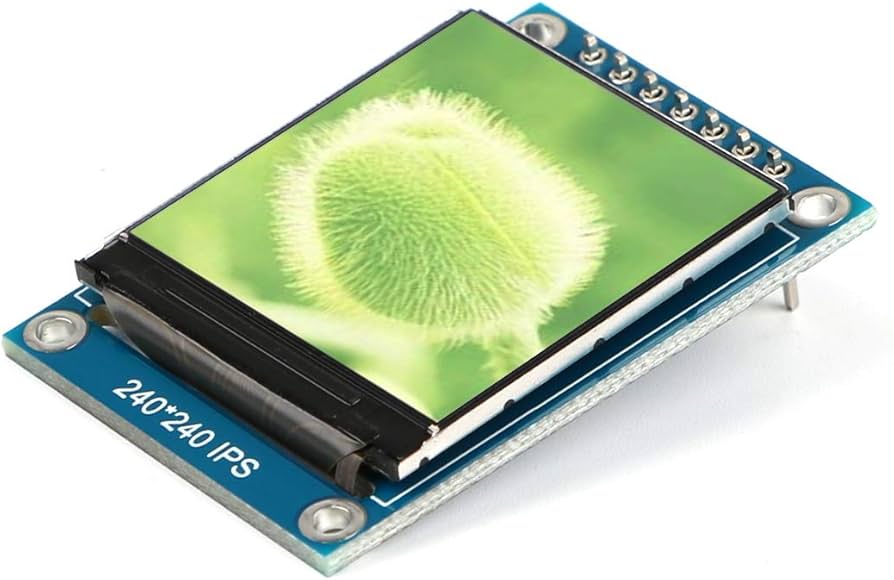
Selecting a TFT LCD requires matching the scenario: MCU or SPI interfaces are suitable for low-resolution screens (such as 240x320), with an average price of about 20 RMB; High definition requires ...
Leave a comment
This site is protected by hCaptcha and the hCaptcha Privacy Policy and Terms of Service apply.