



High-End IPS Displays | Professional Use, Color Calibration, Price
A high-end IPS display is not a different panel technology from a mainstream one. It is the same in-plane switching cell built to a tighter specification, then shipped with the electronics and documentation that let you hold that specification over time. What the premium buys is uniformity, bit depth, a wide-gamut backlight, a hardware lookup table and a calibration report for the individual unit — in roughly that order of importance.
What the grade actually buys
Uniformity. Brightness and colour vary across any panel. A professional grade part is sorted for it, and the better models add per-unit compensation that flattens the field by attenuating the bright regions. The trade is real: compensation lowers peak luminance and can introduce slight banding in dark tones, which is why some reference displays let you disable it.
Bit depth. True 10-bit panels resolve 1,024 steps per channel. Many displays instead use 8-bit panels with frame rate control, alternating between adjacent levels fast enough that the eye averages them. FRC works well on gradients and less well on moving content, and a monitor that states 10-bit without saying which method is worth questioning.
Grey tracking. The neutral axis has to stay neutral from black to white. A panel that drifts toward green in the midtones cannot be fixed by a single white point adjustment, and this is one of the clearest differences between grades.
The backlight spectrum. Wide gamut comes from the light source, not from the liquid crystal. A wider spectrum costs efficiency, and it must be paired with a look-up table that maps the panel's native primaries onto the target space.
Colour space is a target, not a badge
sRGB remains the baseline: if a display cannot reproduce it accurately, nothing else about its gamut matters. Adobe RGB extends into greens and cyans and is the practical target for print work with coated stock. DCI-P3 trades some of that green reach for red and is the target for video delivery.
Coverage and volume are different claims. Coverage is the fraction of a reference space the panel can reach; volume is the total area it can produce, including colours outside the space. A panel can have a large volume and incomplete coverage, which is why a headline percentage should state which quantity it is.
The practical trap is unclamped wide gamut. Feed sRGB content to a wide-gamut panel with no colour management and saturated colours are pushed beyond the intent, so skin tones and brand colours look wrong. Check that the display offers a clamped sRGB mode and that the mode is accurate, not merely available.
Calibration in three layers
Factory, per unit. The meaningful version writes correction values into a lookup table inside the display and ships a report for that serial number. A generic statement that a model is "factory calibrated" without a per-unit report tells you the production line ran a process, not what your unit does.
Hardware versus software. A hardware lookup table sits in the display's own electronics and corrects the signal before the panel. A software profile is applied by the operating system through the graphics pipeline, which on many systems is limited in bit depth and is vulnerable to driver and application behaviour. Hardware calibration holds through a reinstall; software calibration does not.
Verification. Calibration is a claim until you measure it. A colorimeter reading of your unit, at your white point and your working luminance, in your room, is the only figure that describes what you will see. Repeat it periodically, because backlights age and the correction drifts.
Ambient light belongs in the same conversation. A display matched to a print under one illuminant can mismatch under another, because the eye adapts to the room, and the two media have different spectral behaviour. For any workflow where screen and proof must agree, the viewing condition is part of the specification.
Reading a colour difference claim
A single ΔE number hides almost everything that matters. Ask four questions.
- Average or maximum? An average of 1.0 with a maximum of 4.0 means some patches are visibly off. The maximum is the number a critical user notices.
- Which patches? A 24-patch chart is easy to pass; a few thousand patches sampled through the full gamut is not.
- Measured or modelled? A figure derived from panel characteristics is not the same as one measured on the finished unit.
- At what white point and luminance? Colour error measured at one setting does not transfer to another.
The measurement conditions for luminance, contrast and uniformity are defined in ISO 9241-307[1]; the device physics behind the panel itself is surveyed by Hilsum[2].
Where the price steps sit
Price in this category tracks four things: panel grade yield, backlight cost, calibration labour, and the electronics needed for a hardware lookup table.
Entry professional displays deliver accurate sRGB, a per-unit report and modest uniformity, usually on an 8-bit panel with frame rate control. The middle tier adds resolution, a wide-gamut backlight and a hardware lookup table. The top tier adds true 10-bit drive, tight maximum colour error across a large patch set, full-field uniformity compensation and integrated calibration hardware. Each step roughly doubles the price of the one below it, and the returns diminish quickly for anyone not delivering to a colour-critical specification.
Mini-LED backlights sit slightly outside that ladder: they raise contrast and peak brightness substantially, and they introduce blooming around bright objects on dark backgrounds. That is a contrast feature, not a colour-accuracy feature, and buying one for colour work is a common misallocation.
Prices move, so the durable advice is to compare at specification level. Two displays at the same price are rarely the same product; two displays with the same report are.
The same logic in industrial modules
Panel grade matters just as much when the display is a module inside an instrument. If the product shows greyscale imagery that carries diagnostic meaning, the requirement is a defined grayscale display function rather than a wide gamut, and the medical imaging standard for that is DICOM Part 14. If the product shows colour, ask for a uniformity specification across a stated number of points and a policy on bright and dark defects.
Temperature is the other half. A panel calibrated at room temperature will not hold the same gamma in a cold store or a rooftop enclosure, and the correction has to be specified over the operating range, not at one point.
Graded IPS modules for instruments are grouped in the IPS display collection, with hardened versions under industrial displays and standard panels under TFT LCD modules.

A buying checklist
- Name the target space and confirm a clamped mode exists for it.
- Ask for the per-unit report, and for the maximum error as well as the average.
- Confirm whether calibration is hardware or software, and how it survives an OS reinstall.
- Ask for uniformity as a percentage over a stated point count.
- Confirm bit depth and whether frame rate control is involved.
- Verify one unit with your own instrument before committing the budget.
The premium for a high-end IPS display pays for measurability: a tighter panel, a correction stage inside the display and a document that says what your unit does. Buy the report, verify it once, and re-verify on a schedule that matches how the backlight ages.
References
- ISO 9241-307:2008 — Ergonomics of human-system interaction — Part 307: Analysis and compliance test methods for electronic visual displays. International Organization for Standardization. https://www.iso.org/standard/40102.html
- Hilsum, C. (2010). Flat-panel electronic displays: a triumph of physics, chemistry and engineering. Philosophical Transactions of the Royal Society A, 368(1914), 1027–1082. https://doi.org/10.1098/rsta.2009.0247
Read more
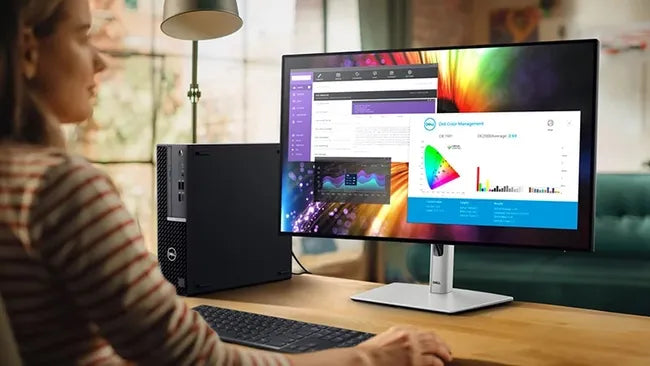
IPS displays generally deliver ~1,000:1 contrast, whereas OLEDs achieve near-infinite contrast (up to 1,000,000:1 ) via self-emissive pixels; however.
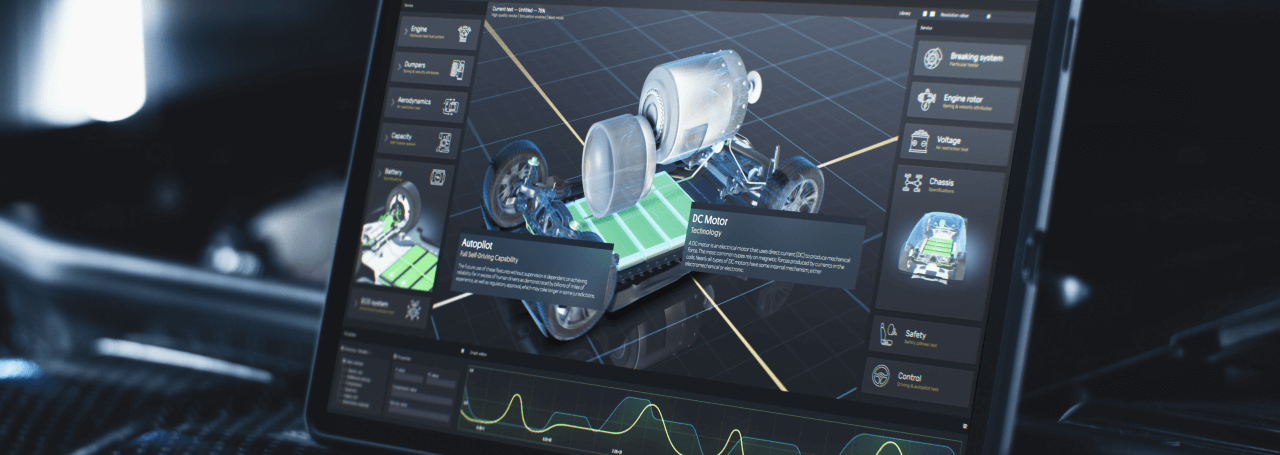
2025’s character OLED guides highlight self-emissive tech (1000:1 contrast, μs response), used in industrial dashboards/smart home panels. Select via.
Leave a comment
This site is protected by hCaptcha and the hCaptcha Privacy Policy and Terms of Service apply.