









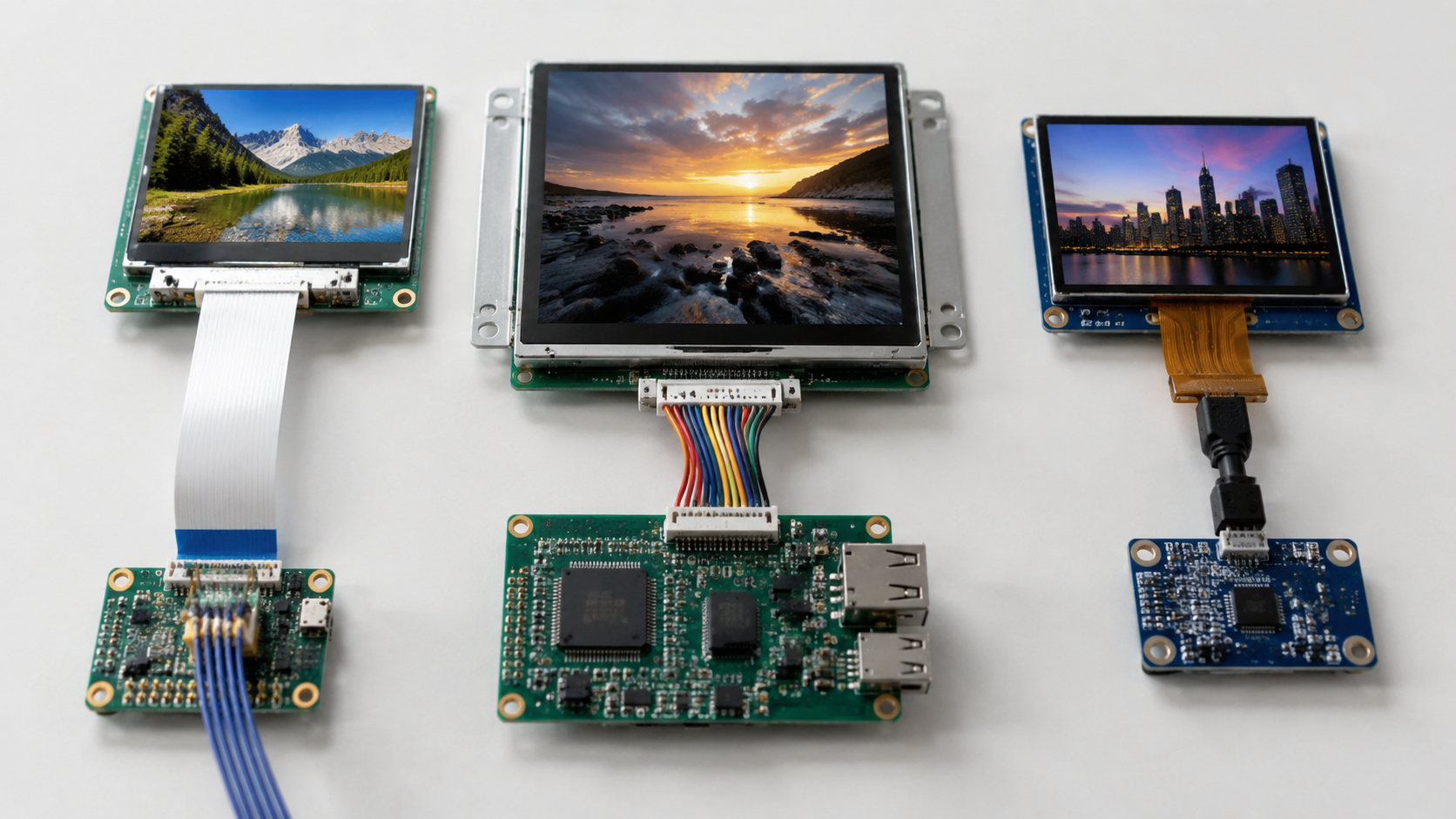
How to Choose the Right Display Interface for Your Product | MIPI DSI vs RGB vs SPI vs LVDS Explained
Choosing the right display interface is an unavoidable decision in hardware product development. The interface type directly affects display resolution, refresh rate, pin count, routing difficulty, EMI risk, firmware complexity, and system cost.
In embedded display projects, interface mistakes often happen when resolution, frame rate, host-controller support, and connector pinout are checked too late. A practical selection process should start from three questions: what resolution must the display support, what refresh rate is required, and which display peripherals are already available on the main controller.
In practical display selection, the safest starting point is simple: match the resolution and frame rate first, then check whether your host controller already supports the required interface.
| Interface | Best-Fit Scenario | Typical Strength | Main Limitation |
|---|---|---|---|
| MIPI DSI | Smartphones, tablets, medical handhelds, high-end embedded devices | High bandwidth with low pin count | Requires a DSI controller or bridge chip |
| LVDS | Industrial HMI, automotive screens, medical monitors, panel PCs | Mature differential transmission for medium and large panels | Less flexible lane scaling than MIPI DSI |
| RGB Parallel | Mid-resolution TFT displays driven directly by MCUs with LTDC/LCD controllers | Simple, direct, low BOM cost when supported by the host | High pin count and EMI pressure |
| SPI | Small LCD and OLED modules | Few wires and fast prototyping | Limited full-screen refresh rate at higher resolutions |
| I2C | Small monochrome OLED status displays | Minimum pin count | Low practical display bandwidth |
| MCU 8080/6800 | Small to mid-size TFT panels below about 3.5 inches | Higher throughput than SPI | Consumes many GPIOs |
This article walks through six mainstream interface types across high-speed and low-speed categories, explaining the optimal screen type for each.

High-Speed Interfaces
MIPI DSI — Mainstream for Mobile
MIPI DSI, or Display Serial Interface, is a widely used high-speed serial display interface in smartphones, tablets, AR/VR devices, automotive displays, and high-end embedded products. The MIPI Alliance describes MIPI DSI as a high-speed serial interface between a host processor and a display module, while MIPI DSI-2 is positioned as a scalable high-bandwidth link for modern display applications[1][2].
A typical MIPI DSI design based on D-PHY uses one to four differential data lanes plus a clock lane. Actual available bandwidth depends on the D-PHY or C-PHY generation, lane count, lane rate, blanking interval, color depth, and display timing. In practical embedded designs, 4-lane MIPI DSI is commonly selected for 1080p-class 60 Hz displays because it provides high bandwidth while keeping the FPC connector narrower than a wide RGB parallel bus.
- For a 7-inch 1920x1080 tablet or medical handheld display, a 4-lane MIPI DSI interface is usually more practical than RGB parallel.
- An RGB parallel interface for the same resolution would require many more synchronous signal traces and a wider connector.
- DisplayModule MIPI DSI screens cover common embedded sizes such as 3.5-inch to 10.1-inch, with resolutions ranging from compact WVGA-class panels to higher-resolution tablet displays.
The MIPI display ecosystem also supports display compression technologies. VESA explains that Display Stream Compression, or DSC, has been adopted across major display interface standards, including MIPI, and is intended to provide visually lossless compression for ultra-high-definition display applications[3]. MIPI and VESA have also announced support for VESA VDC-M in MIPI DSI-2 and DCS updates for next-generation mobile, AR/VR, automotive, and other display applications[4].
In practice, display compression can reduce the required display link bandwidth, but whether it enables a specific 4K-class 60 Hz design depends on PHY lane rate, number of lanes, blanking, color depth, compression ratio, display-controller support, and panel timing requirements.
Another advantage of MIPI DSI is that it uses high-speed differential serial signaling instead of many single-ended parallel data lines. Compared with a 24-bit RGB parallel bus, this usually reduces trace count and can lower EMI risk. The actual EMI result still depends on PCB stack-up, trace impedance, return path, connector design, cable length, shielding, and compliance testing.
However, MIPI DSI requires a dedicated DSI controller on the host side. Application processors from Qualcomm, MediaTek, NXP, Rockchip, Allwinner, and similar SoC families often include MIPI DSI on selected models, but low-end MCUs cannot drive MIPI DSI directly. If the host does not support DSI, a bridge chip may be required, which can add cost, board area, power consumption, firmware configuration, and signal-integrity risk.
For low-cost MCU-based products, using a bridge chip only to reach MIPI DSI is not always the best choice. If the target display is small or mid-resolution, SPI, RGB parallel, or MCU 8080 may be simpler and more cost-effective.
LVDS — The Industrial Standard
LVDS, or Low-Voltage Differential Signaling, is a mature differential signaling method used in many industrial displays, medical monitors, panel PCs, and automotive display systems. TI describes LVDS as a low-voltage differential transmission technology designed for high-speed data transfer with low noise and low power characteristics[5].
A typical single-channel LVDS LCD interface uses one clock differential pair plus three or four data differential pairs, depending on color mapping and panel design. For 24-bit color LVDS panels, one clock pair plus four data pairs is common, which equals 10 LVDS signal lines before power, ground, backlight, touch, and control pins are counted.
In practice, single-channel LVDS is often used for mid-resolution industrial panels, while dual-channel LVDS is commonly selected for 1080p-class 60 Hz displays. The exact requirement depends on pixel clock, color depth, panel timing, and the LVDS transmitter/receiver capability.
- LVDS remains common in 10-inch and larger HMI screens, industrial panel PCs, and medical display modules.
- It is well suited for products that need stable display output, long product lifecycles, and mature supply chains.
- For remote chassis-to-panel scenarios, cable design, shielding, grounding, and validation are critical.
LVDS can work reliably across internal cable runs when impedance, skew, grounding, connector quality, and EMI design are handled correctly. For several-meter display connections, engineers should not assume that a normal LCD LVDS cable will be sufficient. Long cable applications may require shielded twisted-pair cable, stricter validation, or a dedicated display SerDes solution such as FPD-Link or GMSL depending on the system environment.
The downside of LVDS is that its display-link structure is less flexible than MIPI DSI lane scaling. You cannot simply choose one, two, three, or four lanes in the same way as MIPI DSI. Single-channel and dual-channel LVDS configurations are usually defined by the panel and host hardware.
Another point to watch is connector pin count. The LVDS signal pairs are only part of the full display connector. Real LCD connectors also include power, ground, backlight control, PWM, enable signals, EDID or I2C lines, touch-panel signals, and sometimes extra GPIOs. This is why an LVDS panel may use a 20-pin, 30-pin, 40-pin, or 50-pin connector even though the LVDS data link itself contains fewer differential pairs.
The consumer notebook market has largely moved toward eDP, and mobile devices commonly use MIPI DSI. VESA explains that embedded DisplayPort, or eDP, has added panel self-refresh and related power-saving features in recent versions[6]. Even so, LVDS remains widely used in industrial and medical products because many designs prioritize long lifecycle, known-good cabling, existing test fixtures, and stable panel availability.
RGB Parallel — Simple and Direct
The RGB parallel interface is one of the oldest and simplest display interfaces for TFT panels. A standard 24-bit RGB interface uses 24 data lines, 8 each for red, green, and blue, plus HSYNC, VSYNC, DE, pixel clock, and other control signals. In real products, this often means approximately 30 or more display-related signal pins before power, ground, backlight, and touch are included.
The key advantage is that many MCUs and application processors with a built-in LCD-TFT controller can drive RGB panels directly. ST's LTDC application note describes the STM32 LCD-TFT display controller as a peripheral used to connect to TFT panels through programmable display timings and RGB signal outputs[7].
- DisplayModule TFT modules include multiple 3.5-inch to 7-inch panels with RGB parallel inputs.
- When the host already has an LCD controller, RGB parallel can avoid a display bridge chip and reduce BOM complexity.
- RGB is especially practical for 480x272, 800x480, and similar embedded HMI resolutions.
In a typical STM32F429, STM32F7, or STM32H7 design, LTDC can generate RGB timing signals for a TFT panel, while external SDRAM is often used as the frame buffer. STM32 DMA2D, also known as Chrom-ART Accelerator on supported devices, is a separate graphics accelerator that can help with memory-to-memory copy, pixel format conversion, blending, and filling operations. ST's LTDC documentation describes DMA2D as a graphics accelerator that can offload graphics-intensive tasks from the CPU on supported STM32 devices[8].
The main bottleneck of RGB parallel is not the protocol itself, but the system-level burden it creates. As resolution and pixel clock increase, the design becomes more sensitive to trace length matching, setup and hold time, signal integrity, EMI, memory bandwidth, and pin allocation.
For MCU-based RGB designs, 480x272 to 800x480 is usually the most comfortable range. Higher resolutions such as 1024x600 or 1280x720 are possible on some platforms, but they require more careful memory, clock, PCB, and EMI design. Above that point, MIPI DSI, LVDS, or eDP is often a better fit.
At the same resolution, RGB parallel usually requires more FPC pins than MIPI DSI. This can become a major layout constraint for thin handheld devices, narrow-bezel products, and two-layer PCB prototypes. Many first-time display projects choose RGB because the protocol looks simple, but routing 30 or more synchronous traces still requires careful planning.
Low-Speed Interfaces
SPI — Enough for Small Screens
SPI, or Serial Peripheral Interface, is one of the most common serial interfaces for small LCD and OLED display modules. A basic SPI display connection can use SCLK, MOSI, and CS, while many display modules also use DC and RST pins. MISO is often optional for display-only write operations.
The practical resolution limit depends on SPI clock rate, display-controller GRAM, DMA support, update region, color depth, and graphics library overhead. For many small embedded products, SPI is comfortable for 128x128, 240x240, 240x320, and 320x240 displays used for text, icons, meters, and simple animations.
- DisplayModule SPI OLED and LCD modules are suitable for low-pin-count MCUs such as ESP32, STM32, Raspberry Pi Pico, and similar platforms when voltage levels match.
- SPI is often the fastest way to bring up a small display because mature libraries such as Adafruit_GFX, U8g2, LVGL drivers, and vendor examples are widely available.
- For small IoT screens, smartwatch-style displays, thermostats, and control panels, SPI usually provides the best balance between wiring simplicity and acceptable refresh speed.
Espressif's ESP-IDF LCD documentation lists SPI, I2C, I80, and RGB LCD interface support in the ESP LCD driver ecosystem, which makes ESP32-S3 and related devices practical for many small-display designs[9]. On suitable host platforms and display controllers, wider serial or parallel display modes can improve throughput compared with basic single-lane SPI.
The limitation of SPI is bandwidth. Most SPI display controllers store pixel data in internal GRAM, so static content does not need continuous full-frame transmission. However, full-screen animation, video-like refresh, or high-resolution color UI updates are limited by how quickly the host can send pixel data over SPI.
For example, a 320x240 display with 16-bit color at 30 fps requires about 36.9 Mbps of raw pixel data before command overhead, address-window setup, bus turnaround, and software overhead are considered. In practice, a 40 MHz or faster SPI clock is often needed for smooth full-screen 320x240 updates, and even then the final result depends heavily on DMA, driver efficiency, and partial-update strategy.
For small-screen applications such as smartwatch faces, air quality monitors, thermostat panels, and compact industrial status displays, SPI can deliver a smooth user experience when the UI is designed around partial refresh instead of full-screen redraws.
Many common small TFT controllers, such as ILI9341-class controllers, support SPI as well as parallel MCU and RGB-style interfaces. The ILI9341 datasheet lists support for parallel MCU interfaces, RGB interfaces, and 3-line or 4-line SPI interfaces[10].
I2C — Minimum Pin Count
I2C, or Inter-Integrated Circuit, is the most pin-efficient display interface in this article. It requires only SDA and SCL for communication, plus power and ground. NXP's I2C-bus specification defines Standard-mode up to 100 kbit/s, Fast-mode up to 400 kbit/s, Fast-mode Plus up to 1 Mbit/s, High-speed mode up to 3.4 Mbit/s, and Ultra Fast-mode up to 5 Mbit/s for supported use cases[11].
Although the I2C specification defines several speed grades, most small OLED display modules in embedded products use 100 kHz Standard-mode or 400 kHz Fast-mode. The practical display use case is usually small monochrome OLED content rather than high-speed graphics refresh.
- I2C is commonly used for 128x64, 128x32, or smaller monochrome OLED displays.
- Its pin-saving design is excellent for low-cost and pin-constrained IoT endpoints.
- It is not suited for fast full-screen graphics because bus speed, pull-up resistors, and bus capacitance limit throughput.
DisplayModule I2C OLED modules in compact sizes such as 0.91-inch and 1.3-inch are well suited for power indicators, sensor readouts, battery status screens, and simple device labels. In these applications, the display content is mostly static or changes slowly.
Each I2C data byte requires 8 data bits plus an ACK bit, and the bus also carries address, command, and control overhead. For a 128x64 monochrome OLED, a full frame is 1024 bytes before protocol overhead. At 400 kHz, full-screen refresh is possible, but many real implementations are limited by library overhead, page addressing, bus capacitance, and MCU speed. This is why I2C OLEDs are best used for static or quasi-static UI rather than animation-heavy interfaces.
I2C also allows multiple devices to share the same SDA and SCL lines. In a typical IoT device, a temperature sensor, humidity sensor, EEPROM, and small OLED can share the same bus, with each device selected by address. This is harder to achieve with SPI because each additional SPI device usually needs its own chip-select line.
For battery-powered products, I2C can keep wiring simple and reduce pin usage. Actual current consumption depends on pull-up resistor values, bus capacitance, update frequency, display type, and firmware duty cycle.
MCU 8080/6800 — Traditional Parallel for Mid-Size
The MCU interface, including Intel 8080 and Motorola 6800 timing styles, is a traditional parallel display interface for small TFT panels. It is still common in consumer electronics, industrial control panels, handheld devices, and compact HMI products below about 3.5 inches.
ST's AN2790 application note explains how Intel 8080-like and Motorola 6800-like LCD interfaces can be connected to STM32 devices through the FSMC peripheral, and describes data and control signals used by these parallel LCD interfaces[12].
The 8080 mode usually uses an 8-bit or 16-bit data bus plus control signals such as RD, WR, CS, RS or DC, and reset. Like SPI, many 8080-style display modules rely on the display controller's internal GRAM for frame storage. Unlike SPI, the parallel data bus provides much higher write throughput.
- An 8-bit 8080 interface usually needs about 13 to 16 signal and control lines depending on the module design.
- A 16-bit 8080 interface often needs about 21 to 24 lines when data, control, reset, and chip-select signals are included.
- A 16-bit 8080 bus running at 20 MHz has a theoretical raw bandwidth of 40 MB/s, although real throughput depends on timing, wait states, DMA, memory access, and driver implementation.
For a 320x480 display at 16-bit color and 60 fps, the raw pixel payload is about 18.4 MB/s. A properly configured 16-bit 8080 interface can therefore support smooth updates at this resolution under suitable timing and memory conditions, but the final frame rate must be validated on the actual MCU, display controller, and firmware path.
The Intel 8080 and Motorola 6800 timing modes are electrically similar but differ in read/write strobe arrangement. 8080-style timing uses separate RD and WR strobes, while 6800-style timing uses an enable signal with a read/write direction signal. This affects how the host memory-controller peripheral is configured.
The downside of MCU 8080/6800 is GPIO usage. On a 48-pin MCU, even an 8-bit interface can consume a large share of available pins. A 16-bit interface usually pushes the design toward a 64-pin or larger MCU package, especially when touch, backlight, sensors, buttons, USB, UART, and debugging pins are also required.
DisplayModule MCU interface TFT panels in 2.4-inch to 3.5-inch sizes offer 8080 options with selectable 8-bit or 16-bit bus width, allowing designers to match display throughput with the host MCU's pin budget.
How to Choose
Evaluate Resolution and Frame Rate
Resolution is the primary filter for interface selection. A low-resolution status display does not need a high-speed serial interface, while a 1080p video display should not be forced onto a slow SPI or I2C bus.
| Resolution / Size Range | Recommended Interface | Reason |
|---|---|---|
| 128x32 to 320x240, usually 0.91–2.8 inches | I2C, SPI, or MCU 8080 | Few pins and simple drivers are usually more important than maximum bandwidth |
| 480x272 to 800x480, usually 3.5–7 inches | RGB Parallel, SPI with partial refresh, or MCU 8080 | Cost-effective when the host MCU has a suitable LCD controller or memory interface |
| 1024x600 to 1920x1080, usually 7–15.6 inches | MIPI DSI, LVDS, or eDP | High-speed serial or differential transmission is usually required |
For 1080p-class 60 fps video, 4-lane MIPI DSI or dual-channel LVDS is commonly used in many embedded designs. For lower resolutions such as 480x272 or 800x480, RGB parallel, MCU 8080, or optimized SPI may still be practical depending on the UI style and host capability.
Static UI, text, icons, and sensor values can run well on SPI or I2C because the display does not need frequent full-screen redraws. Animation-heavy UI, camera preview, and video playback require much more bandwidth and should be evaluated using raw pixel throughput, protocol overhead, display-controller memory behavior, and host DMA capability.
DisplayModule product selection catalog allows designers to compare display size, resolution, interface type, brightness, touch option, and physical dimensions. This helps narrow the selection before checking the host-controller datasheet and display timing requirements.
Check Your Main Controller
The host platform's peripheral resources define the boundary of interface selection. A display interface that looks ideal on paper may become expensive or risky if the main controller does not support it directly.
- STM32F429, STM32F7, STM32H7, and selected STM32 lines with LTDC can drive RGB parallel TFT panels directly.
- NXP i.MX families vary significantly by model. NXP's i.MX 8M product page lists dual independent display interfaces including 4-lane MIPI DSI and HDMI 2.0a, while other i.MX variants may use different display interface combinations[13].
- Allwinner and Rockchip application processors commonly provide MIPI DSI and RGB options on selected models.
- ESP32-S3 and related ESP platforms can drive small displays through SPI, I2C, I80/8080-style, or RGB LCD interface options depending on the chip and ESP-IDF driver support[14].
- Raspberry Pi boards expose a DPI parallel RGB display interface through GPIO functions, supporting RGB24, RGB666, and RGB565 modes on suitable models and configurations[15].
When the host does not support the desired interface, a bridge chip may be required. Common examples include RGB-to-MIPI, MIPI-to-LVDS, HDMI-to-LVDS, or 8080-to-RGB conversion. A bridge chip can solve compatibility problems, but it also adds BOM cost, PCB area, power consumption, firmware configuration, and signal-integrity risk.
Before choosing a bridge solution, check whether changing the display interface or selecting a different host controller would produce a simpler design. For low-cost MCU products, it is often better to select a display that matches the native MCU peripheral instead of forcing a high-speed interface through a bridge.
eDP is now common in notebook display connections and is gradually appearing in some high-end industrial products. Tablets and compact handhelds, however, still commonly use MIPI DSI because it fits mobile-oriented SoC ecosystems and compact FPC designs.
If your application processor has neither the desired display interface nor enough spare I/O for an alternative interface, you may need to change the MCU or SoC family early in the design cycle. This is much cheaper than discovering the mismatch after schematic completion or PCB layout.
Consider FPC Pin Count
FPC pin count is directly affected by the display interface type. It influences connector width, PCB routing density, EMI risk, mechanical stack-up, assembly difficulty, and available space for other components.
| Interface Type | Common Connector / Signal Range | Layout Meaning |
|---|---|---|
| I2C | 4–6 pins | Best for minimum wiring and small monochrome OLEDs |
| SPI | 6–10 pins | Good for compact small-screen products |
| MCU 8080 8-bit | About 14–20 pins | Higher throughput than SPI but much higher GPIO use |
| RGB Parallel | About 30–50 pins | Direct and simple, but routing-heavy |
| MIPI DSI | About 20–40 pins depending on lane count and module functions | High bandwidth with a narrower connector than RGB in many designs |
| LVDS | LVDS signal pairs may be about 10 lines, while full panel connectors often use 20–50 pins | Mature industrial connection, but full connector pinout must be checked carefully |
For I2C and SPI displays, the low signal count makes the layout much easier. These interfaces are ideal for compact IoT products, wearable displays, instrument status screens, and small control panels.
For MCU 8080 and RGB parallel displays, the number of data and control lines increases quickly. These interfaces can be cost-effective when the host supports them directly, but they consume many GPIOs and require more careful routing.
For MIPI DSI and LVDS displays, the connector pin count should not be judged only by the number of data lanes or differential pairs. Real display modules may include power, ground, reset, enable, backlight, PWM, touch, I2C, ID pins, and shielding-related pins. Always check the full display pinout before finalizing the connector and PCB layout.
In space-constrained wearable or handheld devices, low-pin-count serial interfaces such as MIPI DSI, SPI, and I2C can reduce FPC width and simplify mechanical design. In industrial products, LVDS may still be preferred because the interface is mature, stable, and supported by many panel families.
DisplayModule small-size OLED modules with I2C or SPI interfaces demonstrate the pin-count advantage clearly. For higher-resolution TFT products, DisplayModule interface-type filtering can help compare FPC pin counts, display dimensions, and supported host platforms before schematic design begins.
Choosing a display interface is about balancing speed, pin count, host resources, layout risk, firmware complexity, and product lifecycle.
For high-speed consumer and handheld products, MIPI DSI is usually the first interface to evaluate when the host supports it. For industrial and medical displays, LVDS remains a strong choice because of its maturity and long lifecycle. For mid-resolution MCU products, RGB parallel is cost-effective when the host has an LTDC or similar LCD controller. For small OLED and LCD modules, SPI and I2C remain the simplest options, while MCU 8080/6800 provides a useful middle ground when higher throughput is needed but a full RGB interface is not practical.
DisplayModule's catalog covers the main interface types discussed here, including MIPI DSI, LVDS, RGB parallel, SPI, I2C, and MCU 8080 display modules. By checking resolution, frame rate, host-controller support, connector pin count, and display timing early, engineers can avoid unnecessary bridge chips, reduce PCB risk, and shorten the display selection process.
Read more
TFT LCD display modules are widely used in embedded projects, including sensor dashboards, industrial control panels, handheld instruments, smart home interfaces, data loggers, and IoT devices. A T...
Round AMOLED displays are becoming a common choice for smart wearables and compact embedded devices. They are thin, high-contrast, fast in response, and more flexible in shape than traditional rect...
Leave a comment
This site is protected by hCaptcha and the hCaptcha Privacy Policy and Terms of Service apply.