



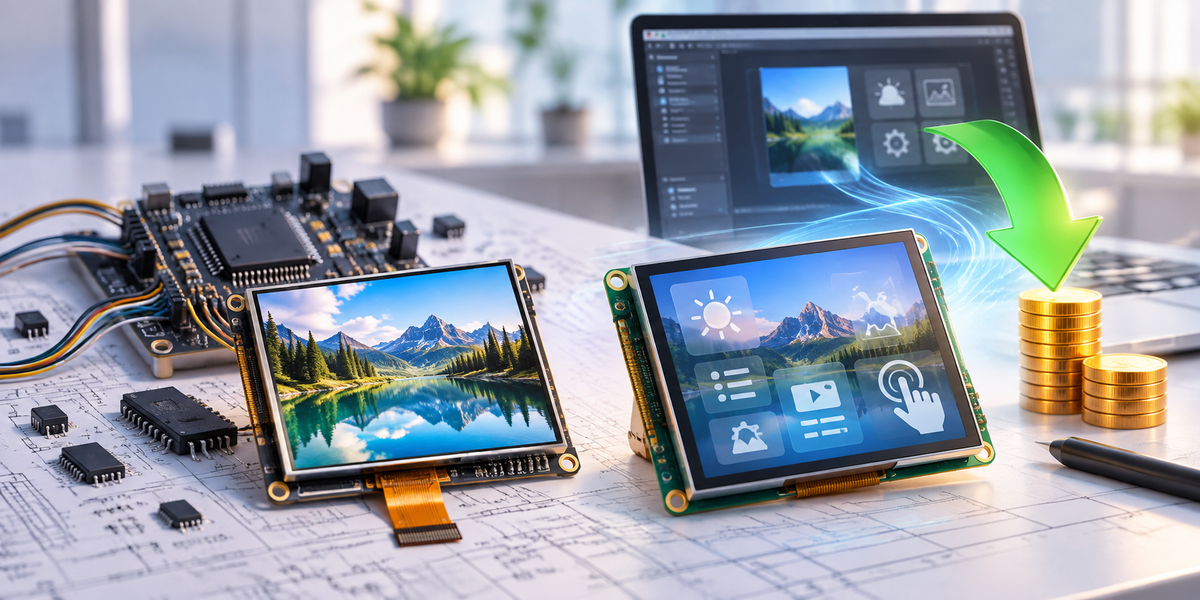
A Smart TFT can save development work when it takes framebuffer storage, graphics rendering, touch processing, or GUI tasks away from the host. A standard TFT can be cheaper when the host already has those resources, or when the lower recurring hardware cost is large enough to recover the extra engineering work.
The useful comparison is not Smart TFT price versus standard TFT price. Compare the complete architectures:
Total Cost = Non-Recurring Engineering (NRE) + (Display-System Cost per Unit × Lifetime Quantity)
If the Smart TFT cuts NRE but costs more per unit:
Break-Even Quantity = NRE Saving ÷ Extra Smart TFT Cost per Unit
Include everything the display choice changes: MCU or MPU, external RAM, flash, touch controller, connectors, PCB work, and the supporting circuitry around the display.
Smart TFT vs Standard TFT: Where the Costs Move
| Factor | Smart TFT | Standard TFT |
|---|---|---|
| Graphics processing | Some or most rendering can run inside the display | Host-rendered designs place most graphics work on the host |
| Host framebuffer | May be smaller or unnecessary | Often required for host-rendered GUIs |
| Host MCU | Can focus more on application logic | May need more RAM, pins, bandwidth, or display hardware |
| GUI software | Uses the display platform's tools and functions | Usually part of the host software stack |
| PCB impact | Can use a simpler host connection | Depends heavily on SPI, MCU, RGB, LVDS, MIPI, or other interface |
| Recurring cost | More functionality is purchased in every display | More functionality can be shared with the main processor |
| Graphics control | Limited by the Smart TFT platform | More direct control over rendering, memory, and drivers |
| Migration | May depend on proprietary tools, commands, and project files | Standard interfaces reduce some dependencies, but replacement panels still need qualification |
Where Standard TFT Development Work Comes From
A standard TFT is not one fixed type of screen. It may use SPI, MCU, RGB, LVDS, MIPI DSI, or another interface. DisplayModule's TFT LCD range includes examples across these interface types.
With a host-rendered design, the host may have to provide:
- framebuffer memory;
- display timing;
- graphics rendering;
- font and image handling;
- screen-state logic;
- touch processing;
- animation;
- external RAM or flash.
The Linux kernel documentation describes a framebuffer as memory used to represent graphical pixel data.[1] If the host owns that framebuffer, resolution and color depth quickly become memory questions as well as display questions.
A Smart TFT moves some of this work into the display itself. Depending on the model, it may contain:
- an MCU or graphics processor;
- graphics RAM;
- flash storage;
- touch processing;
- fonts and images;
- GUI widgets;
- screen logic;
- a host command protocol.
You are not making the work disappear. You are moving some of the cost from the host hardware and software into the display module.
Framebuffer Size Can Change the Processor Choice
RGB565 uses 16 bits, or 2 bytes, for each pixel.
Framebuffer Size = Width × Height × 2 bytes
| Resolution | Pixels | One RGB565 Buffer | Two Buffers |
|---|---|---|---|
| 240 × 240 | 57,600 | 112.5 KB | 225 KB |
| 320 × 240 | 76,800 | 150 KB | 300 KB |
| 480 × 272 | 130,560 | 255 KB | 510 KB |
| 800 × 480 | 384,000 | 750 KB | 1.50 MB |
| 1024 × 600 | 614,400 | 1.17 MB | 2.34 MB |
| 1280 × 800 | 1,024,000 | 1.95 MB | 3.91 MB |
Those numbers cover the pixel buffers only. The MCU still needs memory for application code, RTOS data, fonts, icons, decoded images, communication buffers, and temporary graphics objects.
An 800 × 480 RGB565 framebuffer needs 768,000 bytes, or about 750 KB. Double buffering takes that to roughly 1.5 MB.
A 480 × 272 RGB565 buffer needs about 255 KB. Move to 800 × 480 and the pixel count rises by 2.94 times, so the framebuffer requirement rises by the same ratio at the same color depth.
You can see the difference when comparing a 4.3-inch 480 × 272 RGB TFT with capacitive touch and a 4.3-inch 800 × 480 RGB TFT. Both are 4.3 inches, but the 800 × 480 version has almost three times as many pixels.
If the MCU cannot hold the required buffers internally, adding SDRAM or PSRAM can bring extra work:
- memory-controller requirements;
- PCB routing;
- decoupling;
- signal-integrity constraints;
- boot initialization;
- hardware validation;
- additional firmware failure points.
If the product already uses external RAM for another part of the application, do not charge all of that RAM cost to the display. Count only the incremental cost caused by the display choice.

Resolution Changes the Data Rate Too
For RGB565 at 60 complete frames per second:
Active Pixel Data = Width × Height × 2 bytes × 60
| Resolution | Active Pixel Data at 60 fps |
|---|---|
| 320 × 240 | 9.22 MB/s |
| 480 × 272 | 15.67 MB/s |
| 800 × 480 | 46.08 MB/s |
| 1024 × 600 | 73.73 MB/s |
| 1280 × 800 | 122.88 MB/s |
These figures cover the active image data only. Real display links may need additional bandwidth for blanking, timing, encoding, and protocol overhead.
As resolution goes up, framebuffer size, memory traffic, rendering work, and image storage usually rise together.
SPI, RGB, LVDS, and MIPI Do Not Cost the Host the Same Amount
A parallel RGB interface may use 16, 18, or 24 pixel-data lines, plus clock, synchronization, or data-enable signals. Reset, backlight, and touch add more connections on top.
A serial interface saves pins, but it still has a bandwidth limit.
One 800 × 480 RGB565 image contains:
800 × 480 × 2 = 768,000 bytes
Send 10 complete images every second and the raw image data is:
7.68 MB/s
At 30 full images per second:
23.04 MB/s
A 40 MHz single-data-line SPI connection has a theoretical maximum of 40 Mbit/s, or 5 MB/s, before command, protocol, software, and controller overhead.
That is why “Can SPI drive this screen?” does not have a useful yes-or-no answer without knowing the update pattern. Sending a full 800 × 480 frame repeatedly is very different from changing one value, icon, button, or small region.
DisplayModule's guide to common display interfaces covers SPI, RGB, LVDS, MIPI, and other embedded connections.
MIPI DSI is designed as a high-speed serial connection between a host processor and display module and uses fewer interconnect pins than a wide parallel bus.[2]
A 5-inch 1080 × 1080 MIPI TFT contains 1,166,400 pixels. At that point, interface bandwidth and the host graphics architecture are not small details anymore.
Already have an MCU and target resolution?
Send the MCU or MPU part number, resolution, touch type, expected update rate, and quantity. That is enough to start checking whether SPI, RGB, LVDS, MIPI, or a more integrated display architecture fits the hardware.
Check MCU and Display FitLocal Rendering Can Cut Host Traffic Dramatically
A Smart TFT that keeps fonts, icons, screens, and other UI assets locally does not need the host to resend every pixel each time something changes.
If 10 values are updated 10 times per second and each transaction is 10 bytes:
10 × 10 × 10 = 1,000 bytes/s
Sending 10 full 800 × 480 RGB565 frames per second takes:
768,000 × 10 = 7.68 MB/s
One approach sends application values. The other sends pixels. That is a big architectural difference.
MIPI Display Command Set (DCS) standardizes display control and data-transfer commands. It can make host/display control easier, but if the host is supplying the image, the image data still has to cross the interface.[3]
Local rendering saves the most bandwidth when the Smart TFT already stores the screen assets and the host mainly sends values, events, or screen-state changes.
Touch Can Add Its Own Hardware and Software
A capacitive-touch design may need:
- a touch controller;
- I²C or SPI communication;
- an interrupt line;
- coordinate processing;
- touch configuration;
- gesture or event logic.
Some Smart TFTs hide part of that work. Instead of giving the host raw X/Y coordinates, the display can report a higher-level event such as “button pressed” or “slider changed.”
Direct access to the touch controller still has advantages when the application needs custom gestures, raw multi-touch data, unusual filtering, or interaction behavior that the Smart TFT platform does not support.
Use Real NRE and BOM Numbers
Do not make this decision from the panel price.
Calculate:
NRE Difference = Standard TFT NRE − Smart TFT NRE
Unit-Cost Difference = Smart TFT System Cost − Standard TFT System Cost
Break-Even Quantity = NRE Difference ÷ Unit-Cost Difference
Count these items in NRE only when the display architecture actually creates the work:
- schematic changes;
- PCB layout changes;
- external memory integration;
- display-driver development;
- GUI integration;
- touch integration;
- graphics optimization;
- display-specific testing.
Likewise, count recurring costs only when they are different between the two designs:
- display module;
- MCU or MPU;
- RAM;
- flash;
- touch controller;
- connectors;
- PCB area or layer requirements;
- supporting components.
If the existing product already uses an MPU, external SDRAM, touch controller, and graphics stack, do not pretend all of those costs appeared because you selected a standard TFT.
When Smart TFT Usually Reduces Development Cost
A Smart TFT has a stronger cost case when several of these points apply:
- the current MCU does not have enough RAM for the planned framebuffer;
- the display would be the only reason to add external RAM;
- a wide RGB bus would force a larger MCU package or awkward PCB routing;
- the product does not already have a GUI platform;
- the HMI mainly uses menus, buttons, numbers, alarms, gauges, settings, and simple charts;
- the host can send values and events instead of full frames;
- the UI software needs to stay separate from machine-control firmware;
- lifetime production is too low to recover a large graphics-development investment.
A Smart TFT becomes less attractive when the screen has to handle continuous video, large moving images, high-frequency plots, advanced effects, or rendering behavior that falls outside the display platform's capabilities.
When Standard TFT Usually Costs Less
A standard TFT has a stronger cost case when:
- the host already supports the required display interface;
- available RAM already meets the framebuffer requirement;
- external memory is already present;
- display drivers and framebuffer code already exist;
- touch drivers are already validated;
- the GUI framework and widgets can be reused;
- the application needs direct control over rendering;
- production volume makes small recurring BOM differences significant.
An existing graphics platform changes the calculation a lot. If the processor, memory, drivers, and GUI already exist, another compatible TFT may require far less NRE than a clean-sheet estimate suggests.
Check Vendor Lock-In Before Counting the Savings
A Smart TFT can depend on:
- vendor-specific GUI software;
- proprietary communication commands;
- vendor project files;
- internal display firmware;
- vendor-specific graphics formats.
Before committing, check:
- whether the host protocol is documented;
- whether GUI source files can be stored locally;
- whether firmware and assets can be updated without factory-only tools;
- whether other display sizes use the same platform;
- whether the host application can move to another module if the original becomes unavailable.
A standard interface does not guarantee a painless replacement either. A new display still needs its pinout, FPC geometry, electrical timing, initialization, touch controller, optical specifications, and mechanical dimensions checked.
Mechanical Changes Belong in the Cost Calculation
Before locking the electronics, check the actual physical display:
- active area;
- module outline;
- FPC position;
- connector direction;
- cover lens;
- touch stack;
- brightness;
- viewing angle;
- operating temperature.
ISO 9241-303 covers requirements and recommendations for electronic visual displays.[4]
If a standard module works electrically but does not fit the finished product, DisplayModule's custom TFT development options can be used to look at changes such as FPC layout, connector position, touch configuration, cover lens, and interface requirements.
Electrical design works, but the module does not fit?
Send the active area, module outline, FPC position, connector, touch stack, brightness, interface, and expected quantity. That shows which parts really need customization instead of changing the whole design.
Check Custom TFT OptionsHow to Compare Smart TFT and Standard TFT
1. Define the display requirement. Record size, resolution, brightness, touch type, active area, operating temperature, and mechanical limits.
2. Calculate framebuffer memory. Check whether the host can hold the required buffers internally.
3. Work out the data traffic. Is the host sending full frames, changed regions, commands, or just application values?
4. Check the processor you already have. Look at SRAM, external-memory support, display interface, spare pins, graphics hardware, and existing drivers.
5. Build two BOMs. Only include components that actually change between the Smart TFT and standard TFT designs.
6. Calculate incremental NRE. Count new display-related engineering work, not engineering that the product already needs anyway.
7. Calculate the break-even quantity. Divide the NRE difference by the recurring unit-cost difference.
8. Check migration risk. Look at tool ownership, protocol documentation, display lifecycle, and the work needed to qualify a replacement.
9. Use lifetime quantity. If the product will be manufactured for five years, do not make the decision using only the first batch.
What to Send With a Display Inquiry
For a useful technical and cost comparison, provide the target screen size, resolution, MCU or MPU part number, available interface, touch type, update behavior, brightness, operating temperature, mechanical limits, annual quantity, and expected lifetime quantity.
If the interface has not been fixed yet, compare available TFT modules by resolution and interface rather than choosing from diagonal size alone.
Already have the MCU, resolution, and expected quantity?
Add the touch type, update rate, brightness, interface preference, and mechanical limits. Those details are enough to start comparing real display architectures instead of panel prices.
Send Project SpecificationsWhich One Actually Reduces Development Cost?
Choose Smart TFT when the host hardware and engineering work it removes are worth more than the Smart TFT price premium across the expected lifetime quantity.
Choose standard TFT when the graphics platform already exists or when the recurring system-cost saving is large enough to recover the additional NRE.
You need four project numbers:
- standard TFT NRE;
- Smart TFT NRE;
- standard TFT display-system cost per unit;
- Smart TFT display-system cost per unit.
Use those numbers to calculate the break-even point. Framebuffer memory, interface bandwidth, MCU resources, touch architecture, existing software, mechanical changes, and migration risk decide what should go into the calculation.
Frequently Asked Questions
How much RAM does an 800 × 480 TFT need?
One 800 × 480 RGB565 framebuffer uses 768,000 bytes, or about 750 KB. Two complete buffers use around 1.5 MB. Application RAM, fonts, images, RTOS data, and temporary graphics memory are additional.
Does a standard TFT always need external RAM?
No. External RAM is only needed when the host-rendered graphics design needs more working memory than the processor has internally. Resolution, color depth, number of buffers, graphics assets, and application RAM all affect the result.
Can SPI drive an 800 × 480 TFT?
It can, provided the required update behavior fits the available bandwidth. One 800 × 480 RGB565 frame contains 768,000 bytes. Ten complete frames per second require 7.68 MB/s before protocol and software overhead. Updating small regions or sending commands can use far less data.
Why can a Smart TFT reduce MCU requirements?
A Smart TFT may handle framebuffer storage, graphics rendering, UI assets, touch events, and screen logic inside the display. That can reduce the graphics workload on the host. The actual saving depends on what the selected Smart TFT integrates.
At what production volume does a standard TFT become cheaper?
There is no universal volume. Use the real project costs:
Break-Even Quantity = (Standard TFT NRE − Smart TFT NRE) ÷ (Smart TFT Unit Cost − Standard TFT Unit Cost)
Use the complete display-system cost per unit, not just the two LCD prices.
Should display size or resolution be selected first?
Check both together. Physical size controls the enclosure fit and viewing area. Resolution controls pixel count, framebuffer size, graphics workload, and data rate. Two 4.3-inch displays can put very different demands on the host when one is 480 × 272 and the other is 800 × 480.
Leave a comment
This site is protected by hCaptcha and the hCaptcha Privacy Policy and Terms of Service apply.