



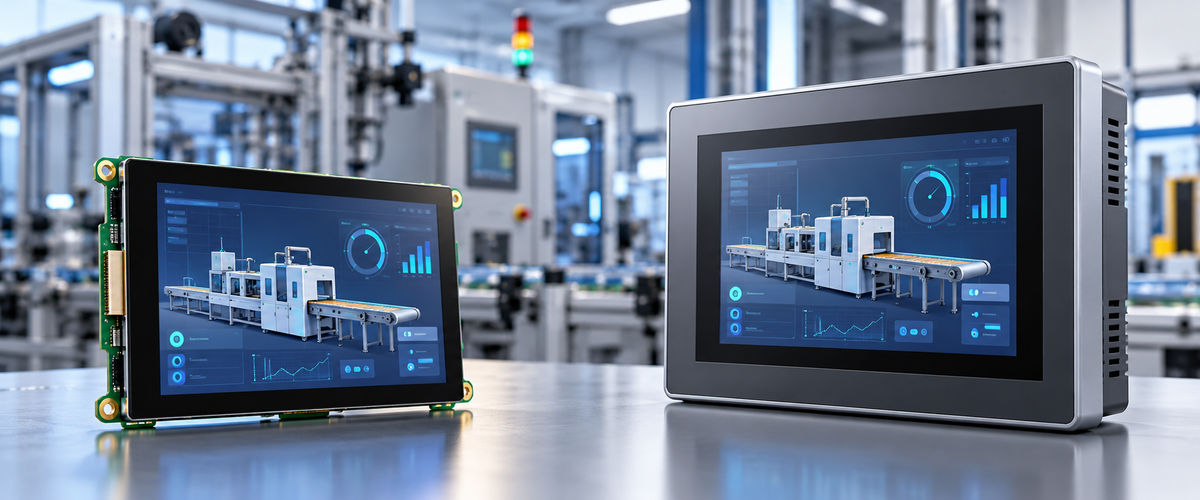
For a PLC-based machine that needs quick integration and easy field replacement, a complete HMI panel is usually the simpler route. If the equipment already has its own processor and the display needs to fit a custom enclosure or UI, an HMI display module gives you more control. The real choice comes down to architecture and lifetime cost, not the screen price alone.
Before comparing quotes, look at the processor, communication method, mechanical design, engineering work, expected production volume, service plan, and replacement path.
HMI Display Module vs Complete HMI Panel
| Decision Factor | HMI Display Module | Complete HMI Panel |
|---|---|---|
| Main role | Display component built into the equipment | Self-contained operator interface |
| Application processor | Usually external | Usually integrated |
| Enclosure | Designed as part of the machine | Included with the panel |
| PLC communication | Handled by the host system | Often handled by the HMI platform |
| Mechanical freedom | High | Limited by panel size, depth, and cutout |
| UI software | Chosen or developed by the equipment manufacturer | Built around the HMI vendor's software environment |
| Electrical integration | More engineering work | Less custom electronics work |
| Field replacement | Depends on the machine design | Usually replaced as one assembly |
| Typical fit | Embedded OEM equipment | PLC-based industrial machinery |
Start With the Control Architecture
Embedded Controller + Display Module
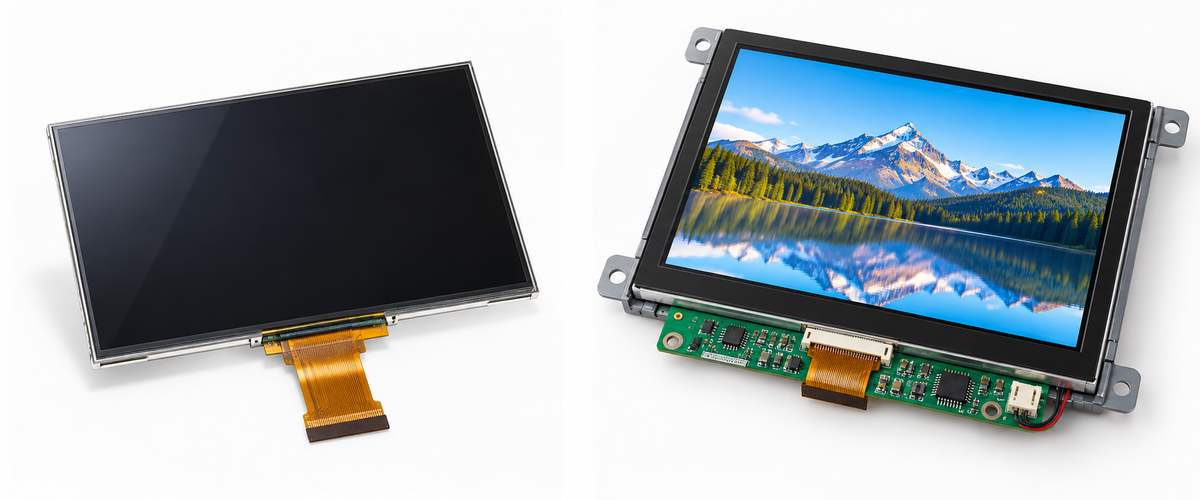
An HMI display module normally gives you the LCD, backlight, display interface, and sometimes touch hardware. It does not run the whole machine by itself. You still need the processor, power design, application software, communications, mounting, enclosure, and system testing.
A common setup looks like this:
MCU / MPU / embedded computer → display interface → TFT + touch
This makes sense when the machine already has a processor with enough resources to run the user interface.
Before choosing a display, check:
- display-interface compatibility;
- pixel clock and interface bandwidth;
- graphics memory and framebuffer requirements;
- supported resolution and color depth;
- touch-controller support;
- required voltage rails;
- power sequencing.
A 7-inch screen with the right resolution is still useless if the host cannot actually drive its electrical interface.
DisplayModule's TFT LCD modules cover different sizes and interface types. Its IPS display modules also include options for designs that need wide viewing angles.
If the processor and screen do not share the same interface, you may need an adapter or controller board. DisplayModule's display adapters include models for interface conversion involving HDMI, MIPI, LVDS, eDP, and Type-C.
PLC + Complete HMI Panel
A complete HMI panel already contains much more of the system: processor, memory, power circuitry, communication ports, enclosure, HMI runtime, and configuration software.
The architecture is usually closer to this:
PLC → industrial network or serial connection → complete HMI panel
The HMI can then take care of jobs such as:
- screen rendering;
- parameter entry;
- alarms;
- recipes;
- user permissions;
- trend display;
- data logging;
- supported PLC drivers.
If the panel already supports your PLC and protocol, there is no point rebuilding that communication layer inside another processor.
Still, do not assume every model in the same HMI family works the same way. Check the exact unit for:
- PLC driver support;
- Ethernet and serial ports;
- required industrial protocol;
- tag or variable limits;
- alarm history;
- data logging;
- remote-access functions;
- engineering software compatibility;
- migration to successor hardware.
Display Interface Is Not the Same as Industrial Communication
LVDS, RGB, SPI, MIPI DSI, MCU parallel, and eDP are display interfaces. They move image data between the host and the screen.
Modbus, PROFINET, EtherNet/IP, OPC UA, and similar protocols do a different job. They connect PLCs, HMIs, drives, controllers, and other equipment.
So an LVDS screen is not suddenly a PLC HMI just because it can show an image. It still needs a host that talks to the rest of the machine.
| Question | What It Decides |
|---|---|
| What controller runs the machine? | Whether an existing processor can drive the screen or a separate HMI is needed |
| What display interface does the host support? | Whether the display connects directly or needs an adapter/controller |
| Which industrial protocols are required? | PLC, HMI, and network compatibility |
| Does the HMI need logging or remote access? | Processing, storage, networking, and security requirements |
Start with the controller, not the screen.
Send the host processor, display interface, target size, touch requirement, mechanical limits, and expected production quantity. That is enough to narrow the project down to a standard TFT, adapter-based design, or customized module.
Discuss the Display ArchitectureCompare the Whole Cost, Not the Display Price
A cheaper display module does not automatically create a cheaper HMI system.
| Cost Area | Display Module System | Complete HMI Panel |
|---|---|---|
| Display hardware | Module + optional touch | Included |
| Application processor | External or custom | Usually included |
| Power circuitry | OEM responsibility | Integrated into the panel |
| GUI development | OEM-selected software stack | Vendor HMI environment |
| Mechanical integration | Custom enclosure and mounting | Panel cutout and mounting |
| Communication | Handled by host system | Vendor drivers/protocol support |
| Testing | Display, PCB, enclosure, software, and complete system | Machine-level integration and system testing |
| Field replacement | Depends on architecture | Often replaced at panel level |
A useful first calculation is:
Break-even quantity = Additional module-development cost ÷ Recurring saving per machine
Use real supplier quotations and your own engineering costs. Otherwise the number does not tell you much.
For a module-based design, include:
- display and touch hardware;
- host processor or custom PCB;
- power conversion and protection;
- backlight circuitry where required;
- display and touch drivers;
- GUI development;
- cover glass and mounting parts;
- tooling;
- prototype builds;
- EMC and environmental testing;
- production fixtures;
- firmware maintenance.
For a complete HMI, include:
- panel hardware;
- engineering software or licenses where applicable;
- PLC/HMI configuration;
- panel cutout and mounting;
- configuration backup;
- replacement hardware;
- migration to future panel models.
Run the numbers against lifetime production volume, not just the first purchase order.
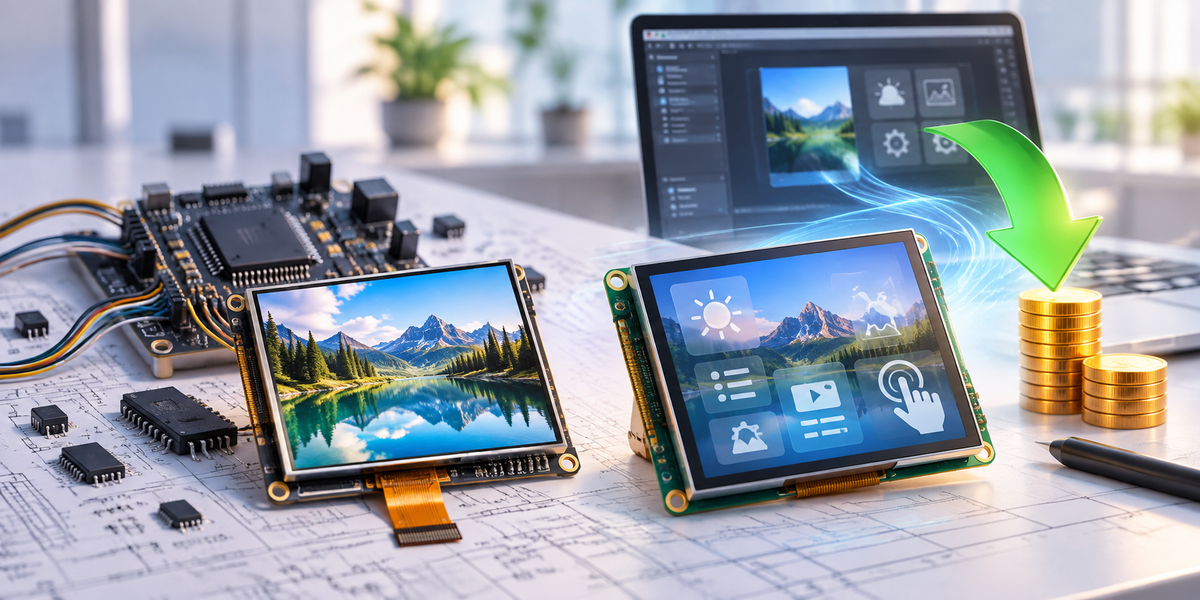
If several machine models share the same processor, display electronics, firmware, and mechanical platform, count the combined volume. On the other hand, if the module design still costs more per machine after the extra electronics and mechanical parts are added, higher volume will not magically fix the economics.

Mechanical Fit Is Where Modules Have More Freedom
A complete HMI comes with a fixed panel size, depth, mounting method, and cutout. Your enclosure has to work around those dimensions.
With a display module, the screen is designed into the machine instead. You have more control over:
- module outline;
- active area;
- visible window;
- FPC direction;
- connector position;
- cover-lens dimensions;
- printed border;
- touch area;
- bonding method;
- mounting geometry.
If a standard module already works electrically, do not redesign everything because one mechanical detail is wrong. Change the part that is actually blocking production.
DisplayModule's custom TFT LCD options cover areas such as module outline, FPC, connector, interface, brightness, backlight, touch panel, cover lens, adhesive, optical bonding, and adapter-board matching.
A practical development sequence is:
- define the host, interface, resolution, touch, optical, mechanical, and environmental requirements;
- pick the closest standard module;
- verify display output, touch input, and power behavior;
- fit the sample into a mechanical prototype;
- test the assembled screen in the real operating environment;
- identify the specifications that actually block production;
- customize those items;
- validate the revised sample before pilot production.
If the only problems are FPC direction, connector position, lens shape, brightness, or bonding, changing those items is normally a much smaller job than rebuilding the whole display architecture.
Check the Actual Display Specifications
“Industrial display” is a broad label. It does not tell you the resolution, brightness, interface, touch type, temperature range, or mechanical size.
For example, DisplayModule's 5.0-inch IPS Display 800×480 Capacitive - LVDS lists:
| Parameter | Specification |
|---|---|
| Display size | 5.0 inch |
| Resolution | 800 × 480 |
| Touch | 5-point capacitive + gestures |
| Display interface | LVDS |
| Brightness | 650 cd/m² |
| Viewing angle | 178° |
| Supply voltage | 3.3 V |
| Operating temperature | -20°C to 70°C |
| Storage temperature | -30°C to 80°C |
| Module size | 120.7 × 75.9 × 4.38 mm |
Each number affects a different part of the design. Resolution changes graphics workload. LVDS decides host compatibility. Brightness and viewing angle affect readability. Temperature ratings set the stated operating limits. Module dimensions decide whether the screen physically fits.
Resolution
More pixels mean more data to render, store, and move.
Check:
- CPU or GPU capability;
- memory bandwidth;
- framebuffer size;
- display-interface bandwidth;
- graphics-library support;
- target refresh rate.
If the interface only shows buttons, values, and alarms, Full HD may add cost without adding much value. Dense trends, detailed diagrams, and small text are different; they need enough pixels to stay readable.
Put the real UI on the real display before signing off the design. A desktop mockup will not tell you whether labels are readable from the operator's normal position or whether touch targets feel too small.
Brightness and Front Glass
The brightness in a datasheet is measured at the display. The operator sees the screen through the finished front stack.
That stack may contain:
- cover glass;
- air gaps;
- anti-glare treatment;
- optical bonding;
- protective films;
- printed borders.
A bright LCD can still look washed out if the front surface reflects the lighting around the machine. Test the complete assembly under the lighting where it will actually be used.
Touch
Projected capacitive touch supports light-touch operation and can support multi-touch, but it should be tested with the finished product rather than on an open bench.
Test it with:
- the actual glove type;
- water on the front surface;
- final cover-glass thickness;
- the finished lens material;
- motor-drive noise;
- power-electronics noise.
Resistive touch works from physical pressure, so it can also respond to objects that do not provide capacitive coupling. Check activation force, surface durability, optical clarity, and edge accuracy.
Already have a mechanical drawing?
Send the visible window, maximum module outline, interface, touch type, brightness target, cover-lens requirement, temperature range, and annual quantity. Standard and customized modules can then be checked against the same limits.
Send the Project RequirementsIP Protection Belongs to the Finished Assembly
IEC 60529 defines the IP Code used to classify enclosure protection against access to hazardous parts, solid foreign objects, and water.[1]
For a complete HMI, confirm whether its stated IP rating applies to the installed front face only or to the whole enclosure.
For a module-based design, the final protection depends on the whole front assembly:
- cover lens;
- gasket or adhesive;
- front housing;
- sealing surfaces;
- clamping pressure;
- fasteners;
- cable and connector openings.
The display module alone does not give the finished machine an IP rating.
Do Not Put Safety Functions on an Ordinary HMI
ISO 13849-1:2023 covers requirements and guidance for safety-related parts of control systems that perform safety functions.[2]
The consolidated IEC 62061 edition, IEC 62061:2021+AMD1:2024+AMD2:2026, covers the design, integration, and validation of safety-related control systems for machinery.[3]
An ordinary touchscreen Stop button is not automatically a safety-rated stop. It only becomes part of a safety function if the complete safety system is designed and validated for that purpose.
Emergency stops, guard monitoring, interlocks, and similar functions should follow the machine risk assessment and the safety requirements that apply to the project.
EU Machinery and EMC Requirements
For machinery placed on the EU market before 20 January 2027, Machinery Directive 2006/42/EC remains the applicable machinery framework. Machinery Regulation (EU) 2023/1230 becomes mandatory from 20 January 2027 and replaces the Directive from that date.[4]
Electrical and electronic equipment within the scope of Directive 2014/30/EU must also meet electromagnetic compatibility requirements for emissions and immunity.[5]
Component declarations and supplier documents can support the technical file. They do not prove conformity of the complete machine on their own.
A new PCB, cable layout, power circuit, enclosure, or display interface can change EMC behavior, so the finished equipment still needs to be evaluated.
Networked HMIs Bring Cybersecurity Work With Them
Ethernet, Wi-Fi, remote access, web services, OPC UA, MQTT, and cloud connections make an HMI more useful, but they also create more network attack surfaces.
NIST SP 800-82 Rev. 3 provides guidance for operational technology security while taking OT performance, reliability, and safety requirements into account.[6]
For a network-connected HMI, check:
- authentication;
- user roles;
- password controls;
- remote-access method;
- encryption where required;
- firmware-update process;
- security-patch policy;
- vulnerability reporting;
- backup and recovery;
- network segmentation.
With a display module, those responsibilities usually sit with the host if the host provides the network connection or remote-access functions.
The Machine May Last Longer Than the Screen
A machine can stay in service for many years. Locking the enclosure and PCB around one display without thinking about replacements can become expensive later.
For a display module, ask:
- Is the exact panel planned for long-term supply?
- What happens if the LCD cell changes?
- What happens if the touch controller changes?
- Is there a compatible replacement?
- Can the FPC and connector remain unchanged?
- Can custom cover glass be reproduced?
- How are product changes communicated?
For a complete HMI, ask:
- Can the existing project migrate to a successor model?
- Does the replacement use the same panel cutout?
- Can configuration backups be restored without rewriting the application?
- Will the engineering software remain supported?
- How long are firmware updates available?
- How long are security fixes available for networked models?
If the replacement changes the cutout, PCB, cable, software, or validation work, it is not really a drop-in replacement.
What Should Go Into the RFQ?
“7-inch touchscreen” is far too vague for a useful quotation.
| Requirement | Information to Provide |
|---|---|
| Host | MCU, MPU, SBC, industrial PC, or PLC model |
| Display | Size, resolution, orientation, active-area requirement |
| Electrical | Display interface, available voltages, connector limits |
| Touch | Capacitive or resistive, glove use, cover-glass requirement |
| Optical | Brightness target, viewing requirement, anti-glare or bonding requirement |
| Mechanical | Maximum outline, thickness, visible window, FPC direction, mounting limits |
| Environment | Operating temperature, storage temperature, sealing requirement |
| Communication | Required industrial protocols for an independent HMI |
| Production | Prototype quantity, annual quantity, expected lifetime volume |
| Compliance | Target markets and required project documentation |
Once those requirements are clear, DisplayModule's project RFQ can compare standard and customized options against the same specification instead of comparing unrelated screens.
Already know the controller and mechanical limits?
Send the host platform, interface, drawing, touch requirement, optical target, temperature range, prototype quantity, and expected production volume. That makes it much easier to see what can stay standard and what actually needs customization.
Request a Technical QuoteWhich Should Equipment Manufacturers Buy?
A complete HMI panel is usually the practical choice for a PLC-centered machine when the panel already supports the required PLC drivers and protocols and the goal is to reduce custom integration work.
An HMI display module makes more sense when the machine already has a suitable processor, the screen has to fit a custom enclosure, or the recurring savings are large enough to justify the extra electrical, software, mechanical, and validation work.
For the cost check, use:
Break-even quantity = Additional module-development cost ÷ Recurring saving per machine
Before ordering either option, confirm host/interface compatibility, mechanical fit, operating environment, and replacement availability.
FAQ
Can a TFT display module connect directly to a PLC?
Only when the PLC or another controller can provide the display interface and software that the module needs. A raw TFT normally expects a host that can generate RGB, LVDS, MIPI, SPI, MCU, or another display interface and also handle touch input where required.
How do I calculate the break-even point between a display module and a complete HMI?
Divide the extra development cost of the module-based system by its verified recurring saving per machine. Include the processor board, touch hardware, cables, power circuitry, mounting, glass, tooling, and software before calculating that saving.
Does a display module have an IP rating by itself?
Not for the finished machine. Final protection depends on the cover lens, gasket or adhesive, housing, sealing surfaces, mounting pressure, and cable openings in the assembled product.
Can an HMI touchscreen replace an emergency-stop button?
An ordinary touchscreen command should not be treated as a safety-rated stop unless the complete safety function has been designed and validated for that purpose under the applicable machinery-safety requirements.
What information should be included in a display RFQ?
Include the host processor or PLC, screen size, resolution, interface, touch requirement, mechanical limits, brightness target, temperature range, prototype quantity, lifetime production estimate, target markets, and any required customization.
Hinterlasse einen Kommentar
Diese Website ist durch hCaptcha geschützt und es gelten die allgemeinen Geschäftsbedingungen und Datenschutzbestimmungen von hCaptcha.