




Skip to content

Cart

Your cart is empty

Continue shopping

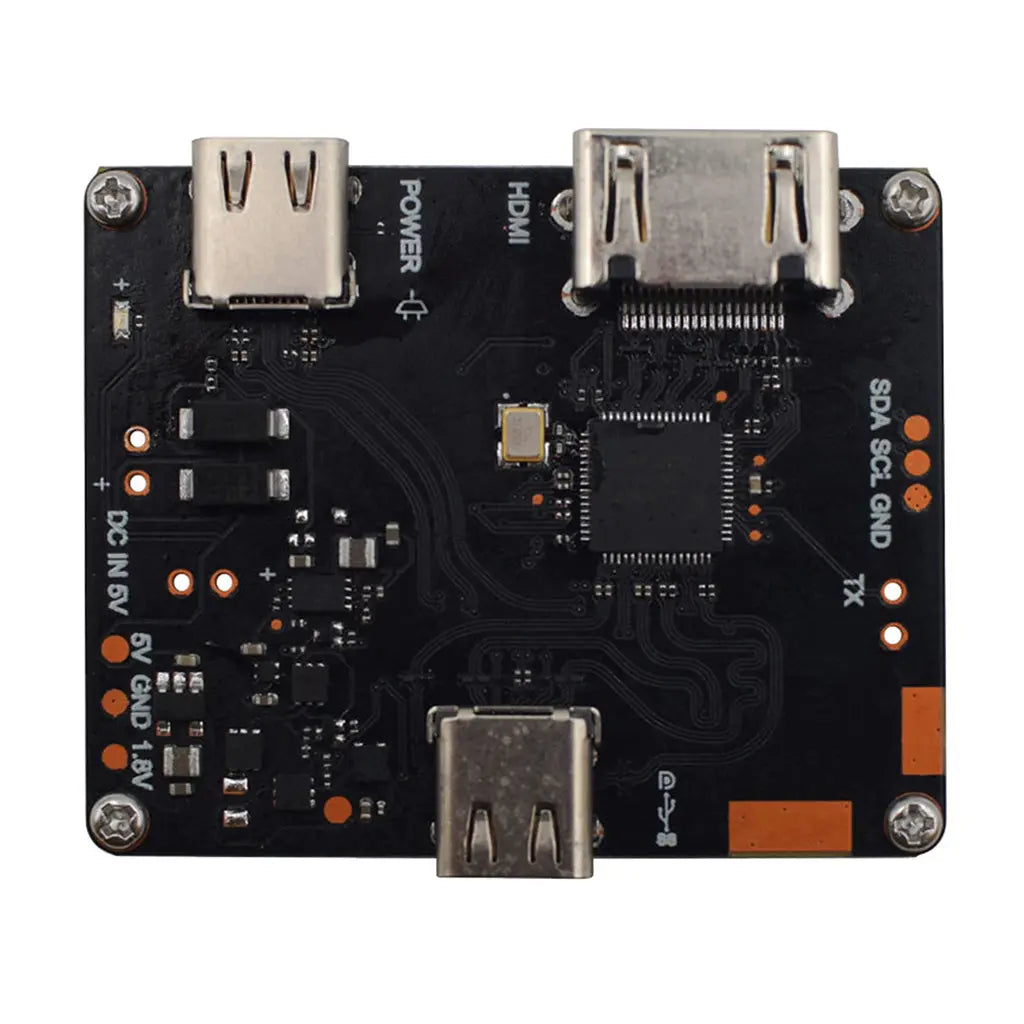
Display Adapter for HDMI to Type-C With DP and PD Function

SKU: DM-ADTTR-019
Sale price$99.00
  • 💹 Enjoy a 20% discount for orders over 500
  • 📉 A 15% discount is available for orders ranging from 200 to 499
  • 🎁 A 10% discount is available for orders ranging from 50 to 199
  • 🎁 A 5% discount is available when ordering 10-49

Interested in customizing this product? Get in touch with us.

Order samples, immediate delivery.

Factory bulk lead time: 3 weeks.


Share
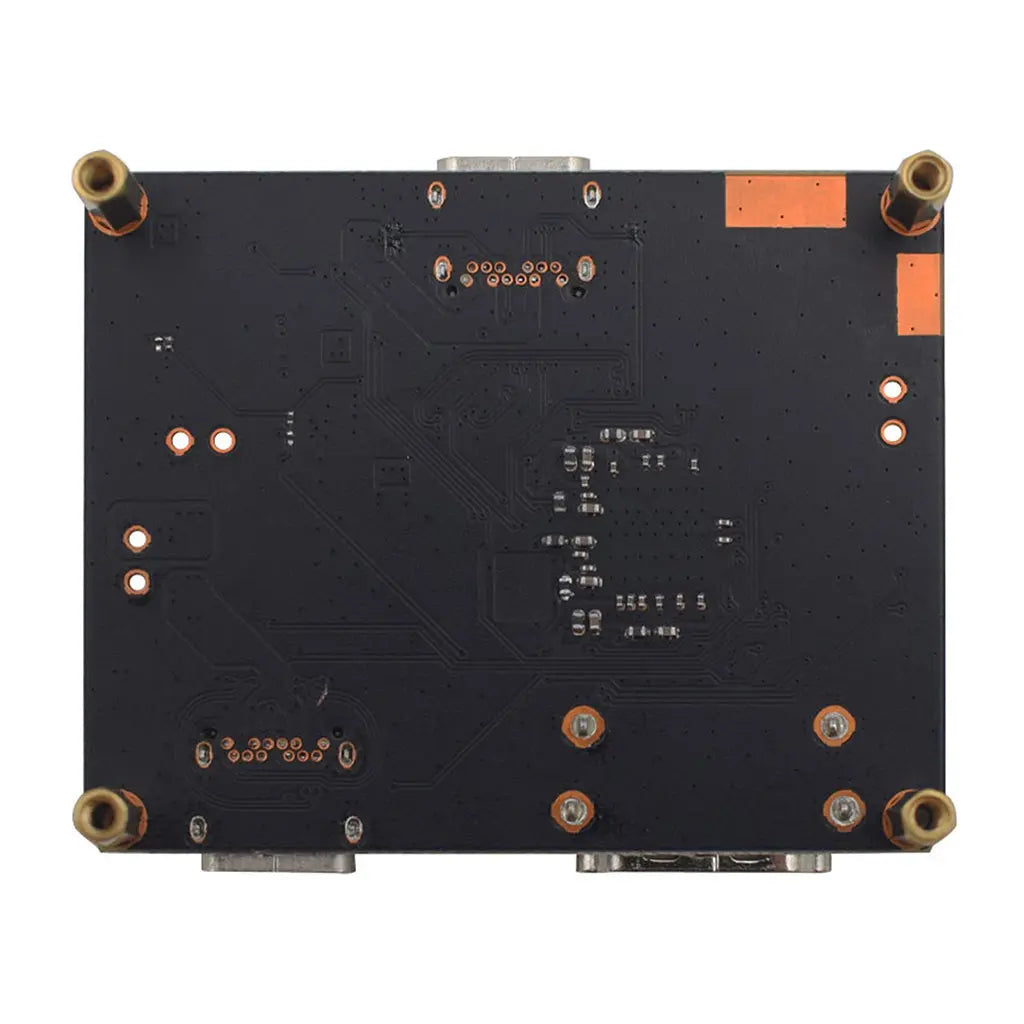
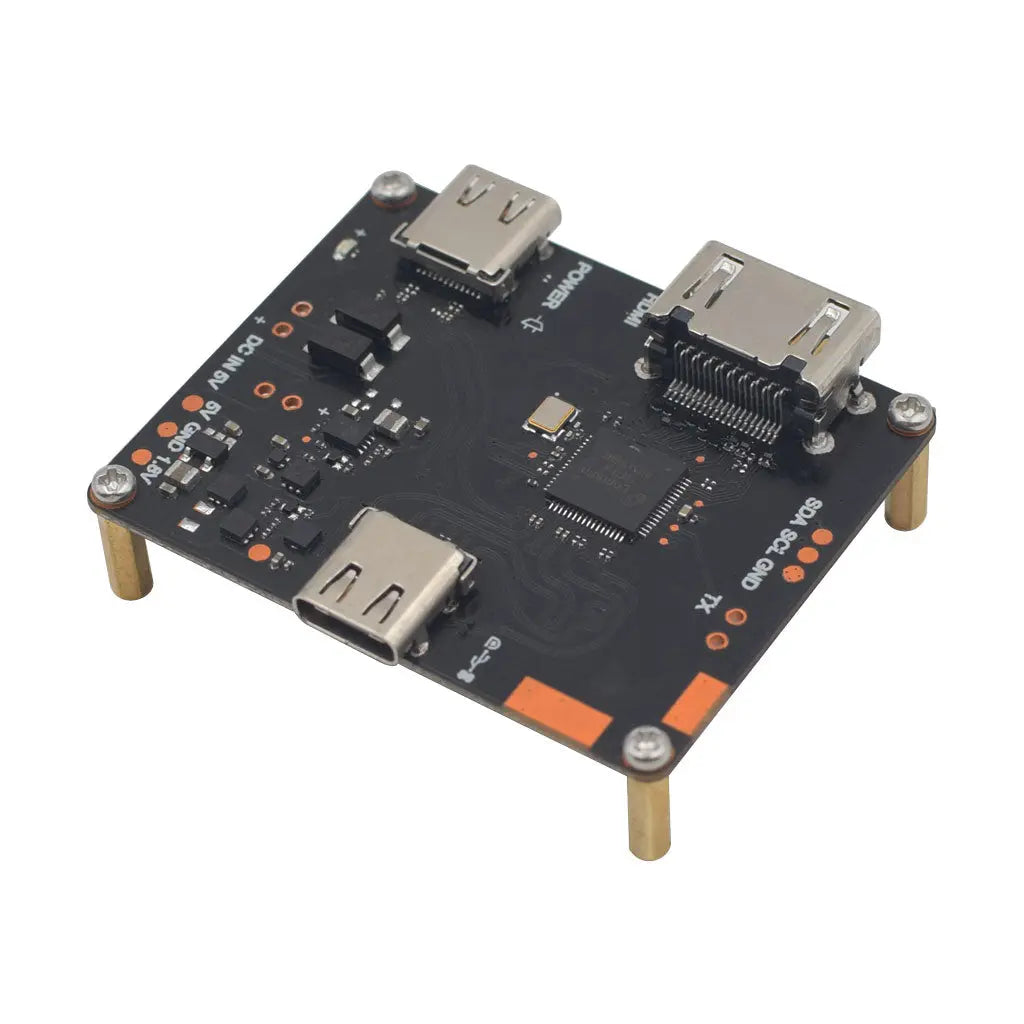
Adapter converting HDMI input to Type-C output with DisplayPort and Power Delivery functions
Display Adapter for HDMI to Type-C With DP and PD Function Sale price$99.00

Resources & Downloads

HDMI 2.0 Input · USB-C DP Alt Mode Output · USB 3.1 Gen1 · 5V/3A PD

Display Adapter for HDMI to Type-C with DisplayPort, USB Data and Power Delivery

This display adapter is designed for HDMI source input to USB-C display output applications. It supports HDMI 2.0 input, USB-C output with DisplayPort Alternate Mode, USB 2.0/3.1 Gen1 data function, and 5V power delivery through USB-C.

The listed maximum video capability is 4K x 2K at 60Hz. The compact 50 x 42.15 x 7.1mm form factor makes it suitable for AR/VR display connectivity, mobile device expansion, digital signage hardware, embedded display projects, and OEM/ODM integration evaluation.

4K x 2K

Listed maximum resolution at 60Hz

5V / 3A

15W listed power delivery

HDMI Input USB-C Output Display

Primary listed signal path: HDMI 2.0 source input to USB-C display output with DisplayPort Alternate Mode.


Core Function

The adapter combines HDMI video input, USB-C display output, USB data support and 5V power delivery in one compact hardware module. The content below avoids unsupported claims and keeps the signal direction, resolution, power and compatibility information tied to the listed product data.

HDMI Source to USB-C Display Output

The product name and details describe HDMI to Type-C use. Treat the primary signal path as HDMI 2.0 source input to USB-C output with DisplayPort Alternate Mode. Full bidirectional conversion is not stated in the supplied product content.

4K@60Hz Listed Video Capability

The listed maximum resolution is 4K x 2K at 60Hz. Actual display performance depends on the HDMI source, USB-C display device, cable quality, power input, firmware behavior and supported display mode.

Video, USB Data and 5V Power

The supplied product content lists concurrent DisplayPort video and USB data transfer, USB 2.0/3.1 Gen1 support, and 5V at 3A power delivery.


Technical Specifications

Parameter Specification
Input Interface HDMI 2.0 input, listed for 4K@60Hz; USB-C sink mode is also listed in the supplied product details.
Output Interface USB-C output with DisplayPort Alternate Mode and USB 3.1 Gen1 function.
Maximum Resolution 4K x 2K at 60Hz.
DisplayPort Version DP 1.2, listed up to 4K@60Hz.
USB Support USB 2.0 and USB 3.1 Gen1 support.
Power Delivery 5V at 3A, equal to 15W listed power delivery.
HDCP HDCP 1.4 and HDCP 2.2 listed.
Listed Standards HDCP 1.4/2.2, USB-C R1.2, PD 3.0.
Operating Temperature 0°C to 40°C.
Dimensions 50 x 42.15 x 7.1mm.

Interface Architecture

HDMI 2.0 Source Input

Receives HDMI 2.0 source signal. The listed maximum video input capability is 4K@60Hz.

Conversion Path

Converts the HDMI input path to USB-C display output according to the listed HDMI-to-Type-C product function.

USB-C Output

USB-C side is listed with DP Alt Mode, USB 2.0/3.1 Gen1 function, and 5V power delivery support.

USB-C Display Device

The connected display-side device should support the required USB-C display input mode. Compatibility should be confirmed before volume use.


Compatibility Notes

Listed System Compatibility

The supplied product content lists Windows, macOS, iOS, Android and Raspberry Pi-related compatibility. Final use depends on the source hardware, display hardware, cable type, firmware, power path and supported display mode.

AR/VR Display Projects

The product content lists AR/VR systems as an application. Use should be verified with the target headset or display module, especially USB-C display input mode, power requirement and required resolution.

Pre-Order Verification

Before engineering integration or volume purchase, confirm signal direction, display mode, power budget, cable type, target resolution, refresh rate, USB function and HDCP requirement.

Application Scenarios

AR/VR Systems

For AR/VR display connectivity evaluation where HDMI source equipment needs to connect to a USB-C display path that supports DisplayPort Alternate Mode.

Mobile Device Expansion

For projects that require display connectivity between selected mobile or embedded source systems and compatible USB-C display-side devices.

Digital Signage

For retail kiosks, demo stations and signage installations that need compact HDMI-to-USB-C display connectivity.

Engineering Evaluation

For teams validating HDMI-to-USB-C display signal flow, USB data behavior, PD input requirements and integration feasibility before product design-in.


Integration Checklist

01. Confirm the HDMI source supports the required resolution and refresh rate.

02. Confirm the USB-C display device supports the required USB-C display input mode.

03. Use HDMI and USB-C cables that match the required video, data and power functions.

04. Check whether the application requires USB 2.0, USB 3.1 Gen1 or both.

05. Confirm the listed 5V/3A power delivery is enough for the target device.

06. Check HDCP 1.4/2.2 requirements when protected video content is used.

OEM and ODM Support

Bulk Procurement

The supplied product content lists volume discounts for OEM/ODM orders. Commercial terms should be confirmed based on order quantity and project requirements.

White-Label Options

The product content lists custom branding and packaging services. Final scope should be confirmed by branding files, packaging format and order details.

Technical Support

The supplied product content lists dedicated engineering assistance for integration projects. Buyers should confirm support scope before project approval.

Technical Points to Confirm

Signal Direction

The supplied product name states HDMI to Type-C. Do not assume Type-C to HDMI operation unless confirmed by the datasheet or supplier.

USB-C Display Mode

A USB-C connector alone does not confirm display input support. The connected display-side device should support the required USB-C display mode.

Power Requirement

The listed power delivery is 5V at 3A. Devices requiring higher voltage profiles or higher wattage should be checked before use.

Protected Content

HDCP 1.4/2.2 is listed. Protected content playback still depends on the full source, adapter, cable and display chain.

FAQ

Is this adapter HDMI to USB-C or USB-C to HDMI?

The product is described as HDMI to Type-C. Treat HDMI as the source input and USB-C as the display-side output unless another direction is confirmed by the datasheet or supplier.

What is the maximum listed resolution?

The listed maximum resolution is 4K x 2K at 60Hz.

Does it support USB data transfer?

Yes. The supplied product content lists USB 2.0 and USB 3.1 Gen1 support with concurrent DisplayPort video and USB data transfer.

Does it provide power?

Yes. The listed power delivery is 5V at 3A, equal to 15W. Check the target device power requirement before deployment.

Can it be used for AR/VR systems?

The supplied product content lists AR/VR systems as an application. The final setup should be tested with the target headset or display device.

What should be checked before volume purchase?

Confirm signal direction, device compatibility, cable type, resolution, refresh rate, USB data requirement, HDCP requirement and power budget with the final system setup.

Download Datasheet & Confirm Integration Details

Use the official datasheet to confirm interface specifications, mechanical dimensions, supported resolution, USB function, power delivery requirement, operating temperature, HDCP information, and listed compliance standards before engineering evaluation or volume purchase.

For OEM and ODM projects, confirm order quantity, branding scope, packaging requirements, compatibility details, technical support scope, and project-specific integration requirements with the supplier before approval.

Download Official Datasheet