









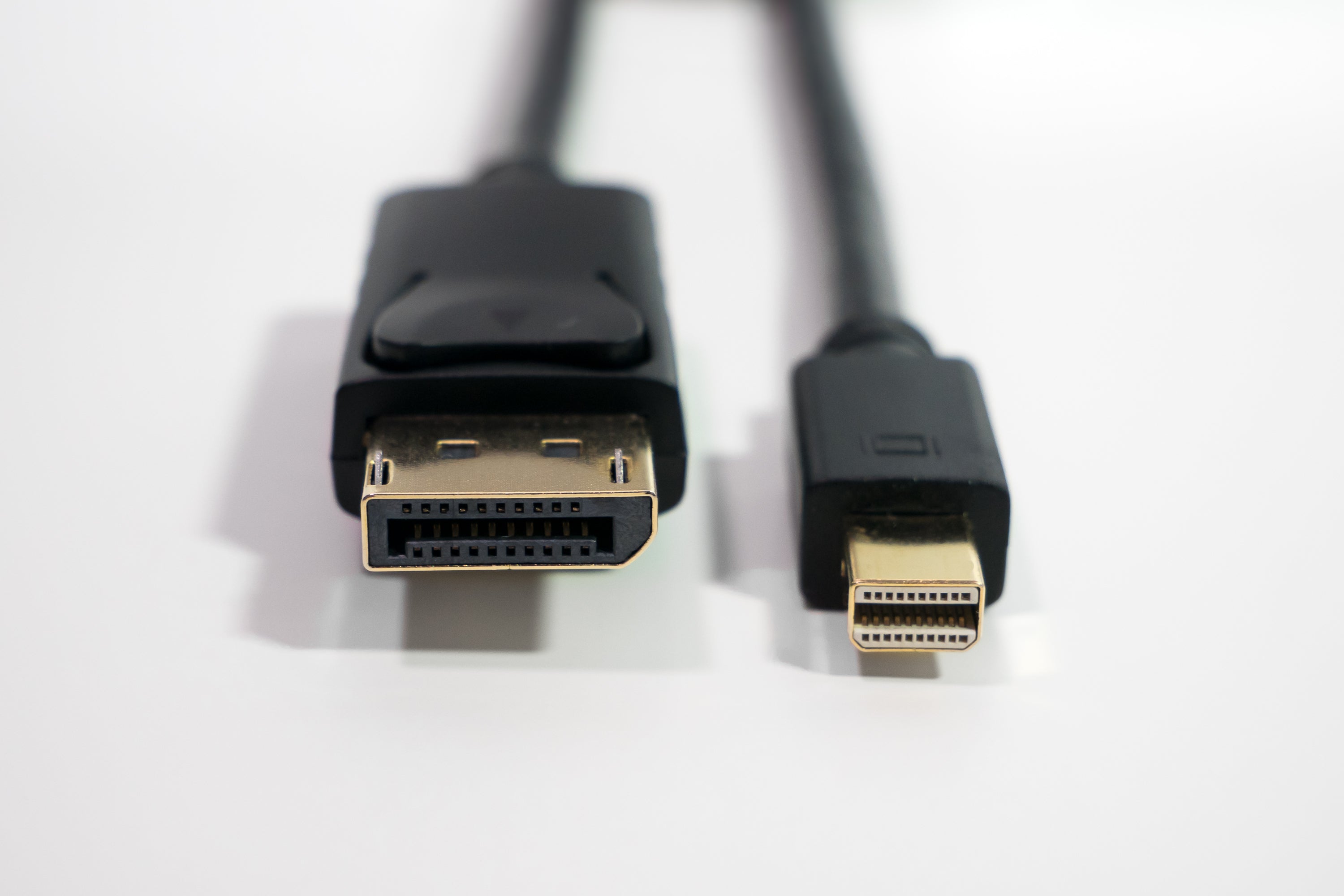
Is Mini DisplayPort the same as DisplayPort?
Mini DisplayPort (mDP) isn’t identical to standard DisplayPort but shares the same protocol. mDP uses a compact 7.4x4.5mm connector (vs. DP’s 16mm width) yet supports equal bandwidth—up to 80Gbps via HBR3—enabling 4K@144Hz or 8K@60Hz. Laptops like MacBooks use mDP; desktops often have full DP, but adapters allow cross-compatibility for seamless high-res output.
The Core Technology
At its heart, both DisplayPort and Mini DisplayPort operate on the exact same digital protocol. The core differentiator is purely physical: the size of the connector. Think of it like a garden hose; a standard hose and a shorter, coiled hose can deliver water with the same pressure (psi) and flow rate (gallons per minute), but they have different fittings for different connections. This shared technological foundation, developed by VESA (Video Electronics Standards Association), is what enables both standards to deliver exceptional performance. The latest version, DisplayPort 1.4, supports a massive total bandwidth of 32.4 Gbps. This translates to a raw data rate of 25.92 Gbps over its four main lanes, which is sufficient to drive an 8K (7680x4320) display at 60 Hz with over 1 billion colors (10-bit color depth).
-
Identical Digital Protocol
-
Identical Performance Capabilities
-
Identical Supported Resolutions & Features
The magic behind this performance is a packetized data transmission method, similar to how Ethernet or USB works. Instead of dedicating fixed frequencies to different signal types, DisplayPort packages video, audio, and auxiliary data into discrete packets and sends them over a high-speed link. This efficient method is a key reason for its high bandwidth utilization efficiency, often exceeding 80%, compared to older methods like HDMI's TMDS, which can have lower efficiency.
To display 4K (3840x2160) video at a refresh rate of 60 Hz, you need a minimum data rate of approximately 12.54 Gbps for 8-bit color. DisplayPort 1.4 handles this with immense headroom. For more demanding applications, like 5K (5120x2880) at 60 Hz, the required data rate jumps to around 15.68 Gbps. The standard's high bandwidth capacity makes this trivial. For the ultimate experience, such as 8K at 60 Hz, the required data rate soars to nearly 32.27 Gbps. To achieve this within the 25.92 Gbps maximum data rate of DisplayPort 1.4, the standard employs Display Stream Compression (DSC).
Size & Shape
The standard DisplayPort connector has a width of 16.1 mm and a height of 4.6 mm, with a depth that varies by plug design. In contrast, the Mini DisplayPort connector is less than half the width at approximately 7.5 mm, with a similar height of around 4.6 mm. This ~53% decrease in connector width was critical for Apple's MacBook line in 2008, where every millimeter of internal space was at a premium, saving valuable volume inside the device's chassis.
-
Physical Dimensions and Weight
-
Pin Configuration and Function
-
Mechanical Durability and Locking Mechanism
The core of the connector is its 20-pin layout, which is identical for both standard and Mini DisplayPort. This consistency is why a simple passive adapter, with zero signal conversion, can bridge the two sizes without any performance loss or increase in latency (less than 1 ms). The pins are arranged in two rows and carry the essential Main Link data lanes (4 lanes), the auxiliary channel, hot-plug detection (HPD) signal at 3.3 volts, and power. The tolerance for the pin alignment is precise, typically within a deviation of 0.05 mm, to ensure a reliable connection. The durability of the connector is tested for a minimum of 10,000 insertion cycles, a key lifetime specification that manufacturers must meet.
A critical mechanical difference is the latching mechanism. The standard DisplayPort plug features two subtle hooks that engage with a force of approximately 20-30 Newtons when inserted, providing a secure connection that resists being accidentally unplugged. The Mini DisplayPort connector also has a latching mechanism, but its smaller size and mass result in a slightly lower retention force, often in the 15-25 Newton range. This ~25% reduction in latching force is a trade-off for the smaller form factor.
|
|
|
|
|
|---|---|---|---|
|
|
|
|
|
|
|
|
|
|
|
|
|
|
|
|
|
|
|
|
|
|
|
|
|
The impact of this size and weight reduction extends beyond the connector itself. Thinner devices require thinner printed circuit boards (PCBs). The lower mass and smaller surface area of the Mini DisplayPort socket exerts less physical stress on these delicate PCBs during frequent insertions, improving the long-term reliability of the device. The cost of manufacturing the Mini connector is marginally higher on a per-unit basis, often by 0.50, due to the tighter manufacturing tolerances required for its smaller components.
Performance Comparison
The maximum data rate of 32.4 Gbps defined by the DisplayPort 1.4 standard is accessible through either port type. This means both can handle an 8K resolution (7680 x 4320 pixels) at a refresh rate of 60 Hz, or a 4K resolution (3840 x 2160 pixels) at a blistering refresh rate of 240 Hz.
The underlying data transmission rate is a product of the link rate per lane and the number of lanes. DisplayPort 1.4 uses a link rate of 8.1 Gbps per lane across its four main data lanes. This gives a total raw data rate of 32.4 Gbps. However, after accounting for encoding overhead, the maximum payload data rate is 25.92 Gbps. This efficiency rate of approximately 80% is a fixed characteristic of the standard.
Features like High Dynamic Range (HDR), which requires a color depth of 10-bits per channel or more (over 1.07 billion colors), and a wide color gamut such as DCI-P3 (covering about 90% of that spectrum), are fully supported by both connectors. The auxiliary channel, which has a bandwidth of 1 Mbps for handling tasks like monitor identification (EDID) and adjusting settings, operates identically regardless of the port's physical size and weight.
Where performance can be influenced is not by the port itself, but by the integrity of the signal path. The smaller physical dimensions of the Mini DisplayPort connector can, in some engineering implementations, be more susceptible to signal degradation over very long cable runs. This is due to factors like higher insertion loss and potential for increased impedance discontinuity at the connection point. While a standard DisplayPort connector might reliably maintain signal integrity over a passive cable length of 3 meters at maximum resolution, a Mini DisplayPort connection might see a 10-15% reduction in reliable passive cable length, suggesting a practical limit of around 2.5 meters for the most demanding resolutions.
Adapter Flexibility
They contain no active electronics; instead, they are just meticulously arranged wires that map the 20 pins from the smaller Mini DP connector to the identically-functioned 20 pins of the standard DP socket. This direct passthrough means there is zero performance penalty, no added latency (beyond a negligible picosecond-level signal travel time), and no compression. The efficiency of this connection is virtually 100%, allowing the full bandwidth of 32.4 Gbps to pass through unimpeded.
The utility of these adapters extends far beyond just connecting Mini DP to standard DP. Their real value lies in enabling connectivity to a wide range of older display standards, such as HDMI, DVI, and even the analog VGA. However, these adapters are a different breed. An adapter from Mini DisplayPort to HDMI is an "active" device. It contains a small chip that performs protocol conversion, translating the DisplayPort packetized signal into the HDMI TMDS signal. This conversion process is highly efficient but can introduce a latency increase of approximately 1-2 milliseconds. The cost of these active adapters is higher, typically in the 50 range, depending on the supported maximum resolution.
A DisplayPort to VGA adapter, for instance, is a digital-to-analog converter (DAC). Its maximum output resolution is often capped at 1920x1200 at a 60 Hz refresh rate, as the quality of the analog signal degrades at higher frequencies. The cost efficiency of supporting higher analog resolutions drops significantly, which is why you'll rarely see these adapters support beyond 1080p. For DVI and HDMI, the maximum data rate of the target standard becomes the limiting factor. A single-link DVI adapter is limited to a digital transmission rate of 3.96 Gbps, which translates to a maximum resolution of 1920x1200 at 60 Hz. A dual-link DVI adapter can handle up to 7.92 Gbps, supporting up to 2560x1600 at 60 Hz.
The error rate in these active conversions is exceptionally low, with a bit error rate typically better than 10^{-9}, ensuring a stable picture. The operating temperature range for these small devices is usually between 0°C and 70°C, and their mean time between failures (MTBF) is often rated for over 50,000 hours of continuous use.
Device Compatibility
The choice by manufacturers is rarely arbitrary; it's primarily driven by the physical size, thickness, and intended use-case of the device. The following table summarizes the typical compatibility landscape.
|
|
|
|
|
|---|---|---|---|
|
|
|
|
|
|
|
|
|
|
|
|
|
|
|
|
|
|
|
|
|
|
|
|
|
Apple's adoption of Mini DisplayPort starting in 2008 set a trend for the entire industry towards thinner laptop designs. For a period of roughly 7 years (from 2008 to 2015), the Mini DisplayPort was the dominant high-performance video output on Apple hardware and a very common sight on Windows-based ultrabooks. The probability of finding a Mini DisplayPort on a laptop from this era is very high, perhaps exceeding 80% for models that prioritized thinness.
During this same period, the standard DisplayPort remained the unchallenged king on desktop graphics cards and standalone monitors, where its larger, more secure connector was a benefit, not a liability. The lifecycle of a desktop monitor is typically 5-7 years, meaning many monitors with standard DP ports from that era are still in active use today.
For the first two generations of Thunderbolt, the physical port was identical to the Mini DisplayPort connector. This meant that every Thunderbolt 1 and 2 port (common on Macs from 2011 to 2015) was also a fully functional Mini DisplayPort output. This 100% compatibility was a major benefit, effectively giving users two ports in one.
Read more

VR has been gaining popularity in recent years due to the growing interest in immersive gaming and entertainment experiences. OLEDs provide a key component for delivering high-quality VR experienc...
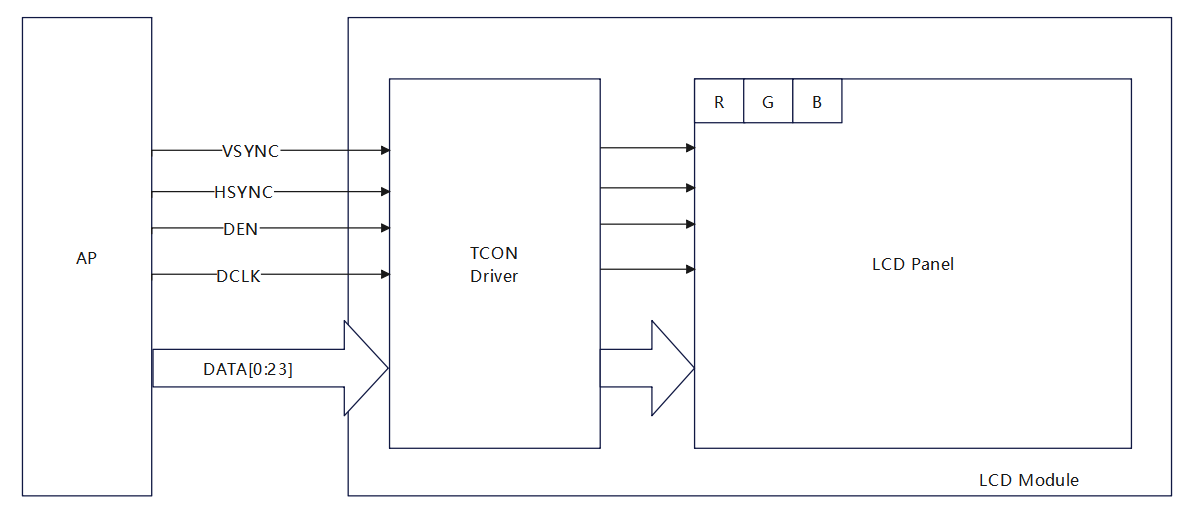
RGB is a color standard in the industry, which is used to obtain a variety of colors by changing the three color channels red (R), green (G) and blue (B) and superimposing them on each other. RGB r...
Leave a comment
This site is protected by hCaptcha and the hCaptcha Privacy Policy and Terms of Service apply.